
Note: This article contains affiliate links. If you click on these links and make a purchase, we may earn a small commission at no extra cost to you. This helps support our research and content. Read our full affiliate disclosure here.
You want a small, simple way to turn phone photos into physical keepsakes without fuss. A Mini Photo Printer makes it easy to print snapshots, stickers, and small mementos for gifting, scrapbooking, or quick sharing. Choosing the right compact printer matters because differences in print resolution, paper options, connectivity, and running cost affect how often you will use it and how the prints look over time. This guide shortlists the top compact printers available for everyday photo printing and evaluates them across practical criteria like print quality, portability, ease of use, and consumable cost. Scroll on for our top picks and concise guidance to match a Mini Photo Printer to your habits and priorities.
Top Picks at a Glance
| Best Overall The best all-around choice for most situations | HP Sprocket 2×3 Printer |  |
| Best Quality Built to a higher standard if you want something more solid | Canon IVY 2 Mini Photo Printer |  |
| Best Value The sweet spot between price and what you get | Liene Pearl K100 Mini Photo Printer |  |
| Best Budget The cheapest option that still gets the job done reliably | Nelko PP01 Photo Printer |  |
| Top Rated A top-rated pick with lots of positive feedback | Fujifilm INSTAX Mini Link 3 |  |
| Most Popular A crowd favorite that many people choose with confidence | KODAK Step Instant Photo Printer |  |
| Best Seller A high-volume bestseller chosen again and again | KODAK Mini 2 Retro |  |
HP Sprocket 2×3 Printer

| Print media | Glossy photo paper |
|---|---|
| Maximum Media Size | 2 x 3 |
| Maximum Sheet Capacity | 10 |
| Maximum print Resolution Color | 313 x 400 DPI |
| Printer Connectivity Type | wireless |
The HP Sprocket 2×3 is a portable smartphone photo printer that produces 2" x 3" full-color sticky-backed prints without ink using ZINK zero-ink paper. It connects over Bluetooth (upgraded to Bluetooth 5.x) and prints directly from the HP Sprocket app where you can apply filters, stickers, borders, and multi-user sharing features. The rechargeable design is genuinely pocketable and claims about 35 prints per charge, making it convenient for parties, trips, and scrapbooking. Print quality is good for small snapshots with a quoted 313 x 400 DPI color resolution and durable, smudge-resistant glossy paper that does not require cartridges or ribbons. Limitations are the small print size and single-tray 10-sheet capacity, so it is not suited for larger prints or long high-volume jobs, and color fidelity and fine detail are modest compared with full-size photo printers. If you want instant, fun prints from your phone with minimal fuss, the Sprocket delivers a simple, reliable experience.
Best for: Buyers who want a compact, easy-to-use printer for on-the-spot 2×3 photo keepsakes, social gatherings, and creative scrapbooking where portability and no-ink operation matter most.
Less Ideal for: People who need larger-format, high-resolution photo prints or a printer for frequent high-volume printing should look at full-size photo printers instead.
- True pocket portability with rechargeable battery and compact footprint
- ZINK zero-ink prints that are smudge- and tear-resistant and have sticky backs
- Bluetooth app control with editing tools, filters, and multi-user printing
- Reasonable print yield per charge (around 35 prints) and simple setup
- Prints are limited to 2 x 3 inches and not suitable for larger photos
- Small 10-sheet tray and modest print speed make high-volume printing inconvenient
Verdict: A compact, no-ink pocket printer that makes instant 2×3 sticky-backed photos for social moments and craft projects.
Canon IVY 2 Mini Photo Printer

| Printer Type | Zink Technology |
|---|---|
| Print Size | 2 x 3 in |
| Maximum Media Capacity | 10 sheets |
| Connectivity | Bluetooth |
| Print Resolution | 313 x 512 dpi |
The Canon IVY 2 is a compact, battery-powered pocket printer that uses ZINK zero-ink technology to produce 2 x 3 inch peel-and-stick photos directly from your smartphone through the Canon Mini Print app and Bluetooth 5.0. It is designed for casual, on-the-go printing: load a SMART SHEET and ZINK paper, pair over Bluetooth, edit in-app with frames or stickers, then print a sticker-backed photo in under a minute. Improved image processing aims for better skin tones, contrast, and sharpness compared with earlier models, and the printer charges over USB-C with a fast charge option that reaches full power quickly. Practical benefits include portable convenience, no ink cartridges to buy, and creative app tools for quick customization. Limitations are the low print resolution (313 x 512 dpi) and small 2×3 size, which make it unsuitable for enlarged or high-detail prints, plus a modest 10-sheet capacity that means frequent paper refills for heavy users.
Best for: Buyers who want a fast, portable printer for social photos, scrapbooking, and on-the-spot sticker prints with easy smartphone editing and no ink hassles.
Less Ideal for: Photographers or users who need high-resolution enlargements, larger print formats, or high-volume printing for events should consider larger photo printers instead.
- Truly portable design pocketable and runs on a rechargeable battery
- Zero-ink ZINK printing means no cartridges or ink refills
- Peel-and-stick 2×3 prints for instant stickers and scrapbook use
- Bluetooth 5.0 connectivity and Canon Mini Print app for easy editing and printing
- USB-C fast charging for quick turnaround between sessions
- Low native print resolution and small 2×3 size limit image detail and enlargement
- Maximum paper capacity of 10 sheets requires frequent reloading for batch printing
Verdict: Choose the IVY 2 if you want a pocketable, no-ink printer that delivers quick 2×3 sticker photos straight from your phone with easy app customization.
Liene Pearl K100 Mini Photo Printer

| Printer Type | Zink Technology |
|---|---|
| Paper Size | 2 x 3 inches |
| Printer Connectivity Type | Bluetooth |
| Hardware Interface | USB Type C |
| Maximum print Resolution Color | 300 dpi |
The Liene Pearl K100 is a pocketable Zink instant photo printer designed for quick smartphone prints on 2×3 sticky-backed paper. You pair it with the Liene app over Bluetooth 5.2, pick or edit an image, and the printer produces a 2×3 glossy sticker in roughly a minute using Zink zero-ink technology. The device is genuinely portable at around a few ounces and charges via USB‑C, and the app adds useful features like one-tap AI edits, face-swap, and a print-head cleaning tool to address white spots. Because it uses Zink paper, prints are waterproof and smudge-resistant without separate ink cartridges, but you are tied to proprietary Zink media and 2×3 sizing. Print speed is modest at about one page per minute and the built-in tray holds up to 10 sheets, so it is better for casual snapshots, scrapbooking, and parties than bulk photo jobs. For buyers who want sticker prints straight from a phone with minimal setup, this is a practical, portable choice; buyers needing larger formats or faster high-volume printing should look elsewhere.
Best for: Buyers who want a compact, app-driven way to turn smartphone photos into durable 2×3 sticker prints for scrapbooks, parties, or travel memories and who prioritize portability and simplicity.
Less Ideal for: Anyone who needs larger prints, fast batch printing, or a more traditional ink-based photo workflow for professional-quality images.
- Zero-ink Zink printing produces waterproof, smudge-resistant sticker photos without cartridges
- Bluetooth 5.2 plus USB-C charging for easy smartphone pairing and modern connectivity
- Compact, lightweight design and app-driven editing tools make it convenient for on-the-go use
- Includes extra Zink paper and supports mono or color paper types via the app
- Limited to 2×3 prints and a small 10-sheet tray, so not suited for high-volume or larger-format printing
- Print speed is slow at about one print per minute compared with larger photo printers
Verdict: If you want a truly portable, no-ink phone printer that makes durable 2×3 sticker photos with simple app controls, the Liene Pearl K100 is an efficient, practical pick.
Nelko PP01 Photo Printer

| Printer Type | Inkjet |
|---|---|
| Print media | Glossy photo paper |
| Print Resolution | 600 x 600 |
| Printer Connectivity Type | Bluetooth |
| Paper Size | 52x90mm |
The Nelko PP01 is a compact Bluetooth inkjet designed for quick 2×3 prints from a smartphone using the Nelko app. You load sticky-backed 2×3 photo paper, install a color cartridge, pair over Bluetooth, edit in-app and print a photo in under 90 seconds. Its 600 DPI output produces vivid, adhesive-backed photos suitable for scrapbooks, planners, party favors and on-the-go mementos, and the app includes filters, frames, text and simple AI edits for customization. The printer is genuinely pocketable and USB-chargeable, and a single cartridge is advertised to yield many prints, which helps keep per-photo costs down. Practical limits are the small print size and single-function print-only design, so it is not suitable for larger photos or document tasks, and users should follow the loading guidance to avoid paper jams and perform occasional cartridge head cleaning to prevent clogs after idle periods.
Best for: Buyers who want an affordable, pocketable printer to produce instant 2×3 photo stickers for scrapbooks, parties, travel journals, and casual craft projects.
Less Ideal for: Anyone who needs larger-format prints, multifunction office printing, or high-volume professional photo production should choose a different printer.
- True portable size for travel and scrapbooking projects
- Bluetooth pairing with iOS and Android via a dedicated app for editing and printing
- 600 DPI color inkjet output for detailed, vivid 2×3 prints
- Uses sticky-backed photo paper so prints can be used immediately in journals or as favors
- Limited to 2×3 inch prints only, so not suitable for larger photos
- Print-only device with no scanning or copying functions
Verdict: If you want an inexpensive, truly portable mini printer that makes sticky-backed 2×3 photos directly from your phone, the Nelko PP01 is a practical choice.
Fujifilm INSTAX Mini Link 3

| Printer Type | Thermal |
|---|---|
| Print media | Glossy film |
| Compatible Devices | Smartphones |
| Printer Connectivity Type | Bluetooth |
| Maximum print Resolution Color | 254 dpi |
The Fujifilm INSTAX Mini Link 3 is a small, lightweight thermal photo printer designed to turn smartphone images into glossy 2 x 3 inch instant prints. You pair it over Bluetooth, use the INSTAX app to apply filters, frames, text, and AR effects, then send images for on-the-spot printing; the app also supports remote live viewing and simple collage/photobooth modes. Practical benefits include fast, border-style instant output on Fujifilm instant film, a compact footprint that is easy to carry to parties and events, and USB-C charging for straightforward power. Print resolution is optimized for the small format, and the included 20-exposure film lets you start immediately. Limitations are inherent to instant-format printers: prints are small and fixed-format, there is ongoing film cost, and the unit is print-only with no scanning or large-format options. For buyers who want reliable, simple instant prints from a phone with some creative app controls, the Mini Link 3 delivers a consistently good real-world experience.
Best for: Buyers who prioritize a dependable, easy-to-use instant printer for parties, travel, or casual photo keepsakes and who value consistent print results over large sizes or multifunction features.
Less Ideal for: Anyone who needs large prints, multifunction office features, or wants a device that scans or produces high-resolution photo-lab style enlargements.
- Compact and lightweight for easy portability
- Bluetooth 5.1 pairing and INSTAX app support for filters, text, and AR effects
- Prints on Fujifilm instant glossy film for consistent color and finish
- USB-C charging and included 20-exposure film to start printing right away
- Prints are limited to small 2 x 3 inch format and incur ongoing film costs
- Print-only device with no scanning, editing beyond the app, or larger print sizes
Verdict: A reliable, pocketable instant printer that consistently delivers fun 2 x 3 inch prints straight from your smartphone.
KODAK Step Instant Photo Printer
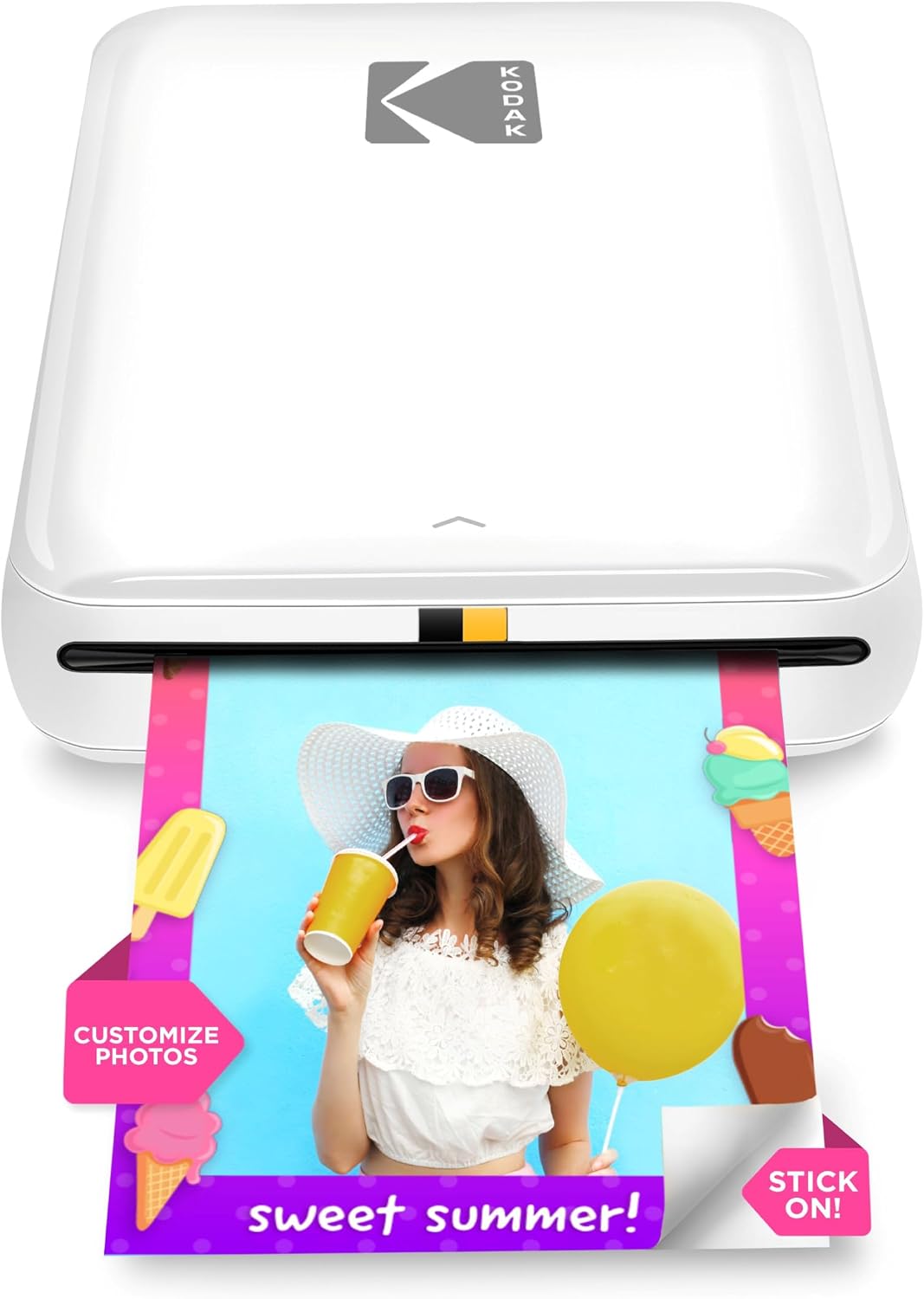
| Print media | 2×3 glossy ZINK photo paper |
|---|---|
| Maximum Sheet Capacity | 10 |
| Connectivity | Bluetooth, NFC |
| Battery life (prints per charge) | Up to 25 prints |
| Maximum print Resolution Color | 313 x 400 dpi |
The KODAK Step is a compact, battery-powered 2×3 photo printer that uses ZINK zero-ink technology to turn smartphone images into sticky-backed prints in about a minute. You pair it with the free KODAK STEP PRINTS app (required) to edit, add filters, stickers, or collages before printing, and the built-in rechargeable battery handles roughly 25 prints per charge. Its simple Bluetooth or NFC connection and a 10-sheet tray make it an easy grab-and-go option for parties, scrapbooking, and travel. Prints are water- and smudge-resistant thanks to the ZINK paper's protective coating, and there are no cartridges to replace. Expect modest print resolution compared with lab prints and a slow per-photo time if you need large batches, and ongoing cost comes from buying KODAK ZINK 2×3 paper. The printer's tiny footprint and app editing features make it handy for casual photographers and crafters who prioritize portability and instant physical photos over large-format or professional-grade output.
Best for: Buyers who want an easy, pocketable way to turn smartphone snaps into instant keepsakes and who value app editing and social sharing features supported by strong customer feedback.
Less Ideal for: Users who need large, high-resolution prints, very fast throughput, or a range of paper sizes for framing or professional work should consider other solutions.
- Truly portable with built-in rechargeable battery for on-the-go printing
- ZINK zero-ink prints are smudge-, tear-, and water-resistant and come with sticky backing
- Simple wireless pairing via Bluetooth or NFC and app-based editing tools
- No ink cartridges required, reducing maintenance and mess
- Print size limited to 2×3 inches which is small for display or framing
- Print speed is about 60 seconds per photo, so large batches take time
- Requires proprietary ZINK paper which is an ongoing consumable cost
Verdict: Choose the KODAK Step when you want a compact, no-ink mobile printer that turns phone photos into durable 2×3 sticky-backed prints with easy app editing.
KODAK Mini 2 Retro

| Print media | Glossy photo paper |
|---|---|
| Maximum print Resolution Color | 300 dots_per_inch |
| Printer Connectivity Type | Bluetooth |
| Maximum Media Size | 2.1 x 3.4 inches |
| Maximum Sheet Capacity | 15 |
The KODAK Mini 2 Retro is a compact portable printer that turns smartphone photos into laminated dye-sublimation prints in about a minute. It pairs over Bluetooth to the KODAK Photo Printer app on iOS or Android where you can crop, edit, and send images to print; the included USB-C cable handles charging. The printer uses 4PASS cartridges that lay down three color layers plus a protective lamination for smudge, water, and fade resistance, and the bundle ships with four cartridges and 38 sheets so you can start printing right away. Prints are roughly credit-card size and the machine handles a small removable paper capacity, making it best for occasional on-the-go use, scrapbooks, parties, and keepsakes rather than large-volume jobs. Connectivity is Bluetooth only and print speed is about one page per minute, so expect modest throughput. For buyers who prioritize simple setup, durable-looking prints, and a reliable app workflow, the Mini 2 Retro delivers a low-friction, risk-averse way to get physical photos from a phone without complex maintenance.
Best for: Buyers who want a simple, fuss-free way to get durable, wallet-sized prints from a smartphone for scrapbooks, trips, and events and who prefer low setup risk and predictable results.
Less Ideal for: People who need larger prints, fast high-volume production, or networked/USB-first printing workflows should consider other solutions.
- Genuine 4PASS dye-sublimation with protective lamination for smudge and water resistance
- Bluetooth pairing and a dedicated app for easy phone-to-print workflow
- Comes with cartridges and 38 sheets so it is ready to use out of the box
- Pocketable, lightweight design for printing on the go
- Prints are small credit-card size which limits framing or large-format use
- Bluetooth-only connectivity and modest 1 ppm speed limit batch printing capacity
Verdict: Choose the Mini 2 Retro if you want an easy, portable printer that reliably produces durable credit-card-sized photos from your phone with minimal setup.
Choosing the Right Mini Photo Printer: Key Factors to Consider
Print Quality and Color Accuracy
Photo output is the primary reason to buy a Mini Photo Printer. Higher resolution and better color rendering preserve detail in faces and landscapes, while accurate skin tones and neutral grays make prints look natural. Consider whether the printer uses dye-sublimation, thermal Zink, or small ink cartridges because each media type affects sharpness, saturation, and longevity.
If you plan to crop and enlarge images before printing or use prints for keepsakes, prioritize higher print fidelity. Casual sticker-style prints tolerate lower resolution and more saturated color, so match the printer to the type of results you expect.
Portability and Battery Performance
Mini Photo Printers are often used away from a desk, so size, weight, and battery life are important. A truly mobile printer should fit into a bag and print multiple sheets per charge. Check the rated battery capacity and realistic page yield per charge to avoid interruptions during events or trips.
Also consider how quickly the printer wakes and prints. Slow warm-up times reduce convenience for spontaneous printing. If you expect to print in the field frequently, choose a model with a proven, long-lasting battery and compact footprint.
Connectivity and App Workflow
How a printer connects to your phone determines how easy it is to print. Look for reliable Bluetooth or Wi-Fi pairing and a stable app that supports basic editing, layout templates, and firmware updates. Some printers offer direct plug-and-print via USB, but mobile-first devices should prioritize seamless smartphone integration.
A good app can speed up cropping, color correction, and template work. Consider whether the app supports popular cloud services, batch printing, and direct camera-roll access to simplify everyday use.
Consumables and Long-Term Cost
Consumable costs add up quickly with small-format printers. Evaluate the availability and price of paper packs, cartridges, or integrated media rolls. Some printers require branded paper with embedded color layers or special adhesive backs, which can be more expensive but simplify printing.
Also check how many prints come in a pack and whether paper types or finishes are available. Lower cost per print is important if you plan to print frequently, while specialty paper may justify higher cost for archival or decorative uses.
Ease of Use and Maintenance
A compact photo printer should be simple to operate for people who are not technically inclined. Look for straightforward loading mechanisms, clear status indicators, and simple app interfaces. Minimal maintenance, such as no messy cartridge changes or rare cleaning cycles, increases satisfaction for casual users.
Consider how easy it is to replace consumables and whether the device offers helpful diagnostics or error messages. For shared devices, intuitive controls and reliable performance reduce user frustration.
Paper and Format Options
Different printers support varying paper sizes and finishes such as glossy, matte, or adhesive-backed sheets. Choose based on how you plan to use the prints: matte or thicker stock for scrapbooks and display, glossy for vibrant snapshots, or sticker-backed paper for crafts.
Some models offer print formats beyond standard photo sizes, like square or long-strip prints for photo strips. Confirm the exact paper formats supported before buying to ensure the device fits your creative needs.
How Mini Photo Printers Work
Mini Photo Printers use a handful of distinct printing technologies optimized for small, fast output. Zink technology embeds color-forming layers in the paper and requires no ink, producing smudge-resistant prints but with a characteristic color profile. Dye-sublimation printers transfer dye from a ribbon onto paper in stages to create smooth gradations and higher color fidelity. Small inkjet mechanisms exist too, offering more natural color at the expense of size and potentially higher maintenance.
Understanding the underlying technology helps set expectations about image look, longevity, and consumable handling.
- Zink: No ink cartridges, lower maintenance, distinctive color balance.
- Dye-sublimation: Smooth gradients, better color accuracy, uses ribbon and paper packs.
- Mini inkjet: More natural tones, may require cartridge changes and occasional printhead care.
Mobile Printing Tips and Best Practices
Optimize prints by adjusting exposure and white balance on your phone before sending files. Cropping to the printer's native aspect ratio prevents unwanted cropping or stretching. Use the printer's app tools for minor color correction rather than relying solely on automatic adjustments.
When shooting for small prints, prioritize sharpness and contrast because subtle detail can be lost at small sizes. Keep the phone steady and use the native camera app at the highest quality to ensure the best source file.
- Crop to the target aspect ratio before editing.
- Avoid heavy digital zoom for better detail retention.
- Use natural light and steady framing to maximize sharpness.
Managing Consumables and Reducing Waste
To control ongoing cost and environmental impact, buy consumables in larger packs when practical and store them in cool, dry conditions to preserve quality. Consider models that use standard-sized paper packs or refillable cartridges if you expect heavy use.
Plan print batches and preview images before printing to avoid waste. If customization options are available in the app, use them to layout multiple images on a single sheet where supported.
- Store paper flat in original packaging to prevent curling.
- Preview prints and use app proofing to avoid misprints.
- Consider adhesive-backed paper if you want fewer accessories for crafts.
Accessories That Improve the Experience
Useful accessories include protective carrying cases, spare batteries or power banks, and small packs of specialty paper. A compact case protects the device during transport and can hold paper and cables for events or travel. If the printer supports removable batteries or external power, a lightweight power bank extends printing sessions away from outlets.
Also look for optional mounts, adhesive sleeves, or decorative frames designed to pair with small prints for display or gifting.
- Protective case for transport and storage.
- Extra paper packs to avoid running out during events.
- Power bank or spare battery for extended outings.
Common Use Cases and Who Should Buy One
Mini Photo Printers are ideal for people who want physical photos without a lot of fuss. They are useful for casual photographers, scrapbookers, parents printing snapshots for kids, and event hosts who want instant mementos. They are not a replacement for professional photo labs when large prints or archival quality are required.
If you value instant tactile prints, frequent social sharing in physical form, or crafting with stickers and small photos, a mini printer is a practical addition to your gear. Match the model to how often you will print and the level of image fidelity you expect.
- Casual everyday snapshots and prints for friends or family.
- Scrapbooking, journaling, and craft projects.
- On-the-spot event prints for parties and gatherings.
How We Chose the Best Mini Photo Printer
We evaluated Mini Photo Printers against a set of concrete, buyer-focused criteria to determine which models deliver the most useful combination of image quality, convenience, and predictable running cost. Key dimensions included print output fidelity and resolution to assess how detailed and color-accurate photo prints appear. Portability and battery life were measured to ensure a printer is genuinely pocketable and usable away from a power outlet. Connectivity and mobile workflow covered ease of pairing with smartphones, app functionality, and supported file formats. Consumables and operating cost evaluated paper availability, cost per print, and whether the device uses dye-sublimation, Zink, or ink-based media. Build quality and durability were considered for buyers who plan to carry the device frequently. We excluded printers that are primarily designed for office document use, large-format photo printers, or devices that require complex setups not suited to casual mobile use. The final shortlist focuses on machines that excel at on-the-go photo printing and make sense for everyday personal use.
Our full evaluation process is outlined in our review methodology.
FAQ
How long do prints from a Mini Photo Printer last?
Print longevity depends on media type. Dye-sublimation prints and high-quality inkjet prints typically last longer and resist fading better than some Zink prints. Proper storage away from direct sunlight and moisture extends lifespan.
Can I print directly from my phone without an app?
Most mini printers rely on a companion app to manage layout and color adjustments. A few models accept standard mobile print jobs over Wi-Fi, but the app usually provides the simplest and most reliable workflow.
Are mini photo prints archival safe?
Archival safety varies by media. Some dye-sublimation and acid-free photo papers are designed for better longevity, while basic thermal papers may fade faster. If archiving is important, choose printers that use archival-rated media.
How do I calculate the cost per print?
Divide the price of a pack of consumables by the number of sheets in the pack to estimate cost per print. Remember to factor in any expendable ribbons or cartridges required per pack when comparing long-term cost.
Can these printers make stickers or labels?
Many mini photo printers offer adhesive-backed paper options that produce sticker-style prints suitable for crafts. Confirm that the model supports adhesive paper and check the printable area and finish.
Final Verdict
Choosing the right Mini Photo Printer comes down to balancing print quality, portability, and running cost for how you plan to use it. Prioritize print fidelity and paper options if you want keepsake-quality images. If you value spontaneous printing and mobility, weight, battery life, and fast mobile connectivity should carry more weight. Weigh the tradeoffs described here against your expected print volume and preferred media. Focusing on the most relevant criteria will help you choose confidently between small, mobile devices that serve casual sharing and those that better match more demanding photographic uses.