
Note: This article contains affiliate links. If you click on these links and make a purchase, we may earn a small commission at no extra cost to you. This helps support our research and content. Read our full affiliate disclosure here.
Picking the right photo printer for scrapbooking shapes how your finished pages look and how long they last. When you print photos and embellishments at home, factors like color accuracy, paper handling, and print longevity determine whether your layouts will look vibrant for years or fade and warp. This guide shortlists the top photo printers for scrapbooking, focusing on models that handle specialty papers, reproduce skin tones and color-rich scenes faithfully, and produce smudge-resistant output. Below we explain the evaluation criteria and what to expect from each shortlisted printer so you can match machine capabilities to your crafting workflow.
Top Picks at a Glance
| Best Overall The best all-around choice for most situations | Canon SELPHY CP1500 |  |
| Best Quality Built to a higher standard if you want something more solid | Epson Expression Photo HD XP-15000 |  |
| Best Value The sweet spot between price and what you get | KODAK Dock Plus PD460 |  |
| Best Budget The cheapest option that still gets the job done reliably | Nelko PP01 Photo Printer |  |
| Top Rated A top-rated pick with lots of positive feedback | Fujifilm INSTAX Mini Link 3 |  |
| Most Popular A crowd favorite that many people choose with confidence | KODAK Step Instant Photo Printer |  |
| Best Seller A high-volume bestseller chosen again and again | Liene 4×6 Photo Printer DHP513 |  |
Canon SELPHY CP1500

| Printer Type | Dye Sublimation |
|---|---|
| Maximum Media Size | 4 x 6 inch |
| Printer Connectivity Type | Wi-Fi |
| Maximum print Resolution Color | 300 x 300 dots_per_inch |
| Wattage | 7.2 watts |
The Canon SELPHY CP1500 is a portable dye-sublimation photo printer made for printing durable 4×6, square, and mini-sticker photos from phones, cameras, USB drives, or memory cards. It connects over Wi‑Fi or USB and works with the Canon PRINT and SELPHY Layout apps to crop, add effects, and lay out collages before you print. Prints come out instantly dry, water resistant, and are advertised to last long in albums, which makes this handy for scrapbooking and craft projects where you handle photos right away. The small footprint and optional battery pack make it easy to move between home and events, though print speed is modest and output is limited to smaller photo sizes rather than full-page prints. Paper and ink come as specific cassettes, so keep spares on hand for heavy use. The built-in LCD and direct card support simplify quick edits without a computer, making it a practical choice for hobbyists who want vibrant, ready-to-use prints for albums and crafts.
Best for: Crafters and scrapbook hobbyists who want reliable, handling‑ready 4×6 and sticker prints from phones or cameras and value portability and easy app-based editing.
Less Ideal for: Users who need large-format prints, high-volume photo production, or a multi-function office printer should look elsewhere.
- Produces instantly dry, water resistant prints suitable for handling and scrapbooking
- Multiple input methods: Wi‑Fi (including AirPrint), USB, camera memory cards, and smartphone apps
- Compact and portable design with optional battery support for on‑the‑go printing
- Built‑in 3.5-inch display and app editing tools for quick cropping, filters, and collages
- Limited to small photo sizes (4×6, 2.1×2.1, mini stickers) so not suitable for larger prints
- Print speed and sheet capacity are modest, which can slow down large scrapbooking batches
Verdict: A portable, app-friendly photo printer that delivers durable, ready-to-handle 4×6 and sticker prints ideal for scrapbooking and craft projects.
Epson Expression Photo HD XP-15000

| Maximum Media Size | 13 x 19 inch |
|---|---|
| Resolution | 5760 x 1440 dpi |
| Printer Connectivity Type | wired, wireless |
| Duplex | Automatic |
| Print media | Card stock, Paper (plain) |
The Epson Expression Photo HD XP-15000 is a wide-format inkjet built for high-quality photo and project printing up to 13 x 19 inches. It uses individual six-color Claria Photo HD inks, including red and gray, to expand the color gamut and improve black-and-white tonal range, which makes it well suited for scrapbook pages and larger photo layouts. The printer supports borderless prints, has a rear specialty tray for heavier media such as cardstock, and a 200-sheet front tray for document runs, plus automatic duplexing for two-sided prints. Connectivity includes wireless and Ethernet plus mobile printing via apps, and a 2.4 inch color LCD simplifies basic setup. On the downside it is relatively large and relies on genuine Epson cartridges, which keeps print quality consistent but limits third-party ink options. For hands-on crafters who need wide-format, high-resolution photos and versatile media handling, the XP-15000 produces pro-quality results with predictable color and detail.
Best for: Scrapbookers and hobby photographers who prioritize high-resolution, wide-format photos and reliable color accuracy for multi-page projects.
Less Ideal for: Casual users who only need small prints or who prefer a compact, space-saving printer for occasional snapshots.
- Six-color Claria Photo HD inkset (includes red and gray) for wide color gamut and improved B&W tones
- Borderless printing up to 13 x 19 inches for large photo and scrapbook layouts
- Rear specialty tray accepts heavier media like cardstock for craft projects
- Automatic duplexing and 200-sheet front tray let you handle mixed photo and document jobs
- Wireless and Ethernet connectivity with mobile printing support
- Requires genuine Epson cartridges which limits third-party ink options
- Relatively large footprint compared with compact photo printers
Verdict: If you need pro-quality, wide-format photos and dependable media handling for scrapbook projects, the XP-15000 delivers the color range and borderless sizes to match that need.
KODAK Dock Plus PD460

| Printer Type | 4PASS Dye Sublimation |
|---|---|
| Maximum Media Size | 4 x 6 inches |
| Connectivity | Bluetooth, Docking |
| Print Resolution | 300 dpi |
| Output sheet capacity | 50 |
The KODAK Dock Plus PD460 is a compact desktop photo printer that produces 4×6 borderless prints using 4PASS dye-sublimation technology and a protective lamination layer for prints that resist water, fingerprints, and fading. It connects to iOS and Android devices over Bluetooth and works with the KODAK Photo Printer app for simple editing, cropping, and one-touch printing, and the integrated dock holds and charges a smartphone while printing. Setup is straightforward: plug in, pair by Bluetooth, and print from the app without complicated drivers, making it a good choice for casual home use and small scrapbooking projects. Prints take about a minute each, so it is better suited to moderate print runs rather than high-volume workflows, and the maximum sheet capacity is limited to small batches. The included all-in-one cartridge and glossy 4×6 media deliver consistent color and a laminated finish, but per-print speed and per-sheet capacity mean you should plan sessions rather than expect fast continuous output.
Best for: Buyers who want a simple, reliable way to produce durable 4×6 prints at home for albums and scrapbooks and who prioritize print quality and convenience over high throughput.
Less Ideal for: People who need fast, high-volume printing or larger print sizes for heavy-duty production or professional photo jobs should look for a faster or larger-format printer.
- 4PASS dye-sublimation with laminated finish for water, fingerprint, and fade resistance
- Integrated smartphone dock that charges while printing for a stable connection
- Bluetooth and app control for easy editing and printing from iPhone and Android
- Produces borderless 4×6 prints with consistent color using an all-in-one cartridge
- Slow per-print time (around 55 seconds) makes large batches time-consuming
- Small sheet capacity and single-tray design limit continuous printing
Verdict: A user-friendly desktop photo printer that delivers durable, borderless 4×6 prints ideal for scrapbooking and home keepsakes.
Nelko PP01 Photo Printer

| Printer Type | Inkjet |
|---|---|
| Print media | Glossy photo paper |
| Print Resolution | 600 x 600 |
| Printer Connectivity Type | Bluetooth |
| Paper Size | 52x90mm |
The Nelko PP01 is a compact Bluetooth inkjet designed to print 2×3 sticky-backed photos from iOS and Android devices using the Nelko app. It fits in a bag for on-the-go scrapbooking and uses a single color cartridge system to produce 600 DPI images with vivid colors and a small reserved bottom margin. The companion app offers editing, filters, collages, and basic AI touchups so you can customize prints before sending them to the printer, and mounting adhesive backs makes photos easy to add to journals and layouts. Practical limitations include slow throughput—expect roughly one print per minute—and the requirement to use the specific 2×3 paper size and Nelko cartridges, which means ongoing supply purchases. The printer also needs occasional cleaning and careful paper loading (no more than about 10 sheets at once) to avoid jams. For simple, portable scrapbooking tasks where small, adhesive photos are useful, the PP01 is a convenient, budget-friendly choice.
Best for: Scrapbookers and crafters who want a low-cost, portable printer to produce quick adhesive 2×3 photos and who prioritize convenience and on-the-spot personalization over large-format printing.
Less Ideal for: Users who need larger prints, fast batch printing, or prefer printers that use standard photo-paper sizes and widely available cartridges.
- True 2×3 sticky-backed prints ready for scrapbooks
- 600 DPI inkjet resolution for detailed small photos
- Bluetooth smartphone printing with an app that includes editing tools
- Pocket-sized and lightweight for mobile use
- Print speed is slow at about one page per minute
- Uses proprietary paper and cartridges which require reordering
Verdict: An affordable pocket inkjet that delivers sticky 2×3 photos with good detail, ideal for portable scrapbooking and quick personalized prints.
Fujifilm INSTAX Mini Link 3

| Printer Type | Thermal |
|---|---|
| Print media | Glossy film |
| Maximum Media Size | 2 x 3 inches |
| Printer Connectivity Type | Bluetooth |
| Hardware Interface | USB |
The Fujifilm INSTAX Mini Link 3 is a small, lightweight thermal printer designed to turn smartphone pictures into 2 x 3 inch instant prints using Fujifilm INSTAX film. You print from the INSTAX Mini Link app over Bluetooth 5.1, where you can add frames, text, filters, stickers, and use features like collage mode and remote live viewing before sending a job. The unit is print-only with no ink cartridges to replace, so handling is simple: load film, pair your phone, and print; LED status lights and a USB-C cable are included for charging. Print quality is tuned for glossy instant photos rather than high-resolution photo enlargements, with the color print resolution listed at 254 dpi which keeps images punchy but not gallery-grade. The compact size and app effects make it fun for scrapbooking layouts and instant keepsakes, though the small 2 x 3 format limits how you crop and arrange images compared with larger photo printers and the film cost is a recurring expense.
Best for: Scrapbookers who want a reliable, easy-to-use instant printer for on-the-spot photos and decorative prints that integrate quickly into pages and craft projects.
Less Ideal for: People who need larger, high-resolution prints for framing or for projects that require full-size photos should consider larger dedicated photo printers instead.
- Portable, lightweight design makes it easy to move between craft stations or take to events
- Bluetooth 5.1 pairing with smartphone app gives quick access to frames, filters, collages, and remote live view
- Thermal print process requires no ink cartridges so prints are simple to produce and maintain
- Includes film pack and USB-C cable so you can start printing right away
- Prints are limited to 2 x 3 inches which reduces flexibility for larger scrapbook pages
- Color print resolution (254 dpi) is modest compared with larger dedicated photo printers
Verdict: Choose the INSTAX Mini Link 3 if you want a dependable, print-only smartphone printer that delivers instant 2 x 3 prints ideal for quick scrapbook embellishments.
KODAK Step Instant Photo Printer
| Print media | Glossy photo paper |
|---|---|
| Paper Size | 2×3 inches |
| Maximum Sheet Capacity | 10 |
| Printer Connectivity Type | Bluetooth, NFC |
| Maximum print Resolution Color | 313 x 400 dpi |
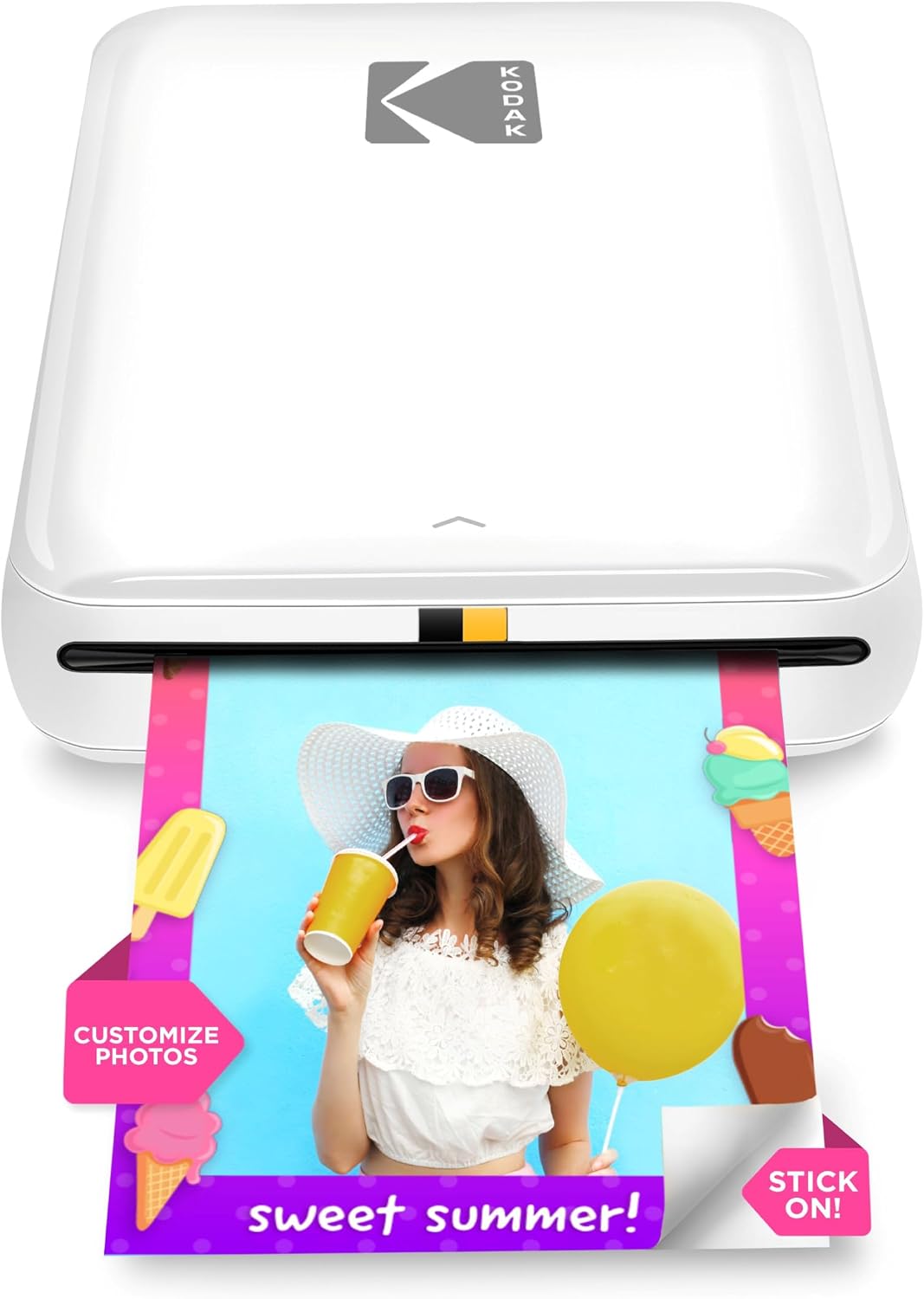
The KODAK Step is a compact, battery-powered mobile printer designed to turn smartphone images into 2×3-inch sticky-backed photos using ZINK zero-ink paper. You pair it with the KODAK Step Prints app to edit, apply filters or create collages, then print full-color photos in about a minute. Its small footprint and rechargeable battery make it convenient for scrapbooking sessions away from a desk or at events, and the peel-and-stick prints resist smudges, water and tears so layouts stay neat. The app offers creative tools like stickers and frames that speed up page design. Practical limits include the small 2×3 print size, relatively slow single-page print speed, and the ongoing cost and availability of proprietary ZINK paper; the printer also only holds up to about 10 sheets at once and relies on the app and Bluetooth/NFC for control. For scrapbookers who value instant, durable mini prints and on-the-go flexibility, the Step is a handy pocket printer; if you need larger format photos or faster batch printing, look elsewhere.
Best for: Scrapbookers who want instant, durable mini prints and creative app editing while working on layouts at events, crop nights, or away from a home printer.
Less Ideal for: Users who need larger photos, high-volume batch printing, or full-size archival prints for display should choose a larger-format photo printer instead.
- ZINK zero-ink prints that are sticky-backed and water- and smudge-resistant
- Portable, lightweight design with built-in rechargeable battery for on-the-go use
- Bluetooth and NFC pairing for quick connection to iOS and Android phones
- App-based editing tools including filters, stickers and collage mode for scrapbook-ready customization
- Prints come out in under a minute, suitable for immediate placement in layouts
- Print size limited to 2×3 inches which restricts composition options
- Holds a small supply of paper (about 10 sheets) requiring frequent reloads for larger projects
- Print speed and single-sheet output make large batch printing slow
Verdict: A pocketable ZINK printer that delivers durable, sticker-backed 2×3 prints with on-device app editing—perfect for scrapbookers who prioritize instant, creative mini prints.
Liene 4×6 Photo Printer DHP513

| Printing Technology | Dye Sublimation |
|---|---|
| Maximum Media Size | 4 x 6 inch |
| Maximum Sheet Capacity | 20 |
| Connectivity | USB, Wi-Fi |
| Print Resolution | 300 x 300 dpi |
The Liene DHP513 is a portable dye‑sublimation photo printer designed to produce durable 4×6 prints from smartphones and computers. It connects via built‑in Wi‑Fi hotspot or USB‑C and works with the Liene app to apply filters, borders, and ID templates before printing. Setup is straightforward: load the sealed paper cassette and an ink cartridge, power on, then print from your device or app. The dye‑sublimation process delivers laminated prints that resist water, scratches, fingerprints, and fading, which is handy for scrapbooks and long‑term keepsakes. The printer holds up to 20 sheets in the cassette and prints a single 4×6 in about a minute, so it is best for small runs rather than high‑volume tasks. It uses proprietary cartridges and Liene paper, so ongoing costs depend on those consumables, and print resolution is 300 x 300 dpi which is fine for casual to enthusiast scrapbook pages but not for gallery‑grade enlargements. The small footprint and app controls make it a practical choice for home craft use where convenience and print durability matter more than speed or professional color management.
Best for: Buyers who prioritize easy, durable 4×6 prints for scrapbooks and home memory projects and want a simple setup with phone app controls rather than professional color accuracy or fast throughput.
Less Ideal for: Not a good fit for photographers who need high‑volume, high‑resolution or color‑managed production or for users who prefer third‑party paper and ink options.
- Dye‑sublimation prints with laminated surface for water, scratch, and fingerprint resistance
- Built‑in Wi‑Fi hotspot plus USB‑C for direct phone or computer printing
- Includes ink cartridge and paper cassette with up to 20‑sheet capacity for immediate use
- Liene app provides templates, filters, and ID photo options for quick customization
- Print speed is about one 4×6 per minute, so larger batches take time
- Uses proprietary cartridges and paper which affects long‑term consumable costs
Verdict: A compact, user‑friendly 4×6 dye‑sublimation printer that produces durable, scrapbook‑ready photos with easy phone and app printing.
Choosing the Right Photo Printer for Scrapbooking: Key Factors to Consider
Color Accuracy
Accurate color reproduction matters because printed photos are central to scrapbooking layouts. A printer with a wider color gamut and good color management reproduces skin tones, blues, and greens more faithfully, reducing the need for heavy post-print editing.
Look for printers that support color profiles and include multiple photo-focused ink channels. Consistency between prints is also important when you print multiple photos for a single page or an album; variations in color from page to page can undermine the overall design.
Media Compatibility and Paper Handling
Scrapbook projects use a range of stocks: glossy photo paper, matte photo paper, textured cardstock, and sometimes sticker or label sheets. A suitable printer must accept the sizes and weights you plan to use without frequent jams or curling.
Check maximum paper weight and whether the printer offers a straight-through or rear-feed path for thick media. Ability to print borderless at standard photo sizes is useful for full-bleed layouts and trimming. Reliable feeding and adjustable trays reduce waste and frustration during multi-photo projects.
Print Longevity and Ink Type
Archival permanence is a major consideration for memory-keeping. Pigment-based inks typically resist fading and handle exposure to light and humidity better than some dye-based systems, though dye inks can produce punchier colors. Consider the tradeoffs between immediate vibrancy and long-term stability.
Also account for compatibility with archival photo papers and whether the printer's output needs lamination or protective sprays for certain mixed-media pages. Understanding estimated fade resistance and manufacturer guidance on storage will help preserve your work.
Ease of Use and Workflow Integration
Scrapbookers often juggle editing, layout composition, and printing. A printer that is straightforward to set up, offers reliable mobile and desktop printing, and integrates with common photo apps speeds up the creative process.
Look for clear paper guides, easy ink replacement, and on-device preview or editing tools if you frequently print from a phone or tablet. Batch printing and simple borderless options reduce repetitive tasks when producing multiple images for an album.
Print Speed and Throughput
How fast a printer produces high-quality photo prints matters more when you are making many pages or working on a large album. Faster machines with decent throughput lower waiting time but may trade off slightly on color depth depending on the mode used.
Consider whether the printer supports draft and high-quality modes and how much time you are willing to spend for the highest-quality output. For occasional projects, speed is less critical than fidelity and handling; for frequent crafting sessions, throughput becomes a bigger factor.
Choosing the Right Paper for Your Layouts
Paper selection influences final appearance more than most users expect. Glossy papers give vibrant color and contrast but can show fingerprints, while matte and textured stocks provide a tactile, scrapbook-friendly finish that reduces glare. For layered pages, choose a weight and finish that works with adhesives and mounting techniques so pages lie flat.
When printing directly onto specialty cardstock, verify that your printer supports the paper weight and thickness. If you plan to print stickers or labels, confirm that the printer can reliably feed the adhesive-backed sheets without smearing or jamming.
- Glossy: high contrast and saturated colors; shows fingerprints
- Matte/textured: softer look, album-friendly, less glare
- Heavy cardstock: better for mixed-media but needs rear feed or straight path
- Sticker/label sheets: require reliable feeding and quick-dry inks
Managing Color Across Devices and Prints
To get consistent colors, start with a calibrated monitor and use color profiles when available. Many photo printers accept ICC profiles or have manufacturer-recommended settings for different paper types, which helps match prints to what you see on screen.
If precise color is critical, test with small prints before committing to a full batch. Keep notes on which paper and printer settings produced the best results so you can reproduce them later in bulk without surprises.
- Use ICC profiles for specific paper types
- Print small color test strips before large runs
- Record successful paper and setting combinations for repeatability
Protecting Prints in Albums
Printed photos in scrapbooks face light, handling, and sometimes contact with adhesives and embellishments. Consider protective measures such as using archival-safe sleeves, avoiding direct exposure to sunlight, and choosing mounts and adhesives designed for photos to prevent chemical interactions.
If you use mixed-media techniques that add paint or textures, protect photos with a clear archival spray or place them behind a protective layer to keep ink from reacting with wet mediums. Always test any protective product on a scrap piece before applying it to treasured prints.
- Use archival sleeves or photo corners for long-term storage
- Avoid adhesives with acidic components
- Test protective sprays on spare prints first
Workflow Tips for Batch Printing
Batch printing saves time but needs a repeatable setup. Arrange photos in consistent sizes, use templates where possible, and set borderless or margin settings consistently to avoid trimming mismatches. Keep spare ink cartridges and paper on hand to prevent interruptions during a large project.
Label test prints and keep a simple checklist for paper type, printer mode, and color profile so you can quickly reproduce the same look across multiple sessions.
- Use templates for common photo layouts
- Keep spare supplies to avoid mid-run interruptions
- Maintain a checklist for settings and paper choices
Maintenance Basics to Avoid Print Problems
Regular maintenance keeps prints consistent and prevents issues like banding or poor color. Run nozzle checks and head cleanings only as needed to avoid wasting ink. Keep the paper path clean and free of debris, and store unused paper in a cool, dry place to prevent curling.
If the printer sits unused for long periods, perform a short warm-up print to keep inks flowing, and align heads before important print runs to ensure registration and sharpness.
- Run nozzle checks when you notice artifacts
- Store paper flat and sealed to prevent moisture absorption
- Perform alignment before high-quality prints
How We Chose the Best Photo Printer for Scrapbooking
We focused on capabilities that directly affect how printed photos perform in scrapbooks and mixed-media pages. Key evaluation criteria included color accuracy and gamut to ensure printed photos match on-screen intent; media compatibility and paper handling for thin, thick, and textured scrapbook stocks; print permanence and ink type because archival stability matters for keepsakes; and ease of use for crafters who want quick, repeatable results without complicated setup. We also considered print speed and cost-per-print as secondary factors for frequent projects, plus connectivity options that affect how easily you can print from phones and editing apps. Products were excluded if they lacked clear support for common photo paper sizes, could not handle heavier or textured stocks, or used ink systems known for poor longevity. We prioritized models that balance reliable color output with robust media feeding and simple workflows that suit both casual and dedicated scrapbookers.
Our full evaluation process is outlined in our review methodology.
FAQ
Is pigment or dye ink better for scrapbooking photos?
Pigment inks usually offer better fade resistance and handle exposure to light and humidity more predictably, which is preferable for archival scrapbooks. Dye inks can produce more vivid colors initially but may fade faster under the same conditions.
Can I print directly on textured scrapbook paper?
Some printers can handle heavier, textured stocks if they support higher paper weights and have a straight or rear-feed path. Check the printer's maximum paper weight and feed recommendations before attempting textured media.
How do I prevent prints from smearing when I add embellishments?
Use quick-dry inks or allow extra drying time for dye-based prints. For added protection, apply an archival-grade clear spray or place prints behind a protective sleeve before adding glue, paint, or wet embellishments.
What photo sizes are most useful for scrapbooking?
Standard sizes like 4×6, 5×7, and 3×3 squares are common for layouts, with 4×6 being the most versatile. Crop and template your images before printing to match page layouts and reduce trimming.
How can I get consistent color when printing from my phone?
Use the printer's mobile app if available, select the correct paper type and photo mode, and consider exporting images with color adjustments applied on a calibrated desktop before transferring for print. Small test prints help verify color before producing many copies.
Final Verdict
When choosing a photo printer for scrapbooking, prioritize media handling, color accuracy, and print longevity because these factors determine how your pages will look and age. Balance those priorities against ease of use and throughput based on how often you create and how large your projects are. For most scrapbookers, a model that reliably feeds heavier papers, supports photo-specific inks and profiles, and offers straightforward mobile and desktop workflows will deliver the best combination of quality and convenience.