
Note: This article contains affiliate links. If you click on these links and make a purchase, we may earn a small commission at no extra cost to you. This helps support our research and content. Read our full affiliate disclosure here.
You want a compact, reliable printer for receipts, labels, or mobile printing tasks without the fuss of ink cartridges. A Mini Thermal Printer gives you lightweight portability, near-silent operation, and low running cost, which matters whether you run a small business, craft at home, or need a dedicated label printer for shipping and organization. This guide shortlists the top Mini Thermal Printers available and explains the practical tradeoffs buyers face. We evaluated connectivity options, print speed and resolution, paper handling, and maintenance ease to assemble a focused list of the best options for different use cases.
Top Picks at a Glance
| Best Overall The best all-around choice for most situations | ETIKEZ PM290C Mini Sticker Printer |  |
| Best Quality Built to a higher standard if you want something more solid | Phomemo M02 Pro Mini Printer |  |
| Best Value The sweet spot between price and what you get | Memoking T02 Mini Sticker Printer |  |
| Best Budget The cheapest option that still gets the job done reliably | mafiti X6 Thermal Pocket Printer |  |
| Top Rated A top-rated pick with lots of positive feedback | ST-CARE Mini Pocket Printer M2 |  |
| Most Popular A crowd favorite that many people choose with confidence | Nelko P21 Label Maker |  |
| Best Seller A high-volume bestseller chosen again and again | Phomemo D30 Mini Label Maker |  |
ETIKEZ PM290C Mini Sticker Printer

| Print media | Thermal Paper |
|---|---|
| Paper Size | 3 inches |
| Maximum Media Size | 54 mm x 3.5 m |
| Maximum Print Resolution | 203 dots_per_inch |
| Printer Connectivity Type | Bluetooth |
The ETIKEZ PM290C is a small, portable thermal sticker printer designed to produce black-and-white labels, simple images, and short text directly from a smartphone or tablet. You load one of the included 54 mm thermal paper rolls, pair the printer with the Labelnize app over Bluetooth and use templates, OCR or simple editing tools to create stickers, study notes, memos and small photos. Its one-button operation and lightweight design make it convenient for students, crafters and casual home or office use, and the app adds helpful layout and AI features. Expect clear, eye-friendly 203 dpi monochrome output but not full-size or color photos, and the device cannot connect to a computer. Paper must be loaded correctly to avoid blank prints and transparent labels need to be cut with scissors. The PM290C is best when you want fast, portable monochrome labels and creative stickers rather than high-resolution photo printing or desktop document workflows.
Best for: Buyers who want a low-cost, portable label and sticker printer they can use with a phone or tablet for school projects, craft labeling, and light office organization.
Less Ideal for: Users who need color prints, high-resolution photos, PC connectivity, or full-size shipping labels should look for a different printer.
- Portable, pocketable thermal design for on-the-go label and sticker printing
- Bluetooth pairing with Labelnize app adds templates, OCR and basic AI tools for fast customization
- Includes three rolls of 54 mm thermal paper to get started out of the box
- Simple one-button operation that is easy for students and casual users
- Prints only monochrome at 203 dpi so photo detail and color are limited
- Cannot connect to a computer and works only via the mobile app
Verdict: A compact, app-driven thermal sticker printer that delivers quick, portable monochrome labels and small photos for students, crafters, and casual home use.
Phomemo M02 Pro Mini Printer

| Printer Type | Thermal |
|---|---|
| Maximum Print Resolution Black and White | 300 dpi |
| Printer Connectivity Type | Bluetooth |
| Compatible Devices | Smartphones |
| Built-In Media | Includes USB cable and thermal paper |
The Phomemo M02 Pro is a pocketable thermal sticker printer that connects over Bluetooth to iOS and Android devices and prints on 15mm, 25mm, or 53mm thermal paper. You use the Phomemo app to design labels, quick photos, study flashcards, or decorative journal stickers and then send them to the printer with a one‑tap workflow; the app also provides OCR, templates, and AI editing tools for faster setup. At 300 dpi the output is sharp for text and simple graphics, and the single‑tray, inkless thermal design keeps operation mess‑free and maintenance minimal. The built‑in 1000 mAh battery makes it genuinely portable for several days of light use between charges, and the small footprint fits in a bag or desk drawer without taking much space. Limits include black‑and‑white output only and a single small media path that handles one sheet at a time, so it is not suited to large batch jobs or color photography; some advanced app features require a subscription. For buyers prioritizing crisp, on‑the‑go label and sticker printing in a compact package, the M02 Pro delivers a strong balance of resolution, portability, and app features.
Best for: Buyers who need a high-resolution, portable label and sticker printer for study notes, journaling, or on-the-go organization and who value sharp monochrome output and app-driven workflows.
Less Ideal for: Users who need color photo printing, high-volume continuous output, or a full desktop printer replacement should consider other options.
- Good 300 dpi resolution for crisp text and simple graphics
- Bluetooth mobile app with templates and OCR speeds creation
- Inkless thermal printing means no cartridges or smudging
- Compact, pocketable design with a rechargeable battery
- Prints only in monochrome so no true color output
- Single-sheet, small-width media limits throughput for bulk jobs
Verdict: If you want a high-resolution, truly portable monochrome sticker printer with strong app features, the Phomemo M02 Pro is a top compact choice.
Memoking T02 Mini Sticker Printer

| Printer Type | Thermal |
|---|---|
| Printer Connectivity Type | Bluetooth |
| Hardware Interface | USB Type C |
| Maximum Media Size | 53mm |
| Maximum Print Resolution Black and White | 203 dots_per_inch |
The Memoking T02 is a pocketable thermal sticker printer designed for printing labels, small photos, notes, and study aids from a smartphone app. It connects over Bluetooth and uses inkless thermal paper, so you can print quickly without cartridges; the box includes three rolls of paper. The companion app adds creative features like AI-based sticker cutouts, filters, and templates that make it easy to turn photos or screenshots into printable stickers or study flashcards. Print quality is 203 dpi monochrome, which is fine for text, icons and simple graphics but not for high-detail photos. Paper is limited to 53 mm width and roughly 50-sheet output capacity, so it is best for short runs rather than heavy daily volume. The unit is lightweight and USB-C rechargeable, and its small footprint makes it convenient for classrooms, planners, craft projects, and small business labeling. If you need color printing, larger media, or high-resolution photo prints, this compact thermal unit will feel constrained, but for on-the-go monochrome sticker and label tasks it is a practical, feature-rich choice.
Best for: Buyers who want a compact, no-fuss label and sticker printer for planners, schoolwork, crafts, or occasional small-business labeling and who prioritize portability and app-driven creative features.
Less Ideal for: People who need color printing, high-resolution photo output, large-format labels, or sustained high-volume printing should look at larger or color-capable printers instead.
- Portable, pocketable form factor that is easy to carry and store.
- Inkless thermal printing eliminates the need for cartridges or ribbons.
- Bluetooth pairing with a smartphone and app offers quick one-tap printing and creative AI sticker tools.
- Includes three rolls of compatible thermal paper so you can start printing immediately.
- USB-C charging and simple controls make setup and use straightforward.
- Prints only monochrome at 203 dpi, so photo detail and grayscale are limited.
- Media width and output capacity are small, making it unsuitable for high-volume printing.
Verdict: A compact, app-driven thermal sticker printer that delivers portable, inkless monochrome labels and quick creative prints for planners, students, and light small-business use.
mafiti X6 Thermal Pocket Printer

| Printer Type | Thermal |
|---|---|
| Printer Connectivity Type | Bluetooth |
| Print Resolution | 203 dpi |
| Paper Size | 57 millimeters |
| Built-In Media | Thermal Paper Rolls |
The mafiti X6 is a tiny, battery-powered thermal printer designed for quick inkless label and photo prints from phones and tablets via Bluetooth. You install the Tiny Print app, pair the X6, and send simple monochrome images or text to the built-in 57 mm paper roll for instant sticky or non-sticky labels, receipts, or small photos. Its 800 mAh battery and pocketable size make it convenient for on-the-go tasks like scrapbooking, labeling storage, or printing quick notes at events. The companion app adds templates, OCR scanning and AI drawing tools that expand creative uses beyond plain receipts. Expect modest print resolution (around 200 dpi) and slow throughput suitable for occasional personal or small-office use rather than high-volume jobs. The printer is monochrome only and relies on proprietary-sized thermal rolls, so ongoing cost and supply of 57×26 mm paper are important to consider. For buyers prioritizing portability and low upfront cost, the X6 delivers straightforward, fun printing in a very small package.
Best for: Buyers on a tight budget who want a portable, no-ink printer for occasional labels, scrapbooking, and quick phone prints and who value compactness and ease of use over high resolution.
Less Ideal for: Anyone who needs high-resolution photo printing, fast throughput, or large-format output should look at larger thermal or inkjet printers instead.
- Truly portable with built-in 800 mAh battery for mobile use
- Bluetooth pairing with iOS and Android via Tiny Print app for easy phone printing
- Prints on adhesive and non-adhesive thermal rolls for labels, receipts, and small photos
- App includes templates, OCR and basic AI drawing tools for creative and utility prints
- Inkless thermal printing eliminates ink cartridges and lowers immediate consumable cost
- Monochrome only with ~200 dpi resolution limits photo detail
- Uses small 57×26 mm thermal rolls which must be sourced separately
Verdict: If you want an inexpensive, pocketable inkless printer for casual labels and instant phone prints, the mafiti X6 gives the most value for the price.
ST-CARE Mini Pocket Printer M2
| Printer Type | Thermal |
|---|---|
| Resolution | 203 x 203 DPI |
| Connectivity | Bluetooth 4.0 |
| Built-In Media | Paper |
| Maximum Media Size | 3 x 5 inch |
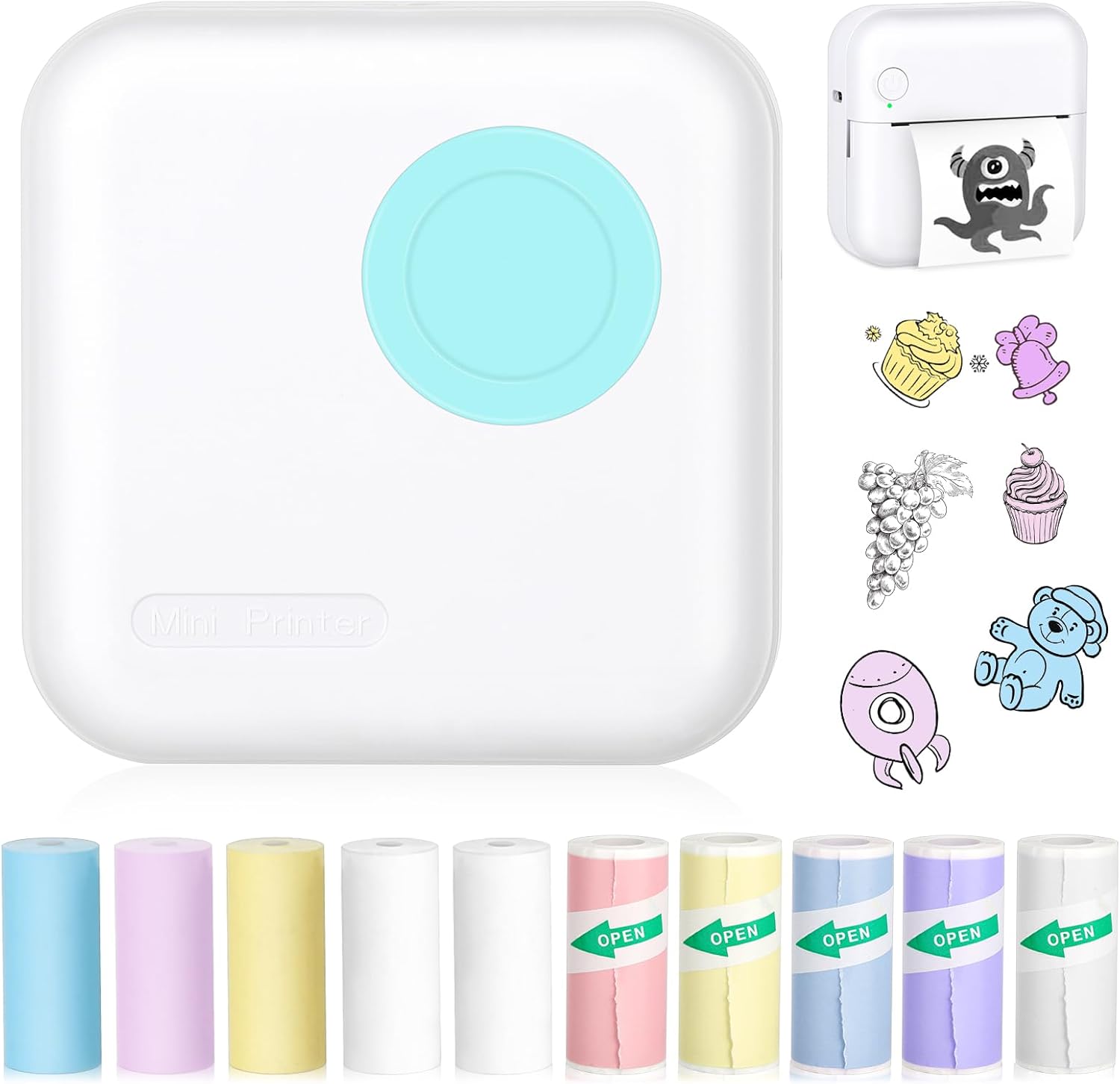
The ST-CARE Mini Pocket Printer M2 is a palm‑sized Bluetooth thermal printer intended for quick, on‑the‑go prints from Android or iOS phones. You pair it over Bluetooth 4.0, open the companion app, then send short items like lists, labels, QR codes, and small black‑and‑white photos to print on 57mm thermal rolls. The unit is truly portable and runs on a built‑in 1000 mAh battery that the manufacturer says can last many hours between charges. It ships with multiple colored thermal and adhesive paper rolls for craft or labeling use and produces 203 x 203 DPI monochrome output suitable for text and simple graphics. Practical strengths are its convenience for fast stickers and memos, the inkless thermal mechanism that requires no cartridges, and the app templates that speed common tasks. Limits are the slow single‑page throughput and low print speed, the small maximum media size that restricts content width, and the basic monochrome output that is not suitable for high‑quality photos or long documents.
Best for: Buyers who prioritize a dependable, portable label and memo printer for quick smartphone printing and craft projects and who value simple maintenance and Bluetooth convenience.
Less Ideal for: Users who need high‑volume, fast document printing or color photo output should choose a larger desktop or ink/laser printer instead.
- Very portable pocket form factor for carrying or travel
- Inkless thermal printing removes cartridges and lowers running cost
- Includes multiple colored thermal and self-adhesive paper rolls for labels and crafts
- Simple Bluetooth pairing and a featureful mobile app with templates
- 203 DPI resolution adequate for clear text, labels, and simple graphics
- Print speed and throughput are slow compared with desktop printers
- Monochrome thermal output limits photo quality and detailed images
- Small media width restricts the size of printed content
Verdict: A compact, low‑maintenance pocket thermal printer that reliably prints labels, memos, and small monochrome images from your phone.
Nelko P21 Label Maker
| Printer Type | Thermal |
|---|---|
| Printer Connectivity Type | Bluetooth |
| Resolution | 203 x 203 DPI |
| Hardware Interface | USB Type C |
| Paper Size | 15X30mm,12X40mm,14x40mm,14X50mm,14x75mm |
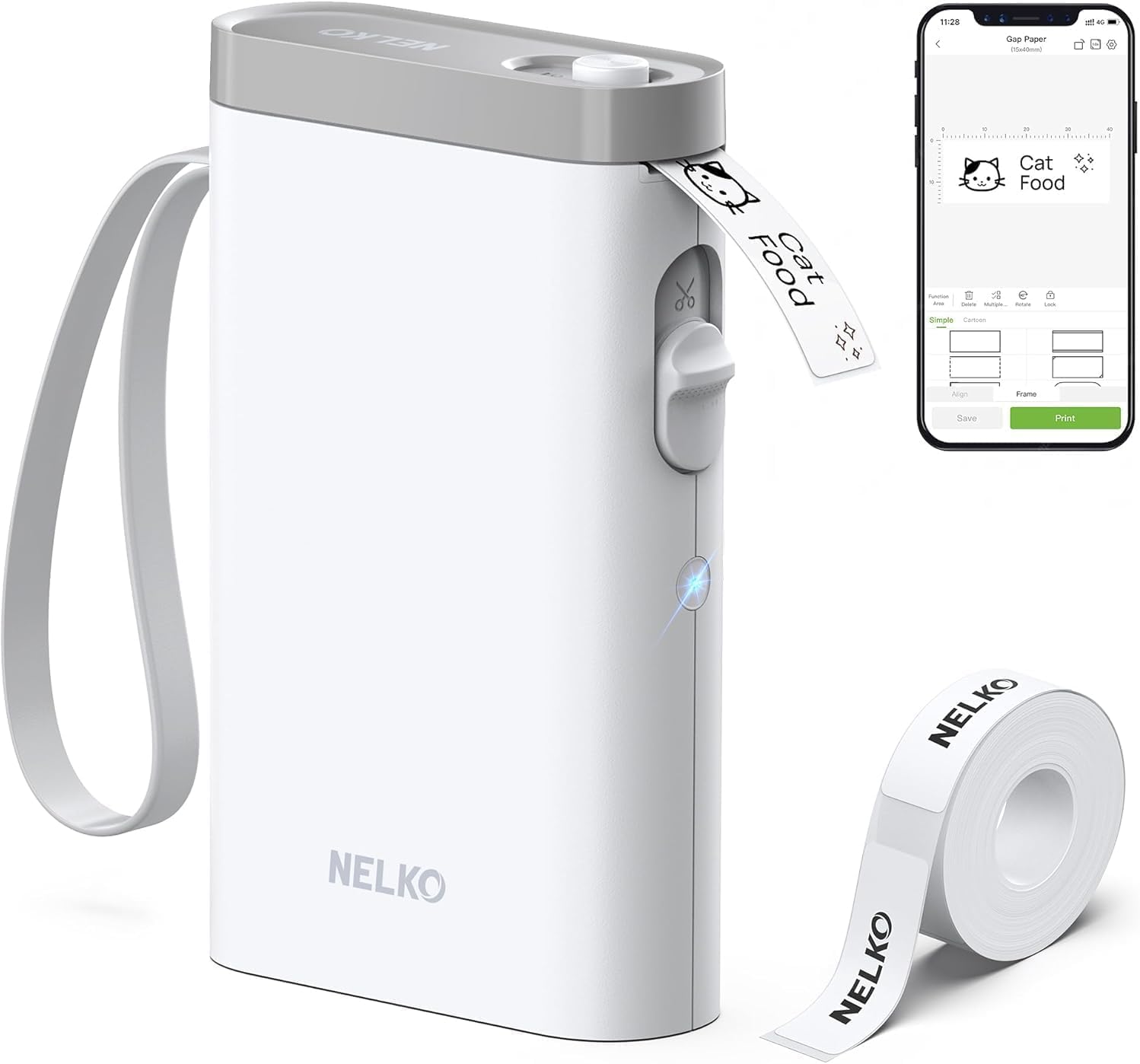
The Nelko P21 is a pocketable Bluetooth thermal label maker that pairs with the Nelko mobile app to design and print monochrome labels without ink. You use it by loading a supported roll of thermal label tape, connecting via the app, choosing a template or customizing text, and tapping print; the unit includes a built-in cutter and rechargeable battery and connects over Bluetooth with a USB‑C charging port. With a 203 DPI thermal engine and app features like QR/barcode insertion, borders, icons and prebuilt templates, it is useful for classroom, home and small business organization where quick, consistent adhesive labels are needed. Practical benefits include small size for portability, plentiful app templates and inkless printing so you do not need cartridges. Important limitations are that it prints only black on thermal tape (color requires patterned tapes), works through the Nelko app only (no computer support), and has fixed supported label widths and lengths, so it is not suitable when custom continuous tapes or wider formats are required.
Best for: Buyers who want a small, app-driven label printer for organizing classrooms, home storage or small business items and who value portability and a large template library.
Less Ideal for: Users who need full‑color printing, wider label formats, computer/USB print workflow, or support for continuous thermal tape should look elsewhere.
- Very compact and lightweight for portable use and classroom tasks
- Inkless direct thermal printing at 203 DPI for clear monochrome text
- Bluetooth pairing with a feature-rich app offering templates, icons, QR and barcode support
- Built-in rechargeable battery and USB‑C charging for easy recharging
- Includes a cutter and comes with a starter roll of label tape
- Only prints monochrome on supported thermal tapes and does not support continuous rolls
- Requires the Nelko mobile app for design and Bluetooth pairing and has no computer connectivity
- Not compatible with some Android 14 devices per manufacturer notes
Verdict: Pick the Nelko P21 when you want an ultra‑portable, app-driven thermal label maker that prints crisp monochrome adhesive labels quickly and without ink.
Phomemo D30 Mini Label Maker

| Printer Type | Thermal |
|---|---|
| Printer Connectivity Type | Bluetooth |
| Hardware Interface | Bluetooth 4.0, USB Type C |
| Resolution | 203 dots_per_inch |
| Print media | Labels |
The Phomemo D30 is a lightweight, inkless thermal label maker designed for quick, on-the-go labeling from a smartphone or tablet. It pairs over Bluetooth and uses the vendor Print Master app to design labels with fonts, icons, borders, QR codes and batch imports, then prints black text onto continuous or pre-cut thermal label tapes. Because it is thermal, there is no ink or ribbons to replace and the German print head and 203 dpi resolution produce clear, legible text for barcodes, name tags and small price labels. The unit is rechargeable and very compact, so it is handy for classroom, home organization or small-business price tagging. Limitations include monochrome output only (color effects require patterned tapes) and the app is required for setup and sizing, which can lead to occasional alignment issues if the wrong paper size is selected. The device is best for straightforward labeling tasks rather than heavy-duty, high-volume industrial printing.
Best for: Buyers who want a simple, low-maintenance label maker for home, classroom, or small-business use and prefer a ready-made app workflow over manual controls.
Less Ideal for: Users who need full-color printing, industrial high-volume label production, or a standalone unit that does not depend on a mobile app.
- Truly portable and lightweight for easy pocket or bag carry
- Inkless thermal printing lowers operating costs and removes ink cartridges
- Rich app design tools including templates, icons, fonts, QR/barcode support and batch import
- Rechargeable battery and USB-C hardware interface for convenient power
- 203 dpi print head gives clear, readable text and barcode quality
- Prints only black text so color requires patterned label tapes
- Relies on the smartphone app for layout and Bluetooth pairing which adds a setup step
Verdict: A compact, app-driven thermal labeler that delivers clear, cost-effective monochrome labels for everyday home, school, and small-business needs.
Choosing the Right Mini Thermal Printer: Key Factors to Consider
Print Speed and Throughput
How quickly the printer can produce pages affects real-world productivity. Faster machines reduce wait times during busy periods, which matters for retail checkout, event ticketing, or batch label production.
Throughput includes warm-up time, continuous-feed capability, and whether the device slows with larger jobs. Consider the typical job size you will run and whether short bursts or sustained printing will be more common.
Print Resolution and Text Legibility
Thermal printers vary in dots-per-inch performance, which determines how crisp text, barcodes, and small graphics appear. Higher resolution matters when printing dense barcodes or tiny text that must scan reliably.
If you will print shipping labels, scannable barcodes, or detailed receipts, choose a model with resolution high enough to keep barcodes within scanner tolerances. Lower-resolution units are acceptable for simple price tags and casual notes.
Connectivity and Compatibility
Available connections determine where and how you can print. Common options include Bluetooth for mobile devices, Wi-Fi for networked printing, and USB for direct desktop connections. Some models offer multiple interfaces for flexible use.
Check platform support for your phone or point-of-sale system and whether drivers or apps are provided. Reliable pairing, supported protocols, and simple setup reduce frustration during deployment.
Battery Life and Portability
If you plan to print away from mains power, battery capacity and charging options are critical. Battery life influences how many pages you can print between charges and whether the unit supports quick top-ups.
Consider weight, physical size, and whether the device offers replaceable batteries or passthrough charging. For mobile use, balance battery runtime against the printer's footprint and durability.
Paper Handling and Media Support
Thermal printers accept various paper widths and roll diameters. Media compatibility affects how often you reload paper and what label or receipt formats you can produce.
Evaluate how easy it is to load media, whether the printer supports continuous or perforated rolls, and if it accepts adhesive labels or only receipt paper. Better paper handling reduces jams and saves time.
Maintenance and Reliability
Thermal printers have few consumables but still require routine care. Printhead cleanliness, feed roller condition, and sturdy paper path design influence long-term reliability and maintenance needs.
Look for models with accessible parts for cleaning, clear instructions for routine upkeep, and a reputation for consistent feed mechanisms. Easier maintenance lowers total ownership hassle.
Choosing the Right Paper Width
Mini thermal printers commonly support a handful of standard widths. Choosing the right width upfront prevents wasted purchases and ensures labels or receipts print in the format your workflow expects. Smaller widths save space but limit the amount of information per line.
Think about the content you need to print. Shipping labels and barcode stickers often require wider media, while simple receipts and price tags fit narrower rolls. Confirm the printer accepts the roll diameter you plan to use to avoid frequent reloads.
- 2-inch and 3-inch widths are the most common for receipts and small labels
- Wider paper can accommodate larger barcodes and logos without scaling
- Check maximum roll diameter for fewer paper changes
Bluetooth Vs Wi-Fi Vs USB: Which Fits Your Setup
Bluetooth is convenient for single-device mobile printing and point-of-sale pairing. It offers quick pairing but can be limited by range and device compatibility. For smartphone-based workflows, Bluetooth is often sufficient.
Wi-Fi enables multiple devices on the same network to access the printer and simplifies integration with cloud or networked systems. USB provides a stable, low-latency connection for desktop setups but lacks mobility unless paired with a host device.
- Use Bluetooth for on-the-go setups with a single controlling device
- Choose Wi-Fi if multiple users or devices need shared access
- Pick USB for stationary desktop printing where reliability matters
Battery Care and Power Options
Portable thermal printers may use internal rechargeable batteries or removable packs. Consider whether the model supports quick charging, charging while printing, or having spare batteries on hand. Battery chemistry and capacity determine realistic print counts per charge.
If you expect long shifts away from power, choose units with higher capacity or easy battery swapping. For mostly stationary use, a reliable mains adapter and USB power option can be more convenient and lower long-term power management complexity.
- Look for battery life specs reported as pages per charge rather than milliamp hours alone
- Support for charging via common USB-C makes field charging easier
- Removable batteries allow fast swaps for uninterrupted operation
Label Types and Adhesive Options
Not all mini thermal printers accept adhesive-backed labels. If you need stickers for products or packages, verify label compatibility and whether the printer has a peel-and-present feature for one-handed operation. Some printers only handle receipt-style paper without adhesive backing.
Also check the sensor options for detecting label gaps or black marks. Proper detection prevents misfeeds and cut errors when using pre-printed or die-cut labels.
- Confirm adhesive label support before planning sticker workflows
- Gap and reflective sensors improve label alignment
- Peel-and-present can speed sequential labelling tasks
Software, Drivers, and Integration
Strong software support simplifies printing from point-of-sale apps, shipping platforms, or custom software. Look for official apps that allow template creation, font control, and barcode generation. Open-standard drivers and SDKs help integrate printers into custom workflows.
If you plan to print from mobile devices, check whether the manufacturer provides iOS and Android apps or if the printer supports standard printing protocols. Web-based printing can be useful when printing from cloud systems.
- Prefer models with broad OS support and available SDKs
- Template and barcode tools reduce formatting time
- Look for firmware updates and clear support documentation
How We Chose the Best Mini Thermal Printer
We evaluated candidates using four to six concrete criteria tailored to small, thermal-only printers. Priority was given to print mechanics and real-world usability rather than headline specs alone. We required reliable thermal printing hardware with consistent feed mechanisms and straightforward media loading. Connectivity and setup were assessed to ensure devices work with common platforms and mobile devices. Battery life and power options were considered for portable use, along with paper formats supported. Build quality, ease of maintenance, and availability of replacement paper were also weighed. We excluded multifunction printers that use ink or require toner, devices meant only for large commercial label rolls, and any units lacking basic connectivity for mobile or desktop integration. The final picks emphasize devices that perform well for receipts, small labels, and on-the-go printing while keeping maintenance and setup minimal.
Our full evaluation process is outlined in our review methodology.
FAQ
Can a mini thermal printer print barcodes reliably?
Often yes. Reliability depends on print resolution, barcode density, and correct media width. Choose a unit with adequate dots per inch and ensure barcode size matches scanner requirements for best results.
How long do thermal prints last without fading?
Thermal prints can last years when stored away from heat, sunlight, and oils. Exposure to high temperatures or direct sunlight accelerates fading, so use thermal-safe labels or store important prints in a cool, dark place.
Do these printers need ink or toner?
No. Mini thermal printers use heat-sensitive paper and do not require ink or toner. That reduces running cost but means you must use compatible thermal media.
Are mini thermal printers suitable for mobile point-of-sale?
Yes. Many mini thermal printers are designed for mobile POS with Bluetooth connectivity and battery operation. Verify battery life, pairing reliability, and receipt formatting options for smooth use.
What maintenance do thermal printers require?
Maintenance is typically minimal. Regularly clean the printhead and paper path to prevent residue build-up and remove paper dust. Replace worn feed rollers and keep compatible media on hand to avoid jams.
Final Verdict
Prioritize the dimensions that matter most to your workflow: speed and resolution for barcode and shipping tasks, or battery life and Bluetooth for mobile point-of-sale. Expect tradeoffs between portability and continuous throughput, and match paper width and feed design to the types of labels or receipts you print. With those priorities set, you can confidently choose a Mini Thermal Printer that fits your environment and keeps daily printing simple.