
Note: This article contains affiliate links. If you click on these links and make a purchase, we may earn a small commission at no extra cost to you. This helps support our research and content. Read our full affiliate disclosure here.
If you print mostly text, invoices, or black-and-white reports, choosing the right monochrome printer can save time and ongoing expense. You want a device that delivers sharp, readable output, fast first pages, and predictable running costs. This guide highlights the top shortlisted monochrome printers across office and home use, focusing on reliability, operating cost, and print speed. Below are our top picks and the evaluation criteria we used so you can match features to your workflow and volume needs.
Top Picks at a Glance
| Best Overall The best all-around choice for most situations | HP LaserJet MFP M234sdw |  |
| Best Quality Built to a higher standard if you want something more solid | Brother MFC-L5915DW |  |
| Best Value The sweet spot between price and what you get | Canon imageCLASS LBP122dw |  |
| Best Budget The cheapest option that still gets the job done reliably | Xerox B230 Laser Printer |  |
| Top Rated A top-rated pick with lots of positive feedback | HP LaserJet Pro MFP 3101sdw |  |
| Most Popular A crowd favorite that many people choose with confidence | Canon imageCLASS LBP6030w |  |
| Best Seller A high-volume bestseller chosen again and again | Brother DCP-L2640DW Laser Printer |  |
HP LaserJet MFP M234sdw

| Printer Type | Laser |
|---|---|
| Printer Output Type | Monochrome |
| B&W Pages per Minute | 30 pages_per_minute |
| Duplex | Automatic |
| Printer Connectivity Type | Wi-Fi |
The HP LaserJet MFP M234sdw is a small-office monochrome laser that handles printing, scanning and copying with reliable, business-ready performance. It prints up to 30 ppm single-sided and offers automatic duplexing for two-sided jobs, while the 40-page auto document feeder speeds batch scans and copies. Connectivity covers dual-band Wi-Fi with self-reset, Ethernet and USB, plus mobile printing via the HP Smart app for easy setup and recurring tasks. Print quality and resolution are typical laser standards at 600 x 600 dpi, which is fine for text, reports and black-and-white graphics but not intended for high-resolution photo work. The unit is compact and energy-star rated, so it fits a small team workspace and keeps operating costs reasonable when paired with standard HP toner cartridges. The main compromises are basic monochrome output only and a modest input capacity, so very high-volume departments will want a larger tray and higher-yield supplies.
Best for: Buyers who need a dependable, fast black-and-white multifunction printer for a small team or home office and value easy mobile setup and reliable connectivity.
Less Ideal for: Large workgroups or print-heavy departments that need higher monthly page capacity, color printing, or a larger paper tray.
- Fast monochrome printing up to 30 pages per minute
- Automatic duplexing and 40-sheet auto document feeder for efficient two-sided scanning and copying
- Dual-band Wi-Fi plus Ethernet and USB for flexible connectivity and mobile printing
- Compact footprint with energy-efficient operation suitable for small offices
- Monochrome-only output limits use to black-and-white documents
- 150-sheet maximum input capacity may require frequent reloading in busy offices
Verdict: A compact, fast monochrome MFP that delivers efficient two-sided printing and scanning for small teams who prioritize reliable connectivity and speed.
Brother MFC-L5915DW

| Print speed (B&W) | 50 ppm |
|---|---|
| Resolution | 1200 x 1200 dpi |
| ADF capacity | 70 pages |
| Max sheet capacity | 250 |
| Connectivity | Gigabit Ethernet, Dual‑band Wi‑Fi, USB |
The Brother MFC-L5915DW is a high-performance monochrome laser all‑in‑one built for busy offices and workgroups that need speed and reliability. It prints and copies at up to 50 ppm and produces sharp 1200 x 1200 dpi black‑and‑white output, while a 70‑page automatic document feeder and single‑pass duplex scanning speed up multi‑page workflows. The 5‑inch color touchscreen supports customizable shortcuts, and built‑in Gigabit Ethernet plus dual‑band Wi‑Fi and mobile printing make network setup and shared use straightforward. Brother bundles a starter toner and supports very high‑yield replacement cartridges to lower running costs, and optional lower trays expand paper capacity as needs grow. Tradeoffs include a large footprint and higher power draw compared with small office inkjets, and color printing is not available because this is a monochrome device. For teams that prioritize fast, low‑cost black‑and‑white output and robust scanning, this unit is a practical, workhorse AIO.
Best for: IT managers and small business teams that need fast, reliable black‑and‑white printing and robust scanning to handle high monthly volumes and shared network use.
Less Ideal for: Home users or small offices that need color prints, minimal desk space, or the lower upfront cost of an inkjet alternative.
- Very fast monochrome printing up to 50 ppm for high volume jobs
- 1200 x 1200 dpi output and duplex single‑pass scanning for crisp documents and quick digitization
- Built‑in Gigabit Ethernet and dual‑band Wi‑Fi plus mobile printing for easy network sharing
- Supports ultra high‑yield Brother TN920 series toners to reduce cost per page
- 5" color touchscreen with customizable shortcuts and a 70‑page ADF for workflow efficiency
- No color printing capability
- Large footprint and higher power consumption compared with compact inkjet models
Verdict: Buy this if you need a fast, networked monochrome all‑in‑one that keeps operating costs low for high‑volume office printing.
Canon imageCLASS LBP122dw

| Printer Type | Laser |
|---|---|
| Printer Output Type | Monochrome |
| B&W Pages per Minute | 30 |
| Maximum Sheet Capacity | 150 |
| Printer Connectivity Type | USB, Wi‑Fi |
The Canon imageCLASS LBP122dw is a print-only monochrome laser designed for compact home and small office setups. It delivers fast black-and-white output up to 30 pages per minute with an initial page out time around 5.3 seconds, and automatic duplexing saves paper when printing two-sided documents. Connectivity includes Wi-Fi for mobile and PC printing, a USB 2.0 port and a single Ethernet port for wired networks, and it works with Canon PRINT and other mobile apps for on-the-go jobs. The 150-sheet input tray keeps routine print runs going while Canon Genuine Toner 071 cartridges provide predictable yields and image consistency. Important limitations are that it does not scan or copy and the display is a basic LCD rather than a touchscreen, so setup and control are straightforward but not feature-rich. Its compact footprint and energy-efficient credentials make it a sensible pick if you want reliable black-and-white output without extras you will not use.
Best for: Buyers who prioritize reliable, fast black-and-white printing for home or small office work and want a compact, low-maintenance device focused on document output.
Less Ideal for: Those who need an all-in-one with scanning or copying, heavy-duty high-volume production beyond modest office use, or a color printer for graphics and photos should look elsewhere.
- Fast monochrome printing up to 30 ppm for quick document output
- Automatic duplexing reduces paper use for two-sided jobs
- Wi-Fi and mobile app support for convenient wireless printing from phones and tablets
- Compact design fits small desks or home office spaces
- Uses Canon Genuine Toner 071 for consistent print quality
- Print-only device with no scanning, copying, or fax capabilities
- Basic LCD control limits on-device menu navigation and advanced settings
Verdict: A compact, no-frills monochrome laser that delivers fast, reliable two-sided printing for practical home and small-office document needs.
Xerox B230 Laser Printer
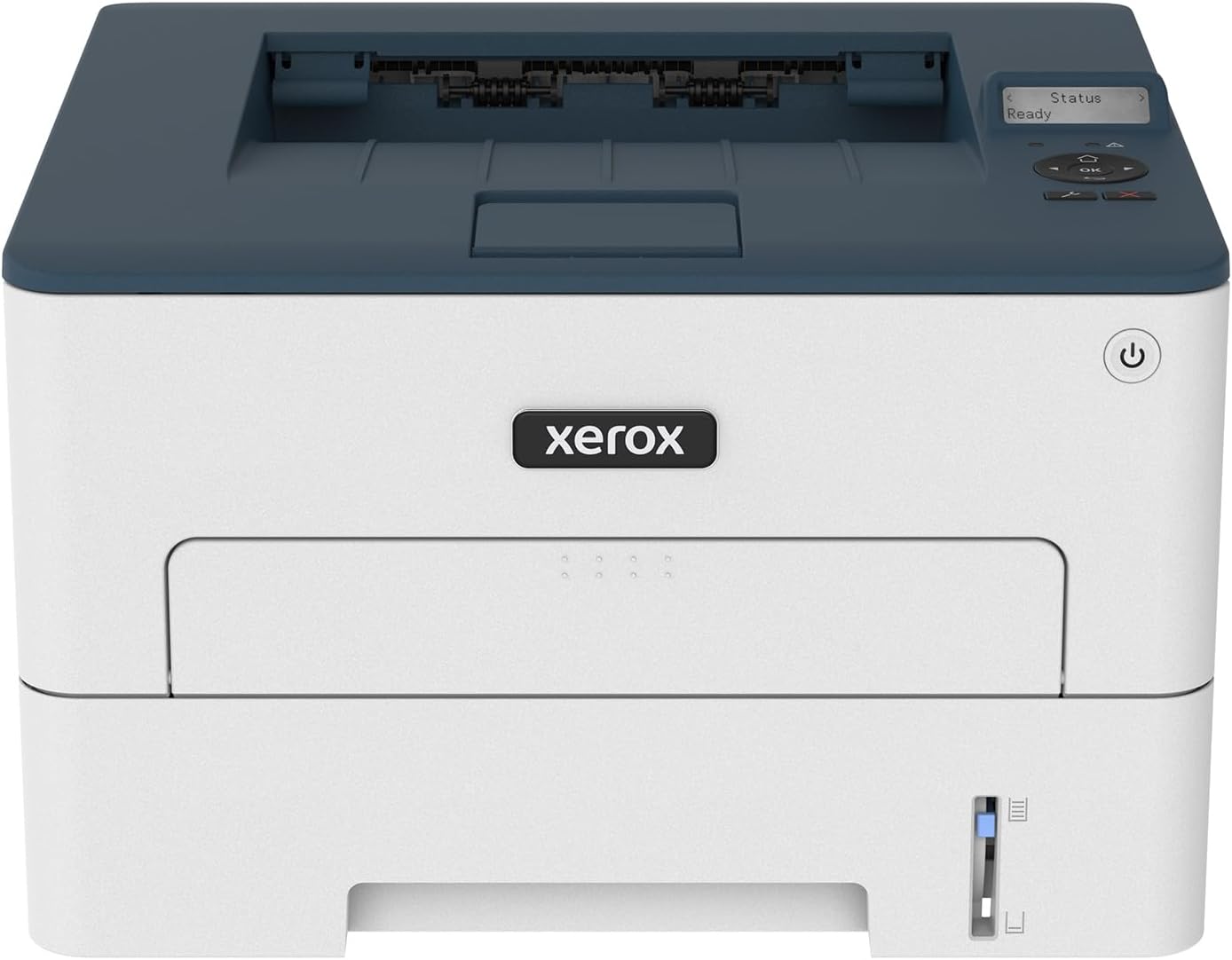
| Printer Type | Laser |
|---|---|
| Print Speed | 36 pages_per_minute |
| Duplex | Automatic |
| Maximum Sheet Capacity | 250 |
| Printer Connectivity Type | USB, Wi-Fi |
The Xerox B230 is a compact black-and-white laser printer aimed at small offices and home workspaces that need reliable, basic printing without extra frills. It prints up to 36 pages per minute and supports automatic two-sided printing, so it handles everyday letter and legal jobs quickly while saving paper. Built-in Wi‑Fi with Wi‑Fi Direct plus support for Apple AirPrint, Mopria and Chromebook printing makes mobile printing straightforward, and the 250-sheet tray reduces how often you reload paper. Under the hood the B230 uses a 1 GHz dual-core processor with 256 MB of memory which helps maintain steady throughput for moderate monthly volumes up to 2,500 pages. Notable limitations are that it is monochrome only and focuses on print-only workflows rather than scanning or copying, so it is not a full all-in-one. Expect workhorse performance for text-heavy documents and business forms, with simple setup and a modest footprint that fits tight desks.
Best for: Buyers seeking an affordable, no-frills office printer that prioritizes fast, reliable black-and-white printing and easy mobile connectivity for small teams or home offices.
Less Ideal for: Users who need color output, multifunction scanning or very high monthly print volumes should consider different models with those capabilities.
- Fast monochrome printing up to 36 pages per minute for quick text output
- Automatic duplexing reduces paper use for two-sided documents
- Built-in Wi‑Fi with AirPrint, Mopria and Chromebook support for easy mobile printing
- 250-sheet input capacity cuts paper refills for small teams
- Compact footprint designed to fit small offices or home desks
- Print-only device with no scanning or copying functions
- Monochrome output only, no color printing capability
- Memory and feature set aimed at moderate volumes rather than heavy production use
Verdict: A compact, budget-friendly monochrome laser built for small offices that need fast, reliable black-and-white printing with straightforward wireless setup.
HP LaserJet Pro MFP 3101sdw

| Printer Type | Laser |
|---|---|
| Scanner Type | ADF, flatbed |
| B&W Pages per Minute | 40 |
| Maximum Sheet Capacity | 250 |
| Maximum Print Resolution Black and White | Up to 1200 x 1200 dpi |
The HP LaserJet Pro MFP 3101sdw is a compact monochrome laser multifunction printer built for small offices that need reliable, high‑speed document workflows. It prints, scans (flatbed and ADF), copies and supports automatic two‑sided printing, with a 250‑sheet input tray and a 50‑sheet automatic document feeder for multi‑page jobs. Connectivity covers Ethernet, USB, Wi‑Fi and mobile standards like AirPrint and Mopria, and the HP app lets you print and manage the device from phones or tablets. Print quality and sharpness are strong at up to 1200 x 1200 dpi, and first pages come quickly which keeps short jobs moving. The unit is designed for steady daily use and ships with an introductory toner cartridge; the product notes that it enforces use of HP cartridges via chip checks and firmware updates. Expect dependable, business‑oriented performance, with the tradeoff that color printing is not supported and toner replacement is tied to factory cartridges.
Best for: Buyers who prioritize a dependable, business‑grade monochrome printer for steady daily document workflows and centralized management in a small team environment.
Less Ideal for: Anyone who needs color prints, photo output, or who prefers unrestricted use of third‑party toner solutions should look elsewhere.
- Fast monochrome printing suitable for busy offices
- Built‑in ADF plus flatbed scanner for multi‑page scanning and copying
- Automatic duplex printing and 250‑sheet tray reduce manual paper handling
- Multiple connectivity options including Ethernet, USB, Wi‑Fi, AirPrint and Mopria
- High maximum print resolution up to 1200 x 1200 dpi for sharp text and graphics
- Only prints in black and white so no color output
- Requires HP cartridges with chips and may block third‑party toner through firmware
Verdict: If you need a fast, dependable monochrome all‑in‑one for small teams, the HP LaserJet Pro MFP 3101sdw delivers business‑grade speed and reliable daily performance.
Canon imageCLASS LBP6030w

| Printer Type | Laser |
|---|---|
| Print Speed | 19 pages_per_minute |
| Printer Connectivity Type | Wi-Fi |
| Maximum Sheet Capacity | 150 |
| Compatible Cartridge | Canon Genuine Toner 125 (1,600 page yield) |
The Canon imageCLASS LBP6030w is a compact single-function monochrome laser printer made for home and small office use. It prints up to 19 pages per minute with an initial page out in about 8 seconds, and supports wireless printing from laptops and mobile devices in addition to a USB connection. The printer uses Canon Genuine Toner 125 with a quoted 1,600-page yield and holds up to 150 sheets in its input tray, which suits moderate daily printing. Its small footprint and low power draw in energy saver mode make it easy to tuck into tight workspaces, and the 600-dpi black-and-white resolution is fine for text and basic graphics. Notable limitations are the lack of duplexing and that it is print-only with no scanner or copier functions, so it is not a fit where all-in-one features or automatic two-sided printing are required. Setup and app control are straightforward for common tasks, making it practical for users who prioritize reliable, no-frills text printing.
Best for: Buyers seeking a space-saving, reliable black-and-white printer for routine documents and light office tasks who value steady performance and clear social proof from existing users.
Less Ideal for: Users who need multifunction capabilities like scanning or automatic two-sided printing or who routinely produce large volume duplex jobs should consider alternatives.
- Compact footprint fits small desks and home offices.
- Fast black-and-white output up to 19 ppm with quick first page time.
- Wireless and USB connectivity for mobile and laptop printing.
- 150-sheet input capacity suitable for moderate daily use.
- Uses a Canon-branded toner cartridge with a stated page yield for predictable replacement intervals.
- No automatic duplex (two-sided) printing.
- Print-only device with no scanning or copying capability.
Verdict: Choose the LBP6030w if you want a compact, reliable monochrome laser printer that delivers fast, straightforward text printing for a home or small office.
Brother DCP-L2640DW Laser Printer

| Printer Type | Laser |
|---|---|
| Printer Output Type | Monochrome |
| Print Speed | 36 pages_per_minute |
| Paper Capacity | 250 sheets |
| Connectivity | Ethernet, USB, Wi-Fi |
The Brother DCP-L2640DW is a compact monochrome laser all-in-one built for small offices and home businesses that need reliable black-and-white printing, scanning, and copying. It prints up to 36 ppm, supports automatic duplexing, and includes a 50-sheet auto document feeder for multi-page scan and copy jobs, which speeds common workflow tasks. Connectivity is flexible with dual-band Wi-Fi, Ethernet, and USB so you can print from PCs and mobile devices using the Brother Mobile Connect app. The 250-sheet input tray reduces how often you refill paper and Brother Genuine TN830/TN830XL cartridges are supported for predictable yields. Practical downsides are that it is black-and-white only and the initial toner yield is modest, so high-volume users should plan supply replacements or the Refresh subscription. The unit is relatively compact for a laser MFP and includes energy-saving modes and straightforward setup, making it an easy, dependable choice for steady daily use where color output is not required.
Best for: Buyers who prioritize dependable, easy-to-manage black-and-white printing for a small office or home business and want a compact multifunction device with reliable networking and simple mobile printing.
Less Ideal for: If you need color printing or a heavy production printer for thousands of pages per month, choose a color or higher-capacity production model instead.
- Fast monochrome printing up to 36 pages per minute
- 50-sheet auto document feeder for hands-free multi-page scanning and copying
- Automatic duplex printing to save paper
- Multiple connectivity options including dual-band Wi‑Fi, Ethernet, and USB
- 250-sheet paper tray reduces refill frequency
- Prints only in black and white so no color output
- In-box toner yield is limited compared with high-yield alternatives
Verdict: A compact, dependable monochrome MFP that delivers fast everyday black-and-white prints and straightforward networked workflows for cautious buyers who want reliable, no-frills performance.
Choosing the Right Monochrome Printer: Key Factors to Consider
Print Speed and Duty Cycle
Print speed matters when you regularly produce multi-page documents. A higher pages-per-minute rating reduces wait times for large print jobs and improves productivity in busy environments.
Duty cycle and recommended monthly volume indicate how much a printer can handle before wear becomes a concern. Choosing a model with a duty cycle and recommended monthly page volume above your typical use reduces the chance of premature failure and maintenance downtime.
Toner Yield and Running Costs
Toner yield determines how many pages you get from a single cartridge and directly affects per-page cost. Look at standardized yield figures and the price of replacement toner to estimate ongoing expense.
Some printers offer high-yield or subscription options that lower long-term cost. For heavy users, initial lower purchase price can be overshadowed by frequent cartridge replacements, so evaluate total cost of ownership beyond the sticker price.
Paper Handling and Feed Options
Paper capacity and feed flexibility influence how often you need to reload media and how well the printer handles varied tasks. A larger input tray is useful for multi-user environments, while a manual feed slot or multipurpose tray helps with envelopes and heavier stock.
Duplex printing capability is essential if you want to reduce paper use and produce double-sided documents automatically. Also consider output tray size and whether the device supports common paper weights used in your workflow.
Connectivity and Integration
Modern connectivity options streamline printing from different devices. Wired Ethernet is preferred in shared office setups for reliability, while USB is a solid direct-connection option. Wireless printing and mobile protocols let laptops and phones print without a network cable.
Look for support of common mobile printing standards and simple setup for networked environments. Security features for networked printing are also important in offices that handle sensitive documents.
Maintenance and Serviceability
Ease of replacing consumables, access to user-replaceable parts, and straightforward error recovery reduce downtime. A design that makes toner swaps and paper-jam clearance intuitive saves time for nontechnical users.
Consider warranty coverage and the availability of service resources or local support. Machines with modular components or widely available replacement parts tend to be easier and less expensive to maintain over time.
Output Quality and Document Fidelity
For text-heavy work, sharp, readable type and consistent contrast are key. Look at resolutions and real-world examples of text clarity rather than marketing resolution numbers alone.
Line art, barcodes, and small fonts should remain legible. If you occasionally scan or copy, consider how the printer handles those tasks and whether the output matches the legibility you need for records or presentations.
Choosing the Right Form Factor
Monochrome printers come in compact desktop models and larger floor-standing units. For a home office or a small desk area, compact models save space while still offering adequate capacity for low to moderate volumes. In shared offices, a higher-capacity, larger footprint device reduces refill frequency and supports several simultaneous users.
Think about where the printer will sit and how often you will interact with it. Smaller machines often perform well for occasional printing but can require more frequent maintenance and toner changes.
- Compact desktop: good for limited space and light use
- High-capacity office units: better for multiple users and heavy monthly volumes
- Consider access for replacing toner and clearing jams in tight spaces
Reducing Ongoing Costs
To manage operating costs, estimate your monthly page volume and calculate toner cost per page using published yields. High-yield cartridges or toner programs can substantially reduce costs for frequent printers. Also factor in paper consumption and whether automatic duplexing will cut paper use in half for double-sided jobs.
Energy consumption matters too. Look for devices with low standby power draw and quick wake-from-sleep behavior to reduce electricity use without sacrificing responsiveness.
- Compare standard and high-yield cartridge options
- Use duplexing to reduce paper spend
- Check standby and active power use for energy savings
Workflow Features That Matter
Beyond core printing, consider features that support daily workflows. Automatic document feeders and built-in scanners are valuable when you need to digitize multi-page documents. Fast first-page times are important if your workflow consists of many small jobs rather than long batches.
Security and user controls play a role in multi-user environments. PIN release or network access controls can prevent unauthorized printing and help manage shared costs.
- ADF and duplex scanning for efficient document digitization
- Fast first-page out time improves perceived speed for small jobs
- User authentication helps control access in shared settings
Installation and Network Setup
Setup ease varies by model. Some units provide step-by-step guided setup through a web interface or app, while others require manual configuration of network settings. For offices, an Ethernet port simplifies shared access and reduces wireless reliability issues.
If you plan to print from mobile devices, verify supported mobile printing protocols. A reliable driver package and clear admin tools make it easier to integrate the printer into an existing network environment.
- Prefer Ethernet for stable networked printing in busy offices
- Confirm supported mobile printing standards if you use phones or tablets
- Look for clear admin interfaces for easy management
Environmental and Regulatory Considerations
Assess energy efficiency and recycling options for toner cartridges. Some manufacturers offer recycling programs or designs that simplify cartridge recycling. Energy Star or equivalent certifications indicate lower standby and operating power draw.
Also consider noise levels in shared spaces. Lower acoustic output improves the comfort of nearby work areas, especially in open-plan offices or home workspaces where quiet is important.
- Check for energy efficiency certifications
- Review toner recycling programs for environmental impact
- Compare published noise levels if quiet operation is a priority
How We Chose the Best Monochrome Printer
We prioritized real-world attributes that matter when buying a monochrome printer and filtered out models that do not meet baseline reliability and efficiency expectations. Our evaluation emphasized robust paper handling, measured print speed for typical office documents, and the cost to print per page based on manufacturer yield estimates. We also weighed duty cycle and recommended monthly volume to match buyer use patterns, plus connectivity options that affect daily convenience. Excluded from consideration were color-focused models and units with poor availability of standard replacement toner. We also discounted printers with weak paper-feeding mechanisms or minimal warranty support. The final list favors machines that combine consistent text quality, reasonable per-page costs, and usable feature sets for small business or home-office use. These criteria guided the scoring and shortlisting for this roundup.
Our full evaluation process is outlined in our review methodology.
FAQ
How do I estimate toner cost per page?
Estimate cost per page by dividing the toner cartridge price by the manufacturer-rated page yield. Use the standardized yield figure for text documents and factor in whether you will choose standard or high-yield cartridges.
Is duplex printing standard on monochrome printers?
Many monochrome printers include automatic duplexing, but not all. If reducing paper use and producing double-sided reports is important, verify duplex capability before buying.
What monthly page volume should I plan for?
Compare your typical monthly output to the printer's recommended monthly volume. Choose a model with a recommended range above your average to avoid excess wear. For sporadic home use, lower-capacity models are usually fine.
Can I use third-party toner to save money?
Third-party toner is sometimes cheaper and compatible, but quality and yield can vary. Using nonapproved consumables may affect warranty coverage in some cases, so weigh savings against potential downsides.
How important is first-page-out time?
First-page-out time is useful for workflows with many small print jobs. Faster first pages reduce perceived wait time even if overall pages-per-minute is similar for batch jobs.
Final Verdict
When choosing a monochrome printer, prioritize the factors that match how you print most often. For heavy, shared use, focus on duty cycle, paper capacity, and toner cost per page. For home or light-office use, compact form factor, ease of maintenance, and connectivity may matter more. Balance upfront cost against ongoing toner and paper expenses, and pick a model whose rated monthly volume exceeds your typical output. That approach minimizes downtime and keeps operating costs predictable, helping you choose confidently for your black-and-white printing needs.