
Note: This article contains affiliate links. If you click on these links and make a purchase, we may earn a small commission at no extra cost to you. This helps support our research and content. Read our full affiliate disclosure here.
Picking the right photo printer determines whether your images look like digital files or physical prints worth framing. The right Photo Printer balances color accuracy, resolution, and running cost while fitting into your workflow at home or in a small studio. This guide presents seven shortlisted options that cover different priorities from high-fidelity color to low ongoing expenses. We evaluated candidates on print quality, media handling, and total cost to help you choose a printer that matches how you work and display photos. Scroll down for concise evaluations and a clear explanation of the criteria used to rank these Photo Printers.
Top Picks at a Glance
| Best Overall The best all-around choice for most situations | Epson PictureMate PM-400 |  |
| Best Quality Built to a higher standard if you want something more solid | Epson EcoTank Photo ET-8550 |  |
| Best Value The sweet spot between price and what you get | HP Envy Photo 7975 |  |
| Best Budget The cheapest option that still gets the job done reliably | Nelko PP01 Portable Photo Printer |  |
| Top Rated A top-rated pick with lots of positive feedback | Canon SELPHY CP1500 |  |
| Most Popular A crowd favorite that many people choose with confidence | KODAK Step Instant Photo Printer |  |
| Best Seller A high-volume bestseller chosen again and again | Liene 4×6 Photo Printer DHP513 |  |
Epson PictureMate PM-400

| Printer Type | Inkjet |
|---|---|
| Maximum print Resolution Color | 5760 x 1440 dpi |
| Paper Size | 4 inch x 6 inches, 5 inch x 7 inches |
| Printer Connectivity Type | USB, Wi-Fi |
| Power Consumption | 12 watts |
The Epson PictureMate PM-400 is a compact, portable inkjet photo printer built to produce high-resolution borderless 4×6 and 5×7 photos from smartphones, tablets, or a USB connection. It is typically used at home or on the go for event prints, family photos, and short-run photo projects where space and portability matter. The PM-400 offers very fine print resolution (up to 5760 x 1440 dpi) and app-based control for easy mobile printing, plus a modest paper capacity that keeps the unit small and lightweight. Practical benefits include fast warm-up and quick single-photo output times, built-in Wi-Fi for direct device printing, and support for glossy photo paper that yields vibrant, long-lasting images. Limitations include reliance on genuine Epson cartridges, which raises operating cost, and the small sheet capacity that makes it less convenient for heavy volume printing. The printer also focuses on photo output rather than general office tasks, so users needing large document throughput or multifunction office features may find it restrictive.
Best for: Buyers who want a dedicated, portable photo printer for high-quality borderless 4×6 and 5×7 prints and value easy mobile printing and compact footprint.
Less Ideal for: People who need high-volume document or office printing, multifunction features, or a lower-cost cartridge ecosystem should look elsewhere.
- High maximum print resolution up to 5760 x 1440 dpi for detailed photos
- Compact, lightweight design that supports portable use and small workspaces
- Wireless printing from smartphones and tablets via app control
- Produces borderless 4×6 and 5×7 photos on glossy paper with archival longevity claims
- Designed to work only with genuine Epson cartridges, increasing consumable cost
- Small maximum sheet capacity limits efficiency for larger print runs
Verdict: Choose the PictureMate PM-400 when you want a portable, app-controlled printer that produces high-resolution borderless 4×6 and 5×7 photos with minimal footprint.
Epson EcoTank Photo ET-8550

| Printer Type | Inkjet |
|---|---|
| Maximum Media Size | 13 x 19 inch |
| Color | Six-color (Claria ET Premium) |
| Print Resolution | Up to 5760 x 1440 dpi |
| Connectivity | USB, wireless (iOS, Android supported) |
The Epson EcoTank Photo ET-8550 is a cartridge-free wide-format inkjet all-in-one built for photo-focused home studios and creators. It prints borderless photos up to 13 x 19 inches using a six-color Claria ET Premium ink set and a high-accuracy printhead, delivering fine detail and smooth gradations at up to 5760 x 1440 dpi for black-and-white and 1440 dpi for color. The built-in refillable ink tanks and included high-yield bottles dramatically lower running costs and reduce how often you change consumables, which makes it practical for frequent photo printing. The ET-8550 also scans and copies, supports mobile printing via iOS and Android, and handles heavier media including cardstock and printable discs. Trade-offs include a relatively large footprint and modest page-per-minute speeds compared with document-centric models, and it favors photo quality over fast everyday document throughput. For users prioritizing lab-quality prints and low long-term ink costs, this printer balances image fidelity, media flexibility, and affordable ongoing operation.
Best for: Photographers and creative home users who prioritize print quality and low ongoing ink costs over raw document speed and who will frequently produce large, high-resolution photos.
Less Ideal for: Users who need a compact, high-speed office printer primarily for high-volume text documents or tight desktop spaces should consider alternatives.
- Six-color Claria ET Premium ink produces high-resolution, photo-quality prints with smooth gradations
- Refillable high-capacity EcoTank bottles cut running costs and reduce how often ink is replaced
- Supports wide-format borderless printing up to 13 x 19 inches and thicker media like cardstock
- Wireless mobile printing and app/touch controls make it easy to print from smartphones and tablets
- Large physical footprint may be awkward in small workspaces
- Slower page-per-minute speeds compared with document-focused printers
Verdict: Choose the ET-8550 if you want lab-quality, wide-format photo prints with very low long-term ink costs.
HP Envy Photo 7975

| Printer Type | HP Thermal Inkjet |
|---|---|
| Scanner Type | ADF; Flatbed |
| Print Resolution | Up to 4800 x 1200 dpi (Color) |
| Printer Connectivity Type | USB, Wi-Fi |
| Duplex | Automatic |
The HP Envy Photo 7975 is a home-focused all‑in‑one inkjet that balances photo quality with everyday document tasks. It prints color documents and borderless photos using HP photo‑enhanced ink and supports high optimized color resolution up to 4800 x 1200 dpi, while a 2.7 inch touchscreen and Wi‑Fi make setup and mobile printing straightforward. The unit includes an automatic document feeder and automatic duplexing for two‑sided printing, so it handles homework, multipage scans and multi-copy jobs without constant intervention. A separate photo tray and borderless printing produce better-looking prints than typical consumer printers, and HP's AI print formatting helps remove unwanted web content before printing. Trade-offs are typical for photo-capable inkjets: it is optimized for home use rather than heavy office volume, and replacement cartridges and photo ink will raise running costs if you print photos frequently. Print speed favors quality over throughput, so expect modest speeds on photo jobs compared with basic office printers.
Best for: Home users who want an all‑in‑one that can produce good quality borderless photos while still handling everyday document and scan tasks with minimal fuss.
Less Ideal for: Small businesses or users who need high monthly page volumes or the lowest per-page cost should look at dedicated office laser or high-capacity printers instead.
- High optimized color resolution up to 4800 x 1200 dpi for detailed photo prints
- Separate photo tray and borderless printing for true-to-screen photos
- Automatic duplex and 35-sheet ADF simplify multipage scanning and two-sided printing
- Touchscreen and Wi‑Fi support easy mobile setup and day-to-day use
- Not intended for high-volume office use so throughput and duty cycle are limited
- Ongoing cost of original HP photo and color cartridges can be high for frequent photo printing
Verdict: Choose the HP Envy Photo 7975 if you want a user-friendly home all‑in‑one that can produce high‑quality borderless photos alongside everyday document printing.
Nelko PP01 Portable Photo Printer

| Printer Type | Inkjet |
|---|---|
| Print media | Glossy photo paper |
| Compatible Devices | Smartphones |
| Printer Connectivity Type | Bluetooth |
| Resolution | 600 x 600 |
The Nelko PP01 is a compact 2×3 inkjet photo printer designed for quick, on-the-go prints from iOS and Android phones via Bluetooth and the companion Nelko app. Set up involves loading 2×3 sticky-backed paper, installing a single color cartridge, pairing over Bluetooth, editing in the app, and printing a 600 dpi image in under 90 seconds. The app adds value with basic editing, collages, stickers, and AI touches for personalization. Practical benefits include true portability, adhesive-backed prints for scrapbooks or planners, and relatively high resolution for a pocket printer. Limitations are its small print size and slow throughput — roughly one page per minute — and the need to use Nelko paper and cartridges to achieve advertised results. The unit ships with 20 sheets and one cartridge, and users should follow the maintenance tips to avoid cartridge recognition or clogging issues. For casual users who want instant mementos at events or for crafting, it delivers solid image quality in a tiny package, but it is not meant as a replacement for larger photo labs or standard-size prints.
Best for: Buyers who want an inexpensive, pocketable printer for instant 2×3 keepsakes, scrapbooking, party favors, and casual event prints that prioritize convenience over large-format output.
Less Ideal for: People who need larger prints, fast multi-page production, or a printer that integrates with desktop workflows should look at different photo printers.
- True portability for travel and events
- Produces 600 DPI color prints with adhesive backing
- Bluetooth pairing and a feature-rich mobile app for editing
- Includes starter paper and one ink cartridge in the box
- Prints only 2×3 size photos, not suitable for standard photo sizes
- Printing speed is slow at about one print per minute
Verdict: A low-cost, pocket-sized Bluetooth photo printer that makes high-resolution 2×3 sticky-backed prints ideal for scrapbooks and instant mementos.
Canon SELPHY CP1500

| Printer Type | Dye Sublimation |
|---|---|
| Maximum print Resolution Color | 300 x 300 dpi |
| Maximum Media Size | 4 x 6 inch |
| Printer Connectivity Type | Wi-Fi |
| Wattage | 7.2 watts |
The Canon SELPHY CP1500 is a small, travel-friendly dye-sublimation photo printer that produces glossy 4×6 prints plus square and mini sticker sizes using Wi‑Fi, AirPrint, USB, or a camera memory card. It is typically used for on-the-spot photo printing for events, scrapbooks, or travel because prints come out instantly dry, water resistant, and Canon rates them for long-term archival storage. The built-in 3.5-inch LCD and smartphone apps let you crop, add simple effects, and lay out collages before printing, and an optional battery pack makes it genuinely portable. Print resolution is 300 x 300 dpi and the device offers three finish options for gloss, semi-gloss, and satin looks. Practical limits are its single-sheet cassette capacity and relatively slow per-print throughput compared with larger photo labs, so it is best for occasional batches and mobile use rather than high-volume jobs. Setup and connectivity options are broad, and the dry, handled-ready output is a clear convenience for sharing and crafting projects.
Best for: Buyers who prioritize dependable, easy-to-handle photo prints for events, travel, and albums and who value portability and predictable print longevity.
Less Ideal for: Users who need fast, high-volume photo production or want a full-featured desktop photo lab replacement.
- Portable, compact design with optional battery support for true on‑the‑go printing
- Multiple connectivity options including Wi‑Fi, AirPrint, USB, and memory card support
- Prints are instantly dry, water resistant, and designed for long-term archival
- Simple on-device editing via a 3.5-inch LCD and companion smartphone apps
- Single-sheet cassette and low sheet capacity make it impractical for high-volume printing
- Print speed and per-page throughput are slower than desktop photo printers or lab services
Verdict: Choose the SELPHY CP1500 when you want a reliable, portable photo printer that delivers dry, water‑resistant 4×6 prints with simple wireless workflow and archival stability.
KODAK Step Instant Photo Printer
| Print media | Glossy photo paper |
|---|---|
| Maximum Media Size | 2×3 |
| Maximum Sheet Capacity | 10 |
| Printer Connectivity Type | Bluetooth, NFC |
| Maximum print Resolution Color | 313 x 400 dpi |
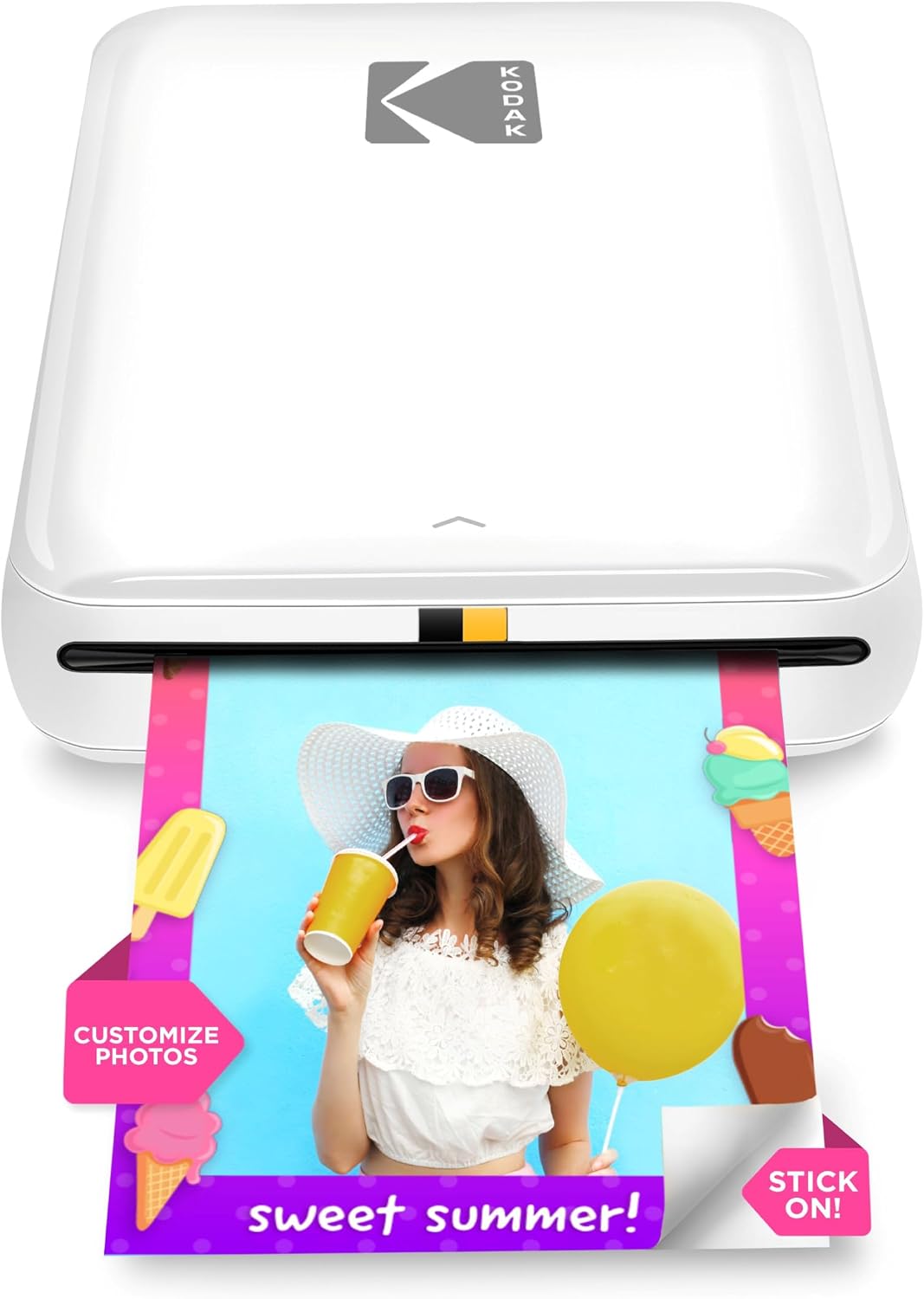
The KODAK Step is a pocketable ZINK-based photo printer that connects to phones via Bluetooth or NFC and produces 2×3 inch sticky-backed color prints in about a minute. You use the free KODAK STEP PRINTS app to select images from your phone or social accounts, apply filters, stickers, and collages, then send prints to the device; the internal battery lets you print roughly 25 photos per charge. Because it uses ZINK zero-ink paper the printer needs no cartridges, simplifying upkeep and keeping size and weight down for travel and event use. Print quality is good for casual snapshots and scrapbooking, with a protective coating that resists smudges and moisture, but image detail and color depth are limited by the small 2×3 format and ZINK process. The paper capacity is modest and print speed is about one minute per photo, so it is better for small batches than high-volume sessions. Overall, it is an easy, low-maintenance option for instant pocket prints when convenience and portability matter most.
Best for: Buyers who prioritize portability and easy, social-friendly prints—people who want instant sticky-backed photos for scrapbooks, parties, and on-the-go sharing backed by strong user feedback.
Less Ideal for: Photographers or users who need large, high-fidelity prints or fast high-volume printing should choose a different printer designed for larger formats and greater throughput.
- Truly portable pocket size with built-in rechargeable battery for on-the-go printing
- ZINK zero-ink prints eliminate cartridges and produce sticky-backed, water-resistant photos
- Wireless pairing via Bluetooth and NFC with a mobile app that includes editing, collage, and sticker tools
- Protective coating on prints improves durability for scrapbooks and surfaces
- Small 2×3 print size and ZINK technology limit fine detail and color fidelity compared with larger ink-based printers
- Slow single-photo throughput and only about 25 prints per battery charge, not suited to high-volume events
Verdict: Choose the KODAK Step when you want a compact, zero-ink mobile printer that delivers durable 2×3 sticky-backed photos easily from your phone.
Liene 4×6 Photo Printer DHP513

| Printing technology | Dye Sublimation |
|---|---|
| Maximum media size | 4 x 6 inch |
| Maximum sheet capacity | 20 |
| Connectivity | USB, Wi-Fi |
| Print resolution | 300 x 300 dpi |
The Liene DHP513 is a portable dye‑sublimation photo printer that makes 4×6 prints from phones, laptops, and desktops via Wi‑Fi hotspot or USB‑C. Setup is straightforward: load the single cartridge and photo paper cassette, connect with the Liene app or the printer's hotspot, then print directly from your device; the app also adds basic filters, borders, and ID-photo templates. Dye‑sublimation printing produces laminated, water‑resistant prints with saturated colors and a 300 x 300 dpi output; a full color page prints in about a minute. The unit holds up to 20 sheets in the cassette and supports up to five simultaneous device connections, which is handy for parties or family use. Expect to use proprietary Liene cartridges and paper, and the maximum media size is 4×6 inches, so it is focused solely on small photo prints rather than general document tasks. The printer is compact and app-driven, making it a practical choice for users who want quick, durable 4×6 photos without a complex desktop printer setup.
Best for: Buyers who want a simple, reliable way to produce durable 4×6 photos from phones or PCs with minimal setup and app controls, and who prioritize print quality and convenience over multifunction features.
Less Ideal for: People who need fast batch printing, larger format or document printing, or who prefer to use generic third‑party inks and paper for lower running costs.
- Dye‑sublimation prints with laminated, water‑resistant finish for long‑lasting 4×6 photos
- Built‑in Wi‑Fi hotspot plus USB‑C lets phones and computers print without a home network
- Includes cartridge and paper in the box and supports up to five simultaneous device connections
- Compact, easy app workflow with basic editing, templates, and ID photo printing
- Uses proprietary cartridges and Liene paper which may limit third‑party supply options
- Print speed is modest at roughly one 4×6 print per minute
Verdict: A compact, app‑driven dye‑sublimation printer for anyone who wants easy, durable 4×6 photo prints from phones or PCs.
Choosing the Right Photo Printer: Key Factors to Consider
Print Quality and Color Accuracy
Print quality is the single most important factor for photo printing because it determines how faithfully your final print represents the captured image. Look for printers with high maximum resolution and expanded color gamuts driven by additional ink channels beyond standard CMYK. These extra inks reduce grain and improve subtle tonal transitions in skin tones, skies, and shadow areas.
Color management also matters. Printers that offer ICC profile support and good color calibration options will reproduce colors more consistently across different papers and viewing conditions. If you plan to sell or exhibit your prints, consistent, predictable color is essential.
Supported Media Types and Sizes
Different projects require different media. A versatile Photo Printer should handle common glossy, luster, and matte photo papers as well as heavyweight fine art papers and roll paper if you want panoramic prints. Check the maximum paper width and the availability of rear or specialty feeds for thick stock.
Borderless printing capability and accurate paper handling reduce waste and simplify finishing. If you frequently print on nonstandard or heavyweight substrates, robust feed mechanisms and user-adjustable media settings become important to avoid jams and feeding errors.
Ink System and Running Costs
Initial price is only part of the ownership story. Ink consumption and cartridge cost determine how much you spend per print over time. Printers with high-capacity cartridges or refillable/continuous-ink systems typically drop per-print costs, though they may require more frequent maintenance.
Consider cartridge fragmentation and whether the printer uses individual color tanks so you can replace only the exhausted color. Also evaluate how manufacturers report yield and whether those yields are realistic for photographic prints, which use a lot of color and ink-heavy fills.
Print Longevity and Drying
Photo prints are often displayed or sold, so durability matters. Print longevity depends on the combination of inks and media. Pigment inks generally resist fading and handle display environments better than dye inks, while certain paper coatings also improve lightfastness and color stability.
Drying time affects handling and finishing. Rapid-drying prints let you stack and frame quickly with less risk of smudging. If you plan to laminate or mount prints professionally, verify that the inks and papers tolerate those finishing processes without altering color or adhesion.
Connectivity and Workflow Integration
How a Photo Printer fits into your workflow affects productivity. Look for robust connectivity options: USB and Ethernet for wired workflows, plus reliable Wi-Fi and mobile printing support for casual or on-location use. Networked printers simplify multi-user environments in a small studio.
Software features such as driver-level color management, bundled editing utilities, and direct print from image editors matter for color-critical work. Compatibility with standard printing profiles and the ability to print from phones or tablets make the device more flexible for different use cases.
Paper and Media Choices That Change Results
Paper selection has as much effect on the final look as the printer itself. Glossy papers yield punchy colors and deeper blacks, while matte and fine-art stocks render textures and subtler tonal transitions more pleasingly. Choose a printer that supports the types of media you plan to use frequently so you do not sacrifice image quality to accommodate paper limitations.
- Glossy for vibrant color and contrast
- Matte/fine art for texture and muted highlights
- Heavyweight cardstock for mounting and framing
When to Prioritize Ink Longevity Over Initial Speed
If you print occasionally but want prints to last for exhibitions or client deliveries, prioritize pigment-based inks and papers with proven lightfastness. High-capacity cartridges lower lifetime cost for heavy users but can be wasteful for occasional printing. Conversely, if quick turnaround matters, choose a printer with faster first-page-out times and reliable drying.
- Pigment inks for archival stability
- Dye inks for punchy color in casual use
- High-capacity cartridges for frequent printing
Sizing and Workflow for Home Vs Small Studio Use
Home users often need compact printers that handle standard photo sizes and easy mobile printing. Small studios require wider media support, better network integration, and more predictable maintenance intervals. Consider where prints will be produced and whether the device can be placed near other equipment without creating workflow bottlenecks.
- Compact footprint for desks and small rooms
- Network-ready devices for shared studios
- Accessible controls for repetitive batch jobs
Color Management Basics for Better Matches
Understanding ICC profiles and soft-proofing improves the match between what you see on-screen and the printed result. Use manufacturer or paper-specific profiles when available, and calibrate your monitor for consistent editing. Many printers include or support custom profiles; using them reduces surprises and wasted paper.
- Use ICC profiles for paper and printer combos
- Calibrate monitor brightness and white point
- Soft-proof before final printing to check color shifts
How We Chose the Best Photo Printer
We focused on criteria that matter in everyday photo printing and studio workflows. Primary filters included measurable print quality factors such as color gamut and resolution, the types and sizes of printable media supported, and the longevity of prints under normal indoor conditions. We also evaluated practical aspects like ink yield and cartridge system design because running cost and maintenance frequency are major long-term considerations for owners. Other selection rules removed devices that are strictly general-purpose office printers with limited color performance or models that do not support common photo paper sizes. We excluded specialty large-format printers beyond home or small-studio scope and any machines lacking straightforward driver support for common desktop operating systems. Final consideration balanced real-world usability: ease of setup, mobile and software integration, and how intrusive maintenance tasks such as head cleaning and nozzle checks are in daily use. The shortlisted Photo Printers scored well across these dimensions and represent a range of tradeoffs between image fidelity, speed, media flexibility, and ongoing cost.
Our full evaluation process is outlined in our review methodology.
FAQ
Do I need pigment inks for professional-looking prints?
Pigment inks usually offer better longevity and resistance to fading, making them a common choice for archival or gallery prints. Dye inks can deliver more saturated color and may be acceptable for casual or short-term display.
How much does paper choice affect color and contrast?
Paper choice has a major effect. Glossy papers enhance contrast and perceived sharpness, while matte or fine-art stocks soften highlights and emphasize texture. Use the right paper for the look you want rather than relying on printer settings alone.
Can I use a photo printer for document printing?
Most photo printers can print documents, but they may be slower and more costly per page than office-focused models. If you primarily need documents, a general-purpose printer may be more economical.
How do I reduce per-print costs without losing image quality?
Opt for printers with individual high-capacity ink tanks or consider refillable systems if available. Use economical ink-saving modes only when color-critical fidelity is not required.
Is wireless printing reliable for color-critical work?
Wireless printing can be reliable, but for color-critical tasks a wired connection or direct USB link reduces variables. Network printing is fine when you verify color profiles and maintain consistent settings.
Final Verdict
Choosing the right Photo Printer comes down to prioritizing a few core tradeoffs: absolute color fidelity versus running cost, media versatility versus footprint, and pigment durability versus dye vibrancy. Decide whether archival stability or lower per-print cost is more important for your use. Focus on printers that support the papers you plan to use, provide solid color management options, and offer manageable maintenance needs. With those priorities defined, you can confidently select a Photo Printer that matches your workflow, whether you need occasional high-quality prints for personal use or consistent output for small-studio production.