
Note: This article contains affiliate links. If you click on these links and make a purchase, we may earn a small commission at no extra cost to you. This helps support our research and content. Read our full affiliate disclosure here.
If you need on-the-go printing for labels, receipts, or shipping tags, a portable thermal printer can make the task fast and fuss-free. You want a compact unit that produces legible output, lasts through a day of use, and connects reliably to your phone or tablet. This guide shortlists the top portable thermal printers available now and explains which features matter for different mobile workflows. We evaluated print speed, connectivity, battery life, and paper handling to surface practical picks for storefronts, event staff, inventory teams, and home office users. Read on to find a portable thermal printer that fits how you work.
Top Picks at a Glance
| Best Overall The best all-around choice for most situations | Phomemo M832D Portable Printer |  |
| Best Quality Built to a higher standard if you want something more solid | Phomemo M85 Portable Printer |  |
| Best Value The sweet spot between price and what you get | KNAON Y813BT Thermal Label Printer |  |
| Best Budget The cheapest option that still gets the job done reliably | Rongta F11A Portable Thermal Printer |  |
| Top Rated A top-rated pick with lots of positive feedback | Rongta F11 Portable Thermal Printer |  |
| Most Popular A crowd favorite that many people choose with confidence | Gloryang PD-A4 Portable Printer |  |
| Best Seller A high-volume bestseller chosen again and again | TATTMUSE A285M Portable Thermal Printer |  |
Phomemo M832D Portable Printer

| Printer Type | Thermal |
|---|---|
| Maximum Media Size | 8.5 x 11 inch |
| Resolution | 300 x 300 |
| Printer Connectivity Type | Bluetooth, USB |
| Battery | 2600mAh |
The Phomemo M832D is a lightweight mobile thermal printer designed for on-the-go document and receipt printing without ink or toner. It prints monochrome at up to 300 DPI and accepts a variety of thermal media including 8.5 x 11 US Letter and A4 as well as narrower roll sizes, so it can handle everything from full‑page documents to small labels. Setup is primarily through the Phomemo app for phones and tablets via Bluetooth while computers use a USB‑C driver, and the touchscreen gives basic status, paper guidance, and simple controls. The built‑in 2600mAh battery promises long runs and the unit is small enough for briefcases or car use. Practical strengths are quiet, inkless printing and flexible media support, but expect slower desktop integration because Bluetooth is limited to mobile devices and printed edges can curl or look slightly jagged on some paper types. Some advanced app templates require a subscription, so power users who need bundled templates should check app features before buying.
Best for: Buyers who want a versatile, portable printer for travel, field work, classroom or small business tasks and prioritize inkless convenience and multi‑size media support.
Less Ideal for: Users who need full desktop wireless printing workflows, color output, or perfectly smooth edge finishes for high‑end marketing materials should consider alternatives.
- Inkless thermal printing at 300 DPI for clear monochrome output
- Supports full‑page US Letter and A4 plus narrow roll and folded thermal papers
- Built‑in touchscreen shows battery and paper status for easier mobile use
- Bluetooth for phones/tablets and USB‑C for computers provides flexible connectivity
- 2600mAh battery enables extended portable printing sessions
- Bluetooth printing does not support laptops or desktops, requiring USB‑C driver for computers
- Thermal paper can curl or show jagged edges and some app features require a paid subscription
Verdict: Choose the M832D if you want a truly portable, inkless thermal printer that prints full‑page and roll media clearly from phones or tablets.
Phomemo M85 Portable Printer

| Printer Type | Thermal |
|---|---|
| Resolution | 300 x 300 |
| Connectivity | Bluetooth, USB-C |
| Battery | 3500mAh |
| Maximum Media Size | 8.5 x 11 inch |
The Phomemo M85 is a portable thermal printer built for on-the-go document printing and light office use. It prints monochrome thermal output at up to 300 dpi and about 10 pages per minute, and accepts US Letter, A4 and three smaller roll widths, so it can handle invoices, contracts, receipts and travel paperwork without ink or ribbons. The upgraded touchscreen lets you preview templates and print directly after uploading via the companion app, while Bluetooth and USB-C connections cover phones, tablets and laptops. A 3500 mAh battery claims 200+ pages per charge, and the supplied carry case and four paper rolls make it ready for travel. Expect crisp, economical prints and straightforward operation, but remember it is thermal-only (no color) and simplex printing only, and image contrast depends on thermal paper quality. For users needing fast, portable black-and-white prints and touchscreen convenience in the field, the M85 is a practical choice.
Best for: Buyers who need a fast, portable black-and-white printer for travel, field work, or small-business receipts and documents and who value touchscreen control and wide device compatibility.
Less Ideal for: Those who need color printing, automatic duplexing, or a desktop device for heavy daily volume should look at larger office printers instead.
- Large touchscreen with template preview and direct tap-to-print
- Supports multiple paper sizes including US Letter and A4
- Bluetooth and USB-C connectivity for phones, tablets, and PCs
- inkless thermal printing at 300 dpi for crisp monochrome output
- 3500 mAh battery rated for 200+ pages per charge and portable carry case included
- Prints only in monochrome and does not support duplex printing
- Print quality and contrast depend on thermal paper type and storage
- Not designed for high-volume continuous office printing
Verdict: Choose the M85 if you want a travel-ready, touchscreen thermal printer that delivers sharp, inkless black-and-white documents from phones or laptops.
KNAON Y813BT Thermal Label Printer
| Printer Type | Thermal |
|---|---|
| Maximum Print Resolution Black and White | 203 dpi |
| Printer Connectivity Type | Bluetooth |
| Paper Size | 4.2 inches |
| B&W Pages per Minute | 60 pages_per_minute |
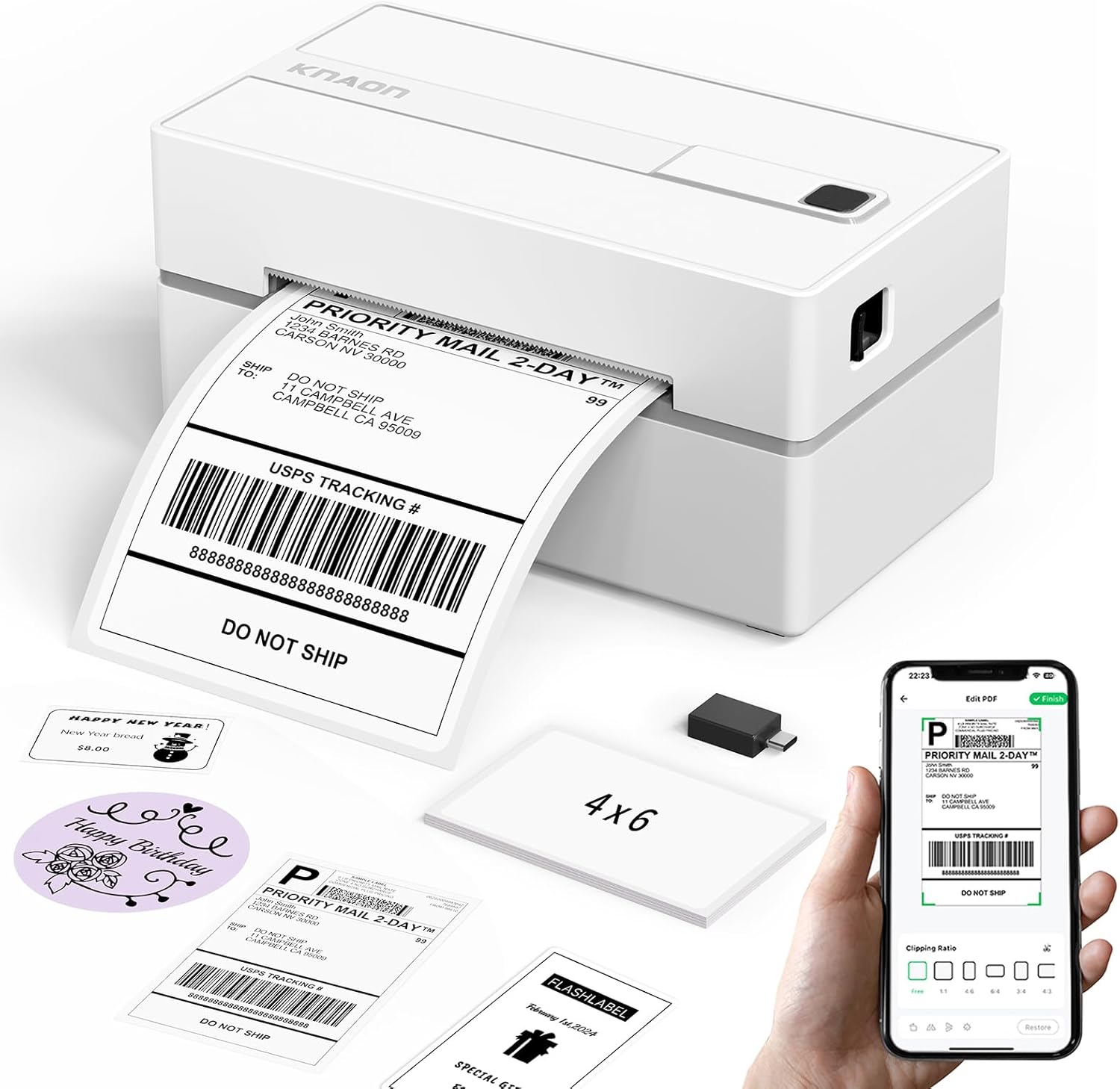
The KNAON Y813BT is a small Bluetooth-capable thermal printer aimed at shipping labels and everyday label tasks. It pairs with the FlashLabel Pro app for iPhone and Android and also offers USB connectivity for Windows, macOS, ChromeOS, and Linux, with drivers and tutorial media included on a built-in USB drive. In practice it prints 4×6 shipping labels and other small thermal formats at a modest 203 dpi and up to a fast 180 mm/s print speed, which is enough for clear barcodes and address labels. The app supplies thousands of templates, icons, and fonts for quick DIY labels and it accepts PDF logistics labels when imported through the app. Its compact footprint and included starter labels make it easy to tuck into a small office or take on the road, while Bluetooth removes the need for constant cable connections. Limitations include thermal-only monochrome output and reliance on the FlashLabel ecosystem for mobile printing, so workflows that require direct native Bluetooth printing from every platform may need extra setup.
Best for: Buyers wanting a portable, app-driven label printer to streamline shipping, retail tags, and small-batch labeling in a home office or small business.
Less Ideal for: Users who need color printing, full-page document output, or seamless native Bluetooth printing from every platform without app-based file import.
- Wireless Bluetooth printing via FlashLabel Pro app for mobile convenience
- USB connectivity with preloaded drivers and setup tutorials for desktop platforms
- Supports standard 4×6 shipping labels and multiple thermal widths (1.5–4.2 in)
- Fast print speed suitable for bulk label runs and clear barcode output
- Includes starter media and accessories for quick out-of-the-box setup
- Monochrome thermal printing only, no color or toner-based output
- Mobile printing depends on the FlashLabel app workflow rather than direct system-level print
- Limited to thermal paper formats and not suitable for full-page document printing
Verdict: Choose the KNAON Y813BT if you need a compact, fast Bluetooth thermal printer that simplifies shipping and small-batch label work with an app-driven workflow.
Rongta F11A Portable Thermal Printer
| Printer Type | Thermal |
|---|---|
| Resolution | 203 x 203 dpi |
| Print Speed | 7 pages per minute |
| Connectivity | Bluetooth, USB |
| Maximum Media Size | Letter (8.5 x 11 inches) |
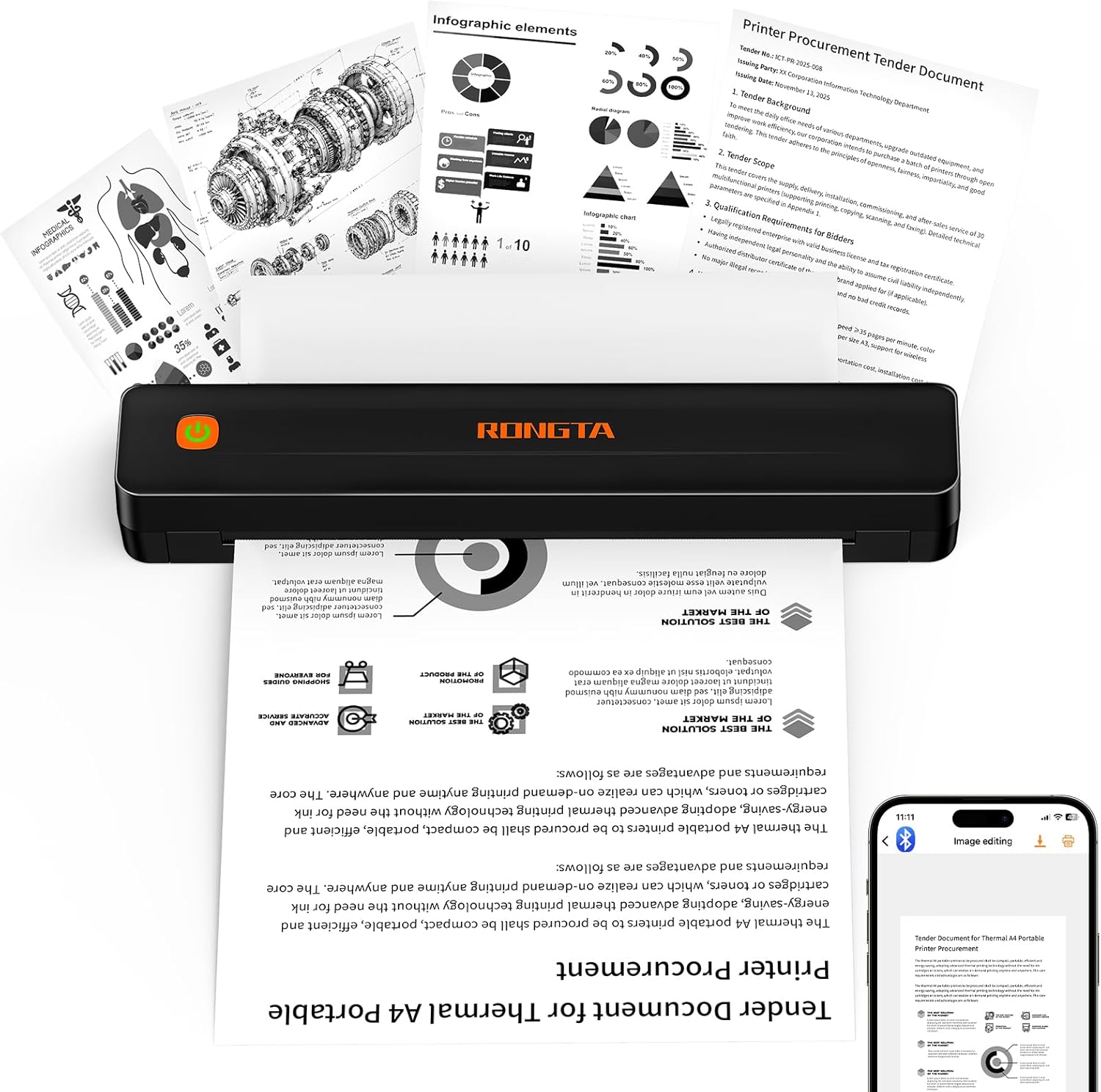
The Rongta F11A is a lightweight, inkless thermal printer designed for basic on-the-go document printing from phones, tablets, and laptops. It connects over Bluetooth (via the Rongta app) or USB for Windows and macOS, then prints monochrome pages at 203 dpi up to 8.5 x 11 inches, making it useful for printing recipes, study materials, forms, or travel documents. Setup is straightforward when using the vendor app, and the printer runs quietly under typical office noise levels. Because it uses thermal paper there are no ink or ribbon costs, which keeps operating expenses low for frequent short runs. Limitations include simplex-only output, modest 203 dpi resolution that is fine for text but not high-detail graphics, and the requirement to use thermal paper and the proprietary app for Bluetooth pairing rather than native OS pairing. The unit is functionally basic but delivers the convenience of fast, portable, inkless printing when you need standard black-and-white pages away from a full-size office printer.
Best for: Buyers who want an affordable, no-ink portable printer for occasional full-page black-and-white documents on the go and prioritize low operating costs over photo-quality output.
Less Ideal for: Anyone who needs high-resolution photo printing, automatic duplexing, or a printer that pairs directly with a device without a vendor app should consider other options.
- Prints up to US Letter (8.5 x 11) so it handles full-page documents
- Bluetooth and USB connectivity for mobile devices and laptops
- Inkless thermal printing eliminates ink and ribbon costs
- Compact and lightweight for travel or carrying between locations
- Requires thermal paper and will not print on standard paper
- 203 dpi resolution limits fine-image quality
- Bluetooth pairing requires the Rongta app rather than standard OS pairing
Verdict: A budget-friendly, inkless portable printer that delivers full‑page black-and-white prints for travelers and students who need cheap, hassle-free document printing.
Rongta F11 Portable Thermal Printer

| Printer Type | Thermal |
|---|---|
| Maximum Media Size | 8.5 x 11 inch |
| Connectivity | Bluetooth, USB |
| Print Speed | 15 pages_per_minute |
| Maximum Print Resolution Black and White | 203 dots_per_inch |
The Rongta F11 is a compact, travel-friendly thermal printer that prints monochrome documents and receipts without ink using thermal paper. It connects over Bluetooth for phones and tablets via the RONGTA app and supports USB printing from laptops and PCs with a driver, making it usable both on the road and at a desk. Notable features include a claimed 15 pages-per-minute speed and a 203 dpi black-and-white resolution for readable text and simple graphics, plus support for full 8.5 x 11 inch media. The unit is very light and built for portability, with paper and a USB cable included in the package. Expect straightforward single-function printing rather than multifunction features; Bluetooth printing is limited to mobile devices so desktop wireless printing requires the USB connection and driver. The thermal-only output means no color or long-term archival stability compared with ink/laser prints, and you must use thermal paper. For users seeking a dependable, no-ink portable printer for labels, receipts, or one-page documents, the F11 delivers predictable, easy-to-set-up performance with minimal maintenance.
Best for: Buyers who prioritize a reliable, low-maintenance portable printer for on-the-go single-page printing from smartphones or occasional USB-connected laptops.
Less Ideal for: Users who need color prints, long-term archival documents, high-resolution graphics, or a multifunction device with scanning or copying features.
- True inkless thermal printing eliminates ink cartridges and reduces maintenance
- Bluetooth support for phone/tablet printing via the RONGTA app
- USB connectivity and drivers for PC and laptop printing
- Supports up to 8.5 x 11 inch media for full-page prints
- Lightweight and portable for travel or mobile field use
- Thermal paper is required and prints are monochrome only
- Bluetooth printing does not support PC/laptop wireless printing without USB drivers
Verdict: A dependable, lightweight inkless thermal printer that delivers simple, low-maintenance mono prints for mobile and field use.
Gloryang PD-A4 Portable Printer

| Printer Type | Thermal |
|---|---|
| Maximum Media Size | Letter (8.5 x 11 inches) |
| Printer Connectivity Type | Bluetooth |
| Maximum Print Resolution Black and White | 203x 203 dpi |
| Control Method | App |
The Gloryang PD-A4 is an inkless thermal printer designed for on-the-go document and label printing from phones, tablets, and computers via Bluetooth and a companion app. It handles thermal paper up to 8.5 x 11 inches and offers a 203 dpi print head with a quoted 35 ppm speed, making it useful for contracts, school handouts, shipping labels, and quick black-and-white photos. The unit is compact and ships with a carry case, three rolls of thermal paper, and a USB charging cable; its internal battery is described as two 2600 mAh cells for multi-hour use and a large single-charge sheet capacity. Setup relies on the vendor app for mobile printing and a downloadable driver for some computers, so expect an app-driven workflow rather than a full-featured desktop suite. Important limitations are its requirement for thermal paper only, the app-dependent connection process, and simplex monochrome output, which make it less suitable for color or standard paper jobs. For those who prioritize portability and low running cost, it offers a convenient, ink-free solution.
Best for: Buyers who want a truly portable, low-maintenance printer for field documents, labels, or quick black-and-white prints and who value ease of transport and low consumable cost.
Less Ideal for: Users who need color prints, duplex capability, or compatibility with standard copy paper for office-heavy workflows should look elsewhere.
- Inkless thermal printing eliminates ink, toner, and ribbons
- Supports up to letter-size (8.5 x 11 in) thermal media for larger portable documents
- Bluetooth connectivity and companion app for printing from iOS and Android
- Includes carry case and three rolls of thermal paper for immediate use
- Compact, lightweight design with built-in paper bin for tidy transport
- Prints only on thermal paper and is not compatible with regular copy paper
- Monochrome simplex output only, no color or duplex printing options
- Relies on the vendor app and drivers for many workflows, which may complicate setup
Verdict: A lightweight, inkless thermal printer built for portable monochrome printing when low running cost and mobility are the top priorities.
TATTMUSE A285M Portable Thermal Printer

| Printer Type | Thermal |
|---|---|
| Maximum Media Size | 8.5 x 11 inch |
| Connectivity | Bluetooth, USB |
| B&W Pages per Minute | 7 |
| Wattage | 11.1 watt-hours |
The TATTMUSE A285M is a small, rechargeable thermal printer built for on-the-go document and receipt printing. It uses thermal paper so no ink, toner, or ribbons are required, and it prints only in black and white at up to about 7 pages per minute with roughly 203 dpi copy resolution. Typical uses include printing invoices, receipts, boarding passes, forms, and single-sheet documents from a phone, tablet or laptop; phones and tablets connect over Bluetooth while laptops require a USB-C connection and a driver. The printer accepts multiple thermal paper widths up to US Letter/A4 and stores a roll in a built-in paper bin, which makes it convenient for continuous or single-sheet output. Battery-powered operation and a compact 1.5 lb footprint make it easy to carry for travel, field work, or a small mobile office. Limitations are the exclusive reliance on thermal paper and monochrome output, plus the need to install a driver for computer use and to follow the app for Bluetooth setups, which adds a small setup step for less technical users.
Best for: Buyers who want a low-maintenance, portable printer for fieldwork or travel and prioritize reliability and simplicity over color or standard-paper flexibility.
Less Ideal for: Users who need color printing, standard copy-paper support, high-volume office production, or seamless plug-and-play computer printing without driver installation should look elsewhere.
- Inkless thermal printing eliminates consumable ink and reduces maintenance.
- Supports multiple thermal paper widths including US Letter and A4 for full-page prints.
- Portable and rechargeable with a built-in paper bin for roll or single-sheet feeding.
- Bluetooth for phone/tablet printing and USB-C for laptop connections.
- Reasonable print speed and resolution for receipts and simple documents.
- Prints only in black and white and works only with thermal paper.
- Desktop/laptop printing requires a driver install rather than plug-and-play.
Verdict: A compact, inkless thermal printer that delivers dependable monochrome, full‑page mobile printing for travelers and field professionals.
Choosing the Right Portable Thermal Printer: Key Factors to Consider
Print Speed and Resolution
Print speed and resolution directly affect how quickly you can produce readable labels or receipts. Higher speeds reduce wait time when printing many items, which matters for busy retail counters, fulfillment lines, or on-site service work. Resolution determines how crisp text and barcodes appear; low resolution can cause scanning errors or illegible small text.
When evaluating models, compare measured millimeters per second or characters per second alongside dpi or dots per millimeter. For barcode-heavy workflows, prioritize resolution and consistent print contrast to ensure reliable scanning.
Battery Life and Charging
Battery capacity and real-world runtime shape whether a printer can last through a work shift without interruption. A spec sheet amp-hour figure is useful, but consider estimated page or label counts per full charge under typical use. Fast charging and support for common charging standards make it easier to top up between tasks.
Also check whether batteries are user-replaceable for long deployments and whether the device supports charging while printing. These details influence downtime and how many spare batteries or chargers you might need to carry.
Connectivity and Compatibility
How the printer connects to host devices determines where and how you can print. Bluetooth is common for smartphone and tablet pairing, while Wi-Fi and wired USB connections suit higher-throughput setups or integration with fixed systems. Look for support of standard printing protocols and widely used mobile SDKs if you plan to integrate printing into custom apps.
Compatibility with your operating system and POS software reduces setup friction. Confirm whether the printer supports automatic reconnection, multiple paired devices, and common barcode formats that your workflow requires.
Media Types and Paper Handling
Portable thermal printers vary in the kinds of thermal paper and label widths they accept. Choose a model that supports the ticket, label, or receipt width you use most often and that can handle continuous rolls if needed. Roll capacity and an easy-loading mechanism reduce the frequency of reloads and help keep mobile operations smooth.
Also consider whether the printer supports adhesive labels or only receipt paper, and whether it offers cutters, peelers, or dispensers. These features affect downstream processes like applying labels or handing receipts to customers.
Durability and Portability
A portable thermal printer should withstand the environment where it will be used. Durability considerations include drop resistance, ingress protection against dust or moisture, and a robust housing that holds up to frequent handling. Weight and form factor influence comfort when carrying the unit over a shift.
Mounting options, belt clips, and carrying cases add practical value for field teams. Balance durability against size and weight to match how often you will transport the device versus how much protection you need.
Software Support and Maintenance
Good software support simplifies integration with existing devices and future-proofs your purchase. Look for printers with active firmware updates, well-documented SDKs for common mobile platforms, and clear instructions for driver installation. Reliable diagnostic tools and support channels speed troubleshooting when issues arise.
Maintenance needs such as head cleaning, easy access to replaceable parts, and clear instructions for media jams can significantly reduce downtime and service calls.
Choosing the Right Portability Profile
Portable thermal printers range from ultra-compact labelers to heftier units designed for longer runtime. Think about how you will carry and deploy the printer. If you need something pocketable for occasional labels, prioritize small footprint and low weight. If you require a full shift of continuous printing, choose a slightly larger unit with greater battery capacity and roll capacity.
Also consider mounting and accessory options. Some portable printers offer vehicle mounts or belt clips that make them easier to keep on hand during rounds or deliveries.
- Pocketable models trade battery size for convenience
- Larger units usually offer longer runtimes and bigger rolls
- Mounts and clips reduce handling fatigue during frequent use
Integrating with Mobile Apps and POS Systems
Successful integration depends on the protocols and SDKs the printer supports. For direct printing from mobile apps, ensure the printer provides a compatible SDK or supports standard protocols like ESC/POS variants. Check whether the manufacturer documents command sets and error codes and whether the device can be discovered and connected reliably by common smartphones and tablets.
For networked setups, Wi-Fi or Ethernet options can let multiple devices print to a single unit. Evaluate how the printer handles simultaneous requests and whether it offers queueing or status reporting to avoid lost jobs.
- Verify SDK availability for iOS and Android when using mobile apps
- Confirm supported barcode types and font handling for labels
- Test reconnection behavior to avoid workflow interruptions
Media Sourcing and Consumable Costs
Thermal printers use thermal-sensitive media that varies in cost and availability. Choose a printer that accepts common roll widths and standard core sizes to keep replacement media easy to source. Consider whether you need direct thermal labels with adhesive or thermal receipt paper without adhesive.
Also plan for how long labels need to remain legible. Direct thermal media can fade over time or with heat exposure; select the right media grade for longevity when printing shipping labels or inventory tags.
- Prefer common roll sizes to reduce consumable sourcing issues
- Match media grade to the expected lifespan of your labels
- Account for storage conditions that can degrade thermal paper
Maintenance Tips for Reliable Field Use
Regular maintenance keeps portable printers printing smoothly. Clean the print head periodically per manufacturer guidance to avoid streaks and poor contrast. Keep spare media and a charged spare battery or charging cable accessible for longer shifts.
Train users on quick paper loading and jam-clearing procedures so small issues do not cause extended downtime. A simple checklist for start-of-shift checks can prevent many common problems.
- Schedule periodic print head cleaning
- Carry spare battery or charging options for long jobs
- Provide quick-reference guides for paper reloading and jams
Security and Data Considerations
When printing sensitive information, consider how the printer secures data in transit. Use printers that support encrypted wireless connections and authenticated pairing to prevent unauthorized access. For networked devices, place them on segmented networks or VLANs to reduce exposure to broader internal systems.
Also evaluate whether the device logs print jobs or errors and how those logs can be accessed for troubleshooting without exposing private data.
- Prefer encrypted connections for wireless printing
- Use network segmentation for shared or public environments
- Review logging features for secure troubleshooting
How We Chose the Best Portable Thermal Printer
We started with units that are explicitly designed for mobile thermal printing and excluded desktop-only or industrial machines that require mains power. From that pool we prioritized devices that balance four measurable dimensions important for mobile use. First, print speed and resolution matter for legibility and throughput when printing many labels or receipts. Second, battery life and charging convenience determine whether a unit will stay productive during a shift. Third, connectivity options and protocol support affect real-world compatibility with phones, tablets, and point-of-sale systems. Fourth, paper handling and roll capacity impact how often you must reload media and whether common media sizes are supported. Additional filters removed models with poor documented reliability, minimal accessory support, or unclear firmware update paths. We also considered build quality and portability features such as weight and mounting options that affect day-to-day usability. The shortlist reflects a blend of technical specs and practical details that buyers actually encounter when using portable thermal printers in the field.
Our full evaluation process is outlined in our review methodology.
FAQ
Can a portable thermal printer handle barcode labels for inventory?
Often yes. Many portable thermal printers support high enough resolution and common barcode formats to produce scan-ready inventory labels. Confirm the resolution and test sample prints to ensure small barcodes scan reliably.
How long do portable thermal printer batteries usually last?
Battery life varies widely based on print density and duty cycle. Typical runtimes range from a few hours for compact models to a full shift for larger units. Look at estimated label counts per charge and whether the battery is user-replaceable.
Do portable thermal printers need special paper?
Yes. These printers require thermal-sensitive paper or labels. Choose media in the correct width and core diameter the printer supports, and pick the appropriate thermal grade for the expected label longevity.
Can I print from both phones and tablets?
Usually. Most portable thermal printers offer Bluetooth for phones and tablets and may also provide USB or Wi-Fi. Verify compatibility with your device operating system and any point-of-sale or inventory apps you plan to use.
Are portable thermal prints resistant to heat and sunlight?
Direct thermal prints are susceptible to fading with prolonged heat and sunlight exposure. For long-term labeling, choose media rated for higher durability or consider protective sleeves to extend readability.
Final Verdict
Pick a portable thermal printer that matches how and where you print. Prioritize print speed and resolution if you need many readable labels or reliable barcode scanning. If you work long shifts away from power, give battery capacity and charging flexibility greater weight. Also factor in connectivity and media support to ensure smooth integration with your devices and supply chain. Balancing these tradeoffs will help you choose a mobile printer that stays productive in daily use. Focus on the dimensions most relevant to your workflow and you will end up with a unit that reduces downtime and simplifies mobile printing.