
Note: This article contains affiliate links. If you click on these links and make a purchase, we may earn a small commission at no extra cost to you. This helps support our research and content. Read our full affiliate disclosure here.
As a teacher you rely on a printer every week for handouts, activities, assessments, and visual aids. Choosing the right printer for teachers can reduce prep time, lower ongoing supply costs, and prevent mid-lesson failures that interrupt instruction. This guide shortlists seven classroom-ready printers that suit heavy document use, occasional color projects, and the variety of media teachers need. We evaluated reliability, running cost, and classroom conveniences like wireless printing and easy media handling. Read on for a focused look at features that matter in busy school settings and quick tips to match a printer to your teaching style.
Top Picks at a Glance
| Best Overall The best all-around choice for most situations | HP Envy 6155 All-in-One Printer |  |
| Best Quality Built to a higher standard if you want something more solid | Epson EcoTank ET-2800 |  |
| Best Value The sweet spot between price and what you get | Epson EcoTank ET-2400 |  |
| Best Budget The cheapest option that still gets the job done reliably | Canon PIXMA TS4320 |  |
| Top Rated A top-rated pick with lots of positive feedback | Canon PIXMA TR4720 |  |
| Most Popular A crowd favorite that many people choose with confidence | HP DeskJet 2855e |  |
| Best Seller A high-volume bestseller chosen again and again | Brother DCP-L2640DW Laser MFP |  |
HP Envy 6155 All-in-One Printer

| Printer Type | Inkjet |
|---|---|
| Connectivity | Wi-Fi, USB |
| Duplex | Automatic |
| Maximum print Resolution Color | 4800 x 1200 dpi |
| Maximum Sheet Capacity | 100 |
The HP Envy 6155 is a home-focused all-in-one inkjet designed for everyday color documents, photos, and schoolwork. It prints up to 10 ppm in black and 7 ppm in color, offers automatic two-sided printing, and includes a 2.4-inch color touchscreen for basic job control. Wireless and mobile printing are straightforward via dual-band Wi-Fi and the HP app, and the printer ships with starter HP 68 cartridges and a three-month trial of HP Instant Ink for hands-off cartridge replenishment. Scanning is handled by a flatbed CIS scanner suitable for homework, handouts, and occasional photo scans. Print quality is strong for vibrant documents and photos thanks to HP's true-to-screen processing, but the machine is clearly aimed at light-to-moderate home and classroom workloads rather than heavy daily volume. Also note HP's cartridge chip requirement, which restricts use to original HP cartridges. For teachers who need reliable color prints, easy mobile workflows, and duplexing in a compact footprint, the Envy 6155 covers core needs without enterprise features or high-capacity consumables.
Best for: Teachers who want a compact, easy-to-use home or classroom printer that produces reliable color prints and supports mobile workflows for handouts and student projects.
Less Ideal for: Educators or departments that need high monthly page volumes, large paper capacity, or lower-cost third-party consumables should consider higher-capacity or business-class models instead.
- All-in-one print, scan, and copy in a compact design
- Automatic duplex printing saves paper for handouts and worksheets
- Wi-Fi and HP app support make mobile printing from phones and tablets easy
- High color resolution (4800 x 1200 dpi) for vibrant documents and photos
- Small starter cartridges with limited page yields require frequent replacement under heavier use
- 100-sheet tray and modest print speeds limit high-volume classroom printing
Verdict: A compact, teacher-friendly all-in-one that delivers reliable color prints, easy mobile printing, and automatic duplexing for everyday classroom tasks.
Epson EcoTank ET-2800

| Printer Type | Inkjet |
|---|---|
| Print Resolution | 5760 x 1440 dpi |
| Print Speed B&W | 10 pages_per_minute |
| Print Speed Color | 5 pages_per_minute |
| Connectivity | USB, Wi-Fi |
The Epson EcoTank ET-2800 is a cartridge-free all-in-one designed for regular home and classroom use, trading frequent cartridge swaps for refillable ink bottles that deliver thousands of pages per replacement. It prints up to 10 pages per minute for black and 5 ppm for color, and produces high-resolution output suitable for handouts and classroom photos thanks to a 5760 x 1440 dpi engine and Micro Piezo heat-free technology. Setup and daily use lean on wireless connectivity and app control, with a flatbed scanner for copying and a simple LCD for basic menus. Key practical benefits are very low ongoing ink cost and far fewer interruptions to replace consumables, plus decent photo-capable output on glossy stock. Limitations include simplex-only printing so two-sided jobs require manual flipping, modest paper handling compared with office machines, and slower color throughput for large color-heavy print runs. For teachers who print lots of worksheets, handouts, and occasional photos, the ET-2800 reduces ink fuss and running cost while delivering reliable quality for classroom materials.
Best for: Teachers who prioritize low ongoing ink cost and reliable everyday printing for worksheets, handouts, and classroom photos and want fewer interruptions for cartridge changes.
Less Ideal for: Educators or school offices that need automatic two-sided printing, large paper capacity, or fast color throughput for high-volume, color-heavy production runs.
- Cartridge-free EcoTank system that greatly reduces frequency of ink replacement
- High maximum print resolution for sharp text and detailed color images
- Wireless printing and app control for easy classroom or home setup
- Flatbed scanner and copy functions in a compact footprint
- No automatic duplex printing so two-sided pages must be flipped manually
- Single paper tray with modest maximum sheet capacity compared with larger office models
Verdict: A low-run-cost, compact all-in-one that lets teachers print large volumes of classroom-ready handouts and photos without frequent cartridge changes.
Epson EcoTank ET-2400

| Printer Type | Inkjet |
|---|---|
| Printer Connectivity Type | USB, Wi-Fi |
| Maximum Sheet Capacity | 100 |
| B&W Pages per Minute | 10 pages_per_minute |
| Color Pages per Minute | 5 pages_per_minute |
The Epson EcoTank ET-2400 is a compact all-in-one inkjet that replaces cartridges with large refillable ink bottles, letting you print many pages between refills. It prints, scans and copies with wired USB or Wi-Fi connectivity and is controlled via an app for mobile printing and basic setup. The rear feed holds up to 100 sheets and output capacity of 30 sheets reduces the need to reload during classroom print sessions, and manual duplex lets you save paper if you flip pages yourself. Print quality is strong for text and decent for photos thanks to Epson's Micro Piezo technology and high resolution, while print speeds favor black-and-white documents at about 10 ppm and slower color at about 5 ppm. The unit ships with full-size ink bottles that cover a long run, cutting replacement frequency and plastic waste versus cartridges. Limitations include manual two-sided printing and modest color speed, so busy teachers relying on heavy color production or automatic duplex may want a different model, but for steady daily handouts, worksheets and occasional color prints this keeps running costs low and interruptions minimal.
Best for: Teachers who want a low-running-cost, reliable classroom printer for steady volumes of handouts and worksheets, and who value minimal ink interruptions over fast color throughput.
Less Ideal for: Teachers who need fast automatic two-sided color printing for high-volume, full-color materials or who require an automatic document feeder for scanning stacks of pages.
- Cartridge-free EcoTank system with high-capacity refill bottles reduces replacement frequency
- Wireless and USB connectivity with app control for easy mobile printing
- Large 100-sheet rear input tray suitable for batch classroom print jobs
- High resolution print engine produces sharp text and good graphics
- No automatic duplexing; two-sided printing is manual
- Color print speed is relatively slow compared with black-and-white
Verdict: A low-cost-per-page, cartridge-free all-in-one that keeps classroom printing running longer between refills, ideal for teachers prioritizing economy and reliability.
Canon PIXMA TS4320

| Printer Type | Inkjet |
|---|---|
| Duplex | Automatic |
| Printer Connectivity Type | USB, Wi-Fi |
| Maximum Sheet Capacity | 100 |
| Compatible Cartridge | PG-295/CL-286 |
The Canon PIXMA TS4320 is a budget-friendly all-in-one inkjet that handles everyday teacher tasks like printing worksheets, handouts, and classroom photos. It prints in color and black-and-white using a two-cartridge hybrid ink system, supports automatic duplexing to save paper, and offers wireless printing via Wi‑Fi, AirPrint, and the Canon PRINT app for easy mobile workflow. The flatbed scanner covers basic scanning and copying needs, and the 100-sheet input capacity keeps small class print runs manageable without constant refills. Print quality is good for text and classroom graphics, and dual-band Wi‑Fi helps maintain stable connections across a typical home or small office network. Limitations include modest print speeds and basic resolution compared with higher-end models, no automatic document feeder for multi-page scans, and a two-cartridge system that may require more frequent color replacements in heavy photo use. For teachers who print primarily handouts, activities, and occasional photos, this model balances cost, convenience, and footprint effectively.
Best for: Teachers on a tight budget who need a compact, easy-to-use printer for printing handouts, worksheets, and occasional classroom photos with wireless mobile printing.
Less Ideal for: Those who need high-volume, fast classroom printing, frequent multi-page scanning, or advanced photo-grade output should consider higher-capacity or ADF-equipped models.
- Automatic two-sided printing reduces paper use and prep time for classroom handouts.
- Wireless printing with AirPrint and Canon PRINT app enables easy mobile and tablet printing.
- Compact footprint fits small desks or classroom corners.
- Starter ink included and support for standard PG-295/CL-286 cartridges keeps ongoing costs predictable.
- No automatic document feeder for scanning multi-page worksheets.
- Print speeds are modest for larger class print jobs compared with duty‑cycle printers.
- Two-cartridge system can lead to color ink replacement even if mostly printing black-and-white.
Verdict: A compact, cost-conscious all-in-one that gives teachers reliable wireless printing and automatic duplexing for everyday classroom needs.
Canon PIXMA TR4720

| Printer Type | Inkjet |
|---|---|
| Maximum print Resolution Color | 4800 x 1200 dots_per_inch |
| B&W Pages per Minute | 8.8 |
| Color Pages per Minute | 4.4 |
| Printer Connectivity Type | USB, Wi-Fi |
The Canon PIXMA TR4720 is a small, wallet-friendly all-in-one inkjet built for everyday home and light office tasks. It handles printing, copying, scanning and faxing, and the built-in 20-sheet auto document feeder plus automatic two-sided printing make multi-page jobs easier. Setup and mobile printing are straightforward through the Canon Print app or standard Wi-Fi and USB connections, and the front 100-sheet tray keeps paper accessible in tight spaces. Print quality is good for documents and acceptable for color photos thanks to Canon's hybrid ink system, while black text prints faster than color at roughly 8.8 ipm versus 4.4 ipm. The 2-line LCD and simple controls keep operation basic rather than flashy. Important compromises are the modest color speed and relatively low paper capacity compared with larger office models, and running costs depend on cartridge choices. For teachers who need dependable document handling, easy mobile printing, and compact footprint, the TR4720 covers the essentials without extras that complicate routine classroom workflows.
Best for: Teachers who prioritize a reliable, space-saving printer for everyday classroom print, scan and copy needs and who prefer straightforward mobile and app-based workflows.
Less Ideal for: Schools or classrooms that need high-volume, fast color printing or large paper capacity should consider higher-capacity office models instead.
- All-in-one functions: print, copy, scan and fax in one compact unit
- Auto document feeder and automatic duplex printing streamline multi-page jobs
- Simple wireless and mobile printing via Canon Print app and Wi-Fi
- Front 100-sheet paper tray fits small workspaces and reduces refills
- Color print speed and throughput are modest compared with larger office printers
- Uses replaceable Canon cartridges which can raise running costs depending on usage
Verdict: A compact, dependable all-in-one suited to teachers who need straightforward, reliable document handling and easy mobile printing.
HP DeskJet 2855e
| Printer Type | Inkjet |
|---|---|
| Compatible Cartridge | HP 67 |
| Maximum print Resolution Color | 4800 x 1200 dpi |
| Color Pages per Minute | 5.5 pages_per_minute |
| Printer Connectivity Type | single band wi-fi (2.4ghz only) |
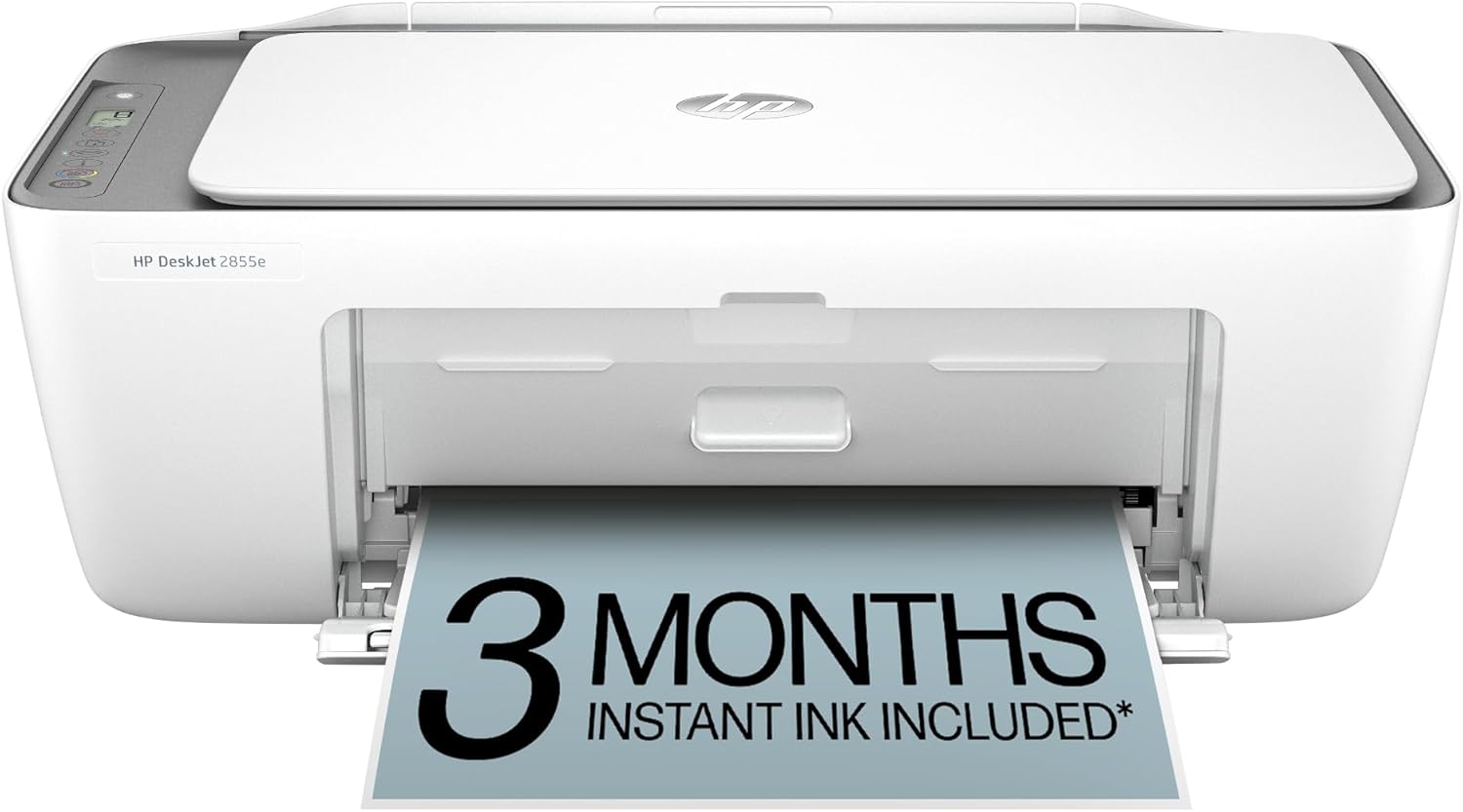
The HP DeskJet 2855e is a small all-in-one inkjet meant for light classroom and home use, combining color printing, a flatbed scanner, and copying in a compact package. It connects over single-band 2.4 GHz Wi-Fi and can be controlled from the HP app or compatible mobile devices, which makes printing assignments and handouts from a phone or tablet straightforward. The 60-sheet input tray and manual duplexing keep the footprint small but limit heavy-duty throughput, while print speeds of about 5.5 ppm color and 7.5 ppm black are adequate for occasional batches of worksheets. Photo-capable resolution and HP AI formatting help produce well-formatted prints from web pages and emails without extra editing. It ships with starter HP 67 setup cartridges and offers three months of Instant Ink with HP+ activation for predictable ink delivery. Expect modest paper capacity, manual two-sided printing, and reliance on 2.4 GHz Wi-Fi when planning classroom use.
Best for: Teachers and homeschooling parents who need a compact, app-friendly printer for occasional class handouts, worksheets, and scanned student work, and who value straightforward setup and ink subscription options.
Less Ideal for: Educators who print large weekly volumes, need automatic duplexing, or require 5 GHz Wi-Fi and higher paper capacity for a shared classroom printer.
- All-in-one functions (print, scan, copy) in a compact footprint
- Mobile and app-driven control with HP app and AI formatting for cleaner prints
- Includes starter cartridges and three months of Instant Ink with HP+ activation
- Decent print resolution for classroom handouts and occasional photos
- Single-band 2.4 GHz Wi-Fi only, no 5 GHz support
- Small 60-sheet input tray and manual duplex limit high-volume use
Verdict: A compact, app-centered all-in-one that suits teachers who want easy mobile printing and predictable ink delivery for light to moderate classroom printing.
Brother DCP-L2640DW Laser MFP

| Printer Type | Laser |
|---|---|
| Printer Output Type | Monochrome |
| B&W Pages per Minute | 36 pages_per_minute |
| Auto Document Feeder Capacity | 50 pages |
| Maximum Sheet Capacity | 250 |
The Brother DCP-L2640DW is a small-footprint monochrome laser multifunction built for steady classroom and small-office use. It prints up to 36 ppm, supports automatic duplex printing and a 50-page auto document feeder for multi-page scans and copies, and holds a 250-sheet tray to cut down refills. Connectivity covers dual-band Wi-Fi, Ethernet, and USB, and the Brother Mobile Connect app lets teachers print and scan from phones or tablets. Print quality is crisp for text thanks to a 1200 x 1200 dpi maximum and Brother-recommended TN830/TN830XL toners are available in standard and high-yield options to lower ongoing costs. Limitations include monochrome-only output, so it cannot produce color handouts or images, and the machine is moderately heavy and not designed for occasional home use. For educators who need reliable, frequent black-and-white printing, its fast speed, duplexing, and document feeding make routine workflows smoother, while subscription toner options simplify supply management.
Best for: Teachers and classroom coordinators who prioritize reliable, high-volume black-and-white printing, easy mobile printing, and low-maintenance supply management.
Less Ideal for: Teachers who regularly need color prints, or those seeking an ultra-compact, lightweight printer for occasional home use should consider alternatives.
- Fast monochrome printing up to 36 pages per minute for high-volume class handouts.
- 50-page auto document feeder speeds multi-page scanning and copying tasks.
- 250-sheet input tray reduces how often teachers must reload paper.
- Automatic duplex printing saves paper for double-sided worksheets.
- Dual-band Wi‑Fi plus Ethernet and USB give flexible connectivity for classrooms.
- Prints only in black and white so color projects require a separate printer.
- Relatively heavy and larger than typical home printers, limiting portability.
Verdict: A dependable, fast monochrome MFP that handles heavy classroom printing and scanning needs while simplifying toner management.
Choosing the Right Printer for Teachers: Key Factors to Consider
Print Speed and Responsiveness
How fast a printer produces pages affects lesson prep and in-class tasks. Faster pages-per-minute matter when you need to print large sets of worksheets before class or when students require same-day handouts. First-page-out time is also important if you frequently print single-page documents during lessons.
Keep in mind that color documents and duplex printing typically take longer than simple black-and-white prints. Consider a printer whose rated speeds match your typical job size rather than just peak spec values.
Running Cost and Ink or Toner Yield
Long-term expenses often outweigh the initial purchase price for classroom printers. Cost per page depends on cartridge or toner yield and whether high-capacity refill options are available. For heavy black-and-white printing, monochrome laser printers usually offer a lower cost per page, while inkjets can be more cost-effective for occasional color projects if high-yield cartridges are supported.
Also check whether the model supports third-party or high-yield supplies if budget constraints are a concern, but weigh that against potential warranty or reliability tradeoffs.
Paper Capacity and Media Flexibility
Teachers print a range of materials, from standard letter-size worksheets to cardstock posters and occasional photo paper. A larger input tray or the ability to add a second tray reduces interruptions. A rear feed or specialty slot for thicker stock and envelopes makes it easier to handle craft projects and bulletin board materials.
If you print double-sided handouts regularly, ensure the printer supports automatic duplexing to save paper and time.
Connectivity and Classroom Workflow
Simple, reliable connectivity matters in a busy classroom. Built-in Wi-Fi, Wi-Fi Direct, and AirPlay or Mopria support let you print from laptops, tablets, and student devices without juggling cables. Cloud and mobile-printing features can streamline sending jobs from home or a shared drive.
Ease-of-use elements like a responsive touch panel, clear status indicators, and straightforward driver support reduce time spent troubleshooting during prep and class.
Reliability and Maintenance Needs
A dependable printer minimizes disruptions. Look for models with robust duty cycles and straightforward maintenance tasks like easy cartridge changes and accessible paper jam paths. Low-maintenance designs that require minimal cleaning or calibration are preferable in classroom settings where teachers do not have time for technical upkeep.
Consider warranty options and the availability of school-IT-friendly features such as simple remote management or firmware update paths.
Monochrome Laser Vs Color Inkjet: Which Suits Your Classroom?
Monochrome laser printers are workhorses for teachers who print mostly text-based handouts, quizzes, and homework packets. They typically offer lower cost per page and faster speeds for black-and-white jobs, making them a practical choice if color is rarely needed.
Color inkjets shine when you need occasional color posters, glossy handouts, or project pages. Modern inkjets can produce acceptable classroom-quality photos and vibrant color worksheets, but they usually have higher running costs for frequent color use. Match your choice to how often you need color output.
- Choose monochrome laser if most printing is text and volume is high
- Choose color inkjet if you need vivid color for occasional projects
- Consider hybrid workflows: print bulk text on a monochrome device and color on demand
Tips for Managing Consumables and Reducing Waste
Track print volume weekly to anticipate when supplies will run out and avoid mid-project shortages. Using high-yield cartridges or toner can lower cost per page and reduce the frequency of changes.
Use draft or economy print modes for internal copies and reserve higher quality settings for student-facing materials. Duplex printing and digital distribution for non-graded materials reduce paper consumption.
- Keep spare cartridges or toner on hand for high-volume periods
- Use grayscale mode for draft copies to preserve color supplies
- Enable duplex printing to cut paper use and bulk
Setting Up a Classroom Printer for Shared Use
When a printer is shared across a classroom or small department, place it on a stable surface with good ventilation and easy access for replacing supplies. Network the printer on a secure school Wi-Fi or wired network and create clear labeling for paper trays to avoid jams from incorrect media.
Consider user access controls if multiple classes or staff share the device. A simple naming convention and an accessible quick-start guide taped to the printer can reduce common help requests.
- Label trays and ports to simplify media loading
- Provide a short troubleshooting checklist for common jams
- Set default printing profiles to duplex and draft for everyday use
Color Accuracy and Project Printing
If you regularly produce posters, photos, or colored learning aids, color accuracy and saturation matter. Some printers deliver more vivid output out of the box, while others benefit from manual color profile adjustments. For consistent results, test print a sample page when changing media or switching cartridges.
Use the appropriate paper type setting to improve color vibrancy and prevent smudging on glossy stocks. For classroom projects, mid-range color quality is often sufficient; reserve photo-grade settings for display materials only.
- Select the correct paper type in settings before printing
- Conduct a small color test when changing inks or media
- Use higher-quality paper for display pieces to improve perceived color
Security and Student Privacy Considerations
Printers connected to school networks should be configured to protect student data. Disable insecure services, require authenticated printing where appropriate, and keep firmware updated to address security patches. For devices that accept USB or SD input, remove sensitive files promptly and empty internal job queues.
If the printer supports print-release or password-protected jobs, use those features to ensure graded materials and confidential documents are not left unattended.
- Require authentication for access to sensitive document queues
- Regularly check and clear stored jobs on multifunction devices
- Keep firmware current to reduce exposure to network vulnerabilities
How We Chose the Best Printer for Teachers
We selected printers based on criteria that matter in the classroom and for individual teachers working with heavy print volumes and mixed media. Priority went to print reliability under frequent daily use, measured by supported duty cycles and user reports of consistent output. Running cost was the next critical filter, focusing on ink or toner yield and the availability of high-capacity consumables that lower cost per page. Print speed and first-page-out times were judged for their impact on lesson preparation and quick in-class copies. We also assessed media handling and paper capacity, since teachers often need to run multi-page handouts, cardstock projects, and occasional photo prints without frequent refills. Connectivity and usability rounded out the criteria, favoring simple wireless setup, mobile printing, and straightforward control panels that save classroom time. Excluded from consideration were printers designed solely for industrial or commercial print shops, specialty wide-format photo printers, and models that require complex maintenance routines unsuitable for school environments. Our shortlist emphasizes practical classroom use, predictable running costs, and ease of maintenance.
Our full evaluation process is outlined in our review methodology.
FAQ
Do teachers need a color printer or is black-and-white sufficient?
It depends on how often you use color materials. If most outputs are worksheets and assessments, a monochrome printer is usually sufficient and more economical. Choose color if you frequently produce posters, visuals, or photo projects.
How can I lower the running cost of classroom printing?
Switch to high-yield cartridges or toner, print in draft mode for internal copies, and enable duplex printing. Tracking usage and ordering supplies before they run out also reduces emergency purchases that can be more expensive.
Is wireless printing reliable in a busy school environment?
Wireless printing can be reliable if the school network is stable and the printer supports modern networking standards. For shared devices, a wired Ethernet connection is often more consistent, but Wi-Fi Direct and mobile-printing options provide flexibility for tablets and personal devices.
What maintenance should teachers expect with classroom printers?
Expect occasional paper jams, routine cartridge or toner changes, and periodic cleaning of rollers or print heads. Choose models with easy access to jam-prone areas and clear user instructions to minimize downtime.
Can I use third-party ink or toner to save money?
Third-party supplies can lower costs but may affect print quality or reliability. They sometimes void manufacturer warranties. Evaluate compatibility and weigh savings against potential tradeoffs in color consistency and long-term reliability.
Final Verdict
When choosing a printer for teachers, prioritize the features that match daily classroom tasks. If you print high volumes of text, favor a reliable monochrome solution with low cost per page and ample paper capacity. If color materials are important, pick a color-capable device that supports high-yield consumables and simple media handling. Balance speed, running cost, and ease of maintenance to fit your workflow. Focus on predictable operating costs and minimal downtime to keep classroom activities moving smoothly.