
Note: This article contains affiliate links. If you click on these links and make a purchase, we may earn a small commission at no extra cost to you. This helps support our research and content. Read our full affiliate disclosure here.
If you ship products regularly, the right shipping label maker can save hours and reduce costly mistakes. For small businesses, dependable label printing affects customer experience, order accuracy, and daily workflow. This guide covers the top shortlisted shipping label makers suited to small operations, focusing on features that matter for everyday fulfillment tasks. We evaluated each option on real-world concerns like print speed, connectivity options, label size flexibility, and ease of integration with common order systems. Read on to compare the best picks and find the one that fits your shipping volume and workflow.
Top Picks at a Glance
| Best Overall The best all-around choice for most situations | KNAON Y813BT Thermal Label Printer |  |
| Best Quality Built to a higher standard if you want something more solid | Rollo USB Shipping Label Printer X1038 |  |
| Best Value The sweet spot between price and what you get | Gloryang 668BT Thermal Label Printer |  |
| Best Budget The cheapest option that still gets the job done reliably | Rongta RP425 Thermal Label Printer |  |
| Top Rated A top-rated pick with lots of positive feedback | HKHKPI N40 Label Printer |  |
| Most Popular A crowd favorite that many people choose with confidence | JADENS JD268BT Thermal Label Printer |  |
| Best Seller A high-volume bestseller chosen again and again | NULLTONEX Y813 Thermal Label Printer |  |
KNAON Y813BT Thermal Label Printer
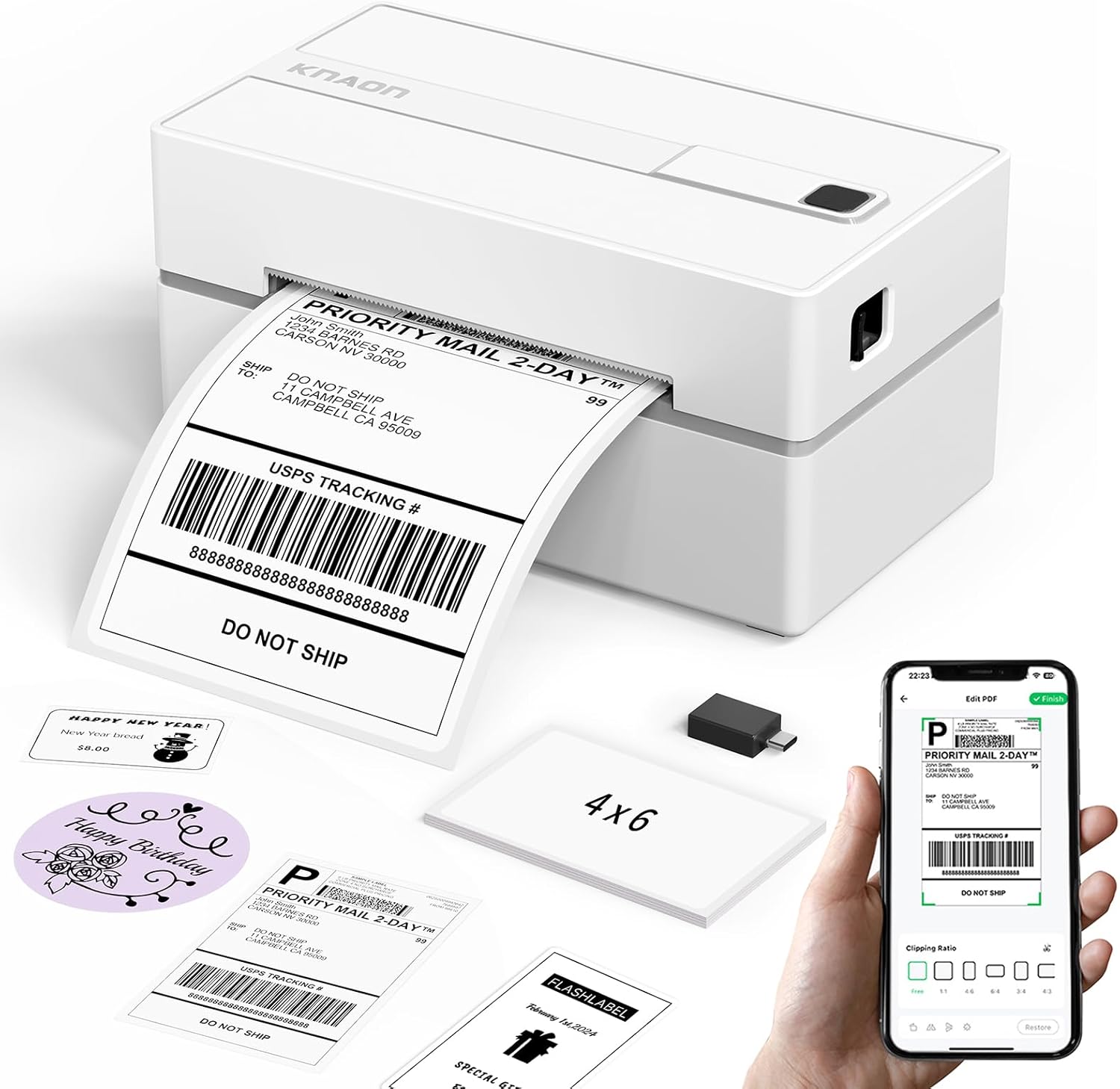
| Printer Type | Thermal |
|---|---|
| Connectivity | Bluetooth, USB |
| Maximum Print Resolution Black and White | 203 dpi |
| Maximum Media Size | 4.2 inches |
| Print Speed | Up to 180 mm/s |
The KNAON Y813BT is a portable 4×6 thermal label printer made for small shipping stations and light office use. It connects over Bluetooth or USB and works with a companion app (FlashLabel Pro) for mobile and desktop printing, which simplifies printing shipping labels, barcodes, and custom tags from phones or computers. The printer handles label widths from about 1.5 to 4.2 inches and prints at a practical thermal resolution of roughly 203 dpi with a claimed top speed suited to moderate daily volumes. Its compact footprint and included starter media make it easy to tuck into a packing table or bring to pop-up events. Expect straightforward setup when you use the app or the built-in driver package, though Bluetooth printing requires the vendor app rather than generic OS pairing. The printer is single-function thermal (no ink), so operating costs are limited to label stock, but it is not designed for heavy industrial throughput or high-resolution graphic printing. For small business owners who need reliable, on-demand shipping and barcode labels, it delivers a useful balance of portability, connectivity, and convenience.
Best for: Small business owners and sellers who need a compact, easy-to-use printer for regular shipping, barcode, and sticker labeling and who value portability and simple mobile workflows.
Less Ideal for: Businesses that print large daily volumes at industrial scale or require high-resolution graphic label printing should consider higher-capacity commercial printers instead.
- Bluetooth and USB connectivity for phones and computers
- Prints common shipping label sizes up to 4.2 inches wide
- Thermal printing requires no ink and keeps running costs low
- Compact, portable design with included starter label rolls and cables
- Bluetooth printing must use the vendor app rather than native OS pairing
- 203 dpi limits detail for fine graphics or high-density barcode demands
Verdict: A compact, app-driven thermal label printer that gives small businesses fast, inkless shipping and barcode labels with mobile-friendly connectivity.
Rollo USB Shipping Label Printer X1038

| Printer Type | Thermal |
|---|---|
| Resolution | 203 x 203 DPI |
| Paper Size | 4 inch x 6 inches |
| Printer Connectivity Type | wired |
| Maximum Media Size | 4.1 Inch Width |
The Rollo USB Shipping Label Printer is a commercial-grade direct thermal printer built for high-volume shipping and label tasks. It connects over USB to Windows and Mac machines and prints standard 4×6 shipping labels, barcode labels, and custom sticker labels without ink or toner. Notable features include an auto label detection mechanism, a 203 DPI print head for clear, scannable output, and a claimed speed of roughly one 4×6 label per second, which helps move packing lines along. The unit accepts label widths from about 1.57 to 4.1 inches and holds fan-fold or roll media; the LED display and simple controls make setup and daily use straightforward. Trade-offs are that connectivity is wired USB only for this model and there is no onboard cutter or wide-format support, so it is focused on core shipping-label tasks rather than multifunction printing. For busy small business shipping stations the Rollo delivers reliable, low-cost per-label output, but it assumes you have a USB host and want a dedicated thermal label device rather than a multi-function printer.
Best for: Buyers who need a reliable, performance-focused label printer to speed up shipping and packing workflows and minimize per-label costs.
Less Ideal for: Users who need wireless/network printing, an all-in-one office printer, or built-in finishing like cutters and dispensers should consider other options.
- Direct thermal printing eliminates ink and toner costs
- Fast printing speed suitable for high-volume label runs
- 203 DPI resolution produces clear, scannable barcodes and text
- Auto label detection simplifies use with different label formats
- Compatible with major shipping and ecommerce platforms
- Wired USB-only connectivity limits mobile or networked placement
- No built-in cutter or multifunction features
Verdict: If you want a fast, low-cost-per-label workhorse for small business shipping stations, the Rollo USB delivers dependable, high-throughput thermal printing.
Gloryang 668BT Thermal Label Printer

| Printer Type | Thermal |
|---|---|
| Maximum Media Size | 4X6 inches |
| Printer Connectivity Type | Bluetooth |
| Resolution | 203 x 203 dpi |
The Gloryang 668BT is a small, inkless thermal label printer built for quick shipping-label tasks in home offices and small businesses. It connects over Bluetooth to phones, tablets, Chromebooks, Macs, and PCs, so you can print directly from the device you use to manage orders. The unit handles 4×6 shipping labels as well as smaller 2- and 3-inch sizes and prints at a standard 203 dpi resolution for clear barcodes and address text. Setup is straightforward and the lack of ink or toner keeps running costs and maintenance low. Its compact footprint makes it easy to tuck on a counter or packing station, and the device supports fan-fold and roll media formats. Limitations include a modest 203 dpi resolution and simplex-only output, which are fine for shipping labels but not suited to high-resolution graphics, and a fairly small sheet capacity so very high-volume operations will need frequent reloads.
Best for: Small-business owners and sellers who want a simple, low-maintenance label printer to produce shipping and barcode labels directly from mobile devices and desktop systems.
Less Ideal for: High-volume fulfillment centers or users who need high-resolution label printing or duplex output should look at more industrial-grade thermal printers.
- Bluetooth connectivity for printing from phones, tablets, and computers
- Direct thermal, inkless printing lowers operating cost and maintenance
- Supports 4×6 shipping labels plus smaller 2- and 3-inch labels
- Compact, space-saving design suitable for a busy packing station
- 203 dpi print resolution limits fine-detail graphics and photo-quality prints
- Simplex-only printing and limited media capacity mean frequent reloads during heavy use
Verdict: A compact, Bluetooth inkless label printer that delivers reliable 4×6 shipping labels with minimal upkeep, ideal for small-business packing stations.
Rongta RP425 Thermal Label Printer

| Printer Type | Thermal |
|---|---|
| Resolution | 203 x 203 dpi |
| Maximum Media Size | 4 x 6 inches |
| Printer Connectivity Type | Bluetooth, USB |
The Rongta RP425 is a budget-focused direct thermal label printer that prints 4×6 shipping labels in black and white without ink. It connects via Bluetooth for mobile printing or USB for a PC and supports common devices including Windows, macOS, Android and iOS when you install the provided driver or use the RONGTA app. With 203 x 203 dpi resolution and a stated print speed suitable for light to moderate label volume, it fits a small shipping station where space is limited. Setup requires downloading drivers for desktop use and pairing codes are provided for Bluetooth, so there is some initial configuration but no ongoing ink costs. Key practical limits are monochrome-only output and basic 203 dpi resolution, which is fine for shipping barcodes and addresses but not for high-detail graphics or color labels. For a low-cost, compact label printer that handles standard 4×6 labels and offers both wireless and wired connections, the RP425 delivers solid functionality for small-business shipping needs.
Best for: Small business owners on a tight budget who need a simple, no-ink 4×6 label printer for routine shipping and inventory labels and who prioritize lower operating cost over high-resolution or color printing.
Less Ideal for: Buyers who need color labels, very high-resolution printing for logos, or heavy industrial throughput should consider higher-end thermal or color label printers instead.
- Direct thermal printing eliminates ink or toner costs
- Bluetooth and USB connectivity for mobile and desktop workflows
- Supports standard 4 x 6 shipping labels
- Compact footprint suited to small workspaces
- Compatible with Windows, macOS, Android and iOS (driver/app required)
- Only prints in monochrome at 203 x 203 dpi
- Requires driver download and manual setup for some desktop systems
Verdict: A compact, no-ink 4×6 thermal printer that gives small businesses a low-cost way to print shipping labels with both Bluetooth and USB connectivity.
HKHKPI N40 Label Printer

| Print Resolution | 203 x 203 dpi |
|---|---|
| Maximum Media Size | 4 x 6 inches |
| Printer Connectivity Type | Bluetooth |
| Hardware Interface | USB |
| Maximum Sheet Capacity | 100 |
The HKHKPI N40 is a compact thermal label printer built for shipping labels and small business use. It prints 4×6 labels at a practical 203 dpi using direct thermal technology, so no ink, toner, or ribbons are required, and it supports both roll and fanfold media. Connectivity includes Bluetooth for quick mobile printing via the vendor app plus a USB Type-C connection for Windows, macOS, and Linux setups, and the unit offers automatic calibration and smart paper ejection to reduce jams. In real use it handles standard shipping workflows—print from a phone or laptop, load 4×6 labels, and expect crisp monochrome output at a steady speed. The machine is small and portable, making it easy to tuck into a shipping station, and the included starter labels and cables simplify first-time setup. Limitations to note are the 203 dpi resolution (adequate for addresses and barcodes but not for high-detail graphics) and basic single-color printing only, so it is not suited for color or high-resolution label design requirements.
Best for: Small business and home sellers who need a reliable, compact 4×6 label printer for routine shipping labels and straightforward barcode/address printing.
Less Ideal for: Businesses that need high-resolution or color labels, long-term archival labels, or advanced label-design features should consider a different printer.
- Direct thermal printing requires no ink, toner, or ribbons
- Bluetooth and USB-C connectivity let you print from mobile devices and desktops
- Automatic calibration and smart paper ejection help reduce jams and wasted labels
- Compact, portable design fits small shipping stations and home offices
- 203 dpi monochrome output is not suitable for detailed graphics or color labels
- Relies on direct thermal media which can fade over long-term exposure to heat or sunlight
Verdict: A dependable, compact thermal 4×6 label printer that delivers straightforward Bluetooth and USB shipping label printing for small business workflows.
JADENS JD268BT Thermal Label Printer

| Printer Type | Thermal |
|---|---|
| Resolution | 203 x 203 DPI |
| Maximum Media Size | 4 x 6 inches |
| Printer Connectivity Type | Bluetooth |
| Maximum Sheet Capacity | 50 |
The JADENS JD268BT is a compact thermal label printer aimed at small shipping workflows and home offices. It prints 4×6 and smaller shipping labels using a 203 x 203 DPI thermal head, so there is no ink or toner to replace and prints come out clean and smudge-resistant for standard barcodes and addresses. The unit supports Bluetooth for wireless printing plus a USB connection for Windows and Mac, and it accepts fanfold rolls or standard label rolls with widths between about 1.57 and 4.1 inches. Setup is straightforward: drivers and a vendor app are provided and the printer includes a test roll and USB cable. Practical benefits include low running cost, small footprint, and compatibility with common shipping platforms used by small sellers. Important limitations are modest print resolution compared with higher-end thermal printers and a reliance on the vendor app for phone printing which can complicate mobile workflows for some users. The machine is best for light-to-moderate label volumes rather than heavy industrial shipping operations.
Best for: Small sellers and home-office operators who prioritize low running costs and a compact, easy-to-install label printer for shipping and order fulfillment that works with common shipping platforms.
Less Ideal for: High-volume warehouses or operations that need industrial duty cycles, faster speeds, or higher-resolution label printing for graphics-heavy labels.
- Thermal printing requires no ink or toner, lowering operating costs
- Bluetooth and USB connectivity let you print from desktops and some mobile setups
- Supports standard 4×6 shipping labels and multiple smaller label sizes
- Compact footprint and includes test labels, USB cable, and power cord for quick setup
- 203 x 203 DPI is adequate for shipping labels but not for fine graphic or photo printing
- Mobile printing requires the vendor app which may limit native printing from some apps
Verdict: A budget-friendly, compact thermal label printer that reliably handles 4×6 shipping labels for small businesses needing low-cost, everyday label printing.
NULLTONEX Y813 Thermal Label Printer

| Printer Type | Thermal |
|---|---|
| Maximum Media Size | 4 x 6 inches |
| Resolution | 203 x 203 dpi |
| Connectivity | Bluetooth, USB |
| Print Speed | 72 labels per minute |
The NULLTONEX Y813 is a straightforward thermal label printer built for shipping workflows and high-volume small business use. It prints monochrome labels at 203 dpi using direct thermal technology, so there is no ink or toner to replace, and it supports standard 4×6 shipping labels plus narrower widths. Connectivity options include Bluetooth for mobile printing via the FlashLabel Pro app and USB for a wired PC connection, which makes it flexible for desktop or on-the-go setups. The unit is compact and energy efficient, with built-in protections for long runs and a starter pack of labels in the box so you can begin printing immediately. Practical limits to consider are the 203 dpi resolution (adequate for barcodes but not for fine photo detail) and single-color output, and some users may need to install drivers for stable USB or Bluetooth pairing. For sellers needing fast, no-fuss label printing the Y813 covers the essentials reliably, but it is focused on label printing only rather than multifunction office tasks.
Best for: Small business owners and online sellers who want a simple, dependable shipping-label printer that reduces consumable maintenance and works with phones and computers.
Less Ideal for: Users who need color printing, photo-quality labels, or an all-in-one office printer with scanning and copying features should look elsewhere.
- Direct thermal printing requires no ink or toner, lowering ongoing consumable costs.
- Bluetooth and USB connectivity let you print from phones, tablets, and computers.
- Compact, durable design with built-in overheat protection for long label runs.
- Includes starter labels and cables so it is ready to use out of the box.
- Prints only in monochrome at 203 dpi, so it is not suitable for high-detail graphics.
- May require driver/app setup for stable Bluetooth or USB operation on some systems.
Verdict: A practical, plug-and-play thermal label printer that gives small shippers fast, no-ink 4×6 label printing with mobile and USB connectivity.
Choosing the Right Shipping Label Maker for Small Businesses: Key Factors to Consider
Print Speed and Throughput
Print speed determines how quickly you can fulfill orders during peak periods. Faster thermal or direct printers reduce per-order handling time and prevent bottlenecks during sales spikes.
When evaluating speed, consider both pages per minute and the time to warm up or spool a label. For businesses that print dozens of labels in a short window, sustained throughput and a higher duty cycle make a measurable difference in daily operations.
Connectivity and Integration Options
How a label maker connects to your systems affects setup time and reliability. Look for models offering stable wired options like USB or Ethernet plus wireless options such as Wi-Fi or Bluetooth for flexible placement on a packing table.
Integration with shipping and order-management software reduces manual steps. Native driver support, a reliable mobile app, or plain-text label templates lets you print directly from order platforms without repeated manual entry, which speeds packing and lowers error rates.
Supported Label Sizes and Media
Compatibility with common carrier label sizes and the ability to use different widths or custom media matters for flexibility. If you plan to print return labels, barcode stickers, or branded packing labels, choose a device that supports those formats.
Also check how easy it is to load rolls or sheets and whether the printer accepts both continuous and die-cut media. Media availability and standardization reduce operational friction and make sourcing supplies simpler.
Reliability and Duty Cycle
A small business needs equipment that runs consistently day after day. Duty cycle ratings indicate how many labels a device can print reliably within a month without additional service.
Assess build quality, reported jam rates, and cooling or thermal head specifications. A more robust unit can handle occasional high-volume days without accelerated wear, reducing downtime and repair needs.
Ease of Use and Maintenance
Ease of setup, label loading, and routine maintenance determine how quickly staff can adopt the device. Intuitive controls, clear status indicators, and simple media replacement save time and reduce user errors.
Consider whether firmware updates are straightforward and if the vendor provides accessible documentation. Lower maintenance overhead means fewer interruptions during packing and shipping.
Operating Costs and Media Availability
Long-term costs hinge on the availability and price of compatible label rolls or sheets. Choosing a printer that uses standardized, widely available media keeps supply costs predictable and reduces lead times for restocking.
Factor in consumable lifespan and any optional accessories required for specific label types. Transparent media sourcing helps maintain steady operations without costly substitutions.
Setting Up a Shipping Station
Arrange the label maker near your packing workspace to reduce movement between packing, weighing, and labeling. Position a scale, tape, and packing materials within arm's reach to maintain a smooth flow from package preparation to label application.
Plan your cable routing and network placement before installing the device. If you rely on Wi-Fi, test signal strength at the intended location and consider a wired connection if the network is unreliable.
- Keep a spare roll of common labels near the printer.
- Use a dedicated power strip with surge protection.
- Label the media sizes you use to avoid loading mistakes.
Integrating With Shipping Software
Most small businesses use a shipping or order-management system to generate carrier labels. Verify that the label maker supports the output format or offers a driver or middleware that accepts label templates from your software.
If direct integration is not available, use a print-to-file workflow or a small intermediary app to format labels. Test sample labels for alignment and barcode scannability before going live to prevent misprints.
- Confirm barcode readability with a scanner during setup.
- Automate label naming or numbering where possible to simplify tracking.
Choosing Between Thermal and Ink-Based Labelers
Thermal printers are common for shipping labels because they require no ink and produce durable, crisp barcodes. They tend to have lower operating costs and simpler maintenance compared with ink-based printers.
Ink-based options may offer higher-resolution branding or color, but they introduce consumable costs and can be slower for bulk shipping. Consider whether colored branding is essential or if efficient monochrome printing better serves your shipping needs.
- Thermal: lower per-label cost, faster for large batches.
- Ink: higher resolution and color, but greater maintenance.
Label Design and Barcode Reliability
Design labels with clear margins and sufficient barcode quiet zones to ensure scanners read them reliably. Test printed barcodes with the scanning equipment used by carriers or in your receiving operations.
Include only essential branding and instruction text on shipping labels to maintain clarity. Overcrowded labels increase the chance of misreads and scanning failures during transit.
- Use standard barcode formats required by carriers.
- Avoid light colors or low contrast for barcodes.
Scaling From Part-Time to Full-Time Fulfillment
Think ahead about expected monthly label volumes. A small desktop model may be fine for occasional shipping, but if you anticipate growth, prioritize higher duty cycle and faster throughput to avoid premature replacement.
Also consider how the device fits into staffing and shift patterns. For multiple packers, prioritize networked printers or multiple output stations to distribute workload efficiently.
- Evaluate duty cycle ratings against projected monthly labels.
- Plan for redundancy if a single device will be a critical point in your workflow.
How We Chose the Best Shipping Label Maker for Small Businesses
We selected products that meet the needs of small business shipping workflows by applying practical, measurable filters. First, we required consistent print reliability under continuous use so a unit can handle typical small-batch shipping without frequent jams or downtime. Second, connectivity mattered: options with stable USB, Ethernet, or wireless connections and easy driver or app setup were prioritized. Third, label format flexibility and supported media sizes were considered to ensure compatibility with common carrier labels and custom branding needs. Fourth, speed and duty cycle were evaluated to match different daily volumes, from occasional sellers to high-volume days. We also weighed software compatibility and ease of integration with order platforms, as well as operating cost factors like label media availability. Units were excluded if they lacked documented support for standard shipping label sizes, had poor connectivity options, or were clearly designed only for light home use. The final list emphasizes practical durability, predictable operating costs, and straightforward integration into small business order and packing processes.
Our full evaluation process is outlined in our review methodology.
FAQ
What label size is standard for shipping carriers?
Most carrier shipping labels use a standard 4×6 inch size. However, some carriers or custom returns may use different formats, so choose a printer that supports common widths and custom sizes as needed.
Can I use a label maker with my existing order platform?
Often yes. Many label makers offer drivers, a print driver language, or an API that works with common order and shipping systems. Check for compatibility or test with a sample label export before committing to a workflow.
Are thermal label printers better for high-volume shipping?
Thermal printers are typically better for high-volume shipping because they print quickly, require no ink, and tend to have lower per-label running costs. They are widely used in fulfillment environments for these reasons.
How do I ensure barcodes print readably every time?
Use recommended label templates with adequate quiet zones and high-contrast printing. During setup, print test labels and scan them with your carrier or warehouse scanner to confirm consistent readability.
What maintenance do shipping label makers need?
Routine maintenance usually includes cleaning the print head and removing dust or adhesive buildup from rollers. Follow the manufacturer's maintenance schedule to prevent jams and extend service life.
Final Verdict
Choose a shipping label maker that matches your current monthly volume and expected growth. Prioritize reliable connectivity and label-size compatibility first, then weigh print speed and duty cycle against operating costs. For small businesses, ease of integration with shipping software and low maintenance often have the biggest impact on daily efficiency. Focus on predictable media sourcing and a straightforward setup to minimize downtime. With those priorities in place, you can confidently select a unit that keeps orders moving and scales with your business needs.