
Note: This article contains affiliate links. If you click on these links and make a purchase, we may earn a small commission at no extra cost to you. This helps support our research and content. Read our full affiliate disclosure here.
When space is tight and printing needs are modest, choosing the right small printer for home use matters. You want a machine that fits on a shelf or desk, runs quietly, and produces dependable text and occasional photos without frequent jams or expensive consumables. This guide profiles seven shortlisted options that meet those goals, focusing on print speed, output quality, and operating costs. We evaluated each model for ease of setup and daily reliability so you can quickly find a unit that handles homework, bills, and photo touch-ups without taking over your workspace. Read on to see which compact printers earned a spot and why they might fit your household workflow.
Top Picks at a Glance
| Best Overall The best all-around choice for most situations | Brother HL-L2405W Laser Printer |  |
| Best Quality Built to a higher standard if you want something more solid | Epson EcoTank ET-2800 |  |
| Best Value The sweet spot between price and what you get | HP Smart Tank 5101 |  |
| Best Budget The cheapest option that still gets the job done reliably | Canon PIXMA TS3720 | 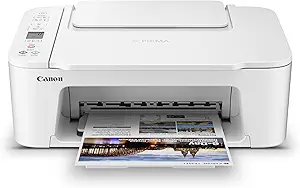 |
| Top Rated A top-rated pick with lots of positive feedback | Canon PIXMA TS6520 |  |
| Most Popular A crowd favorite that many people choose with confidence | HP DeskJet 2855e |  |
| Best Seller A high-volume bestseller chosen again and again | TATTMUSE A285M Portable Thermal Printer |  |
Brother HL-L2405W Laser Printer

| Printer Type | Laser |
|---|---|
| Printer Output Type | Monochrome |
| B&W Pages per Minute | 30 pages_per_minute |
| Maximum Print Resolution Black and White | 1200 x 1200 dots_per_inch |
| Printer Connectivity Type | USB, Wi-Fi |
The Brother HL-L2405W is a small monochrome laser printer built for home and home-office use where reliable black-and-white output matters. It prints single-sided pages quickly at up to 30 ppm and delivers sharp 1200 x 1200 dpi text and line art, with a 250-sheet tray that cuts down on refills and a manual feed for envelopes and specialty paper. Built-in dual-band Wi-Fi plus a USB 2.0 port make it easy to connect from phones, tablets, and computers, and the Brother Mobile Connect app adds remote management and supply ordering. The in-box toner gives a modest starter yield and the machine is eligible for Brother Refresh subscription for automatic toner delivery. Expect manual duplexing only and no scan/copy functions since this is a print-only model, so it fits a single-purpose workflow where space, speed, and low per-page cost matter more than multifunction features.
Best for: Buyers who need a small, fast black-and-white printer for a home office or personal workspace and prioritize reliable single-function printing and compact design.
Less Ideal for: People who need a multifunction device with scanning or automatic duplexing, or those who require color printing for graphics or photos.
- Fast monochrome printing up to 30 pages per minute for quick document output
- Compact footprint with a 250-sheet tray reduces paper refills for home workspaces
- Dual-band Wi-Fi and USB connectivity support printing from mobile devices and PCs
- High print resolution (1200 x 1200 dpi) produces crisp text and sharp line art
- Print-only device with manual duplexing and no scanning or copying functions
- Starter toner yield is limited and ongoing cost depends on replacement toner or subscription
Verdict: A compact, fast monochrome laser printer that delivers reliable, high-resolution single-function printing for home offices that need space-saving speed.
Epson EcoTank ET-2800

| Printer Type | Inkjet |
|---|---|
| Printer Connectivity Type | USB, Wi-Fi |
| Color | Black |
| Color Pages per Minute | 5 pages_per_minute |
| B&W Pages per Minute | 10 |
The Epson EcoTank ET-2800 is a compact all-in-one inkjet that replaces cartridges with high-capacity refillable ink tanks, making it a good fit for high-volume home use. It prints, copies, and scans, offers wireless and voice-activated printing, and includes a color LCD for straightforward control and app integration. Print quality is strong for documents and casual photos thanks to PrecisionCore/Micro Piezo technology and a high optical resolution, and the included ink set is equivalent to many cartridge replacements so you can run larger jobs without frequent interruptions. Speeds are modest for color at around 5 ppm and up to 10 ppm for black and white, and the unit uses simplex printing only so two-sided jobs require manual reloading. Paper handling is basic with a single tray and about 100-sheet capacity, and Epson recommends genuine ink to avoid performance or warranty issues. For home users who value low ongoing ink cost and steady print quality, the ET-2800 provides a practical balance of features in a small footprint.
Best for: Home users who run frequent document or photo print jobs and prioritize low ongoing ink costs and reliable everyday print quality over top speed.
Less Ideal for: People who need fast professional throughput, automatic two-sided printing, or large paper handling for heavy office workloads should consider higher-end models.
- Cartridge-free EcoTank system includes high-capacity refillable ink tanks for long runs between refills
- Wireless and voice-activated printing with app control for convenient mobile workflows
- High native print resolution for detailed text and decent photo color reproduction
- Includes scanner and copier functions in a compact home-friendly design
- Color print speed is relatively slow compared with higher-performance home printers
- No automatic duplexing, so two-sided printing requires manual page flipping
Verdict: Choose the ET-2800 if you want a compact home all-in-one that cuts ink expense with refillable EcoTank tanks while delivering dependable everyday print quality.
HP Smart Tank 5101

| Printer Type | HP Thermal Inkjet |
|---|---|
| Printer Connectivity Type | Wireless |
| Color Pages per Minute | 5 pages_per_minute |
| B&W Pages per Minute | 12 pages_per_minute |
| Maximum print Resolution Color | 4800 x 1200 dots_per_inch |
The HP Smart Tank 5101 is a cartridge-free all-in-one inkjet intended for everyday home printing, scanning, and copying. It uses refillable ink tanks and ships with up to two years of HP Original Ink, which makes it well suited to high-volume family printing like schoolwork, forms, and multipage documents. Setup and mobile printing are straightforward thanks to the HP Smart app, AirPrint, and wireless options, and the flatbed scanner handles single-page scans at respectable resolution. Print quality is strong for text and decent for color photos, with a high maximum color resolution and borderless capability for select jobs. Limits to consider are manual duplex only and no automatic document feeder, so double-sided jobs and multi-page scanning require extra handling. Also, color print speed is modest compared with faster models. For a small home printer focused on low running costs and reliable everyday use, the 5101 balances simplicity and long-term ink savings.
Best for: Buyers who prioritize low running costs and reliable everyday home printing will appreciate a simple, low-maintenance machine that handles schoolwork, photos, and family documents without frequent cartridge changes.
Less Ideal for: Users who need fast color printing, automated double-sided printing, or high-volume office workflows with multi-page scanning should consider a model with duplexing and an ADF.
- Refillable ink tank with up to two years of included HP Original Ink for thousands of pages
- Wireless printing via HP Smart app, Apple AirPrint, and Mopria for easy phone and laptop printing
- All-in-one functions with a flatbed scanner and copy capability
- High maximum color resolution for detailed color prints and borderless printing support
- No automatic duplex or automatic document feeder, requiring manual handling for double-sided or multi-page jobs
- Color print speed is relatively slow compared with some competing models
Verdict: Choose the HP Smart Tank 5101 if you want a compact home all-in-one that delivers low-cost, high-volume cartridge-free printing with easy mobile connectivity.
Canon PIXMA TS3720

| Printer Type | Inkjet |
|---|---|
| Print Resolution | 4800 x 1200 dpi |
| Print Speed (B&W) | 7.7 ppm |
| Print Speed (Color) | 4 ppm |
| Connectivity | USB, Wi-Fi |
The Canon PIXMA TS3720 is a small, budget-focused all-in-one inkjet designed for everyday home use. It prints, scans and copies from a compact rear paper tray that holds up to 60 sheets and supports a variety of media including photos, envelopes and small banners. Setup is straightforward using the Canon PRINT app, AirPrint, or a USB connection, and Dual Band Wi-Fi helps keep mobile printing reliable. The printer uses a two-cartridge hybrid ink system with a pigment black for sharp text and dye color inks for photos, delivering high maximum resolution for detailed prints while remaining simple to maintain. Print speeds are modest at about 7.7 ppm black and 4 ppm color, and it only prints single-sided. The 1.5-inch LCD and basic controls keep operation simple, but heavy users will notice the small paper capacity and lack of duplexing. For homes that need occasional documents, schoolwork and decent photo prints without extra features, the TS3720 is a practical, space-saving pick.
Best for: Buyers who want an inexpensive, space-saving printer for occasional home documents, school projects and photo prints and who prioritize easy wireless mobile printing.
Less Ideal for: Users who regularly print large volumes, need automatic duplexing, or require advanced office features should consider a larger, more capable model.
- Compact footprint fits small desks and apartments
- Simple wireless printing from phones via Canon PRINT, AirPrint, or Mopria
- Hybrid two-cartridge ink system for sharp text and vivid photos
- Supports a wide range of media including borderless photos and envelopes
- Single-sided printing only with no automatic duplex
- Small 60-sheet paper capacity not ideal for high-volume use
Verdict: A compact, budget-friendly all-in-one that delivers reliable wireless printing and good photo quality for light home use.
Canon PIXMA TS6520

| Printer Type | Inkjet |
|---|---|
| Display Type | OLED |
| Printer Connectivity Type | USB, Wi‑Fi |
| Duplex | Automatic |
| Compatible Cartridge | PG-295 & CL-286 |
The Canon PIXMA TS6520 is a small, user-friendly all‑in‑one inkjet that handles everyday home printing, photo pages, scanning and copying without fuss. Setup is straightforward via the Canon PRINT app, AirPrint or Wi‑Fi, and the 1.42" OLED screen and simple controls make basic tasks quick. Its two‑cartridge hybrid ink system produces sharp text and vibrant color photos, and automatic two‑sided printing helps save paper. The flatbed scanner is suitable for occasional document and photo scanning but there is no automatic document feeder so multi‑page copying requires manual pages. Print speed is modest for home use (around 9 ppm color, 14 ppm black and white) and the single paper tray holds a limited number of sheets, so it is best for light to moderate printing volumes. Overall, its compact footprint and reliable wireless performance make it a practical choice for families, students, or hybrid workers who want solid everyday printing without a large machine or complex features.
Best for: Buyers who prioritize a dependable, easy‑to‑use home printer for documents and occasional photos and value a small footprint and simple wireless setup.
Less Ideal for: Users who need high monthly page volumes, frequent multi‑page scanning or an office‑grade paper capacity should consider larger models with an ADF and bigger input trays.
- Compact all‑in‑one design that fits small home workspaces
- Automatic duplex printing reduces paper use
- Reliable dual‑band Wi‑Fi and mobile printing support (Canon PRINT, AirPrint, Mopria)
- Two‑cartridge hybrid ink yields sharp text and good color for photos
- No automatic document feeder for multi‑page scanning or copying
- Single paper tray with limited sheet capacity
Verdict: A compact, reliable all‑in‑one that delivers solid everyday printing and easy wireless setup for home users who want dependable performance without extra complexity.
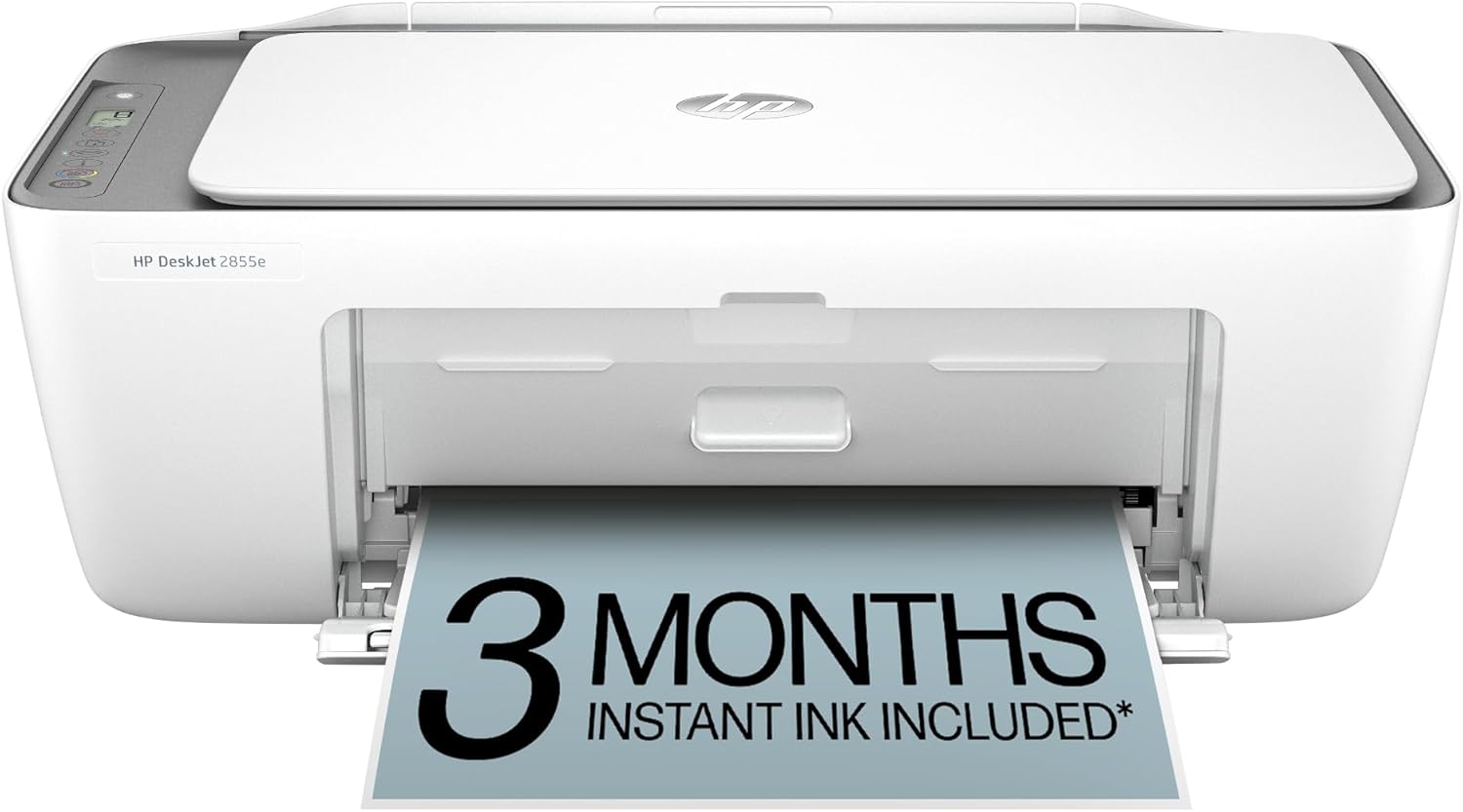
HP DeskJet 2855e
| Printer Type | Inkjet |
|---|---|
| Scanner Type | Flatbed |
| Compatible Cartridge | HP 67 |
| Maximum print Resolution Color | 4800 x 1200 dpi |
| Printer Connectivity Type | single band wi-fi (2.4ghz only) |
The HP DeskJet 2855e is a small, budget-friendly all-in-one that covers everyday home printing, scanning and copying. It connects over single-band 2.4 GHz Wi‑Fi or USB 2.0 and is intended for light duty tasks like recipes, school worksheets and bills; print speeds are modest at about 7.5 ppm black and 5.5 ppm color. The built-in flatbed scanner makes quick copies and scans straightforward, and the 60-sheet tray keeps desktop footprint and paper handling simple. HP AI formatting and the HP app simplify printing from phones and help remove unwanted web page content before printing. It ships with starter HP 67 cartridges and includes a 3-month Instant Ink trial when you opt into HP+ during setup, which can reduce the hassle of running out of ink. Downsides are basic manual duplex only, limited connectivity (no 5 GHz or Ethernet) and modest resolution for photo-quality work, so it best serves light home use rather than heavy office workloads or high-volume photo printing.
Best for: Buyers who want an inexpensive, space-saving printer for everyday home tasks and appreciate easy mobile printing and an ink delivery trial for hands-off supplies management.
Less Ideal for: Avoid this if you need fast, high-volume printing, professional photo quality, or advanced network options like 5 GHz Wi‑Fi or wired Ethernet.
- Compact all-in-one design fits small home desks and counters
- Simple wireless printing from smartphones via the HP app
- Includes 3-month Instant Ink trial to simplify ink replacement
- 60-sheet input tray reduces frequent refilling for light home use
- Only single-band 2.4 GHz Wi‑Fi supported, no 5 GHz or Ethernet
- Manual duplexing only, so two-sided printing requires user effort
Verdict: A compact, user-friendly all-in-one that handles everyday home printing and scanning while minimizing ink worries through an Instant Ink trial.
TATTMUSE A285M Portable Thermal Printer

| Printer Type | Thermal |
|---|---|
| Maximum Media Size | 8.5 x 11 inch |
| Printer Connectivity Type | Bluetooth, USB |
| Maximum Print Resolution Black and White | 203 dots_per_inch |
| B&W Pages per Minute | 7 |
The TATTMUSE A285M is a lightweight, battery-powered thermal printer designed for mobile and home use when quick black-and-white prints are needed without ink. It accepts multiple thermal paper widths including US Letter and A4, and connects to phones and tablets over Bluetooth for app-driven printing while laptops and desktops use a USB-C connection and a driver. With a rated print speed around 7 ppm and up to 203 dpi monochrome resolution, it handles receipts, invoices, boarding passes, and short documents with decent clarity for text and simple graphics. The no-ink design cuts consumable cost and eliminates cartridge hassles, but it requires thermal paper only and cannot print on regular copy paper or in color. Setup is straightforward from the vendor app for mobile devices, though PC use needs a driver download. Battery capacity and manual duplex limits mean it is best for light, on-the-go printing rather than high-volume office workflows.
Best for: Buyers who want a simple, low-maintenance portable printer for occasional home or travel use and value convenience and low consumable cost over full office features.
Less Ideal for: If you need color printing, high-volume office throughput, or standard paper compatibility for regular full-time desktop use, this device is not the best choice.
- Inkless thermal printing eliminates cartridges and reduces ongoing ink costs
- Bluetooth for phone/tablet printing plus USB-C for laptop/PC provides flexible connectivity
- Supports multiple thermal paper widths up to US Letter/A4 for full-page and roll printing
- Compact and lightweight for travel or moving between rooms
- Prints only in monochrome on thermal paper and cannot use standard copy paper
- PC printing requires a driver download rather than plug-and-play
Verdict: A compact, no-ink portable printer that fits home and travel users who need occasional monochrome prints up to letter size with minimal maintenance.
Choosing the Right Small Printer for Home: Key Factors to Consider
Print Speed and Duty Cycle
Print speed affects how long you wait for pages and how smoothly household tasks flow. For routine use such as homework, recipes, or short reports, a higher pages-per-minute rating reduces interruptions and makes batch printing practical.
Duty cycle matters because it indicates how many pages a printer can handle monthly before wear becomes a concern. Even if you print modestly, a unit with a duty cycle that far exceeds your needs will typically be more durable and require less maintenance over time.
Print Quality for Text and Photos
Sharp black text is crucial for legible documents, while color accuracy and gradation affect school projects and casual photo printing. Check resolution specs and sample output to ensure the printer reproduces fine lines and solid fills without banding.
Different printers prioritize photo fidelity versus crisp text. For most home users, a balance is best: readable black text with adequate color for occasional photo prints.
Operating Cost and Consumables
Long-term cost often matters more than the initial purchase price. Consider ink or toner yield, the availability of high-yield cartridges, and whether the printer accepts refillable or subscription ink programs.
Paper costs and specialty media for photos should also be accounted for. A compact printer with low-yield cartridges can become costly if you print regularly, so estimate monthly pages and compare typical cartridge lifespans.
Footprint and Physical Design
A true small printer should fit comfortably on a desk, shelf, or kitchen counter without blocking other tasks. Measure depth and height, not just width, since paper trays and output areas add to the space a unit occupies.
Design also affects usability: a top-loading tray may be easier to access in tight spots than a front-loading drawer. Consider how the printer will be positioned and whether the physical controls and paper paths are convenient for daily use.
Connectivity and Mobile Printing
Home users expect flexible connectivity options. Built-in Wi-Fi and support for mobile printing protocols let multiple household devices print without running cables. Wired USB is fine for a single-user desk setup, while Ethernet is unnecessary for most homes but can be useful if a networked desktop needs reliable access.
Look for simple setup flows and reliable wireless performance. Features like Wi-Fi Direct or Bluetooth can be helpful when guests or temporary devices need to print without joining the home network.
Ease of Use and Maintenance
How easy it is to change cartridges, clear paper jams, and perform routine maintenance affects daily satisfaction. Compact printers should offer straightforward access to consumables and clear indicators for low ink or errors.
Software quality also matters. A simple driver and a clear mobile app make scanning, copying, and remote printing less frustrating for nontechnical household members.
Choosing the Right Size for Your Space
Measure the intended placement area and allow extra clearance for paper trays and front or top access. A printer listed as compact may still need additional depth when the output tray is extended.
If you plan to tuck the unit on a shelf, consider how often you will access the cartridge compartment. Units with top-access panels are generally easier to manage in constrained vertical spaces.
- Check height and depth with trays extended
- Account for ventilation space to avoid overheating
- Prefer top-loading trays in narrow shelving
Balancing Photo Quality with Everyday Documents
If you occasionally print family photos, prioritize a printer that can handle photo paper and produces reasonable color saturation without oversaturating skin tones. True photo enthusiasts will want larger dedicated printers, but many compact units handle snapshots well.
For everyday documents, crisp black text and reliable two-sided printing often matter more than museum-level color accuracy. Look for models that allow choosing print modes to conserve ink on draft jobs while still delivering high-quality output when needed.
- Use photo paper and highest-quality mode for best images
- Switch to draft mode for quick text-only prints
- Check for color-profile or photo presets in the driver
Connectivity Tips for a Shared Home Network
Set up a steady Wi-Fi connection and test printing from multiple devices, including phones and tablets. If wireless setup proves unreliable, temporary USB setup can confirm the printer functions correctly before troubleshooting network issues.
Enable simple mobile-printing options so family members can print without complex driver installs. Guest printing often benefits from protocols that do not require full network access.
- Use 2.4 GHz Wi-Fi for longer range in older homes
- Place the printer within good signal range of your router
- Label the printer on the network to avoid multiple device confusion
Managing Ongoing Costs and Supplies
Track how many pages you print monthly to choose cartridges or toner with appropriate yield. Consider subscription options or high-yield cartridges if you print frequently. For infrequent printing, look for units with ink-saving modes or individual color cartridges so you only replace what is spent.
Store spare consumables properly and avoid long idle periods that can cause ink to dry in printheads. Running a short nozzle-check or cleaning cycle occasionally prevents clogs and maintains print quality.
- Estimate monthly pages before choosing cartridge yields
- Prefer individual color cartridges over combined color packs
- Run occasional maintenance cycles to keep heads clear
Setup and First-Time Use Checklist
Unpack and place the printer on a stable surface, connect power, load plain paper, and run the recommended initial alignment and nozzle-check procedures. Register or update firmware to ensure the latest fixes and connectivity improvements.
Install drivers or the mobile app before attempting network setup. During wireless configuration, temporarily connect by USB if the wizard recommends it to simplify credential input.
- Complete initial alignment before heavy printing
- Update firmware and drivers during setup
- Print a test page to confirm quality and connectivity
How We Chose the Best Small Printer for Home
We built this shortlist by focusing on the attributes that matter most for compact home printers. Primary evaluation criteria included print speed for typical home tasks, color and black text quality for documents and photos, footprint and physical design to ensure a true small form factor, and expected running costs based on ink or toner yield. We also weighed connectivity options and ease of setup, since many home users rely on Wi-Fi, mobile printing, or simple USB connections. Reliability metrics such as paper-handling simplicity and jam resistance were considered, along with user-facing features like duplexing and basic photo printing modes. We excluded bulk office machines, wide-format photo printers, and any units that require a permanently dedicated workstation due to size. We prioritized models that balance compact dimensions with practical features for families, students, and remote workers. The result is a set of entries that perform well across measurable dimensions: speed, output quality, footprint, running cost, connectivity, and everyday reliability. These are the factors that determined inclusion and ranking on the list.
Our full evaluation process is outlined in our review methodology.
FAQ
How much space do small home printers usually need?
Small home printers vary, but you should allow extra depth for paper trays and output. Measure the unit with trays extended and leave a few inches of clearance for ventilation and access.
Are inkjet or laser technologies better for home use?
It depends on usage. Inkjets handle photos and occasional color prints well, while small monochrome lasers typically offer faster text output and lower per-page cost for black-and-white documents. Consider your mix of color versus text jobs.
How can I reduce running costs on a compact printer?
Use draft mode for noncritical documents, choose high-yield cartridges if you print regularly, and select units with individual color cartridges so you only replace the depleted color. Also, avoid letting ink sit unused for long periods.
Is wireless printing reliable for a shared household?
Wireless printing is convenient but depends on a stable network. Position the printer within good Wi-Fi range, use standard setup procedures, and test printing from various devices to ensure consistent performance.
What maintenance does a small home printer need?
Routine tasks include replacing cartridges, clearing occasional paper jams, and running cleaning cycles to prevent nozzle clogs. Performing a quick test page occasionally keeps printheads conditioned.
Final Verdict
Choosing the right small printer for home use means balancing size, ongoing costs, and the type of prints you make most often. Prioritize footprint and ease of access if space is limited, or focus on operating cost and cartridge yield if you print frequently. Ensure the unit offers the connectivity options you need and straightforward maintenance to avoid frustration. Decide which tradeoffs are acceptable for your household — compact size versus larger cartridges, photo capability versus faster text — and pick the model that best matches those priorities for reliable everyday performance.