
Note: This article contains affiliate links. If you click on these links and make a purchase, we may earn a small commission at no extra cost to you. This helps support our research and content. Read our full affiliate disclosure here.
Picking the right small printer for students can make life on campus easier. You need a machine that is compact enough for a dorm room or small apartment, yet capable of handling essays, lab reports, and occasional color handouts without fuss. Portability, print speed, and ongoing ink or toner costs are the factors that will matter most to student budgets and schedules. This guide shortlists the top compact printers built for student use and evaluates each against practical criteria like print speed, running costs, connectivity, and ease of use. Read on to find the best small printers that fit study routines and limited spaces.
Top Picks at a Glance
| Best Overall The best all-around choice for most situations | Phomemo M832D Portable Printer |  |
| Best Quality Built to a higher standard if you want something more solid | HP LaserJet M110w |  |
| Best Value The sweet spot between price and what you get | Canon PIXMA TS4320 |  |
| Best Budget The cheapest option that still gets the job done reliably | NDYIN N80 Portable Printer |  |
| Top Rated A top-rated pick with lots of positive feedback | Canon PIXMA TS6520 |  |
| Most Popular A crowd favorite that many people choose with confidence | HP DeskJet 2855e |  |
| Best Seller A high-volume bestseller chosen again and again | TATTMUSE A285M Portable Thermal Printer |  |
Phomemo M832D Portable Printer

| Printer Type | Thermal |
|---|---|
| Maximum Media Size | 8.5 x 11 inch |
| Resolution | 300 x 300 |
| Connectivity | Bluetooth, USB Type C |
| B&W Pages per Minute | 6 pages_per_minute |
The Phomemo M832D is a lightweight inkless thermal printer aimed at on‑the‑go printing for phones, tablets and laptops (via USB‑C). It uses thermal paper and outputs black‑and‑white pages at 300 DPI, so text, basic charts and high‑contrast images come out sharp enough for study notes, handouts and quick drafts. The built‑in touchscreen and status display make setup and paper alignment straightforward, and the 2600mAh battery promises long runs away from a wall outlet. Connectivity is primarily Bluetooth for mobile devices and USB‑C for computers, and the printer supports multiple paper formats including US Letter and smaller thermal rolls for labels or quick notes. Expect modest speed — roughly six monochrome pages per minute — and you must use thermal media so prints can curl and are not suitable for long‑term archival use. Some app features require a subscription and the unit prints only monochrome, but for students who need portable, low‑maintenance printing for class materials and handouts, the M832D covers the essentials with easy controls and solid print quality.
Best for: Students who value portability and low operating cost and need a straightforward way to print study notes, handouts, and short assignments from phones or tablets while moving between classes.
Less Ideal for: Anyone who needs full‑color printing, high‑volume desktop production, or archival quality documents should choose a traditional ink/laser printer instead.
- Inkless thermal printing eliminates ink or toner and lowers running costs
- Compact, lightweight design with built‑in 2600mAh battery for mobile use
- Touchscreen display simplifies status checks and paper alignment
- Supports US Letter/A4 plus smaller thermal roll and sheet formats
- 300 DPI resolution produces clear text and high‑contrast graphics
- Requires thermal paper so prints can curl and are not archival
- Bluetooth printing limited to phones and tablets; computers need USB‑C
- Some advanced app templates and features are behind a subscription
Verdict: A portable, low‑maintenance thermal printer that gives students clear monochrome prints and long battery life for printing on the go.
HP LaserJet M110w

| Printer Type | Laser |
|---|---|
| B&W Pages per Minute | 21 pages_per_minute |
| Maximum Print Resolution Black and White | 600 x 600 dots_per_inch |
| Printer Connectivity Type | USB, Wireless |
| Duplex | Automatic |
The HP LaserJet M110w is a pocket-sized monochrome laser printer built for quick, everyday document printing. It delivers up to 21 ppm and starts the first page in about 8.3 seconds, so it handles student handouts, essays, and study guides with no fuss. Setup and mobile printing are straightforward via USB or wireless and the HP Smart app, and automatic duplex keeps two-sided printing simple. The printer ships with an introductory HP toner cartridge and supports standard laser media including envelopes and labels, with a 150-sheet input capacity. Because it is a single-function black-and-white unit, it is not suitable for color projects or photo printing, and the resolution is a basic 600 x 600 dpi which is fine for text but not for high-detail graphics. Its very small footprint and low power draw make it easy to tuck into a dorm or small study area, but expect toner replacement costs typical of laser printers if you print heavily.
Best for: Students who prioritize fast, reliable black-and-white printing for essays, notes, and assignments and need a compact printer that fits in tight living or study spaces.
Less Ideal for: Anyone who needs color printing, photo-quality output, or multifunction scanning/copier features in a single device should look for a different model.
- Fast monochrome printing up to 21 pages per minute for quick document output
- Compact footprint fits small desks, dorm rooms, or tight study spaces
- Wireless printing and HP Smart app support mobile and remote printing
- Automatic duplex printing for two-sided documents without manual flipping
- Monochrome-only output so no color or photo printing
- Basic 600 x 600 dpi resolution limits fine graphic detail
Verdict: Choose the HP LaserJet M110w if you want a fast, compact monochrome printer that fits a student desk and handles heavy text printing reliably.
Canon PIXMA TS4320

| Printer Type | Inkjet |
|---|---|
| Duplex | Automatic |
| Compatibility | PG-295/CL-286 cartridges |
| Connectivity | USB, Wi-Fi |
| Color print speed | 9 pages_per_minute |
The Canon PIXMA TS4320 is a budget-friendly, compact all-in-one designed for light home and student use. It prints documents and photos using a two-cartridge hybrid ink system, scans on a flatbed, and copies with straightforward controls and app-based setup. Key conveniences for students include automatic duplex printing to save paper, dual-band Wi-Fi plus mobile printing via the Canon app, AirPrint, and Mopria for printing from phones or tablets, and a small footprint that fits in dorm rooms or study nooks. Print speed is modest with about 9 color and 14 black-and-white pages per minute, and photo resolution up to 1200 x 1200 dpi produces decent images for projects and class presentations. The printer lacks an automatic document feeder and an advanced display, so multi-page scanning or heavy daily workloads are not ideal, and it uses PG-295/CL-286 cartridges which may require replacing for frequent photo printing. For students who need an affordable, easy-to-use machine for homework, handouts, and occasional photos, the TS4320 offers a sensible balance of features and compact design.
Best for: Students and budget-minded users who want a compact, easy-to-set-up multifunction printer for homework, handouts, and occasional photos and who prioritize space and simple wireless printing.
Less Ideal for: Users who need heavy daily printing, frequent multi-page scanning/copying, or a built-in touchscreen and advanced office features should consider a more capable office-focused model.
- Automatic two-sided printing saves paper and is handy for double-sided assignments
- Dual-band Wi-Fi and mobile printing support for easy printing from phones and laptops
- Compact footprint suitable for small desks, dorm rooms, or shared study spaces
- Decent photo-capable resolution (up to 1200 x 1200 dpi) for class projects and images
- No automatic document feeder, making multi-page scanning and copying slower
- Uses two separate starter cartridges that may need replacement with moderate photo use
Verdict: A compact, affordable all-in-one that gives students reliable wireless printing, automatic duplexing, and decent photo quality in a small footprint.
NDYIN N80 Portable Printer

| Printer Type | Thermal |
|---|---|
| Maximum Media Size | 8.5 inch |
| Resolution | 203 x 203 |
| Printer Connectivity Type | Bluetooth |
| Hardware Interface | USB Type C |
The NDYIN N80 is a small, inkless thermal printer designed for on-the-go document printing from phones, tablets and laptops. It pairs with smartphones and tablets over Bluetooth using the Nada Print app and connects to PCs via USB-C with a driver, so students can print lecture notes, handouts and simple graphics without carrying ink or replacement cartridges. The printer uses direct thermal technology and accepts only US Letter or A4 thermal paper rolls, yielding crisp 203 DPI monochrome output suitable for text and simple images. A built-in rechargeable battery can print about 160 pages per charge and the unit is lightweight and pocketable for backpacks. Important limits are its paper type requirement and simplex only printing, so it cannot use ordinary copy paper or produce double-sided color prints; print quality is fine for notes but not for high-quality photos. Setup for laptops requires drivers, and Bluetooth printing is limited to mobile devices via the vendor app.
Best for: Students needing a low-cost, ultra-portable way to print notes, outlines and simple documents between classes or during travel who prioritize low running costs over photo quality.
Less Ideal for: Students who need color prints, double-sided output, or the ability to print on standard copy paper should look at inkjet or laser options instead.
- Inkless thermal printing eliminates cartridges and reduces running costs
- Bluetooth mobile printing via app plus USB-C for laptop connection
- 203 DPI resolution gives clear text and simple graphics
- Built-in rechargeable battery for portable use and prints roughly 160 pages per full charge
- Includes a roll of US Letter thermal paper and USB-C cable in-box
- Works only with thermal paper so regular paper cannot be used
- Bluetooth printing limited to smartphones and tablets via the app; laptops require USB and driver installation
- Monochrome simplex printing only, not suited for color or duplex jobs
Verdict: A budget-friendly, truly portable inkless printer that lets students print clear monochrome pages anywhere without buying ink.
Canon PIXMA TS6520

| Printer Type | Inkjet |
|---|---|
| Duplex | Automatic |
| Printer Connectivity Type | USB, Wi-Fi |
| Display Type | OLED |
| Compatible Cartridge | PG-295 & CL-286 |
The Canon PIXMA TS6520 is a small, easy-to-use all-in-one inkjet that handles everyday student tasks like homework, handouts, and occasional photos. It uses a two-cartridge hybrid ink system (pigment black and dye color) to deliver sharp text and vibrant color prints, and the flatbed scanner/copier covers basic scanning needs. Setup is straightforward via the Canon PRINT app, AirPrint, or Wi‑Fi, and the 1.42 inch OLED panel makes basic status checks and navigation simple. Automatic duplexing saves paper on multi-page assignments while the compact footprint fits on dorm desks or small study areas. It lacks an automatic document feeder and high-capacity paper handling, so it is not ideal for heavy daily volumes, but for students who print intermittently the combination of reliable wireless connectivity and solid print quality makes it a practical choice.
Best for: Students or dorm residents who need a reliable, compact all-in-one for occasional to moderate printing, scanning, and copying without complex setup.
Less Ideal for: Users who must scan or copy large stacks regularly or run high-volume printing jobs should choose a model with an automatic document feeder and larger paper capacity.
- Compact footprint that fits small desks
- Automatic two-sided printing to save paper
- Reliable Wi‑Fi and mobile printing support (Canon PRINT, AirPrint, Mopria)
- Hybrid ink system for crisp text and vibrant color
- No automatic document feeder for multi-page scanning or copying
- Single paper tray with low sheet capacity
Verdict: A compact, student-friendly all-in-one that delivers dependable wireless printing and good everyday print quality in a small footprint.
HP DeskJet 2855e
| Printer Type | Inkjet |
|---|---|
| Print Output | Color |
| Compatible Cartridge | HP 67 |
| Input Capacity | 60 sheets |
| Connectivity | single band wi-fi (2.4ghz only); USB 2.0 |
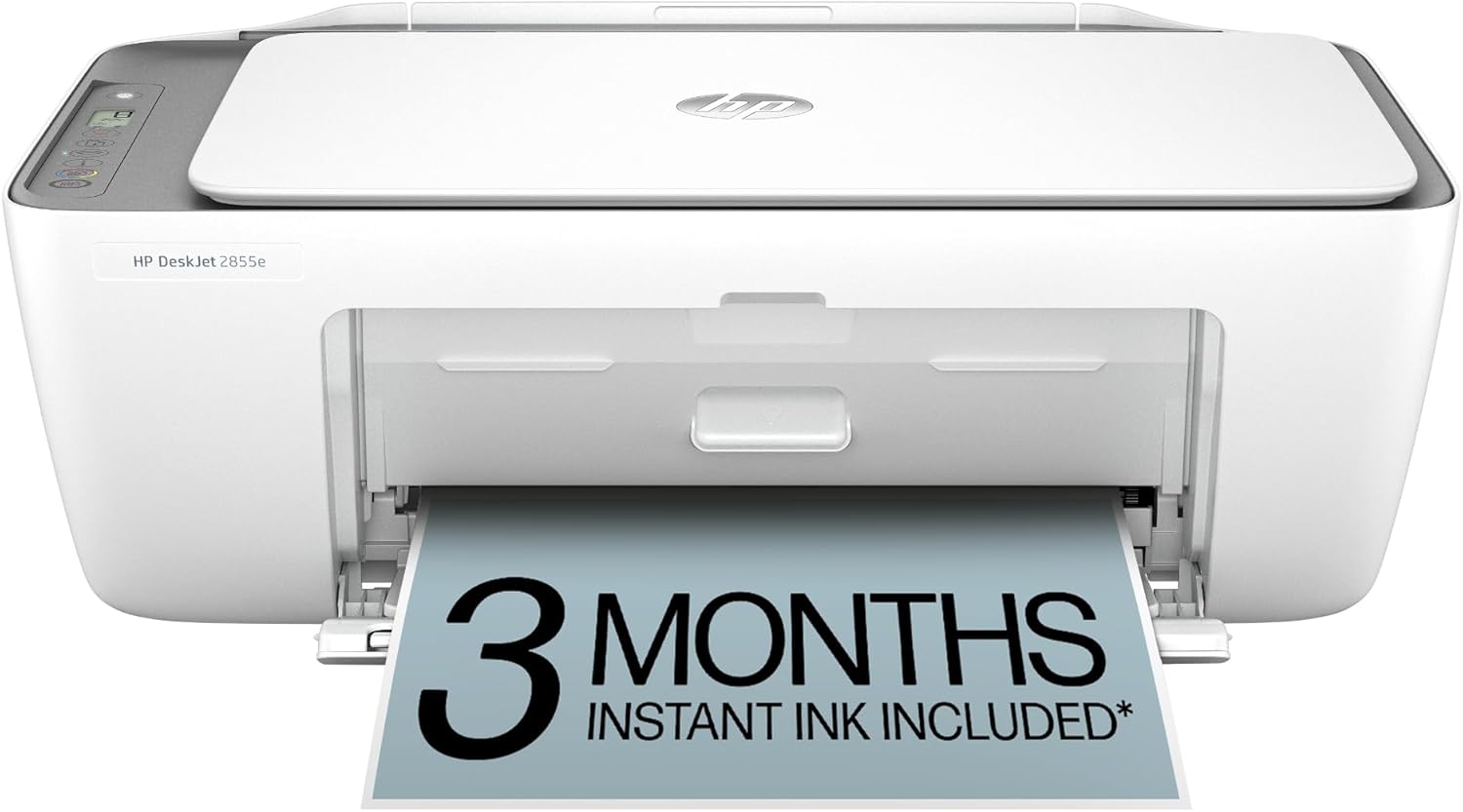
The HP DeskJet 2855e is a small all-in-one inkjet designed for light home and student use, offering color printing, a flatbed scanner, and copying in a compact footprint. It connects over single-band 2.4 GHz Wi-Fi or USB 2.0 and is controlled via the HP app for printing from smartphones or tablets. Notable features include a 60-sheet input tray, manual duplexing, and HP AI print formatting to trim unwanted web content for cleaner pages. Print speeds are modest at about 7.5 ppm black and 5.5 ppm color, with a high maximum photo resolution for better-looking color prints. The printer ships with starter HP 67 setup cartridges and includes a three-month Instant Ink trial when activated, which helps lower running-cost uncertainty for new users. Downsides are its single-band Wi-Fi (no 5 GHz), manual two-sided printing, and modest paper capacity, so it can be slow for heavier workloads. For students needing a compact, app-first printer for occasional assignments, scans, and web-page prints, it covers the essentials without a large footprint.
Best for: Students or anyone needing an affordable, compact multifunction printer for occasional homework, scans, and web-page prints who values easy mobile setup and low initial ink friction.
Less Ideal for: Users who print large volumes, need fast duplex workflow, or require 5 GHz Wi-Fi connectivity for a more robust home network.
- Compact all-in-one design with print, scan, and copy in a small footprint
- Works with HP app and smartphones for easy mobile printing and scanning
- Includes 3-month Instant Ink trial to help with initial ink costs
- 60-sheet input tray supports everyday student paper needs
- Only single-band 2.4 GHz Wi-Fi, no 5 GHz support
- Manual duplexing rather than automatic two-sided printing
Verdict: A compact, app-friendly all-in-one that gives students basic color printing and scanning with low initial ink hassle thanks to the included Instant Ink trial.
TATTMUSE A285M Portable Thermal Printer

| Printer Type | Thermal |
|---|---|
| Printer Connectivity Type | Bluetooth, USB |
| Maximum Media Size | 8.5 x 11 inch |
| B&W Pages per Minute | 7 |
| Wattage | 11.1 watt-hours |
The TATTMUSE A285M is a lightweight inkless thermal printer built for on-the-go printing of receipts, documents, and single-sheet pages in black and white. It connects to phones and tablets over Bluetooth and to laptops via USB‑C (driver required), and the companion app lets you select paper size and print settings. The printer accepts multiple thermal paper widths including US Letter and A4, and its built‑in paper bin and rechargeable battery make it convenient for fieldwork, travel, or dorm use. Print quality is limited to monochrome thermal output at about 7 ppm and roughly 203 dpi, which is fine for text, tickets, and simple graphics but not suitable for high‑resolution photos or color work. Setup requires the app for mobile devices and a driver for computers, so expect a short configuration step before first use. For risk‑averse users the absence of ink, low moving parts, and the included roll in the box reduce maintenance and operating surprises.
Best for: Students who need a fuss‑free, portable printer for printing notes, assignments, receipts, and single‑page documents while on campus or traveling.
Less Ideal for: Anyone who needs high-resolution graphics, color prints, or full-page duplex document production.
- Inkless thermal printing eliminates ink, toner, and frequent consumable replacement
- Supports multiple thermal paper sizes including US Letter and A4 for flexible use
- Bluetooth for phones and USB‑C for laptops offers mobile and desktop connectivity
- Compact, lightweight design with built‑in paper bin and rechargeable battery for travel
- Monochrome thermal output at ~203 dpi is not suitable for photo or color printing
- Computers require a driver install and USB connection rather than Bluetooth for printing
Verdict: A reliable, low‑maintenance portable thermal printer that makes quick black‑and‑white printing easy for students on the move.
Choosing the Right Small Printer for Students: Key Factors to Consider
Size and Footprint
A small printer needs to fit in a dorm room or a compact study area. Check the physical dimensions and consider whether the device will sit on a desk, shelf, or under a bed. Smaller chassis often mean fewer internal trays and a more limited paper capacity, so factor in how much space you can spare for frequent paper refills.
Footprint also affects storage and portability. If you expect to move the printer between rooms or campuses, look for a lighter model with a simple top-loading tray. A compact design can trade off advanced features, so weigh space savings against needed functions like duplexing or a rear feed for specialty paper.
Print Speed and Duty Cycle
Print speed matters when you have deadlines and back-to-back assignments. Measured in pages per minute, speed varies between black-and-white and color printing and across different document types. Faster devices reduce wait time for long documents, but advertised speeds are often measured under ideal conditions; real-world throughput depends on connection type and file complexity.
Duty cycle gives an idea of how many pages the printer can handle monthly without excess wear. For most students, a modest monthly duty cycle is adequate, but if you take on frequent large-format printing or poster projects, choose a model rated for higher monthly volumes to avoid clogging or premature part wear.
Operating Cost and Consumables
Long-term cost often dwarfs the initial purchase price. Check the yield of included starter cartridges and the cost and availability of replacement ink or toner. High-capacity cartridges or refillable systems can lower cost per page, which is important for students on tight budgets.
Consider whether the printer accepts third-party cartridges and whether the manufacturer firmware restricts them. Also evaluate color printing needs—if most work is text, a monochrome laser may be cheaper to run, whereas occasional color documents could justify a compact color inkjet with affordable cartridges.
Connectivity and Mobile Printing
Students use a mix of laptops, tablets, and phones, so versatile connectivity is essential. Look for Wi-Fi, Wi-Fi Direct, and reliable mobile printing protocols like AirPrint or Mopria. USB remains useful for wired laptop connections, especially in areas with unreliable wireless networks.
Cloud printing and vendor apps can simplify remote submissions from phones, but app quality and reliability vary. A model with multiple connection options reduces friction when printing from shared devices or campus networks.
Paper Handling and Duplexing
Paper capacity and feeding options influence how often you need to refill the printer. Compact units often have lower tray capacity, so expect more frequent top-ups. If you print many essays, duplex printing (automatic double-sided) saves paper and produces professionally bound-looking documents.
Check support for different paper weights and sizes if you plan to print flyers, lab posters, or photo prints. A rear feed or manual bypass is useful for occasional specialty media without changing the main tray settings.
Reliability and Maintenance
A printer that frequently jams or needs calibration will cause more disruption than it is worth. Look for straightforward maintenance steps like easy access to the cartridge bay, clear error indicators, and common spare part availability. Devices with good user guides and responsive firmware updates are easier to keep running.
Consider how often consumables require replacement, and whether the device has user-replaceable parts for simple fixes. For students, minimal ongoing maintenance and predictable consumable lifecycles reduce stress during busy academic periods.
Why Compact Printers Make Sense for Students
Compact printers are designed around limited space and simple task handling, which matches most academic printing needs. They are easier to place in dorm rooms or shared living spaces and can be moved between rooms or campuses with little hassle.
- Lower footprint for tight study spaces
- Reduced complexity compared with full-size office machines
- Often lighter and easier to transport between semesters
Monochrome Laser Vs Color Inkjet: Which Suits You?
Monochrome laser printers tend to offer lower cost per page for text-heavy documents and require less frequent maintenance. They are a strong choice if most student printing is essays and reports. Color inkjets handle photos and color handouts better, but their consumables can raise operating costs if you print color frequently.
- Monochrome laser: cheaper per-page for text, less smudging
- Color inkjet: better for images and color handouts
- Consider how often you need color before committing
Setting Up a Student Printer on Campus Networks
Campus networks can be restrictive, with firewalls and captive portals that block device discovery. Many students find success by configuring printers on a personal hotspot or using USB for initial setup. Ensure the printer supports direct wireless protocols like Wi-Fi Direct or has an easy-to-use mobile app for peer-to-peer printing.
- Use Wi-Fi Direct or mobile printing when campus Wi-Fi blocks device pairing
- Register printers with a home router before moving to campus if possible
- Keep a USB cable for wired setup in restrictive networks
Tips for Keeping Running Costs Low
Buy higher-yield cartridges if available and calculate cost per page for the yields you expect. Print drafts in draft mode or grayscale to save ink when color is not necessary. Turn off automatic color printing in document settings to avoid accidental color jobs that consume expensive cartridges.
- Use draft or economy modes for drafts
- Enable duplexing to halve paper usage
- Monitor cartridge levels and buy replacements before critical deadlines
Transport and Storage Advice Between Semesters
If you plan to move the printer between housing, pack it in a padded box and secure any loose trays or cartridges. Store in a cool, dry place to avoid ink drying out or toner clumping. If storing long-term, remove cartridges according to the manufacturer guidelines to prevent nozzle clogging or leaks.
- Remove or secure paper to prevent moisture damage
- Keep original packaging for the safest transport
- Label cables and include a small setup guide when lending to classmates
How We Chose the Best Small Printer for Students
We focused on attributes that matter most to students and campus living when building this list. Our selection filters prioritized compact footprint and portability to suit dorm rooms and shared apartments. We emphasized print speed and first-page-out time so students can handle deadlines without long waits. Ongoing running costs were assessed using typical ink or toner yields and estimated cost per page for mixed black-and-white and occasional color printing. Connectivity options were required to include at least one modern wireless standard or mobile printing method to support tablets and laptops. Usability and setup were also weighted, including the clarity of the mobile app or onboard controls, cartridge changes, and basic troubleshooting. We excluded large multifunction office machines, production-focused printers, and devices that rely on obscure or proprietary consumables that inflate long-term costs. The list favors models that balance purchase footprint with predictable operating expenses and straightforward maintenance. The scoring emphasized real-world student workflows rather than peak-spec benchmarking.
Our full evaluation process is outlined in our review methodology.
FAQ
Can a small printer handle most student assignments?
Yes. Most small printers are designed for typical student workloads like essays, lab reports, and handouts. If you regularly produce large-format posters or high volumes, choose a model with a higher duty cycle.
How can I print from my phone or tablet?
Look for printers with Wi-Fi Direct, AirPrint, or Mopria support, or a reliable vendor app. These options let you send documents directly from mobile devices without complex network setup.
Is a monochrome laser better than a color inkjet for students?
It depends on needs. Monochrome lasers are usually cheaper per page for text-heavy workloads, while color inkjets are better for photos and color handouts. Consider how often you need color when deciding.
How often will I need to replace ink or toner?
Replacement frequency depends on your monthly print volume and the cartridge yield. Students with light to moderate use may replace cartridges every few months; heavy users will need replacements more often. Choosing higher-yield cartridges can extend intervals between changes.
Can I use third-party cartridges to save money?
Third-party cartridges are an option with many small printers, but compatibility and print quality vary. Some devices may restrict third-party supplies via firmware updates, and using them can affect warranty coverage in some cases.
Final Verdict
For students, the best small printers balance a compact footprint with low operating costs and reliable wireless connectivity. Prioritize devices that offer acceptable print speeds for assignment deadlines and predictable consumable lifecycles to avoid surprises during busy terms. If most of your work is text, a compact monochrome model will usually keep costs down; if you need color for projects, choose a small color model with affordable replacement cartridges. Weigh the tradeoffs between portability, paper handling, and running costs to match your study habits. With the right priorities, you can pick a small printer that supports campus life without taking up valuable space or breaking your budget.