
Note: This article contains affiliate links. If you click on these links and make a purchase, we may earn a small commission at no extra cost to you. This helps support our research and content. Read our full affiliate disclosure here.
Picking the right sticker printer for small businesses matters because these machines handle everything from product labels to promotional decals. You want reliable output, minimal downtime, and a workflow that fits your existing setup so labeling does not become a bottleneck. This guide covers seven shortlisted sticker printers that represent the best options for startups, makers, and small retail operations. We evaluated each option for real-world seller needs such as print quality, connectivity and speed, and ease of use. Read on to see which features matter most and how the picks match different production workflows.
Top Picks at a Glance
| Best Overall The best all-around choice for most situations | Phomemo 241BT Label Printer |  |
| Best Quality Built to a higher standard if you want something more solid | MUNBYN RealWriter 130B |  |
| Best Value The sweet spot between price and what you get | Phomemo M110 Label Printer |  |
| Best Budget The cheapest option that still gets the job done reliably | Rongta R22 Label Maker |  |
| Top Rated A top-rated pick with lots of positive feedback | NIIMBOT M2 Label Maker |  |
| Most Popular A crowd favorite that many people choose with confidence | Rollo USB Shipping Label Printer X1038 |  |
| Best Seller A high-volume bestseller chosen again and again | TYPONOS PM240 Label Maker |  |
Phomemo 241BT Label Printer

| Print resolution | 203 x 203 DPI |
|---|---|
| Maximum media size | 4 x 6 inch |
| Connectivity | Bluetooth, USB |
| Print speed | 66 pages_per_minute |
The Phomemo 241BT is a portable direct thermal label printer built for printing 4×6 shipping labels and smaller sticker sizes from phones, tablets, and computers. It pairs with the vendor app for Bluetooth printing from iOS and Android and can connect to Windows, macOS, Chrome OS, and Linux via USB with a downloadable driver. The unit prints monochrome labels at up to 203 x 203 DPI and is tuned for speed, with manufacturer specs claiming high throughput for shipping labels. Practical benefits include inkless thermal printing that reduces running costs, a small footprint for a packed workbench, and basic on-device status visibility via an OLED. Limitations to expect are monochrome-only output and the need to use the Labelife app or drivers for pairing and fuller functionality, which adds a setup step for desktop users. For shops that print large volumes, sourcing compatible fanfold or roll labels and confirming driver compatibility with your office OS are important steps.
Best for: Small business owners who need a compact, cost-efficient label printer for shipping and product labeling and who prioritize fast monochrome output and mobile printing convenience.
Less Ideal for: Buyers who need full-color label printing or those who want a plug-and-play desktop printer that never requires drivers or third-party apps.
- Prints standard 4×6 shipping labels using direct thermal tech so no ink or toner is required
- Bluetooth and USB connectivity lets you print from phones, tablets, and computers
- Compact, portable design that fits small workspaces and market stalls
- Supports common label formats including barcodes and QR codes via the Labelife app
- Prints only in black and white so color labels require third-party thermal color paper
- Mobile pairing uses the vendor app which may be an extra step compared with native OS pairing
Verdict: A budget-friendly, portable 4×6 thermal label printer that gives small businesses fast, inkless monochrome labels from phones or PCs.
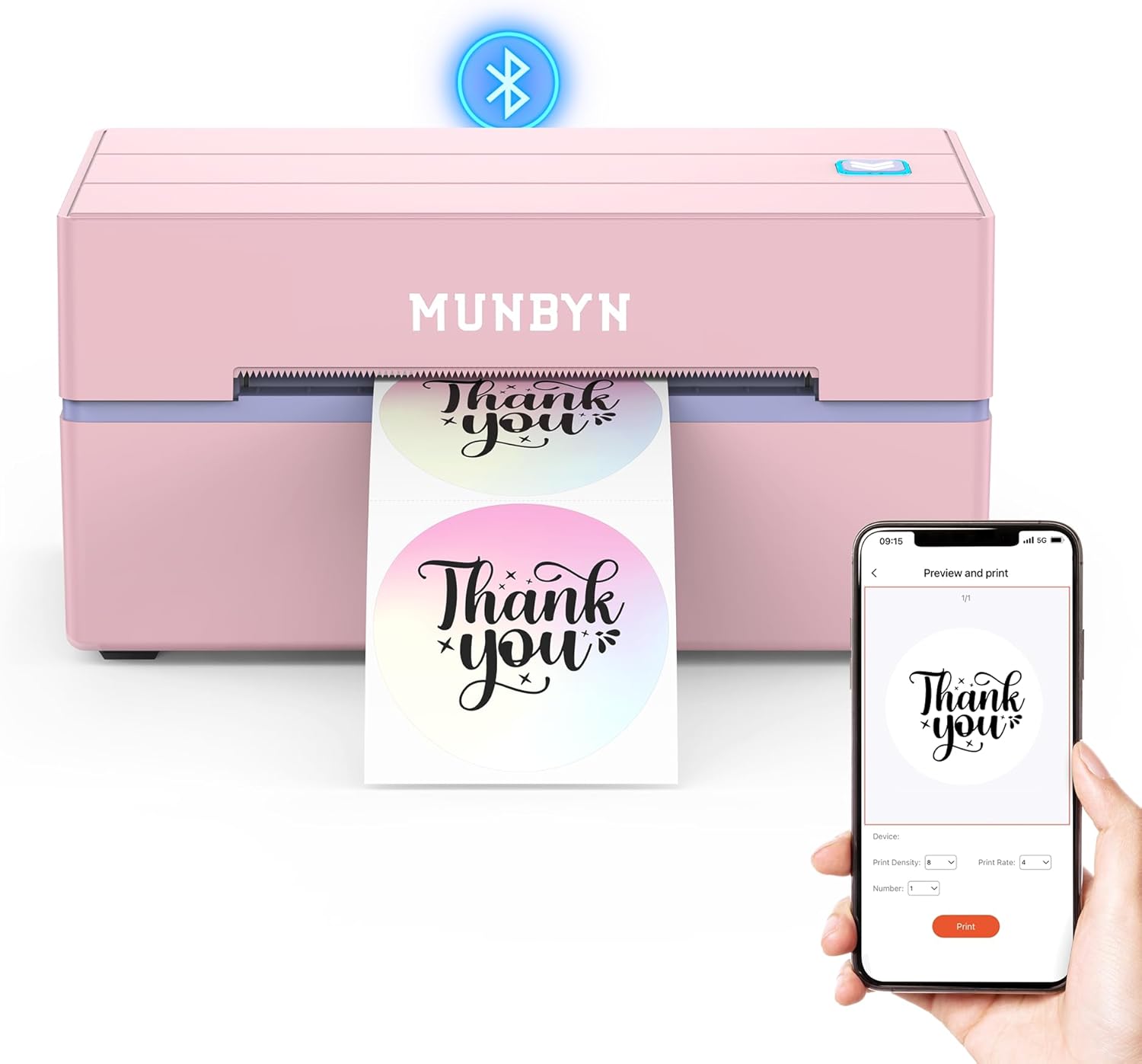
MUNBYN RealWriter 130B
| Resolution | 203 x 300 dpi |
|---|---|
| Maximum Media Size | 4 x 6 inch |
| Printer Connectivity Type | Bluetooth |
| Hardware Interface | USB |
| B&W Pages per Minute | 180 |
The MUNBYN RealWriter 130B is a thermal label printer built for small-business label work like shipping, barcode/QR codes, pricing, and organization. It connects over Bluetooth to iOS and Android via the MUNBYN Print app and can be used from Chrome on a PC or by USB when Bluetooth is not available, making it flexible for mobile and desktop workflows. The unit outputs monochrome thermal labels at 203 dpi and handles common shipping sizes up to 4×6 inches while supporting specialty and circular labels for branding or packaging. Setup is straightforward with a mobile app and web editor templates, and the included design assets and OCR/import options speed up batch label creation. Practical limits are typical of thermal-only printers: print is monochrome thermal so labels are heat-sensitive and perform best with manufacturer-recommended label stock, and print resolution tops out at 203 dpi which is adequate for shipping and barcodes but not for high-detail graphics. For busy small businesses needing fast, app-driven label production, it delivers reliable, compact performance.
Best for: Small businesses and sellers who prioritize reliable, app-driven label production for shipping, barcodes, and branding on standard and specialty labels.
Less Ideal for: Retailers or designers who need full-color, high-resolution graphic or photo-quality sticker printing should consider inkjet or color label printers instead.
- Bluetooth and USB connectivity for mobile and desktop workflows.
- Supports 4×6 shipping labels plus multiple specialty and circular label sizes.
- App and Chrome web editor with templates, fonts, and OCR speed label design.
- 203 dpi thermal printing adequate for barcodes, shipping, and text labels.
- Compact, portable design suited to small business counters or remote packing stations.
- Monochrome thermal output only, so no full-color printing.
- Thermal labels are heat-sensitive and print longevity depends on using compatible label stock.
Verdict: A compact, app-friendly thermal label printer that gives small businesses fast, reliable monochrome shipping and sticker printing for everyday order fulfillment.
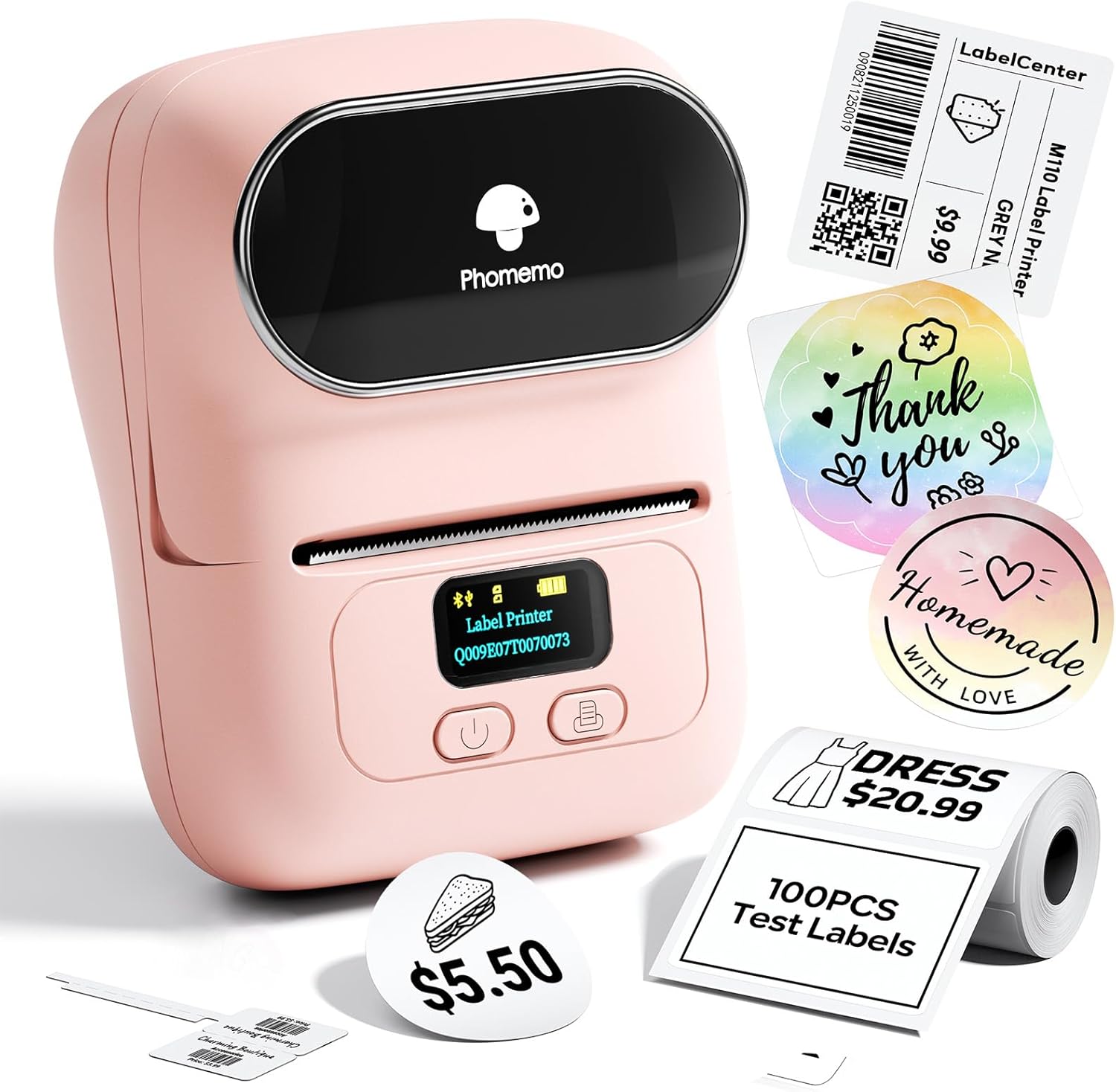
Phomemo M110 Label Printer
| Printer Type | Thermal |
|---|---|
| Printer Connectivity Type | Bluetooth |
| Maximum print Resolution Black and White | 203dpi |
| Paper Size | 50 millimeters |
| Wattage | 8.88 watt-hours |
The Phomemo M110 is a pocketable thermal label printer designed for small business and home organization tasks that need quick black-and-white sticker output. It pairs over Bluetooth 4.0 to a phone or tablet and uses the Print Master app to access thousands of templates, simple editing tools, OCR from images, and Excel batch printing for multiple labels at once. The built-in display shows battery level and pairing prompts, and the unit accepts 20–50mm label widths via a single roll feed, producing 203 dpi monochrome prints without ink. Practical benefits include fast one-touch pairing, a lightweight portable design that runs on an internal battery, and app features that speed up inventory tagging, pricing, and address labels. Limitations are obvious for shipping or color label needs since it only prints monochrome thermal labels and its quoted speed and media capacity are small, so high-volume shipping operations will find it too slow. For small shops that print lots of small stickers or price tags, it is a handy, app-driven solution; for heavy duty shipping labels or color branding you will need a different printer.
Best for: Small-business owners or shop operators who need a compact, app-driven label printer for inventory tags, price stickers, and product labeling that can be edited and batch-printed from a phone or computer.
Less Ideal for: Retailers or fulfillment centers that need full-color branding, large-format shipping labels, or high-throughput printing for many packages per day.
- Bluetooth 4.0 and USB connectivity for phone, tablet, and PC printing
- Print Master app with 3000+ templates, OCR, and Excel batch printing
- Compact, lightweight portable design with an integrated display showing battery and prompts
- Supports multiple label widths from 20mm to 50mm and uses thermal printing with 203 dpi resolution
- Monochrome thermal printing only, not suitable for color or branded color labels
- Low media capacity and modest print speed make it less efficient for high-volume shipping labels
Verdict: A small, app-powered thermal label printer ideal for small businesses that need fast, editable monochrome sticker and price-tag printing from phones or PCs.
Rongta R22 Label Maker

| Printer Type | Thermal |
|---|---|
| Maximum Media Size | 2 inch Wide |
| Resolution | 203 x 203 DPI |
| Printer Connectivity Type | Bluetooth |
| Hardware Interface | USB Type C |
The Rongta R22 is a compact Bluetooth thermal label maker designed for quick sticker and address-label printing from iOS or Android devices. You install roll labels in the small built-in feed, pair the printer with the free Rongta app, then design labels using templates, fonts, icons and simple image imports before printing black-and-white output at 203 dpi. Its rechargeable battery and USB-C port make it portable for occasional on-site use, and the device is lightweight and easy to carry between workstations. The practical benefits are straightforward: no ink or toner, automatic label-size recognition in the app, and a slim profile that fits in a bag or on a crowded desk. Limitations for small-business use include monochrome-only printing and a max 2-inch media width, so it is best for small product labels, price tags, and address stickers rather than large shipping labels or full-color branding pieces. The R22 is priced for budget buyers who need a simple, app-driven label solution rather than a heavy-duty desktop printer.
Best for: Small business owners seeking an inexpensive, mobile label solution for product tags, price labels, and address or organizational stickers who prioritize low running costs and easy phone-based setup.
Less Ideal for: Businesses that need full-color labels, wide-format shipping labels, or high-volume industrial label production should choose a larger desktop or dedicated shipping printer instead.
- Bluetooth pairing with iOS and Android for phone/tablet printing
- Thermal printing requires no ink or toner
- Rechargeable battery and USB-C make it portable and easy to recharge
- 203 dpi resolution gives clear monochrome text and simple graphics
- App includes templates, fonts, icons and automatic label-size recognition
- Prints only black-and-white, no color output
- Maximum media width limited to 2 inches, not suitable for larger labels
Verdict: A budget-friendly, portable Bluetooth thermal label printer that delivers clear monochrome labels for small-business tagging and organizational tasks.
NIIMBOT M2 Label Maker

| Printer Type | Thermal transfer |
|---|---|
| Maximum print Resolution Color | 300 x 300 dpi |
| Maximum Media Size | 2inch |
| Printer Connectivity Type | Bluetooth |
| Hardware Interface | USB |
The NIIMBOT M2 is a desktop thermal transfer label maker aimed at small businesses and workstations that need durable, long-lasting stickers. It prints at 300 DPI using a ribbon + label system, which produces waterproof, oil-proof, and freeze-resistant labels that hold up better than direct thermal prints. You design labels in the NIIMBOT app on a phone or connect by USB to a PC for driver-based printing, and the app supports templates, barcodes, QR codes, batch printing, and basic image import. The printer recognizes label sizes (20–50 mm) automatically, offers adaptive print density and an automatic rewind/proofreading step to reduce wasted tape, and ships with a Type-C cable and one label roll plus a black ribbon. Limits to consider are the dependency on M2-series thermal transfer labels and ribbons and the need to buy colored ribbons separately for multi-color output, and PC use requires driver installation. For businesses that need robust, long-lived labels rather than cheap short-term receipts, the M2 delivers practical reliability and flexible mobile or desktop workflows.
Best for: Small business operators and lab or warehouse teams who prioritize durable, archival-quality labels and want a printer that works from phones or a PC with reliable, consistent output.
Less Ideal for: Shoppers who need an inexpensive disposable receipt-style printer or who want to use non-M2 label media should look elsewhere.
- 300 DPI thermal transfer printing for sharp, long-lasting labels
- Produces waterproof, oil-proof and freeze-resistant labels suitable for harsh environments
- Bluetooth mobile app plus USB PC connection for flexible editing and batch printing
- Automatic label-size recognition and adaptive print density reduce wasted tape
- Includes a starter label roll, black ribbon and Type-C cable for out-of-box use
- Requires proprietary M2-series label rolls and ribbons for correct printing
- Color ribbons must be purchased separately to get colored prints
Verdict: Choose the NIIMBOT M2 when you need a reliable, 300 DPI thermal transfer label printer that makes durable, long-lasting labels for small business use.
Rollo USB Shipping Label Printer X1038

| Printer Type | Thermal |
|---|---|
| Print Resolution | 203 x 203 DPI |
| Maximum Media Size | 4.1 Inch Width |
| Hardware Interface | USB |
| Paper Size | 4 inch x 6 inches |
The Rollo USB Shipping Label Printer X1038 is a commercial-grade direct thermal desktop printer designed for high-volume shipping and sticker tasks. It connects over USB to Windows and Mac systems and prints 4×6 and other label widths up to 4.1 inches without ink, using direct thermal technology and a 203 dpi print head for clear, scannable barcodes. Setup is straightforward with downloadable drivers and the included power adapter and USB cable, and Rollo also offers a Ship app for streamlined postage purchasing and label design. The unit is built for speed, rated to produce roughly one 4×6 label per second, and handles fanfold or roll labels with automatic label detection. Practical benefits include low ongoing consumable cost because no ink or toner is required, reliable prints for shipping couriers, and support resources from Rollo. Limitations are its wired-only USB connectivity on this model and simplex 1-sided printing, so it is not a fit if you need wireless printing or full-page color printing capabilities.
Best for: Small business owners or e-commerce sellers who prioritize dependable, high-speed inkless label printing and low operating cost to streamline shipping and sticker production.
Less Ideal for: Buyers who need wireless or mobile printing from phones without a networked computer, or those who require full-color, high-resolution label printing for detailed artwork.
- Direct thermal inkless printing reduces consumable costs and maintenance.
- Supports standard 4×6 shipping labels and variable widths up to 4.1 inches for versatile sticker types.
- Fast print throughput (about one 4×6 label per second) suitable for busy shipping workflows.
- Simple USB connection and downloadable drivers for Mac and Windows make setup easy.
- Automatic label detection works with fanfold and roll labels for reliable feeding.
- No built-in Wi-Fi or Bluetooth on the USB-only model.
- Print resolution is 203 dpi, which is adequate for shipping and barcodes but not for high-detail graphics.
Verdict: Choose the Rollo USB X1038 when you need a fast, reliable, low-cost-per-label thermal printer to power shipping and sticker workflows for a small business.
TYPONOS PM240 Label Maker

| Printer Type | Thermal |
|---|---|
| Maximum Print Resolution Black and White | 203 dpi |
| Printer Connectivity Type | Bluetooth, USB |
| Maximum Media Size | 50x80mm |
| Wattage | 5.55 watts |
The TYPONOS PM240 is a portable thermal label maker designed for small business and office use. It connects to phones, tablets, or a PC via Bluetooth or USB-C and prints monochrome labels at 203 dpi, producing crisp address, price, barcode, and QR-code stickers without ink. The unit includes three starter label rolls and supports multiple shapes and sizes up to 50×80 mm, while the Labelnize app supplies hundreds of templates, thousands of icons and fonts, Excel import, batch printing, OCR, and automatic label-size detection via built-in RFID on compatible rolls. Practical benefits include a rechargeable battery for true portability and an auto power-off setting to save charge, plus a simple app-driven workflow for batch or on-demand printing. Limitations to note are that Bluetooth and USB cannot be used simultaneously and the device is monochrome only, so colored labels require pre-colored tape rather than full-color printing. For buyers who prefer straightforward setup and reliable label output, the PM240 delivers a dependable, compact solution for everyday small-business labeling tasks.
Best for: Small business owners and office managers who want a portable, low-maintenance label printer that pairs with phones or PCs and supports batch label creation from templates and spreadsheets.
Less Ideal for: Businesses that need full-color label printing or heavy-duty industrial labelers for very large-volume continuous runs should consider higher-end or color-capable printers instead.
- Thermal printing at 203 dpi provides clear, ink-free monochrome labels.
- Bluetooth and USB-C connectivity lets you print from phones, tablets, or PC.
- Includes three label rolls and the app auto-detects label size via RFID for easier setup.
- Labelnize app supports templates, batch printing, Excel import, OCR, and many icons/fonts for business workflows.
- Rechargeable battery and compact weight make it portable for on-site labeling.
- Cannot print in color; limited to monochrome output.
- Bluetooth and USB cannot be used at the same time, which can complicate some workflows.
Verdict: A compact, app-driven thermal label maker that reliably handles everyday monochrome sticker and barcode printing for small businesses.
Choosing the Right Sticker Printer for Small Businesses: Key Factors to Consider
Print Quality and Resolution
High print resolution matters because small-business stickers often carry logos, fine text, and barcodes that must remain legible at small sizes. Higher DPI yields crisper edges and smoother gradients, which is important for brand presentation and scannability.
When evaluating resolution, consider both color fidelity and how the printer handles small fonts and thin lines. A machine that reproduces your artwork accurately reduces reprints and supports professional packaging and labeling.
Connectivity and Software Support
Flexible connectivity ensures the printer fits into an existing workflow. Look for USB, Ethernet, and Wi-Fi options if multiple devices or remote printing is likely. Easy driver installation and native support for your operating system reduce setup time.
Software support is equally important. Built-in label editors or compatibility with common design and shipping software speeds workflows. Consider whether the vendor provides frequent firmware updates and documentation to avoid compatibility problems later.
Printing Speed and Duty Cycle
Speed affects productivity when you print batches of stickers for packaging, events, or inventory. Check the pages-per-minute or labels-per-minute ratings and whether those speeds apply to full-color or only monochrome output.
Duty cycle and recommended monthly volume indicate how suitable the printer is for sustained use. Small businesses that print hundreds of labels weekly need a higher-rated device to avoid accelerated wear and increased maintenance.
Media Compatibility and Roll Handling
Sticker applications vary widely: product labels, clear decals, die-cut shapes, or address labels all have different material and size needs. Ensure the printer supports the widths, thicknesses, and adhesive types you plan to use.
Also evaluate whether it handles roll media or sheet labels, how it aligns cuts and gaps, and whether sensors and guides make setup straightforward. Greater media flexibility reduces the need for multiple printers or frequent stock changes.
Operational Cost and Consumables
Consumables such as ink, toner, or thermal paper are ongoing costs that influence total cost of ownership. Consider typical cartridge or ribbon yield and the availability of replacement supplies. Some printers use cartridges that are easy to swap; others may require more hands-on maintenance.
Also think about how often you will need to replace parts like print heads or cutters. A slightly more expensive consumable that lasts longer can be cheaper over time for active small businesses.
Ease of Setup, Maintenance, and Support
Small teams benefit from devices that require minimal configuration and simple maintenance. Look for straightforward paper/roll loading, intuitive control panels, and clear error messages. Tool-free access to the print head and cutter speeds routine cleaning or jam clearing.
Local or online support, accessible manuals, and community resources help when troubleshooting. A printer that is easy to maintain minimizes downtime and keeps operations moving.
Which Label Sizes and Materials Work Best
Identify the common sticker sizes and substrates you use before choosing a printer. Small circular product labels have different handling requirements than large rectangular shipping stickers or clear window decals. Knowing typical sizes helps you pick a model with matching maximum and minimum media widths.
Material choice affects durability and finish. Vinyl and polyester offer water and abrasion resistance for outdoor or product use. Paper-based stickers are fine for short-term packaging or promo stickers. If you need transparent or specialty finishes, confirm the printer produces acceptable adhesion and print quality on those stocks.
- Standard paper labels are economical for short-term packaging
- Vinyl or synthetic materials improve durability for long-term use
- Clear media requires careful color management to remain visible
- Die-cut shapes may need precise gap detection or cutter support
Workflow Tips for Small Teams
Streamline label creation by standardizing templates and storing them in shared software. This reduces design time and ensures consistency across products. Batch printing from spreadsheets or integrated order systems cuts manual effort when fulfilling orders.
Set up a simple quality-control step to catch misaligned prints or incorrect templates before labels are applied. For multi-channel operations, centralizing label printing on a single reliable device reduces versioning and connectivity issues.
- Use template libraries to avoid repeated layout work
- Integrate with order or inventory systems when possible
- Assign a single operator to manage print batches during peak periods
Maintenance Best Practices
Regular cleaning of the print head and media path prevents streaks and jams. Follow the manufacturer's guidance for safe cleaning intervals and approved solvents if applicable. Keep spare consumables on hand to avoid production delays.
Monitor print head and cutter wear and replace components proactively based on duty cycle rather than waiting for failure. Proper storage of adhesive stocks in a cool, dry place helps prevent curl and feed issues.
- Clean print heads on a regular schedule
- Store rolls flat in a temperature-controlled area
- Keep replacement blades and cartridges accessible for faster repairs
Integrating With Design and Shipping Tools
Check that the printer works with the design tools you use for artwork and with any shipping or POS systems that generate address or product labels. Native driver support reduces reliance on third-party converters and preserves layout fidelity.
For growing businesses, prefer printers compatible with common file formats and with APIs or command languages that allow automated printing directly from web apps or order-management systems.
- Confirm support for PDF and common image formats
- Look for SDKs or APIs if you plan automated printing
- Test a sample label from your production software before committing to a rollout
Scaling From Low-Volume to Moderate Production
If you expect growth, choose a printer that can scale in monthly volume without being overbuilt for current needs. Mid-tier models often offer a balance: higher duty cycles and faster speeds than entry-level units without the cost and complexity of industrial equipment.
Consider modular features like optional cutters, external unwinders, or more robust feed mechanisms so you can expand capability without replacing the entire printer.
- Match duty cycle to projected monthly label volume
- Plan for modular upgrades to add features later
- Avoid industrial-class machines if you do not need continuous 24/7 output
How We Chose the Best Sticker Printer for Small Businesses
We focused on practical criteria that reflect how small businesses use sticker printers day to day. Primary evaluation metrics included print resolution and color accuracy for legible branding; connection options and driver support to fit varied office setups; printing speed and duty cycle for batch labeling; media compatibility for different sticker stocks and sizes; and operational ease including setup, software, and maintenance. We prioritized devices that balance consistent output with manageable running requirements for small teams. We excluded industrial or high-volume production machines whose capacity and operating overhead exceed typical small-business needs. We also filtered out models lacking basic network or USB connectivity, devices without driver/software support for common operating systems, and printers that imposed restrictive media choices. The result is a group of printers that work well across retail, craft, and shipping-label use cases and that scale reasonably as a small business grows.
Our full evaluation process is outlined in our review methodology.
FAQ
Do small-business sticker printers require special label software?
Many printers include basic label editors adequate for common layouts. For complex artwork, compatibility with standard design programs or export to PDF is useful. If you plan to automate printing from order systems, check for driver or API support.
Can these printers handle clear or weatherproof stickers?
Yes, several sticker printers can print on synthetic or vinyl stocks that are more durable than paper. Confirm the model's recommended media list and whether inks or thermal processes used are appropriate for outdoor exposure.
How do I know what monthly volume a printer can handle?
Manufacturers publish recommended monthly volumes or duty cycles. Match those figures to your expected printing needs and allow a margin for peak periods. Devices rated for higher monthly use are less likely to wear prematurely under frequent batches.
Is wireless connectivity reliable for label printing?
Wireless printing can be convenient but may introduce occasional dropouts depending on network conditions. For mission-critical batches, wired Ethernet or USB connections are more stable and reduce troubleshooting time.
What consumables should I keep on hand?
Keep extra label rolls or sheets, replacement ink cartridges or ribbons, and spare blades if your model has a cutter. Having common replacement parts on hand minimizes downtime when a print run is interrupted.
Final Verdict
For small businesses, the right sticker printer is the one that matches your typical label sizes, monthly volume, and workflow integration needs. Prioritize print quality and media flexibility if branding and durability matter most, or emphasize speed and duty cycle for batch-oriented operations. Consider long-term consumable costs and ease of maintenance as part of the purchase decision. Choose a model that aligns with your current needs but leaves room to scale with modest upgrades. That approach minimizes disruption and helps you maintain consistent, professional labeling as your business grows.