
Note: This article contains affiliate links. If you click on these links and make a purchase, we may earn a small commission at no extra cost to you. This helps support our research and content. Read our full affiliate disclosure here.
Picking the right Wi-Fi printer for home use matters because a poorly chosen model can slow workflows, waste ink, and frustrate every household member who needs a quick print. You want reliable wireless connections, reasonable per-page costs, and print quality that handles homework, bills, and occasional photos without fuss. This guide shortlists seven top-rated home Wi-Fi printers and explains the factors that matter when choosing between compact inkjets, all-in-one devices, and more efficient cartridge or tank systems. Below you will find our top picks followed by clear evaluation criteria and practical advice to help you pick the best fit.
Top Picks at a Glance
| Best Overall The best all-around choice for most situations | Epson Expression Premium XP-7100 |  |
| Best Quality Built to a higher standard if you want something more solid | Epson EcoTank ET-2800 |  |
| Best Value The sweet spot between price and what you get | Canon PIXMA TR4720 |  |
| Best Budget The cheapest option that still gets the job done reliably | Canon PIXMA TS3720 | 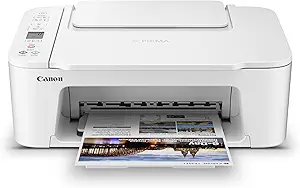 |
| Top Rated A top-rated pick with lots of positive feedback | Brother HL-L2480DW Monochrome Laser Printer |  |
| Most Popular A crowd favorite that many people choose with confidence | HP DeskJet 2855e All-in-One |  |
| Best Seller A high-volume bestseller chosen again and again | Brother DCP-L2640DW |  |
Epson Expression Premium XP-7100

| Printer Type | Inkjet |
|---|---|
| Printer Connectivity Type | Wireless |
| Maximum print Resolution Color | 4800 dpi |
| Maximum Copy Speed Black and White | 15.8 pages_per_minute |
| Maximum Sheet Capacity | 30 |
The Epson Expression Premium XP-7100 is a home-oriented wireless color inkjet that combines photo-quality printing with everyday document features. It prints sharp text and vivid borderless photos up to 8 x 10 inches using a five-cartridge Claria Premium system, and the 4.3-inch touchscreen plus SD/USB slots make printing photos without a computer straightforward. For household productivity it offers a 30-page auto document feeder and automatic two-sided printing for multi-page jobs, and you can connect via Wi-Fi, Wi‑Fi Direct or Ethernet for flexible placement. Photo print speed for small prints is fast in draft mode, though full-quality color pages print more slowly than basic document pages. The printer uses Epson genuine cartridges only, which helps maintain color accuracy but increases running costs compared with some rival models. Setup and mobile printing are convenient, and the scanner/copier functions are well suited to family and home-office tasks.
Best for: Buyers who want a single home printer that balances photo-quality output with everyday document tasks and easy mobile printing across devices.
Less Ideal for: People who prioritize the lowest possible ink costs or need the fastest high-quality color throughput for heavy photo-production.
- High-quality photo printing with borderless support up to 8 x 10 inches
- 30-page auto document feeder and automatic two-sided printing for efficient multi-page work
- Multiple connectivity options including Wi‑Fi, Wi‑Fi Direct and Ethernet
- Intuitive 4.3-inch touchscreen plus SD and USB card slots for standalone photo printing
- Runs on five proprietary Epson Claria cartridges which raises ongoing ink costs
- Color page print speed is slow for full-quality prints compared with plain document speed
Verdict: Choose the XP-7100 if you want a versatile home Wi‑Fi all-in-one that delivers strong photo quality alongside everyday printing and scanning features.
Epson EcoTank ET-2800

| Printer Type | Inkjet |
|---|---|
| Printer Connectivity Type | USB, Wi-Fi |
| Color Pages per Minute | 5 pages_per_minute |
| B&W Pages per Minute | 10 |
| Maximum print Resolution Color | 5760 x 1440 dpi |
The Epson EcoTank ET-2800 is a home-focused all-in-one that replaces cartridges with refillable high-capacity ink tanks, making it suitable for frequent color and document printing without constant cartridge swaps. It prints, scans and copies, offers wireless and USB connectivity, and supports mobile and voice-activated printing for quick jobs from phones or tablets. Notable features include Epson PrecisionCore Micro Piezo heat-free print technology for sharp text and vivid photos, a flatbed scanner, and a small color LCD for basic control. Its strengths are low ongoing ink cost and large ink yields that reduce interruptions for replacement bottles, plus respectable black ISO speeds around 10 ppm for typical home workflows. Limits include modest color print speed (about 5 ppm), simplex-only printing so duplex must be manual, and a modest paper capacity, so it is less suited to heavy office stacks. Setup and ink filling are straightforward but Epson recommends genuine ink to maintain performance and warranty coverage.
Best for: Buyers who prioritize low ongoing ink cost and reliable everyday printing for a home or small household and want easy wireless mobile printing without juggling cartridges.
Less Ideal for: Users who need fast duplex document output or high-volume office printing should choose a printer with automatic duplexing and larger paper capacity.
- Cartridge-free EcoTank system with high-capacity refillable ink tanks for low running costs
- Wireless and mobile printing with voice-activated support for easy phone-based workflows
- PrecisionCore Micro Piezo print engine for sharp text and detailed color prints
- Includes flatbed scanner and color LCD for convenient all-in-one functionality
- No automatic duplexing so two-sided printing requires manual page flipping
- Color print speed is relatively slow compared with faster home-office models
- Small paper capacity may need frequent refills for larger print jobs
Verdict: Choose the ET-2800 if you want a Wi-Fi home all-in-one that slashes ink costs with refillable tanks while delivering solid everyday print quality.
Canon PIXMA TR4720

| Printer Type | Inkjet |
|---|---|
| Printer Output Type | Color |
| Maximum print Resolution Color | 4800 x 1200 dots_per_inch |
| Printer Connectivity Type | USB, Wi-Fi |
| Maximum Sheet Capacity | 100 |
The PIXMA TR4720 is a space‑saving home Wi‑Fi all‑in‑one built for everyday documents and occasional photos. It handles printing, copying, scanning and faxing, and the 100‑sheet front tray plus automatic document feeder make multi‑page jobs easy to load. Print quality is solid for text thanks to Canon's hybrid ink system, and it supports borderless photos up to letter size. Built‑in duplex printing reduces paper use and the Canon Print app and USB/Wi‑Fi connectivity let you print from smartphones without complex setup. On the downside the color print speed is modest, so large photo or color jobs take time, and it uses Canon CL‑276/PG‑275 cartridges which can be pricier over time compared with high‑yield options. The simple 2‑line LCD and straightforward controls suit nontechnical users, while Alexa and mobile notifications can help manage ink reorders. For buyers wanting a compact, app‑friendly home printer with scanning and ADF convenience, the TR4720 delivers practical everyday performance.
Best for: Buyers who prioritize a compact, reliable Wi‑Fi multi‑function printer for everyday home documents and occasional photos and value easy mobile printing and ADF convenience.
Less Ideal for: Users who need fast high‑volume color or photo printing or who want the lowest possible long‑term ink cost should consider higher‑speed or ink‑tank alternatives.
- Wireless printing and mobile app support for printing and scanning from phones
- Automatic duplex printing saves paper on two‑sided documents
- 100‑sheet front tray plus an automatic document feeder for multi‑page jobs
- Hybrid ink system produces crisp black text and decent color/borderless photos
- Compact footprint fits small home offices or kitchen counters
- Color print speed is relatively slow for large color/photo jobs
- Uses standard Canon cartridges that may have higher ongoing ink cost
Verdict: A compact, app‑friendly Wi‑Fi all‑in‑one that fits home offices needing reliable everyday printing with ADF and duplex convenience.
Canon PIXMA TS3720

| Printer Type | Inkjet |
|---|---|
| Connectivity | USB, Wi-Fi |
| Print Resolution | 4800 x 1200 dpi |
| Maximum Sheet Capacity | 60 |
| Color Pages per Minute | 4 pages_per_minute |
The Canon PIXMA TS3720 is a compact wireless all-in-one inkjet designed for everyday home printing tasks like documents, school papers, and occasional photos. It connects via USB or dual-band Wi‑Fi and supports mobile printing through the Canon PRINT app, AirPrint, and Mopria, so you can print directly from phones and Chromebooks. The two-cartridge hybrid FINE ink system uses a pigment black for sharp text and dye-based color for better photos, delivering up to 4800 x 1200 dpi for images and moderate page speeds of about 7.7 ppm black and 4 ppm color. A rear tray holds up to 60 sheets and accepts a variety of media including envelopes and 4×6 and 5×7 photos; borderless photo printing is supported up to 5×7. Its small footprint and simple setup make it easy to tuck into a home office, and the 1.5-inch LCD provides basic controls without a steep learning curve. Limitations include single-sided printing only and basic feature set compared with higher-end models, so it is best for light to moderate household use rather than heavy office workloads.
Best for: A buyer focused on affordable, space-saving Wi‑Fi printers for home use who wants straightforward mobile printing, decent photo quality, and simple setup without advanced office features.
Less Ideal for: Do not choose this if you need high-volume duplex printing, advanced duplex scanning or heavy daily page volumes for a home office or small business.
- Compact footprint suits small home desks or counters
- Dual-band Wi-Fi and mobile app support enable easy wireless printing from phones and Chromebooks
- Hybrid two-cartridge ink system produces sharp black text and good color photos at high resolution
- Accepts multiple media types including envelopes and borderless photos up to 5×7
- Simple setup and 60-sheet rear tray keep basic jobs quick and low fuss
- Single-sided printing only; no automatic duplexing
- Two-cartridge system means more frequent color/black replacements under heavier use
Verdict: A compact, budget-friendly Wi‑Fi all‑in‑one that delivers reliable home printing and easy mobile connectivity for everyday documents and occasional photos.
Brother HL-L2480DW Monochrome Laser Printer

| Printer Type | Laser |
|---|---|
| Printer Output Type | Monochrome |
| B&W Pages per Minute | 36 pages_per_minute |
| Maximum Sheet Capacity | 250 |
| Printer Connectivity Type | Ethernet, USB, Wi-Fi |
The Brother HL-L2480DW is a compact 3-in-1 monochrome laser designed for home and small office use, offering reliable black-and-white printing, copying and flatbed scanning in a small footprint. It prints up to 36 ppm with a 250-sheet tray and automatic duplex to reduce paper handling, and it supports Ethernet, USB, and dual-band Wi-Fi so you can print from laptops, phones, or tablets using the Brother Mobile Connect app or cloud services. The 2.7-inch touchscreen simplifies common tasks like scanning to email or cloud storage, and Brother Genuine TN830/TN830XL toners — plus the optional Refresh subscription — make supply management straightforward. Practical benefits include fast first-page times, sturdy paper handling for routine batches, and energy-efficient operation. The trade-offs are that it is monochrome only so no color printing, and the scanner is a flatbed without an automatic document feeder, which slows multi-page scans. For users who need occasional color or heavy multi-page scanning, a different model would be better.
Best for: Buyers who prioritize a dependable, fast black-and-white printer for home or small office workflows and want straightforward wireless setup and supply options.
Less Ideal for: People who need color output or frequent multi-page scanning and copying should choose a color inkjet or an MFP with an automatic document feeder instead.
- Fast monochrome printing up to 36 ppm for quick document turnaround
- Automatic duplex printing reduces paper use and manual flipping
- Multiple connectivity options including dual-band Wi-Fi, Ethernet, and USB
- 250-sheet tray lowers the need for frequent paper refills and supports envelopes/specialty media
- 2.7-inch touchscreen and Brother Mobile Connect app simplify printing and scanning tasks
- No color printing capability
- Flatbed scanner lacks an automatic document feeder for multi-page jobs
Verdict: A reliable, fast monochrome multifunction laser that delivers dependable home Wi-Fi printing and low-touch consumable management.
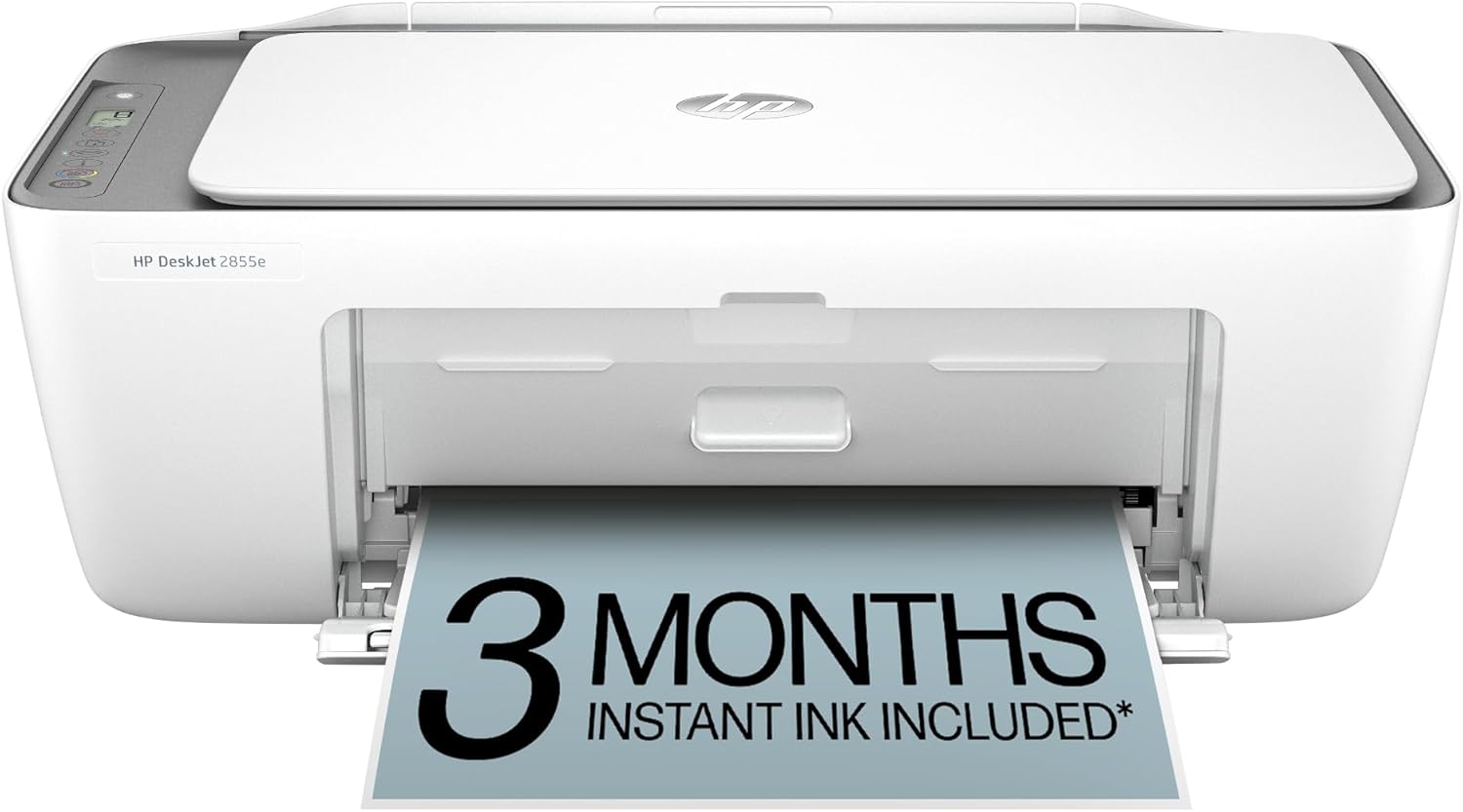
HP DeskJet 2855e All-in-One
| Printer Type | Inkjet |
|---|---|
| Compatible Cartridge | HP 67 |
| Maximum print Resolution Color | 4800 x 1200 dpi |
| Color Pages per Minute | 5.5 pages_per_minute |
| Printer Connectivity Type | single band wi-fi (2.4ghz only) |
The HP DeskJet 2855e is a budget-focused home all-in-one that handles everyday printing, scanning and copying tasks. It uses HP 67 cartridges, offers color printing up to 5.5 ppm and black at about 7.5 ppm, and includes a flatbed scanner for documents and photos. Setup and mobile printing are managed through the HP app and the printer supports single‑band 2.4 GHz Wi‑Fi, plus a USB 2.0 port for a wired connection. The 60‑sheet input tray and manual duplexing keep the footprint small but require extra handling for two‑sided jobs. HP AI formatting and a short Instant Ink trial are convenient touches for home users who print web pages or mixed content. Expect modest speed and limited connectivity options compared with higher-end models, and plan for ongoing ink subscription or replacement cartridge costs if you print frequently.
Best for: Buyers who want an affordable, easy-to-use home printer for occasional documents, schoolwork, and photo/light color prints and who value simple mobile app control and compact design.
Less Ideal for: Users who need fast high-volume printing, native 5 GHz Wi‑Fi, or automatic duplexing for heavy two‑sided workloads should consider a more capable model.
- Compact all‑in‑one design with print, scan, and copy in one unit
- Simple mobile printing and setup via the HP app
- Includes a 60‑sheet input tray suitable for typical home use
- Supports HP AI formatting to clean up web pages and emails before printing
- Only single‑band 2.4 GHz Wi‑Fi, no 5 GHz support
- Manual duplexing for two‑sided printing
- Modest print speeds compared with higher‑end home printers
Verdict: A compact, app-friendly home all‑in‑one that delivers basic color printing and scanning with straightforward setup and low initial cost.
Brother DCP-L2640DW

| Printer Type | Laser |
|---|---|
| Printer Output Type | Monochrome |
| B&W Pages per Minute | 36 pages_per_minute |
| Maximum Sheet Capacity | 250 |
| Printer Connectivity Type | Ethernet, USB, Wi-Fi |
The Brother DCP-L2640DW is a small-footprint black-and-white laser multifunction printer built for steady home or small-office use. It prints up to 36 ppm, supports automatic duplexing, and includes a 50-page auto document feeder for multi-page scans and copies, which makes batch jobs quick and hands-off. Connectivity is flexible with dual-band Wi-Fi, Ethernet, and USB so you can print from laptops and mobile devices through Brother Mobile Connect. The 250-sheet input tray reduces paper refills and eco features like Toner Save Mode and automatic duplexing help lower consumable and paper use. Setup and daily use are straightforward thanks to an LCD display and app controls, and Brother supplies and an optional Refresh subscription simplify toner replacement. Limitations to consider are that it only prints in monochrome, so no color documents, and initial in-box toner yields are modest compared with some high-yield alternatives, meaning frequent replacement for heavy users.
Best for: Buyers who prioritize reliable, secure Wi‑Fi printing and fast black-and-white output for home offices and light-business workflows and who prefer a straightforward, low-maintenance machine.
Less Ideal for: Anyone who needs color printing or very high monthly color volumes should look at color models or larger workgroup printers instead.
- Fast monochrome printing up to 36 ppm for quick document output
- 50-page auto document feeder speeds multi-page scanning and copying
- Dual-band Wi‑Fi plus Ethernet and USB for flexible network and mobile printing
- 250-sheet paper tray reduces how often you need to refill paper
- Automatic duplexing and Toner Save Mode help lower paper and toner costs
- Monochrome-only output so no color printing capability
- In-box toner yield is relatively low compared with high-yield cartridge options
Verdict: A dependable, fast monochrome Wi‑Fi multifunction laser printer well suited to risk-averse home office buyers who want simple setup and consistent black-and-white performance.
Choosing the Right Wi-Fi Printer for Home: Key Factors to Consider
Wireless Connectivity and Setup
A home Wi-Fi printer must join your wireless network quickly and stay connected without frequent reconfiguration. Look for printers that support common home network bands and provide clear setup options through a mobile app or onboard display. Reliable connectivity reduces the need to move files between devices or connect via USB.
Also consider support for mobile printing standards and compatibility with smartphone printing services. A straightforward setup process and helpful setup prompts can save time and prevent frustration, especially in households where multiple people will connect different devices.
Running Cost and Ink/Toner Yield
Ongoing consumable costs are a major factor for home printers because low sticker price models can be expensive over time. Compare yield estimates for cartridges or refillable tanks and calculate an approximate cost per page for black-and-white and color output. Printers with high-yield cartridges or refillable systems typically offer lower per-page costs for households that print regularly.
Also check how easy it is to replace cartridges or refill tanks and whether the manufacturer offers a subscription or bundled supplies option. Consider whether the printer uses separate color cartridges so you do not need to replace an entire color set for a single depleted color.
Print Speed for Everyday Tasks
Speed matters when printing homework, reports, or multiple pages for household use. Look for realistic pages-per-minute figures for black text and color documents rather than marketing claims for single-line text. Duplex printing speed also matters if you plan to print double-sided documents frequently.
Remember that complex graphics, photos, or heavy ink coverage will print slower than simple text. Evaluate whether the rated speeds align with your typical job sizes to avoid excessive wait times during busy periods.
Print Quality for Documents and Photos
Quality requirements vary by household, but a good home Wi-Fi printer should produce crisp, legible text and reasonable color for photos and graphics. Check resolution specs and how the device handles color gradients and skin tones when photo printing is important. For mixed use, prioritize accurate text and neutral color reproduction over highly saturated photo output unless you plan to print many images.
Consider whether the printer supports borderless photo printing if you anticipate printing pictures for frames or school projects. Quality also affects readability of small fonts and fine line art on school worksheets and forms.
Features and Usability
Practical features influence daily satisfaction. Built-in duplexing saves paper, a document feeder helps with multi-page scanning and copying, and a simple interface or app makes occasional maintenance tasks easier. Consider whether you need an all-in-one unit for scanning and copying or a simple printer for occasional use.
Evaluate the manufacturer app and onboard controls for tasks like checking ink levels, starting maintenance cycles, or connecting new devices. Easy access to support resources and clear error messages can cut through common user frustration.
Size, Placement, and Noise
Home printers live in compact spaces, so physical footprint and noise during operation are practical concerns. Measure the area where the printer will sit and ensure there is clearance for input and output trays. Smaller designs are convenient but may sacrifice paper capacity or require more frequent refills.
Noise levels matter in shared living areas. If the printer will be used while people are nearby or during quiet hours, prioritize models with quieter operation or configurable quiet modes.
Mobile Printing and App Control
Most home users print directly from smartphones and tablets, so app quality and mobile printing support are critical. A well-designed mobile app should offer easy setup, clear ink-level reporting, and direct access to scanning or photo print options. Look for support for common mobile print services to simplify printing from different devices.
Apps can also enable cloud-based workflows such as scanning to email or cloud storage. If you plan to use scanning or photo features frequently, test whether the app produces usable scan quality and whether it offers basic editing tools.
- Check for direct printing from photos and documents stored on the device.
- Look for easy Wi-Fi setup wizards and troubleshooting guides within the app.
- Prefer apps that notify users about low ink and maintenance needs.
Choosing Between Inkjets and Laser Options
For home use, inkjet printers often provide better photo color and lower upfront cost, while laser options excel at sharp, high-volume black text and lower per-page pigment cost for monochrome printing. Consider your typical mix of documents and photos when choosing the technology.
If you mostly print documents and occasional invoices, a monochrome laser or efficient toner-based device can reduce fuss. If you print photos or color school projects, an inkjet with good color fidelity or a tank-style ink system may be a better fit.
- Inkjets: typically better color photo prints and lower initial cost.
- Laser: faster text printing and generally lower per-page cost for black prints.
- Ink tank systems: lower ongoing cost for moderate to heavy color printing.
Paper Handling and Capacity
Consider the paper tray capacity, supported paper sizes, and whether the printer offers a rear or specialty tray for envelopes and heavier stock. If multiple household members print often, a larger input tray reduces the need for frequent refills. Also check if the printer supports automatic duplexing for double-sided printing.
Specialty printing like envelopes or cardstock requires different feed paths. If you plan to print crafts or thicker media, verify the machine supports the media weight and size you need.
- Check input tray capacity for typical weekly print volume.
- Look for a manual feed or rear tray for specialty papers.
- Confirm duplex capability if you print double-sided documents often.
Maintenance and Long-Term Support
Routine maintenance tasks include head cleaning, alignment, and replacing cartridges or toner. Choose printers with straightforward maintenance procedures and clear indicators for when service is needed. Some models provide guided maintenance via apps, which simplifies occasional tasks.
Also consider warranty length and the availability of firmware updates. Regular firmware updates can improve stability and security for Wi-Fi printers on home networks.
- Prefer printers with easy cartridge access and clear replacement instructions.
- Check for online manuals and app-guided maintenance tools.
- Look for firmware update support to keep network features current.
Security and Network Considerations
Because these devices are networked, basic security features matter. Look for support for WPA2 or WPA3 Wi-Fi security, and the ability to disable unnecessary network services. Some printers offer guest network printing or PIN-protected printing for privacy.
Place the printer on a network segment appropriate for your household and keep firmware updated. If you frequently print sensitive documents, enable available security settings to limit network access and protect scanned documents.
- Verify support for current Wi-Fi security standards.
- Use app controls to manage access and guest printing if available.
- Keep firmware updated to mitigate security vulnerabilities.
How We Chose the Best Wi-Fi Printer for Home
We focused on attributes that directly affect everyday home printing so the shortlist favors machines that perform well in realistic household scenarios. Key evaluation criteria included wireless connectivity stability and ease of setup, since most home users rely on Wi-Fi and mobile printing. We assessed print speed for typical document tasks, measured in pages per minute for black text and color where applicable, because slow printers can interrupt routines. Running cost and ink or toner yield were evaluated using manufacturer yield claims and common per-page math to estimate ongoing expense. Print quality for both text and casual photo prints was considered to ensure readable documents and acceptable family photos. Usability and features such as duplexing, a usable control panel or app, and support for mobile/Cloud services were included as practical convenience metrics. We excluded commercial-focused heavy-duty office machines, specialty production printers, and devices requiring complex network setups beyond typical home routers. Units with unclear support for common mobile printing standards or with consistently poor user feedback on connectivity were not included. The final selection balances efficiency, ease of use, and quality for typical home workloads.
Our full evaluation process is outlined in our review methodology.
FAQ
How do I connect a Wi-Fi printer to my home network?
Most home printers offer a guided setup via the onboard display or a mobile app that walks you through selecting your network and entering the password. Some models also support WPS push-button setup with compatible routers. If setup fails, restarting the printer and router and retrying the process often resolves transient issues.
Are refillable ink tanks worth it for home use?
Refillable ink tanks usually reduce per-page costs, especially if you print frequently or in color. They require occasional careful refilling but can be economical for households that print photos, school projects, or high volumes of color documents. For very occasional printing, the upfront cost and maintenance may be less practical.
Can multiple household members print from different devices?
Yes. Once the printer is on the same Wi-Fi network, multiple devices can send jobs through native mobile printing services or the manufacturer's app. For remote printing from outside the home network, some printers support cloud printing features that route jobs via an online account.
How can I reduce running costs for home printing?
Use draft or economy print modes for internal documents, choose high-yield cartridges or refillable systems, and print double-sided to save paper. Regularly check ink levels and replace cartridges before they run completely dry to avoid wasting partial cartridges.
Will a home Wi-Fi printer print photos well?
Many home inkjet models can produce acceptable casual photos and school-project prints, especially when using photo paper and high-quality settings. If you need gallery-quality photos, a dedicated photo printer or a print service may be preferable. Print settings and paper choice greatly affect final results.
Final Verdict
Focus on the features you actually use: stable wireless connectivity, reasonable running costs, and adequate print quality for your household tasks. Balance speed against ongoing ink or toner expenses and choose a form factor that fits your space and paper-handling needs. Prioritize reliable setup and app control if multiple household members will print from different devices. With those tradeoffs in mind, you can confidently select a home Wi-Fi printer that minimizes hassle and meets your printing habits.