
Note: This article contains affiliate links. If you click on these links and make a purchase, we may earn a small commission at no extra cost to you. This helps support our research and content. Read our full affiliate disclosure here.
If you ship frequently, a Wireless Shipping Label Maker can cut packing time and reduce errors at the scale of small businesses, home sellers, or seasonal sellers. Picking the right unit matters because print speed, wireless stability, and label durability directly affect throughput and carrier compatibility. This guide highlights the top shortlisted options in the category and explains why each type made the cut. Below we summarize how each pick performs on real-world factors like wireless reliability, print quality, and workflow integration to help you find the best fit for your shipping routine.
Top Picks at a Glance
| Best Overall The best all-around choice for most situations | KNAON Y813BT Thermal Label Printer |  |
| Best Quality Built to a higher standard if you want something more solid | Zebra ZD621 4" Thermal Printer |  |
| Best Value The sweet spot between price and what you get | Nelko PL70E Bluetooth Label Printer | 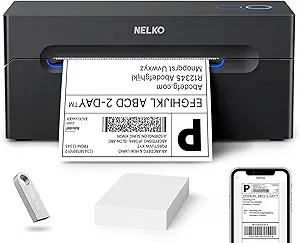 |
| Best Budget The cheapest option that still gets the job done reliably | Rongta RP425 Thermal Label Printer |  |
| Most Popular A crowd favorite that many people choose with confidence | JADENS JD268BT 4×6 Label Printer |  |
| Best Seller A high-volume bestseller chosen again and again | NULLTONEX Y813 Thermal Label Printer |  |
KNAON Y813BT Thermal Label Printer
| Printer Type | Thermal |
|---|---|
| Connectivity | Bluetooth, USB |
| Print Resolution | 203 dpi |
| Maximum Media Size | 4.2 inches |
| Print Speed | 60 pages_per_minute |
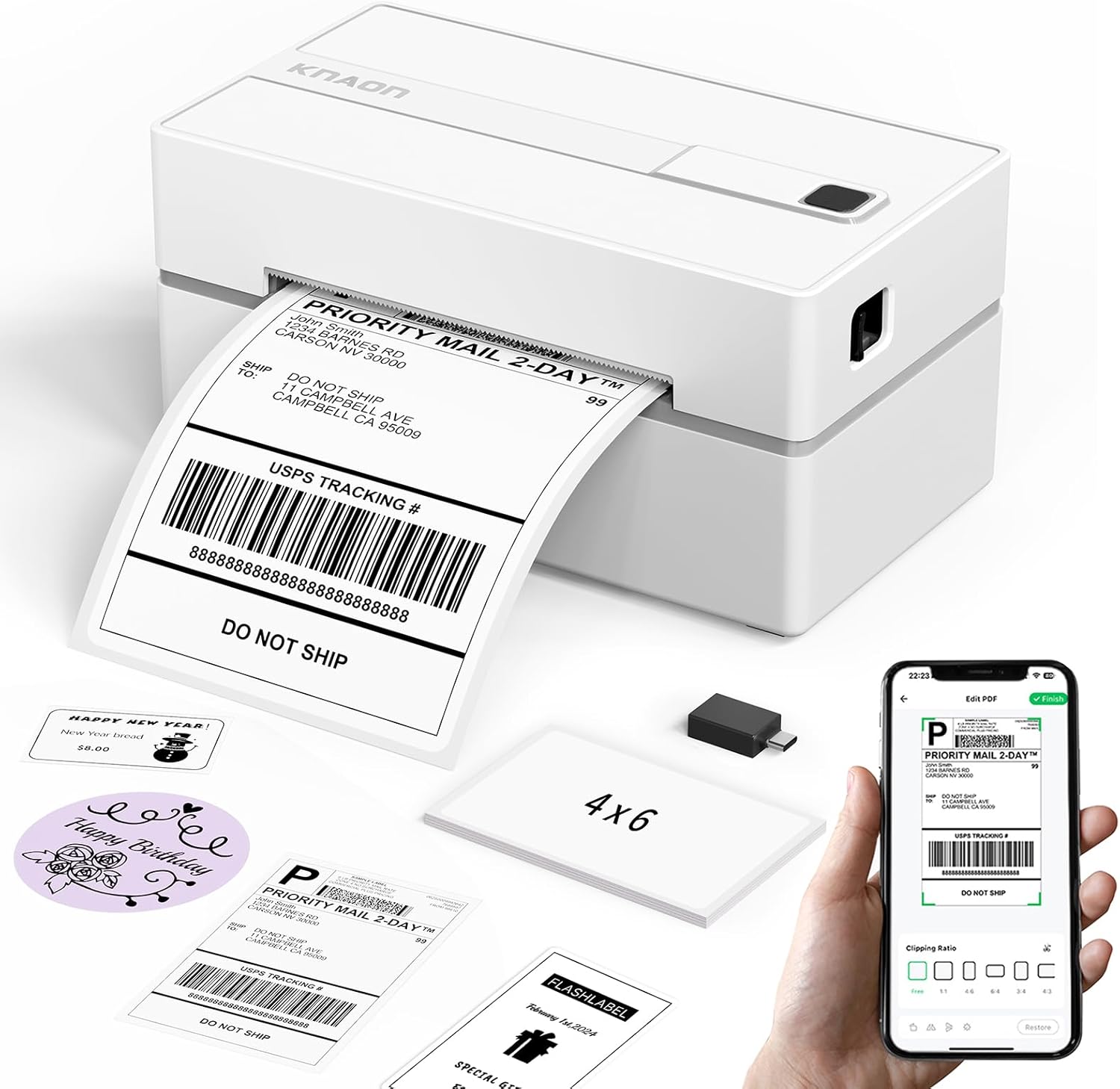
The KNAON Y813BT is a small desktop thermal label printer built for printing 4×6 shipping labels and a range of other small thermal labels from smartphones, tablets, and computers. It connects via Bluetooth for mobile printing through the FlashLabel Pro app and also supports USB connection for Windows, macOS, ChromeOS, and Linux, with drivers and setup files included on a built-in USB drive. The unit prints monochrome labels at a reported 180 mm/s (about 60 ppm equivalent) and handles paper widths from roughly 1.5 to 4.2 inches, which covers standard shipping and barcode labels. Its app provides thousands of templates, fonts, and icons for DIY labels, making it useful for small sellers printing packing slips, barcode tags, and address labels. Expect simple, quiet operation and no-ink thermal printing, but note the modest 203 dpi resolution which is fine for text and basic barcodes but not for high-detail graphics. The compact footprint and included starter labels make setup fast, though advanced users may prefer more robust driver integration for bulk enterprise workflows.
Best for: Small online sellers, home-office users, and anyone who needs quick wireless shipping and barcode labels with minimal setup and an easy app-driven workflow.
Less Ideal for: Businesses that require high-resolution graphic labels, heavy-duty enterprise volume printing, or native direct printing from shipping sites without intermediate app steps should consider higher-end or integrated solutions.
- Bluetooth and USB connectivity for printing from phones and computers
- Includes drivers, tutorial videos, and starter label media for quick setup
- Supports common thermal widths including standard 4×6 shipping labels
- Large template, icon, and font library in the companion app for fast label design
- Inkless thermal printing keeps operation low-maintenance and quiet
- 203 dpi resolution limits fine graphic or photo-quality prints
- Mobile printing requires using the FlashLabel Pro app and importing saved PDFs for some shipping platforms
Verdict: A compact, app-friendly Bluetooth thermal printer that delivers fast, reliable 4×6 shipping and barcode labels for small sellers and home offices.
Zebra ZD621 4" Thermal Printer

| Printer Type | Thermal |
|---|---|
| Resolution | 300 dpi |
| Paper Size | 4 inches |
| Printer Connectivity Type | Bluetooth, Ethernet, USB, Wi-Fi |
| Built-In Media | Label Liner Peeler, Label Rolls |
The Zebra ZD621 is a performance-oriented 4-inch direct thermal desktop printer built for frequent shipping and barcode label tasks. It prints at up to 300 dpi and offers fast thermal printing suitable for shipping, returns, receipts, and barcode labels without ink or toner. Setup is straightforward with USB, Ethernet, serial, Bluetooth, dual-band Wi‑Fi and NFC tap-to-print, letting you place the printer on a packed desk or connect it to a network for shared use. The unit supports common label languages (EPL, ZPL) and integrates with ZebraDesigner software for quick template creation. Practical advantages include a built-in label liner peeler and support for large media rolls, plus Print DNA security features for safer networked printing and optional touch LCD for easier local control. Expect a durable professional device focused on reliability rather than consumer frills, and note it uses direct thermal media so labels can fade over long-term exposure to heat or sunlight and requires the correct thermal label stock for best results.
Best for: Buyers who need a reliable, high-throughput label printer for frequent shipping, warehouse, or retail workflows and prioritize print quality, connectivity, and network security.
Less Ideal for: If you only print occasional single labels at home or need long-term archival labels resistant to heat, a lower-cost desktop label printer or thermal transfer model may be a better fit.
- 300 dpi thermal resolution for crisp barcodes and shipping labels
- Multiple connectivity options including Ethernet, dual-band Wi‑Fi, Bluetooth, USB and NFC tap-to-print
- Built-in label liner peeler and media roll support for high-volume label handling
- Security features (PrintSecure) and printer management tools for networked environments
- Direct thermal printing means labels are sensitive to heat and can fade over time
- Designed for professional use and may be overkill for casual, low-volume home shipping
Verdict: A fast, network-ready 4-inch thermal printer built for heavy shipping and barcode workloads where reliability and connectivity matter most.
Nelko PL70E Bluetooth Label Printer

| Printer Type | Thermal |
|---|---|
| Maximum Print Resolution | 203 x 203 DPI |
| Maximum Media Size | 4 x 6 inch |
| Printer Connectivity Type | Bluetooth, USB |
| B&W Pages per Minute | 72 |
The Nelko PL70E is a small direct-thermal label printer aimed at sellers and small offices that need fast shipping-label output without ink. It connects over Bluetooth to the Nelko mobile app for iOS and Android or via USB to Windows and some Mac setups, and supports common label sizes including 4×6, 3×2 and smaller widths. The printer uses thermal technology at 203 DPI and a stated top speed (150 mm/s) that translates to rapid 4×6 label throughput, which is useful for batch shipping. Setup leans on the vendor app and included drivers and video guides, and the unit accepts both fan-fold and roll labels so you can choose lower-cost media. On the downside Mac Bluetooth printing is limited and you may need to save shipping labels as PDFs then import them into the app, so the workflow is not as seamless as some brand-native solutions. The compact footprint and low running cost make it a sensible choice for sellers who prioritize speed and straightforward label printing over integrated platform drivers.
Best for: Small online sellers and busy home offices that want a compact, high-throughput thermal printer to speed up packing and shipping without consumable ink costs.
Less Ideal for: Buyers who need native, one-step Bluetooth printing from Mac laptops or those who prefer printers with built-in platform integrations and advanced driver support.
- Fast direct-thermal printing with up to 203 x 203 DPI resolution for clear shipping and barcode labels
- Bluetooth and USB connectivity for phones, tablets, Windows and some Mac workflows
- Supports multiple label sizes including 4×6 fan-fold and roll media to lower running costs
- Compact footprint with easy setup materials and instructional videos included
- Mac Bluetooth printing is limited and may require using USB or extra PDF-to-app steps
- Relies on the vendor app for Bluetooth printing which can add an extra import/save step for some shipping platforms
Verdict: Choose the PL70E if you want a compact, high-speed thermal label printer that cuts consumable costs and accelerates batch shipping tasks.
Rongta RP425 Thermal Label Printer

| Printer Type | Thermal |
|---|---|
| Maximum Media Size | 4 x 6 inches |
| Resolution | 203 x 203 dpi |
| Printer Connectivity Type | Bluetooth, USB |
The Rongta RP425 is an entry-level direct thermal label printer aimed at small businesses that need affordable 4×6 shipping labels. It prints monochrome labels at a modest 203 x 203 dpi and supports Bluetooth printing from phones and tablets as well as USB connection to PCs and Macs via a driver. Setup is straightforward for basic shipping workflows: install the driver or RONGTA app, pair over Bluetooth or plug in by USB, load 4×6 roll or fan-fold labels, then print addresses and barcodes. Because it is thermal it needs no ink and label costs are the main consumable. Practical strengths are its compact footprint, wireless printing convenience for mobile packing stations, and compatibility across common platforms. Important limitations are lower print resolution compared with higher-end label printers and simplex black-only output, so fine graphics or color labels are not supported. For sellers on a budget who print standard shipping labels, the RP425 delivers the essentials without extras.
Best for: Small business owners or side-hustle shippers looking for an inexpensive, no-frills label printer that works with mobile devices and PCs for routine 4×6 shipping labels.
Less Ideal for: People who need high-resolution labels, color printing, or heavy industrial throughput should consider higher-end thermal printers instead.
- Bluetooth and USB connectivity for printing from phones, tablets, and computers
- Direct thermal printing requires no ink or toner
- Designed for standard 4×6 shipping labels, fits common shipping workflows
- Compact and lightweight footprint suitable for small workspaces
- Print resolution is 203 x 203 dpi so fine-detail or small-font prints can be less crisp
- Monochrome only with no color printing capability
Verdict: A budget-friendly Bluetooth/USB thermal printer that covers basic 4×6 shipping label needs without ink or complex setup.
JADENS JD268BT 4×6 Label Printer

| Printer Type | Thermal |
|---|---|
| Resolution | 203 x 203 DPI |
| Maximum Media Size | 4 x 6 inches |
| Printer Connectivity Type | Bluetooth |
| Maximum Sheet Capacity | 50 |
The JADENS JD268BT is a compact thermal label printer that prints 4×6 shipping labels and smaller adhesive formats without ink or toner. It connects over Bluetooth for wireless printing and also supports USB on Windows and Mac, with a companion mobile app for Android and iOS to handle label layouts and calibration. The unit uses a 203 x 203 DPI thermal head for clear, readable text and barcodes and accepts roll or fan-fold media with a stated maximum sheet capacity of 50. Setup is straightforward using the included driver and test labels, and the printer is sized for a small office or online seller who needs frequent shipping labels. Practical limitations include the middling 203 DPI resolution, which is adequate for text and standard barcodes but not for high-detail graphics, and platform quirks that require the vendor app for phone printing rather than native Bluetooth printing on all devices. If you need a simple, inkless label workflow for shipping and inventory tasks, this model delivers reliable basic performance, though power users demanding higher resolution or advanced native mobile integration may want to compare alternatives.
Best for: Buyers who want a compact, inkless label printer to speed up shipping and small-business fulfillment and who value straightforward setup and wireless convenience backed by other customers' positive experience.
Less Ideal for: Shops that need very high-resolution labels, frequent heavy-duty industrial throughput, or seamless native Bluetooth printing from all phone platforms should consider higher-end or specialized models instead.
- Inkless thermal printing eliminates toner and ink maintenance
- Bluetooth and USB connectivity support both wireless and wired workflows
- Accepts multiple label sizes including 4×6 shipping labels and fan-fold media
- Includes drivers, test labels, and quick setup materials for fast deployment
- Compact footprint suitable for small offices and home shipping stations
- 203 x 203 DPI is modest and not suited for high-detail graphics or tiny fonts
- Mobile printing on phones requires the vendor app rather than universal native Bluetooth printing
Verdict: A compact, ink-free 4×6 thermal label printer that reliably handles everyday shipping labels with simple wireless and USB connectivity.
NULLTONEX Y813 Thermal Label Printer

| Printer Type | Thermal |
|---|---|
| Maximum Media Size | 4 x 6 inches |
| Resolution | 203 x 203 dpi |
| Printer Connectivity Type | Bluetooth, USB, wireless |
| Power Consumption | 24 watts |
The NULLTONEX Y813 is a direct thermal 4×6 shipping label printer that prints monochrome labels at 203 dpi using Bluetooth or USB. It is aimed at busy small-business workflows and home shipping tasks: pair it to a phone, tablet, or computer via the FlashLabel Pro app to design labels from templates, or use a USB connection for more stable office printing. The unit is compact and lightweight, includes a starter roll of 4×6 labels, and uses direct thermal media so you never need ink or toner. Its stated print speed (around 72 labels per minute) and built‑in overheat protection make it reasonable for moderate volume runs, while the app offers many templates and offline storage for quick reprints. Limitations to expect: prints only in black and white at 203 dpi so it is not suitable for color graphics, and Bluetooth setup on some Windows PCs may require driver steps; heavy industrial users may prefer a more rugged, higher‑end model. For most e‑commerce sellers and mailroom desks this provides a compact, ready‑to‑use wireless shipping label solution.
Best for: Buyers who want a simple, low‑maintenance wireless label printer for regular shipping and small business fulfillment and who prioritize easy setup and reliable everyday performance.
Less Ideal for: Large warehouses or high‑volume industrial operations that need faster, color, or higher‑resolution printing should consider more heavy‑duty models instead.
- Direct thermal printing requires no ink or toner
- Bluetooth and USB connectivity support phone and computer printing
- Includes starter labels and necessary cables for out‑of‑box use
- Compact, space‑saving design with overheat protection for sustained runs
- FlashLabel Pro app provides many templates and offline storage for quick label creation
- Monochrome only at 203 dpi so no color printing or high‑resolution graphics
- Bluetooth pairing on Windows can require driver installation and extra setup
Verdict: A compact, ready‑to‑use Bluetooth and USB shipping label printer that delivers reliable, ink‑free 4×6 label printing for small businesses and home shippers.
Choosing the Right Wireless Shipping Label Maker: Key Factors to Consider
Print Speed and Throughput
How fast a label maker prints will determine how many packages you can process in an hour. Higher print speeds reduce bottlenecks during peak periods and decrease labor time per shipment. When evaluating speed, consider sustained throughput for batch jobs rather than single-label bursts because thermal printheads can heat up and slow down under continuous use.
For heavier use, also check the device's rated duty cycle and whether it supports roll-fed labels sized for standard carrier labels. Faster devices often cost more, but the time savings can be significant if you routinely process dozens to hundreds of packages.
Wireless Connectivity and Reliability
Wireless performance is central to a wireless label maker's usefulness. Stable Bluetooth or Wi-Fi pairing reduces failed prints, avoids reprinting, and removes the need to move devices close together. Look for models with clear support for the wireless standard you plan to use and consistent reconnection behavior after sleep or power cycles.
Consider how the label maker handles network changes and multiple users. For shared workspaces, Wi-Fi models with robust network handling are preferable. Bluetooth units excel for single-user setups but can be less convenient if multiple terminals need access.
Label Size Compatibility and Consumables
Label compatibility affects both cost and convenience. Choose a maker that accepts common label widths and roll sizes used by major carriers and that offers clear specs for thermal versus laminated stocks. Readability and adhesive quality matter because weak adhesives or inappropriate label materials can cause labels to lift or smudge during transit.
Also account for how easy it is to source replacement rolls. Units that use widely available label sizes lower ongoing operational hassle and let you compare suppliers for better pricing.
Software Integration and App Usability
Good software streamlines printing addresses, barcodes, and customs info. Check whether the label maker's app or desktop software supports CSV import, address validation, common barcode types, and saved templates. Integration with shipping platforms or marketplace tools can save manual data entry and reduce errors.
Evaluate the app for clarity of layout, quick access to frequently used templates, and reliability when handling large batches. Some apps also offer firmware updates and diagnostics that simplify maintenance.
Build Quality and Maintenance
Durable construction matters in shipping environments where the device may be moved, bumped, or used continuously. Metal-supported frames, reinforced feed paths, and quality printheads extend service life. Also consider how easy it is to clear jams, replace label rolls, and access the printhead for cleaning.
Maintenance requirements like scheduled cleanings or specific storage conditions for labels should factor into the decision because they affect uptime and total cost of ownership.
Choosing Between Bluetooth and Wi-Fi Models
Bluetooth label makers are compact and convenient for single-user workstations or mobile packing stations. They pair quickly with one device and are usually simpler to set up, but they can be less convenient when multiple terminals need to access the same printer.
Wi-Fi models excel in multi-user environments and shared packing areas because any authorized workstation on the same network can send jobs without re-pairing. Wi-Fi also allows cloud printing workflows and remote firmware updates, which help keep devices current.
- Bluetooth: best for single-user desks and mobile setups
- Wi-Fi: better for shared packing stations and networked workflows
- Consider hybrid models if you need flexible connectivity
Optimizing Label Layouts and Templates
Using templates reduces manual editing and prevents layout errors that can cause returned or delayed shipments. Create templates sized exactly for your carrier labels and include necessary elements like barcodes, return addresses, and customs fields.
Test print templates on the exact label stock you will use to ensure margins and barcode scannability are correct. If your software supports CSV or batch imports, design a template that maps fields directly to your shipping data export to speed through batch printing.
- Use fixed templates for repeat shipments
- Validate barcode readability after initial setup
- Map CSV fields to template fields to automate batch jobs
Label Stocks and Adhesive Choices
Selecting the right label material and adhesive is as important as the printer itself. Standard thermal paper labels work for most parcels, but waterproof or weather-resistant labels are better for shipments exposed to moisture or temperature variation.
For heavy boxes or textured surfaces, choose stronger adhesives to prevent labels from peeling during transit. Keep spare rolls of the most-used sizes on hand to avoid downtime during busy periods.
- Thermal paper: economical for most indoor shipping
- Weather-resistant: use for outdoor pickup or rough handling
- Permanent adhesive for corrugated or textured boxes
Managing Power, Placement, and Workflow
Place the label maker close to your packing station but in a location that avoids dust and direct sunlight which can affect thermal printhead life. Ensure easy access for roll replacement and jam clearing.
Consider power options and cable routing if using a stationary Wi-Fi unit. For mobile Bluetooth setups, check battery life or the need for an AC adapter if you expect heavy daily use.
- Avoid direct sunlight and dusty areas
- Keep spare rolls and basic tools nearby
- Plan cable routing for fixed Wi-Fi installations
Security and Network Best Practices
When deploying Wi-Fi label makers in a business network, use separate guest or device VLANs when possible to limit access and reduce attack surface. Ensure firmware is updated through the manufacturer's official channels and that default passwords or open settings are changed.
For Bluetooth units, verify pairing settings and remove unused paired devices periodically to prevent unauthorized printing. Treat label printers like any networked peripheral and include them in your regular device inventory and security checks.
- Use network segmentation for shared printers
- Keep firmware current and change default credentials
- Audit paired devices and network access regularly
How We Chose the Best Wireless Shipping Label Maker
We focused our selection on models that suit everyday shipping tasks for small business or high-volume home use. Key evaluation criteria included print speed and throughput to measure how quickly a unit will handle batch shipping, wireless connectivity stability to ensure consistent pairing and fewer failed prints, label compatibility and durability to match commonly used carrier label stocks, and ease of setup and ongoing use so nontechnical staff can operate without friction. We also considered software and app features that affect workflow, such as template support, addressing/import options, and integration with common shipping platforms. Units were excluded if they relied solely on wired connections, lacked supported label sizes used by carriers, or used proprietary consumables that severely limited label availability. We prioritized products offering practical warranties and clear maintenance paths. The final list favors devices that balance reliable wireless performance, usable software, and robust print mechanics for repetitive shipping tasks.
Our full evaluation process is outlined in our review methodology.
FAQ
Can a wireless label maker print carrier-compliant shipping labels?
Often yes. Many wireless label makers support standard carrier label sizes and produce barcodes and addresses that carriers accept. Confirm the device supports the exact label dimensions and barcode types required by your carrier before relying on it for high-volume shipments.
Should I choose Bluetooth or Wi-Fi for a multi-station packing area?
Wi-Fi is generally a better choice for multi-station environments because it allows multiple workstations to send print jobs without re-pairing. Bluetooth works well for single-user or mobile setups but can be cumbersome when shared access is needed.
How do I ensure barcodes print clearly from a thermal label maker?
Use compatible label stock and test your template adjustments for contrast and size. Clean the printhead periodically and verify print density settings within the app. Always run a scan test with your carrier's barcode scanner to confirm readability.
Are special maintenance steps required for thermal label makers?
Thermal printers need occasional printhead cleaning and periodic inspection for label debris or adhesive buildup. Follow the manufacturer's cleaning guidelines and schedule cleanings based on print volume to maintain consistent output quality.
What should I do if the label maker frequently loses its wireless connection?
First check signal strength and interference sources like other wireless devices. For Bluetooth, remove and re-pair devices. For Wi-Fi, confirm network stability and firmware updates. If problems persist, try placing the printer closer to your router or use a wired option during troubleshooting.
Final Verdict
Focus on the few attributes that most impact daily shipping: reliable wireless connectivity, sufficient print speed for your volume, and label compatibility that matches carrier requirements. Balance those operational needs against build quality and software features that will shape how smoothly the unit fits into your packing workflow. Prioritize stable network behavior and easy template integration for most small business shipping scenarios. With those tradeoffs in mind, you can choose a wireless shipping label maker that reduces errors, speeds packing, and keeps your fulfillment process running predictably.