
Note: This article contains affiliate links. If you click on these links and make a purchase, we may earn a small commission at no extra cost to you. This helps support our research and content. Read our full affiliate disclosure here.
If you pack and ship items regularly, a dedicated wireless thermal printer can speed up fulfillment and reduce label errors. The right unit eliminates the need for adhesive sticker sheets and ink, producing crisp, durable shipping labels that feed directly from rolls. This guide focuses on top wireless thermal printers for shipping labels, shortlisted for real-world reliability and ease of use. We evaluated candidates for print speed, wireless stability, label handling, and setup simplicity so you can pick a printer that matches your packing volume and workspace. The picks below cover compact desktop units and higher-throughput models suitable for home-based sellers and small shipping stations.
Top Picks at a Glance
| Best Quality Built to a higher standard if you want something more solid | Rollo Wireless Shipping Label Printer X1040 |  |
| Best Value The sweet spot between price and what you get | KNAON Y41BT Thermal Label Printer |  |
| Best Budget The cheapest option that still gets the job done reliably | Rongta RP420-BU Thermal Label Printer |  |
| Top Rated A top-rated pick with lots of positive feedback | HKHKPI N40 Label Printer |  |
| Most Popular A crowd favorite that many people choose with confidence | NULLTONEX Y813 Thermal Label Printer |  |
| Best Seller A high-volume bestseller chosen again and again | KNAON Y813BT Thermal Label Printer |  |
Rollo Wireless Shipping Label Printer X1040

| Printer Type | Thermal |
|---|---|
| Print Resolution | 203 x 203 DPI |
| Printer Connectivity Type | USB, Wi-Fi |
| Paper Size | 4 x 6, 2 x 1 inches |
| Maximum Media Size | 4.1 inch wide |
The Rollo Wireless Shipping Label Printer X1040 is a compact direct thermal printer built to churn out 4×6 shipping labels quickly without ink or toner. It connects over Wi‑Fi with AirPrint support for iPhone, iPad and Mac and also works with Android, Windows, Chromebook and Linux via network or USB, so you can print directly from most shipping setups. The printer uses a 203 DPI print head and a high-speed mechanism (about one 4×6 label per second) that keeps packing and fulfillment flows moving in small to mid-volume shipping operations. Rollo also offers its Ship Manager app for batch label creation and discounted postage integrations, and the print head is rated for a long service life. Expect clear, scan-friendly labels and simple roll or fanfold feeding, but remember thermal prints can fade with heat or sunlight over long storage and the unit lacks multifunction features beyond label printing. For teams focused purely on fast, reliable label output the Rollo is a practical, easy-to-integrate choice.
Best for: Buyers who prioritize print speed and reliability for shipping operations and want seamless wireless printing from phones and desktop systems to speed packing and fulfillment.
Less Ideal for: If you need full office multifunction features, long-term archival labels that resist fading, or a minimal-budget single-user labeler, this focused thermal unit may not be the best match.
- Fast direct thermal printing at roughly one 4×6 label per second for high throughput
- Wireless AirPrint and Wi‑Fi support plus USB for broad device compatibility
- 203 DPI print head produces clear, scannable labels
- Long-rated print head life designed for high label volumes
- Works with major shipping platforms and Rollo Ship Manager app for streamlined postage and batch printing
- Thermal labels can fade if exposed to heat or sunlight for extended periods
- No additional printer functions beyond label printing
- Higher initial cost compared with basic USB-only desktop label printers
Verdict: A speedy, wireless direct thermal printer built for serious shipping workflows that need fast, reliable 4×6 label output.
KNAON Y41BT Thermal Label Printer

| Printer Type | Thermal |
|---|---|
| Maximum Print Resolution Black and White | 203dpi |
| Printer Connectivity Type | Bluetooth |
| Hardware Interface | USB |
| Maximum Media Size | 4.41 inches |
The KNAON Y41BT is a compact thermal label printer built for shipping labels, inventory tags, and other monochrome thermal prints. It connects over Bluetooth for mobile printing through the FlashLabel Pro app or by USB to Windows, macOS, ChromeOS, and Linux, and ships with drivers and tutorial files on a built-in USB drive. The printer handles paper widths up to about 4.4 inches and includes 20 starter labels so you can begin testing right away. App templates, icon and font libraries make quick DIY label design straightforward for marketplaces like Etsy and platforms that export PDFs for import into the app. Real-world benefits are fast label output and small footprint that fits on a busy packing table or home office. Expect setup to require the app for Bluetooth printing and occasional driver installs on desktops, and note the device prints monochrome thermal only so it is not suitable for color labels or full-page document printing.
Best for: Buyers who want a compact, fast thermal label printer to streamline shipping and small-batch labeling workflows with easy mobile and desktop connections and template-driven design.
Less Ideal for: If you need color labels, full-page document printing, or an industrial high-volume label press, this compact thermal unit is not the right choice.
- Bluetooth and USB connectivity for mobile and desktop printing
- Supports up to ~4.4 inch paper widths including 4×6 shipping labels
- Includes drivers, tutorial media on built-in USB and 20 starter labels for quick setup
- App provides many templates, icons, and fonts for easy label design
- Compact footprint that fits on a packing station or small desk
- Requires the FlashLabel Pro app for Bluetooth printing rather than direct OS pairing
- Prints only monochrome thermal output so no color printing capability
Verdict: A small, fast Bluetooth-capable thermal printer that simplifies printing 4×6 shipping labels and templated tags for home and small-business shipping workflows.
Rongta RP420-BU Thermal Label Printer

| Printer Type | Thermal |
|---|---|
| Maximum Media Size | 4 x 6 inch |
| Resolution | 203 dpi |
| Printer Connectivity Type | Bluetooth, USB |
The Rongta RP420-BU is a budget-focused 4×6 direct thermal label printer designed for shipping labels and other monochrome label tasks. It connects to phones and tablets over Bluetooth using the free RONGTA app and to Windows or Mac computers via USB, making it easy to print PDF labels saved from shipping platforms. The printer uses thermal labels so there is no ink or toner to buy, and its 203 dpi resolution produces clear barcodes and text for typical carrier labels. Reported print speed is strong for the price, and the unit supports both fanfold and roll labels with widths from about 1.54 to 4.1 inches. Setup requires installing the app or the USB driver from the included disk and saving labels as PDFs before printing, which adds a step compared with some plug-and-play models. Also, Bluetooth printing is limited to phones and tablets while laptops must use USB. For sellers or small operations that need a no-frills, low-cost printer for shipping labels, the RP420-BU delivers basic performance without consumable ink costs but with slightly more manual setup.
Best for: Small sellers and budget-minded shipping operations who want a low-cost, inkless 4×6 label printer that can print directly from phones or from a computer with a USB connection.
Less Ideal for: Users who need seamless laptop Bluetooth printing, advanced label design features built into cloud platforms, or higher-resolution/industrial-grade printing for heavy throughput.
- Bluetooth and USB connectivity for phone/tablet and computer printing
- Direct thermal printing uses no ink or toner
- Supports common 4×6 shipping labels and roll or fanfold media
- 203 dpi resolution suitable for clear barcodes and text
- Bluetooth printing only works with phones and tablets; laptops require USB
- Requires the RONGTA app or drivers and saving labels as PDFs adds setup steps
Verdict: A cost-conscious direct thermal 4×6 label printer that provides clear, inkless shipping labels from phones or USB-connected computers.
HKHKPI N40 Label Printer

| Printer Type | Thermal |
|---|---|
| Maximum Media Size | 4 x 6 inches |
| Resolution | 203 x 203 dpi |
| Printer Connectivity Type | Bluetooth |
| Hardware Interface | USB |
The HKHKPI N40 is a small, wireless thermal label printer built for printing 4×6 shipping labels from phones, tablets, or a USB‑connected computer. It pairs over Bluetooth with iOS and Android through the Nada Print app for quick one‑tap printing and also accepts a Type‑C/USB connection for Windows, macOS, and Linux setups, with drivers available on the maker site. The printer uses direct thermal printing at 203 dpi, so you get crisp black‑and‑white labels without ink, ribbon, or toner and the unit includes a paper calibration and smart ejection system to reduce jams and waste. It handles 1–4.2 inch paper widths and comes with starter 4×6 labels, making it ready for small business and home shipping workflows. Practical limits are its modest resolution and single‑color output, which is standard for thermal units but not suitable for graphics‑heavy labels, and its reliance on the vendor driver for desktop installs can add a setup step for some users.
Best for: Buyers who prioritize a dependable, no‑ink solution for regular 4×6 shipping labels and need both mobile Bluetooth printing and a USB desktop option for a small business or home shipping station.
Less Ideal for: Users who need high‑resolution color labels, heavy industrial throughput, or an out‑of‑the‑box driverless desktop install experience.
- Bluetooth and USB connectivity support mobile and desktop printing workflows
- Direct thermal printing at 203 dpi eliminates ink, ribbons, and toner
- Smart paper ejection and automatic calibration reduce label jams and waste
- Compact, portable footprint suitable for small business or home shipping stations
- Monochrome 203 dpi print quality limits detailed graphics and color labels
- Desktop setup requires downloading drivers from the manufacturer website
Verdict: A compact, reliable Bluetooth thermal printer that removes ink hassles and handles everyday 4×6 shipping labels for small businesses and home shippers.
NULLTONEX Y813 Thermal Label Printer

| Printer Type | Thermal |
|---|---|
| Print Resolution | 203 x 203 dpi |
| Maximum Media Size | 4 x 6 Inches |
| Printer Connectivity Type | Bluetooth, USB, wireless |
| Power Consumption | 24 watts |
The NULLTONEX Y813 is a compact direct thermal 4×6 label printer built for fast shipping workflows. It prints monochrome labels at 203 dpi and up to about 150 mm/s (roughly 72 labels per minute), making it suitable for routine batch printing of shipping labels and barcode stickers. You can connect by Bluetooth using the FlashLabel Pro mobile app for on-the-go printing from phones and tablets, or use USB for a stable desktop connection to a laptop or PC. The printer ships with starter labels and supports label widths from about 1.57 to 4.3 inches, and the app provides many templates and fonts so you can design waybills and barcode labels without extra software. Practical benefits include no ink or toner to replace, a small footprint that fits on a desk, and built-in protections to help during longer runs. Limitations to note are monochrome-only output, modest 203 dpi resolution (fine for shipping barcodes but not for high-detail graphics), and reliance on the vendor app and drivers for Bluetooth pairing on some platforms.
Best for: Small e-commerce sellers or shipping-focused small businesses that need a compact, fast label printer with mobile and USB connectivity and want a low-maintenance direct thermal solution.
Less Ideal for: Businesses that require color labels, high-resolution graphic printing, or plug-and-play Bluetooth without app/driver configuration should look elsewhere.
- Direct thermal printing eliminates ink and toner maintenance
- Bluetooth and USB connectivity support mobile and desktop workflows
- Fast label throughput (about 72 labels per minute) for small business shipping
- Includes starter 4×6 labels and compact footprint for tight workspaces
- Print is monochrome only, so no color labels or color graphics
- 203 dpi resolution limits fine-detail or photo-quality printing
- Bluetooth pairing depends on vendor app and drivers which can require extra setup
Verdict: A fast, compact direct thermal 4×6 printer that is a practical, low-maintenance choice for small businesses printing large volumes of standard shipping labels.
KNAON Y813BT Thermal Label Printer
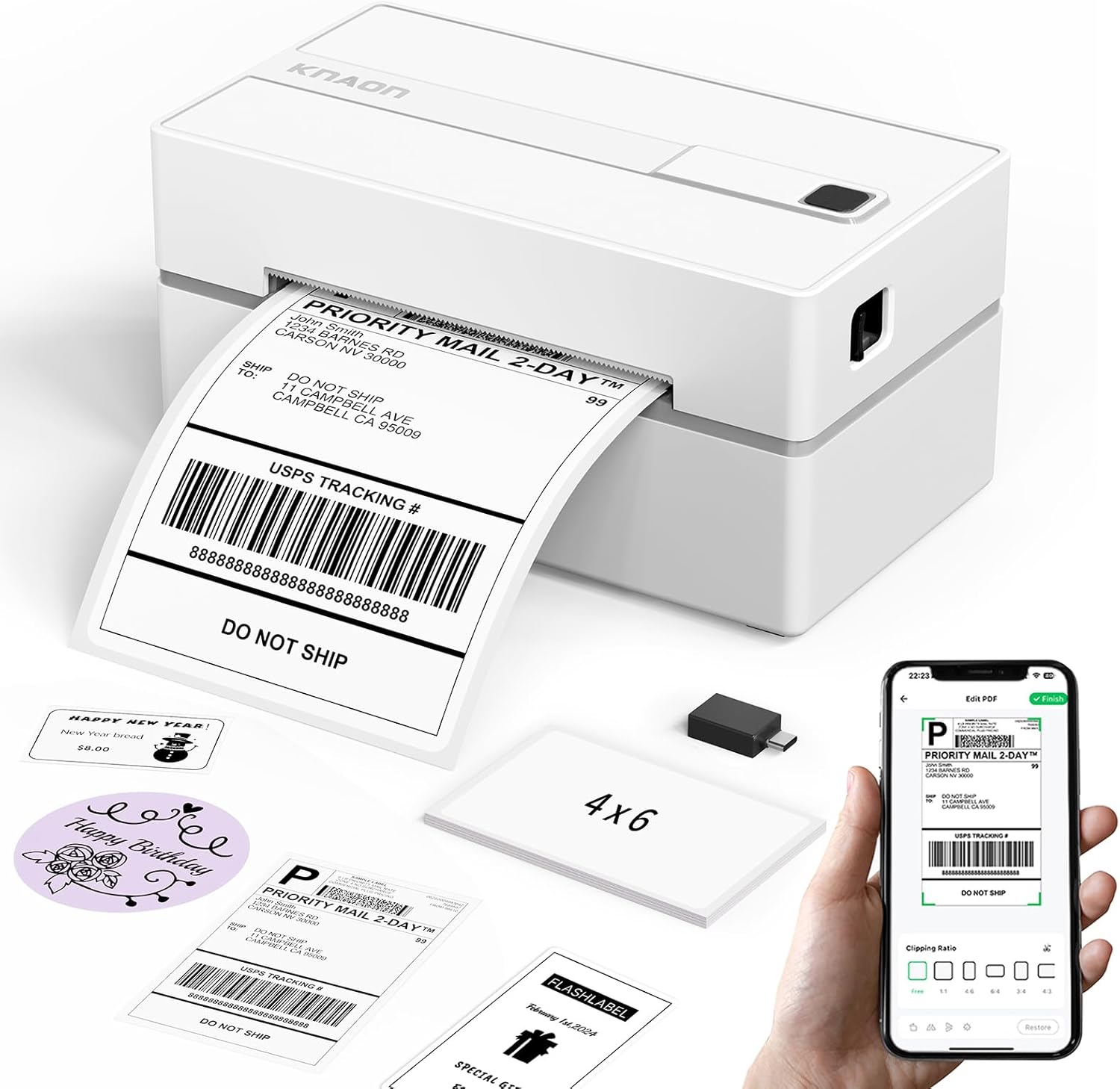
| Printer Type | Thermal |
|---|---|
| Connectivity | Bluetooth, USB |
| Maximum Print Resolution | 203 dpi |
| Maximum Media Size | 4.2 inches |
The KNAON Y813BT is a small Bluetooth thermal printer aimed at printing shipping and other adhesive labels directly from mobile devices and computers. It pairs with KNAON's FlashLabel Pro app for iPhone and Android and also supports Windows, macOS, ChromeOS, and Linux via USB or the app, with drivers and setup files included on a built-in USB drive. The printer handles label widths from about 1.5 to 4.2 inches and prints at a fast pace (advertised up to 180 mm/s) using thermal media so no ink is required. Practical benefits include a large library of templates, built-in icons and fonts for DIY labels, and a compact footprint that fits small shipping stations. Limitations to note are modest print resolution (203 dpi) compared with higher-end thermal units, reliance on the vendor app for many mobile workflows, and the need to import saved PDFs from some shipping platforms rather than printing directly from carrier apps. For routine shipping label tasks and light to moderate daily volume, this delivers a capable, space-saving wireless solution with straightforward setup.
Best for: Buyers who want a compact, easy-to-set-up wireless label printer for routine shipping and small-batch labeling and prefer a straightforward, app-driven workflow.
Less Ideal for: High-volume shipping operations or users who need the highest print resolution and direct printing from carrier apps without intermediate file import.
- Bluetooth and USB connectivity for printing from phones, tablets, and computers
- Thermal printing requires no ink consumables
- Supports multiple label widths up to 4.2 inches for standard shipping labels
- Includes drivers, setup materials, and starter label paper for quicker setup
- 203 dpi resolution is lower than some premium label printers, which can affect small barcode clarity
- Mobile printing depends on the vendor app and may require importing PDFs from some shipping platforms
Verdict: A compact, wireless thermal printer that makes printing standard 4×6 shipping labels simple for small businesses and home shippers.
Choosing the Right Wireless Thermal Printer for Shipping Labels: Key Factors to Consider
Print Speed and Throughput
Print speed determines how many labels you can produce per hour and directly affects packing throughput. A faster printer reduces bottlenecks during peak shipping times, while a slower unit might be acceptable for occasional or low-volume use.
Beyond raw dots-per-inch rates, consider sustained throughput and duty cycle. Some compact printers reach high peak speeds but overheat or slow under continuous use. Match the rated throughput to your busiest packing periods to avoid unexpected slowdowns.
Wireless Connectivity and Network Options
Stable wireless connectivity matters when you print from laptops, tablets, or cloud-based shipping platforms. Look for dual-band Wi-Fi support or reliable peer-to-peer wireless modes so your printer stays connected in busy home or office networks.
Also consider Ethernet or Bluetooth alternatives for environments where Wi-Fi can be unstable. Good connectivity features reduce failed prints and retry cycles, which save time and frustration during high-volume shipping.
Label Size Compatibility and Roll Handling
Shipping labels come in standard sizes. Ensure the printer accepts common widths and roll diameters so you can source affordable rolls without special orders. Easy roll loading and a clear label-path reduce jams and misfeeds during packing.
Also check whether the printer supports die-cut or continuous labels and whether it has a cutter or tear bar. These details affect how you feed labels into the packing flow and whether additional finishing steps are needed.
Setup, Software Support, and Mobile Printing
Simple setup saves time and avoids technical headaches. A printer that offers straightforward wireless pairing, clear driver or app support, and compatibility with major shipping platforms will integrate faster into your workflow.
Mobile printing support from common mobile OSes and cloud printing or direct IP printing can be decisive for sellers who use tablets or multiple devices. Well-documented setup steps and accessible firmware updates reduce downtime and maintenance effort.
Durability and Maintenance
Thermal printers rely on a thermal print head that can wear over time. Units with accessible replacement parts, clear maintenance instructions, and robust build materials will last longer under heavy use.
Consider the availability of replacement components like platens and sensors, and whether routine cleaning is straightforward. A design that minimizes dust buildup and allows easy access to the label path reduces service interruptions.
Consumables and Long-Term Cost
Thermal printers do not use ink, but label roll cost and availability are ongoing expenses. Choose printers that accept widely available label rolls to keep consumable costs predictable and avoid proprietary media premiums.
Also factor in optional accessories such as external roll holders or cutters that can streamline high-volume packing. Lower long-term cost often comes from standard roll compatibility and a durable mechanism that resists frequent replacement.
Choosing the Right Printer for Your Shipping Volume
Estimate how many labels you print during peak days. For under 50 labels a day, a compact desktop thermal printer with moderate throughput is usually sufficient and saves space. For 100 to several hundred labels per day, prioritize models with higher duty cycles and faster sustained speeds.
Also consider where the printer will sit in your packing area. Smaller units fit on narrow shelves or counters, while higher-throughput models may need a more permanent setup with room for larger roll spindles and airflow for cooling.
- Low volume: compact units, lower duty cycle, minimal footprint
- Medium volume: balanced speed and roll capacity
- High volume: fast sustained speed and larger roll support
Setting Up Reliable Wireless Printing
Place the printer within strong Wi-Fi coverage to avoid intermittent drops. If your packing area has weak Wi-Fi, use an Ethernet connection or a dedicated access point to ensure stable transfers.
Follow device-specific pairing steps and keep firmware current. Many connection problems stem from outdated firmware or network changes; scheduled checks can prevent surprises during busy shipping periods.
- Prefer dual-band Wi-Fi or Ethernet for consistent performance
- Use static IP or DHCP reservation to avoid network address changes
- Keep printer firmware updated for better wireless compatibility
Optimizing Label Workflow and Integration
Integrate the printer with your shipping software so labels print at the right size and with correct barcode fidelity. Test a few labels to confirm alignment and scanability before printing large batches.
Consider adding a simple workflow: a dedicated label roll for common domestic shipments and a backup roll for international or special formats. This reduces changeovers and keeps packing moving when demand spikes.
- Test barcode readability with your scanner before full runs
- Standardize label templates to minimize reformatting
- Use a dedicated space and routine for roll replacement
Maintenance Practices to Extend Printer Life
Regularly clean the thermal head and paper path according to the manufacturer instructions. Removing dust and adhesive residue prevents print defects and extends the head life.
Keep spare parts like spare platens or cleaning kits on hand if you rely heavily on the printer. Simple preventive maintenance avoids small issues becoming major downtime events.
- Clean thermal head with recommended supplies after heavy runs
- Store rolls in a cool, dry place to avoid adhesive and curl issues
- Inspect feed sensors periodically for dust buildup
When to Consider Wired or Dedicated Network Connections
If printing volume or reliability requirements are high, wired Ethernet can be more stable than Wi-Fi. A wired connection also simplifies multi-user setups in a small office where several devices send jobs to the same printer.
For mobile-first operations, Bluetooth paired devices can work well for occasional prints but may be slower and less reliable for bulk runs. Balance convenience versus throughput when selecting connection types.
- Wired Ethernet: best for reliability and multi-device environments
- Wi-Fi: flexible and suitable for most home and small business setups
- Bluetooth: useful for occasional mobile printing, not heavy throughput
How We Chose the Best Wireless Thermal Printer for Shipping Labels
We selected printers based on practical criteria that matter for shipping-label workflows. Core evaluation points included wireless connectivity stability, since interrupted transfers slow packing; print speed and duty cycle to match different shipping volumes; label handling and roll compatibility for common label sizes; ease of setup and mobile printing support for sellers using tablets or laptops; and long-term reliability including thermal head longevity and replacement parts availability. We prioritized devices that support common shipping label dimensions and straightforward roll installation to reduce packing errors. We excluded models that require proprietary paper sizes or ongoing ink replacements because those add recurring costs or complicate supply. We also filtered out poorly documented units and those without clear mobile or network printing options. Our approach balanced bench-style spec review with real-world workflow thinking: sustained throughput for busy days, simple wireless pairing for nontechnical users, and accessible maintenance for owners who need dependable daily operation. The scoring labels below reflect these priorities and guided our shortlist.
Our full evaluation process is outlined in our review methodology.
FAQ
Can I print shipping labels from a tablet or smartphone?
Often yes. Many wireless thermal printers support mobile printing through a manufacturer's app, AirPrint alternatives, or direct IP printing. Compatibility depends on the printer's software support and the mobile platform in use.
Do thermal printers need ink or toner?
No. Direct thermal printers create images by heating coated paper, so there is no ink or toner. That reduces ongoing consumable costs but means you must use thermal-compatible label stocks.
What label sizes should I choose for common shipping services?
Standard shipping labels use common widths and templates. Choose a printer that accepts widely used label widths and supports die-cut or continuous rolls so you can match carrier label formats without special media.
How often should I clean the thermal print head?
Clean the print head after any adhesive residue buildup or roughly every few rolls during heavy use. Regular light cleaning prevents streaks and extends head life.
Will a wireless printer be reliable in a busy home network?
It depends on network conditions. Dual-band routers and placing the printer near a strong signal help. For mission-critical or high-volume printing, consider an Ethernet connection for added stability.
Final Verdict
Choose a wireless thermal printer that matches your average and peak label volume, and prioritize reliable wireless or wired connectivity to avoid workflow interruptions. Pay attention to label compatibility, roll handling, and maintenance needs since these factors determine long-term ease of use and cost. Balance speed against durability and ease of setup: for occasional use, compact, easy-to-configure units work well; for higher throughput, pick units designed for sustained runs and straightforward maintenance. With the right priorities, you can streamline packing and keep shipments moving efficiently.