
Note: This article contains affiliate links. If you click on these links and make a purchase, we may earn a small commission at no extra cost to you. This helps support our research and content. Read our full affiliate disclosure here.
If you ship packages regularly, a reliable wireless thermal shipping label maker can cut packing time and reduce errors. These devices replace ink-based printers with thermal printing that is faster and cheaper to run, while wireless connectivity frees you from tethering to a desktop computer. This guide presents seven shortlisted wireless thermal shipping label makers chosen for consistent print quality, robust wireless connections, and user-focused features. Read on to understand the tradeoffs, connection options, and practical features that matter when integrating a label maker into a small shipping workflow.
Top Picks at a Glance
| Best Overall The best all-around choice for most situations | KNAON Y813BT Thermal Label Printer |  |
| Best Quality Built to a higher standard if you want something more solid | Rollo Wireless Shipping Label Printer |  |
| Best Value The sweet spot between price and what you get | Labeer Y43BT Thermal Label Printer |  |
| Best Budget The cheapest option that still gets the job done reliably | Rongta RP425 Thermal Label Printer |  |
| Top Rated A top-rated pick with lots of positive feedback | HKHKPI N40 Label Printer |  |
| Most Popular A crowd favorite that many people choose with confidence | JADENS JD268BT Thermal Label Printer |  |
| Best Seller A high-volume bestseller chosen again and again | NULLTONEX Y813 Thermal Label Printer |  |
KNAON Y813BT Thermal Label Printer
| Printer Type | Thermal |
|---|---|
| Connectivity | Bluetooth, USB |
| Maximum Print Resolution Black and White | 203 dpi |
| Paper Size | 4.2 inches |
| Print Speed | 60 pages_per_minute |
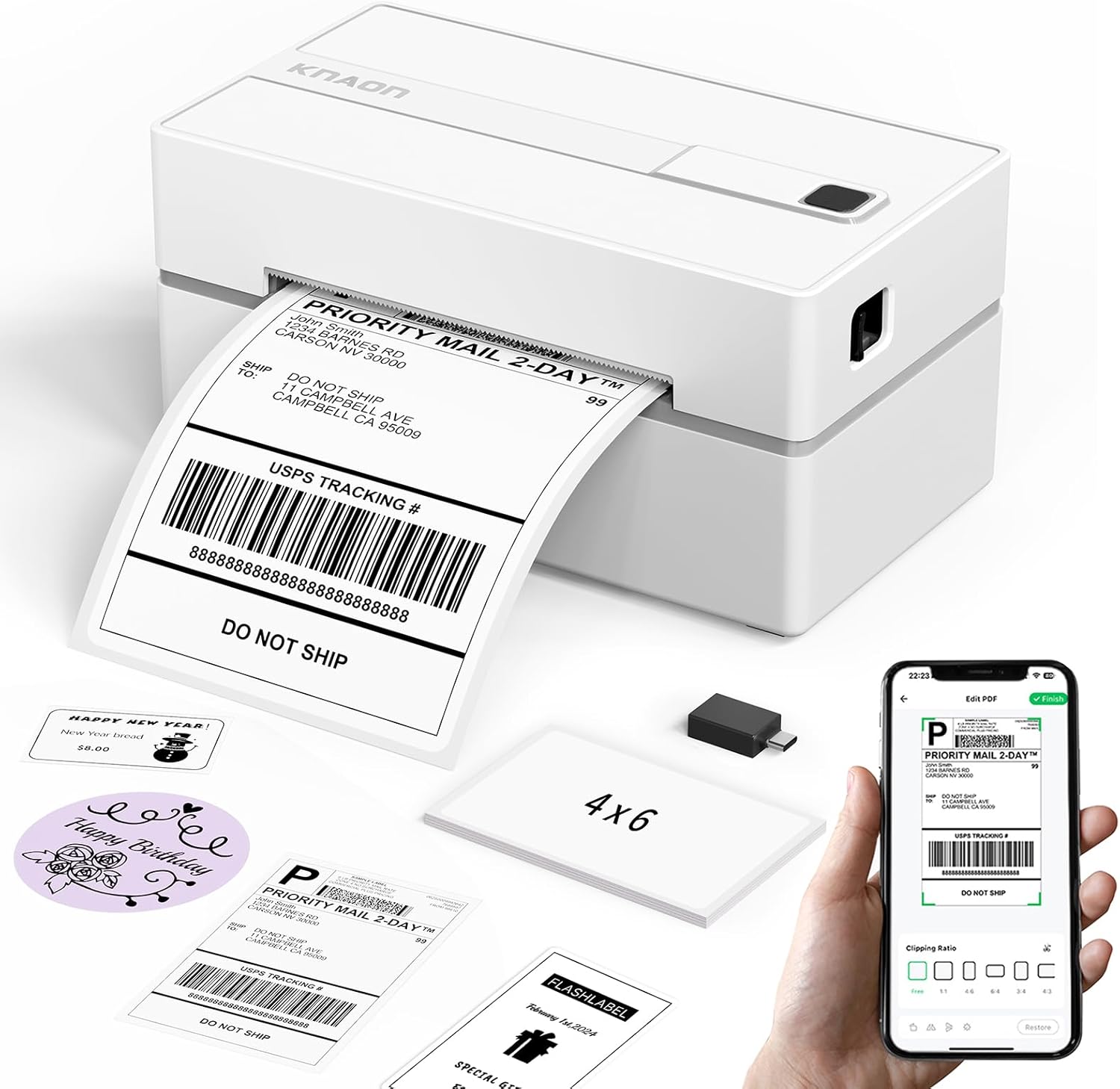
The KNAON Y813BT is a small Bluetooth thermal label printer aimed at printing 4×6 shipping labels and a variety of smaller thermal labels without ink. It connects wirelessly via Bluetooth using the FlashLabel Pro app and can also attach by USB to Windows, macOS, ChromeOS, and Linux machines, with drivers and setup guides included on a built-in USB drive. The printer supports a wide range of templates, icons, and fonts for DIY labels and handles paper widths from about 1.5 to 4.2 inches, which makes it useful for shipping labels, barcode tags, returns stickers, and branded thank-you labels. Its 203 dpi resolution and quoted print speed make it practical for routine batch printing for an online seller or home office, and the compact footprint keeps it easy to tuck on a desk. Limitations to note are the reliance on the vendor app for Bluetooth printing and the need to import saved PDFs from some shipping platforms rather than printing directly from every service.
Best for: Sellers, small businesses, and home-office users who need a compact, easy-to-set-up wireless printer for regular shipping and inventory labels and value app-driven template customization.
Less Ideal for: Buyers who need direct native printing from all shipping platforms or require the highest-resolution barcode and graphic output for specialized labeling applications.
- Bluetooth and USB connectivity for mobile and desktop printing
- Supports multiple thermal paper widths up to 4.2 inches for 4×6 shipping labels
- Includes drivers, setup guides, and starter label papers for quick setup
- Large template library and font/icon selection via the FlashLabel Pro app
- Bluetooth printing requires using the FlashLabel Pro app and may need PDF import for some shipping platforms
- 203 dpi resolution is adequate but not as sharp as higher-end label printers
Verdict: A compact, app-driven Bluetooth thermal label printer that delivers practical 4×6 shipping label printing for small sellers and home offices.
Rollo Wireless Shipping Label Printer

| Printer Type | Thermal |
|---|---|
| Connectivity | USB, Wi-Fi |
| Print Resolution | 203 x 203 DPI |
| Maximum Media Size | 4.1 inch wide |
| Paper Size | 4 x 6, 2 x 1 inches |
The Rollo Wireless Shipping Label Printer is a compact direct thermal printer built for high-volume shipping workflows and mobile printing. It connects over Wi‑Fi with AirPrint support for iPhone, iPad, and Mac, and also supports Android, Windows, Chromebook and Linux via network or USB, so you can print labels from most devices without extra drivers. The unit prints 4×6 labels at a high speed (about one label per second) using a 203 DPI thermal head, which keeps barcode and address text crisp for reliable scanning. It works with common shipping platforms and Rollo's Ship Manager app to streamline postage and label layout. Because it is direct thermal, there is no ink or toner to replace and the printer head life is rated for a large label count, but prints require thermal-compatible labels and will fade with heat or sunlight over long periods. The printer is print-only with a single USB port and no Bluetooth, so setups that need offline or multi-function printing may need additional tools.
Best for: You ship frequently and prioritize print speed, reliability, and easy mobile integration so labels come out crisp and fast with minimal maintenance.
Less Ideal for: If you need multi-function printing, color output, or long-term archival labels resistant to heat and sunlight, consider a different solution.
- Fast direct thermal printing suitable for rapid 4×6 shipping labels
- AirPrint and Wi‑Fi support for printing from iPhone, iPad, and Mac without drivers
- Wide OS compatibility including Windows, Chromebook, Linux and Android
- High print head durability rated for a large number of labels and no ink or toner required
- Uses direct thermal labels that can fade with prolonged heat or sunlight exposure
- Limited to print-only functions and has a single USB hardware port
Verdict: Buy this if you need a fast, Wi‑Fi capable thermal printer that prints reliable 4×6 shipping labels from phones and computers with minimal upkeep.
Labeer Y43BT Thermal Label Printer

| Printer Type | Thermal |
|---|---|
| Resolution | 203 x 203 dpi |
| Maximum Media Size | 4×6 inches |
| Printer Connectivity Type | Bluetooth |
| Maximum Sheet Capacity | 50 |
The Labeer Y43BT is a small direct-thermal label printer built for shipping, inventory, and general label tasks where quick, inkless output matters. It connects over Bluetooth (and has USB) so you can print 4×6 shipping labels, barcode and address labels directly from iPhone, Android, Windows, macOS and ChromeOS devices after installing the provided driver or app. At 203 dpi the print quality is clear enough for scannable barcodes and shipping labels, and the automatic duplex and multiple supported widths (about 1.57 to 4.41 inches) give flexibility for different label formats. It is lightweight and portable for a home office or small business, and includes sample labels and cables to get started. Expect basic monochrome thermal output only, no ink or color printing, and modest sheet capacity for small runs rather than heavy-volume warehouse printing. Setup can require installing drivers for desktop OSes, so users who want instant plug-and-play for every platform may need to allow a short configuration step.
Best for: Buyers who want a compact, low-maintenance label printer for shipping labels and inventory from phones or laptops and prioritize easy, ink-free operation and portability.
Less Ideal for: Businesses that need high-volume industrial printing, color labels, or advanced print-management features should look at larger desktop or industrial label printers.
- Bluetooth and USB connectivity for phone and computer printing
- Direct thermal printing eliminates ink, toner, and ribbons
- Supports standard 4×6 labels plus several other common widths
- 203 dpi resolution produces clear, scannable barcodes and addresses
- Includes sample labels and cables to start right away
- Monochrome only with no color or thermal-ribbon options
- Smaller sheet capacity and design suited to light to moderate printing rather than high-volume use
Verdict: A portable Bluetooth thermal printer that delivers clear, scannable 4×6 shipping and barcode labels with no ink, ideal for small businesses and home offices.
Rongta RP425 Thermal Label Printer

| Printer Type | Thermal |
|---|---|
| Resolution | 203 x 203 dpi |
| Maximum Media Size | 4 x 6 inches |
| Printer Connectivity Type | Bluetooth, USB |
| Color | Monochrome |
The Rongta RP425 is a budget-oriented direct thermal label printer designed for basic shipping and small-business label tasks. It prints 4×6 labels in monochrome at a 203 x 203 dpi resolution and connects by Bluetooth for mobile printing or USB for PC and Mac with a downloadable driver. Setup is straightforward for common scenarios: install the driver or pair via Bluetooth, load fan-fold or rolled labels, and print shipping labels from laptops, tablets, or phones using the RONGTA app or standard drivers. The printer is inkless, so running costs come mainly from label media rather than ink, and its small footprint fits on a crowded desk. Important limitations are the low 203 dpi resolution and monochrome-only output, so it is not suited for high-detail graphics or color tags, and advanced workflows may need dedicated software or driver tweaks on macOS. For straightforward, low-cost label printing this unit delivers the essentials without extras.
Best for: Buyers who want an affordable, no-frills label printer to produce standard shipping labels from phones or computers without ink maintenance.
Less Ideal for: Shops needing high-resolution barcode graphics, color labels, or heavy enterprise print workflows should choose a higher-end or industrial model.
- Wireless Bluetooth and USB connectivity for phone, tablet, and PC printing
- Inkless direct thermal printing reduces consumable costs to labels only
- Supports standard 4×6 media used for shipping labels
- Compact footprint suitable for small workspaces
- Includes driver support for Windows and guidance for macOS setup
- Prints only in monochrome at 203 x 203 dpi which limits graphic detail
- No built-in advanced software or color printing capabilities
Verdict: A cost-conscious, compact 4×6 thermal printer that handles basic shipping label printing wirelessly or by USB with minimal ongoing costs.
HKHKPI N40 Label Printer

| Printer Type | Thermal |
|---|---|
| Maximum Media Size | 4 x 6 inches |
| Resolution | 203 x 203 dpi |
| Printer Connectivity Type | Bluetooth |
| Hardware Interface | USB |
The HKHKPI N40 is a small thermal label printer built to handle shipping and small-business labeling without ink or ribbons. It connects over Bluetooth to iPhone and Android using the Nada Print app and also offers USB/Type-C for Windows, macOS and Linux, so you can print from a phone or a desktop. The unit supports 4 x 6 labels and automatic calibration plus smart paper ejection to reduce jams, and its 203 dpi print head produces readable barcodes and text at a claimed top speed around 150 mm/s. The printer ships with a small starter roll of 4×6 labels and the bundle includes a power adapter and cables for straightforward setup. Limitations to note are the modest 203 dpi resolution, which is fine for shipping labels but not for high-density graphics, and the compact footprint means it holds a limited supply of labels between refills. For sellers who want a simple wireless solution, the N40 balances easy setup and dependable thermal printing, while buyers needing very high-resolution labels or heavy continuous throughput may want a larger desktop model.
Best for: Buyers who prioritize a reliable, easy-to-set-up wireless label printer for regular shipping and small-business orders and who value simple, maintenance-free thermal printing.
Less Ideal for: High-volume fulfillment centers or users who need very high-resolution graphic labels should consider a larger industrial or higher-dpi desktop printer instead.
- Bluetooth and USB connectivity for phone and computer printing
- Automatic calibration and smart paper ejection to help prevent jams and wasted labels
- Direct thermal printing requires no ink, toner, or ribbons
- Supports standard 4 x 6 shipping labels and prints readable barcodes at 203 dpi
- 203 dpi limits fine-detail or high-resolution graphic printing
- Compact label capacity means more frequent refills for high-volume use
Verdict: Choose the N40 when you want a compact, wireless thermal label printer that reliably produces standard 4×6 shipping labels with minimal setup and no ink.
JADENS JD268BT Thermal Label Printer

| Printer Type | Thermal |
|---|---|
| Printer Connectivity Type | Bluetooth |
| Resolution | 203 x 203 DPI |
| Maximum Media Size | 4 x 6 inches |
| Maximum Sheet Capacity | 50 |
The JADENS JD268BT is a compact thermal label printer that prints monochrome 4×6 shipping labels without ink or toner, using a 203 x 203 DPI thermal head. It connects over Bluetooth for wireless printing and includes a USB port for Windows and Mac systems, plus a simple mobile workflow through the vendor app for iOS and Android. Loading roll or fanfold labels is straightforward and the mechanism handles common sizes from about 1.57 to 4.1 inches, with a small internal capacity roughly matching a 50-sheet/label buffer. For sellers and small offices it speeds packing by producing crisp, smudge-free shipping labels and works with popular platforms and marketplaces. Expect basic setup steps like installing the driver on desktop systems and using the app on phones, and occasional need to recalibrate after changing media. The printer is strictly print-only and lacks duplex or color options, so it fits shipping and barcode tasks rather than multipurpose office printing.
Best for: Buyers who want a low-cost, wireless shipping label printer to streamline packing and order fulfillment and who value easy integration with marketplace shipping tools and compact hardware.
Less Ideal for: Those who need high-resolution graphic or color printing, heavy continuous throughput without frequent reloads, or advanced office multifunction features should look elsewhere.
- Thermal print technology requires no ink or toner, lowering running costs.
- Bluetooth plus USB connectivity supports mobile and desktop printing workflows.
- Compatible with standard 4×6 shipping label sizes and common marketplaces.
- Compact footprint suitable for shipping stations and small workspaces.
- Mobile Bluetooth printing requires the vendor app and has limited native phone Bluetooth support.
- Print resolution is 203 x 203 DPI, adequate for labels but not for high‑detail graphics.
- Small internal media capacity means more frequent reloading for high-volume use.
Verdict: A compact, wireless thermal label printer that reliably produces standard 4×6 shipping labels for small sellers and packing stations.
NULLTONEX Y813 Thermal Label Printer

| Printer Type | Thermal |
|---|---|
| Print Resolution | 203 x 203 dpi |
| Maximum Media Size | 4 x 6 inches |
| Printer Connectivity Type | Bluetooth, USB, wireless |
| Power Consumption | 24 watts |
The NULLTONEX Y813 is a straightforward thermal label printer built for shipping and barcode tasks. It prints 4×6 labels at 203 dpi using direct thermal technology, so there is no ink or toner to replace, and it handles label runs quickly for small business use. Connection options include Bluetooth for mobile printing via the FlashLabel Pro app and USB for a direct PC connection, which makes it flexible for laptops, tablets, and phones. The compact footprint and built-in overheat protection suit a busy packing station, and the included labels and cables let you start printing out of the box. Practical limitations are that it is monochrome only and lacks duplex or advanced multifunction printer features, and Bluetooth pairing depends on using the vendor app which may require driver steps on Windows. For risk-averse users, setup and basic printing are familiar and predictable, but those needing color printing or integrated network features should look elsewhere.
Best for: Buyers who want a dependable, no-fuss shipping label printer for e-commerce or small business packing stations and prefer straightforward setup and predictable thermal printing.
Less Ideal for: Users who need color printing, built-in network sharing, or a full multifunction office printer should choose a different device.
- Direct thermal printing requires no ink or toner and reduces ongoing supply costs.
- Bluetooth and USB connectivity let you print from phones, tablets, and computers.
- Compact, durable design with built-in overheat protection for sustained label runs.
- 203 dpi resolution produces sharp barcodes and readable addresses for reliable scans.
- Includes starter labels and cables so you can begin printing immediately.
- Prints only in black and white so no color labels or tags are possible.
- Bluetooth pairing and driver setup can be less straightforward on some Windows PCs.
- Not a multifunction device so it only prints labels and does not scan or copy.
Verdict: A reliable, compact direct-thermal 4×6 printer that delivers fast, scan-friendly monochrome shipping labels with both Bluetooth and USB convenience.
Choosing the Right Wireless Thermal Shipping Label Maker: Key Factors to Consider
Print Speed and Throughput
Print speed affects how quickly you can process batches of shipments. Faster models reduce queue time during peak packing periods and are valuable when you routinely print dozens of labels per hour.
Throughput also depends on warm-up time and how the device handles consecutive prints. A unit with steady continuous printing and minimal delays between labels will save time over the long run and reduce labor bottlenecks.
Wireless Connectivity Options
Wireless label makers vary in how they connect: Wi-Fi, Bluetooth, or a combination of both. Wi-Fi provides broader network access and is better for multiple users or printers on the same network. Bluetooth is convenient for single-user setups and direct mobile printing.
Pay attention to connection stability, range inside your packing area, and whether the device supports modern network security standards. Easy pairing and reliable reconnection after power cycles are important for uninterrupted operation.
Supported Label Sizes and Media Handling
Shipping labels come in standard sizes, so verify that the device supports the label widths and roll diameters you plan to use. Some units accept multiple label widths or have adapters for different cores, which increases flexibility.
Also evaluate roll capacity, whether the device uses pre-perforated rolls or fan-fold labels, and how straightforward it is to load and align media. Media handling can impact downtime and user frustration during busy packing sessions.
Print Resolution and Font Legibility
High print resolution matters for barcode readability and small-font legibility on shipping labels. Low resolution can lead to scanning failures or illegible addresses, which slow down carrier processing.
Consider the intended use: labels that include dense barcodes, QR codes, or small text require better resolution. Look for consistently crisp output across the width of the label and minimal fading over time.
Software, Mobile App, and Integration
A dependable software ecosystem simplifies label design, data import, and integration with shipping platforms. Mobile apps should let you design and print directly from a phone or tablet, while desktop utilities may offer bulk-printing tools.
Check for the availability of drivers or APIs if you need integration with a fulfillment system. Easy template creation, saved presets, and clear support documentation reduce onboarding time for staff.
Durability and Maintenance
Durability covers the build quality of the cutter, feed mechanism, and housing. Heavy-duty use in a shipping area benefits from sturdy construction and parts that tolerate dust and frequent handling.
Maintenance considerations include how easy it is to replace label rolls, clear jams, and access the print head for cleaning. Readily available spare parts and simple upkeep procedures minimize downtime over the device lifespan.
Wireless Setup Best Practices
Place the label maker within a reliable range of your Wi-Fi router or keep a clear line of sight for Bluetooth pairing. For Wi-Fi models, use a stable 2.4 GHz or dual-band network as recommended by the manufacturer, and assign a static IP if your network supports it to avoid reconnection issues.
- Perform initial firmware updates before integrating into production.
- Label the printer in your network management tools so staff can identify it easily.
- Test printing from all intended devices—desktop, tablet, and phone—to confirm compatibility.
Integrating With Shipping Workflows
Design templates that match carrier requirements to prevent address truncation or barcode scaling. Save presets for common label types to reduce repetitive setup. For batch processing, choose software that supports CSV import or direct connection to your order management system to automate label generation.
- Use consistent template margins and barcode sizes to ensure scan reliability.
- Queue up printable orders in small batches to catch template errors before wide-scale printing.
- Keep a spare roll and basic tools nearby to minimize interruptions.
Mobile Vs Desktop Control
Mobile apps are convenient for quick prints and remote control of a single label maker. Desktop control often provides more powerful features like batch import, advanced template editing, and easier troubleshooting. Match the control method to your operation: mobile for pop-up shipping stations and desktop for fulfillment workstations.
- If using mobile, confirm the app supports your OS version and printing workflow.
- For heavy batch printing, prefer desktop utilities with queue management.
- Ensure user access is managed to prevent accidental changes to templates or network settings.
Maintaining Print Quality Over Time
Regular cleaning of the print head and feed rollers preserves print clarity and reduces jams. Use manufacturer-recommended cleaning supplies and follow a schedule based on print volume. Monitor print output for fading or streaks, which can indicate the need for maintenance.
- Establish a weekly visual check of label output for busy environments.
- Replace worn feed rollers or cutters proactively when you notice jams.
- Store spare media in a cool, dry place to prevent adhesive degradation.
Troubleshooting Common Wireless Issues
If prints fail to start, confirm the device is on the same network as the sending device and that firewall settings are not blocking the printer. Rebooting the label maker and router often resolves transient connectivity issues. For persistent problems, verify firmware versions and consult diagnostic logs.
- Keep a printed quick-start and reset procedure near the packing station.
- Use a temporary wired connection for troubleshooting if supported.
- Record recurring errors so you can identify patterns and address underlying causes.
How We Chose the Best Wireless Thermal Shipping Label Maker
We selected devices that are purpose-built for shipping-label production and perform well in everyday small-business and heavy-home-shipping scenarios. Our evaluation emphasized tangible, buyer-relevant specs and real-world usage factors rather than marketing claims. Primary filters included print resolution and speed, wireless connectivity options, durability of the print mechanism, software and mobile app support, and media handling such as supported label sizes and roll capacity. We favored models with proven wireless stability and straightforward setup, plus clear documentation for drivers and mobile pairing. Excluded from consideration were general-purpose handheld labelers intended only for home organization, thermal receipt printers without native label roll handling, and devices lacking persistent wireless connectivity. We also screened out units with limited label size support that would not work for standard shipping labels. The remaining selections scored well across the core dimensions that impact day-to-day shipping efficiency.
Our full evaluation process is outlined in our review methodology.
FAQ
Can I print shipping labels directly from a smartphone?
Often you can. Many wireless thermal shipping label makers include mobile apps that support direct printing from phones. App feature sets vary, so check that the app supports the label template and barcode types you need.
What label sizes should I use for standard carrier shipping?
Standard carrier shipping labels typically follow set widths and heights; choose a device that supports those standard sizes. If you use nonstandard or large labels, confirm the printer accepts the required roll width and core diameter.
How do I know if the barcode will scan reliably?
Barcode reliability depends on print resolution, contrast, and correct sizing. Test sample prints with your carrier scanner or a barcode scanner app to confirm readability before rolling the device into production.
Is Wi-Fi better than Bluetooth for shipping label makers?
It depends. Wi-Fi is better for multi-user or networked environments and when printers need to be accessed from multiple workstations. Bluetooth is simpler for a single user or a directly paired mobile device. Consider your workstation layout and user count.
How often should I perform maintenance on a label maker?
Maintenance frequency depends on print volume. For moderate to heavy use, a weekly visual check and monthly cleaning of the print head and rollers is common. Increase frequency if you see print defects or jams more often.
Final Verdict
Prioritize the features that will impact daily throughput: reliable wireless connectivity, print speed, compatible label sizes, and software integration. High print resolution and solid media handling reduce scanning errors and downtime, while an intuitive app or desktop utility speeds routine tasks. Balance durability and ease of maintenance against your expected print volume. Focusing on these practical tradeoffs will help you choose a wireless thermal shipping label maker that fits your workflow and minimizes interruptions in a busy packing environment.