
Note: This article contains affiliate links. If you click on these links and make a purchase, we may earn a small commission at no extra cost to you. This helps support our research and content. Read our full affiliate disclosure here.
If you want real-time monitoring and recorded footage without ongoing fees, a wireless video doorbell without a subscription can give you that control. Choosing the right doorbell affects day-to-day security, notification reliability, and how accessible your recordings are when you need them. This guide highlights the top shortlisted wireless video doorbells that operate without a subscription and explains the practical tradeoffs buyers face. We focus on clear video, dependable local storage or free cloud options, and settings that help reduce false alerts. Read on for a concise breakdown of what matters and which features to prioritize before you pick a unit.
Top Picks at a Glance
| Best Overall The best all-around choice for most situations | Wyze Battery Video Doorbell |  |
| Best Quality Built to a higher standard if you want something more solid | eufy Security Video Doorbell E340 |  |
| Best Value The sweet spot between price and what you get | Tapo D205 Video Doorbell | 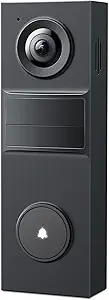 |
| Best Budget The cheapest option that still gets the job done reliably | MeshSear Wireless Video Doorbell T52 |  |
| Top Rated A top-rated pick with lots of positive feedback | aosu Video Doorbell Ultra V8S |  |
| Most Popular A crowd favorite that many people choose with confidence | Blink Video Doorbell |  |
| Best Seller A high-volume bestseller chosen again and again | Ring Battery Doorbell Retinal 2K |  |
Wyze Battery Video Doorbell

| Video Capture Resolution | 1536p |
|---|---|
| Field of View | 150°×150° |
| Power Source | Battery Powered (USB-C) or Hardwired |
| Night Vision | Color Night |
The Wyze Battery Video Doorbell is a wire-free-first video doorbell designed to capture an expanded head-to-toe view with a 150°×150° field of view and 1536×1536 resolution. It works as a battery device with up to six months between charges in typical use or can be hardwired for continuous power and 24/7 local recording when a microSD card is installed. Setup is straightforward via Bluetooth and the Wyze app, and you get motion and package alerts, two-way audio with auto-responses, and voice deterrence prompts. Color night vision and a starlight sensor improve low-light clarity compared with basic infrared-only models. Storage is flexible: free local microSD recording up to 256 GB or optional cloud through Cam Plus. Practical limits include reliance on your Wi-Fi for notifications and remote access, and advanced cloud features require subscription; battery life will vary with activity and settings. The package includes mounting plates and a USB-C charging cable for easy removal and recharging.
Best for: Buyers who want a capable, low‑cost wire‑free doorbell that emphasizes wide coverage and local storage over mandatory cloud subscriptions and who value easy setup and flexible power options.
Less Ideal for: Users who need guaranteed continuous 24/7 cloud recording out of the box or those who prefer enterprise-grade cloud analytics and guaranteed professional monitoring.
- Very wide 150°×150° field of view captures head-to-toe and doorstep packages
- 1536×1536 HD resolution with color night vision for clearer low-light footage
- Flexible power options: battery operation with USB‑C recharge or hardwire for continuous power
- Supports local microSD storage up to 256 GB so you can record without mandatory subscription
- Simple Bluetooth app setup and built-in two-way audio with auto-responses
- Battery life depends heavily on activity and settings so requires periodic recharging if not hardwired
- Some advanced cloud features require a Cam Plus subscription for extended history and smart clips
Verdict: A feature-rich, subscription-optional wireless doorbell that prioritizes ultra-wide head-to-toe video and local recording for buyers who want full coverage without mandatory monthly fees.
eufy Security Video Doorbell E340

| Video Capture Resolution | 2k |
|---|---|
| Viewing Angle | 160 degrees |
| Night Vision Range | 16 feet |
| Power Source | Battery Powered and Wired |
| Memory Storage Capacity | 128 GB |
The eufy E340 pairs a head‑to‑toe front camera with a downward package camera to give clear, continuous coverage of a doorstep, and records locally to built‑in storage so you do not need a monthly plan. It captures 2K video with a 160° field of view and offers color night vision up to about 16 feet, two‑way talk, AI motion and package detection, and both battery and wired power options for flexible installation. The removable rechargeable battery simplifies occasional swaps, and wiring to a 16–24V supply will keep it topped up for permanent installs. Storage and encryption are handled on‑device, and the unit supports Alexa and Google Assistant for hands‑free use and chime pairing with common eufy bases or smart speakers. Expect straightforward setup but keep in mind it only supports 2.4 GHz Wi‑Fi and does not work with Apple HomeKit, so integration options are focused around Android/Google/Alexa ecosystems.
Best for: Buyers who prioritize image quality and on‑device recording without monthly fees and want a flexible doorbell that can be battery‑operated or hardwired.
Less Ideal for: Users who need 5 GHz Wi‑Fi support or who rely on Apple HomeKit for smart home integration should look elsewhere.
- Dual cameras provide full head‑to‑toe plus package view so deliveries and visitors are both visible.
- 2K video resolution and color night vision improve detail and low‑light identification.
- Built‑in local storage and no subscription required keeps ongoing costs down.
- Removable battery plus wired power option offers flexible installation and easy battery swaps.
- Works with Alexa and Google Assistant and can pair with eufy chimes for in‑home alerts.
- Only supports 2.4 GHz Wi‑Fi which can limit network placement.
- No Apple HomeKit support for users in the Apple ecosystem.
Verdict: If you want high‑resolution, subscription‑free doorstep coverage with both head‑to‑toe and package views, the eufy E340 is a performance‑focused choice.
Tapo D205 Video Doorbell
| Video Capture Resolution | 2K 3MP |
|---|---|
| Field of View | 160° |
| Power Source | Battery Powered (rechargeable) |
| Wireless Technology | Wi‑Fi 2.4Ghz only |
| Local Storage | microSD up to 512GB |
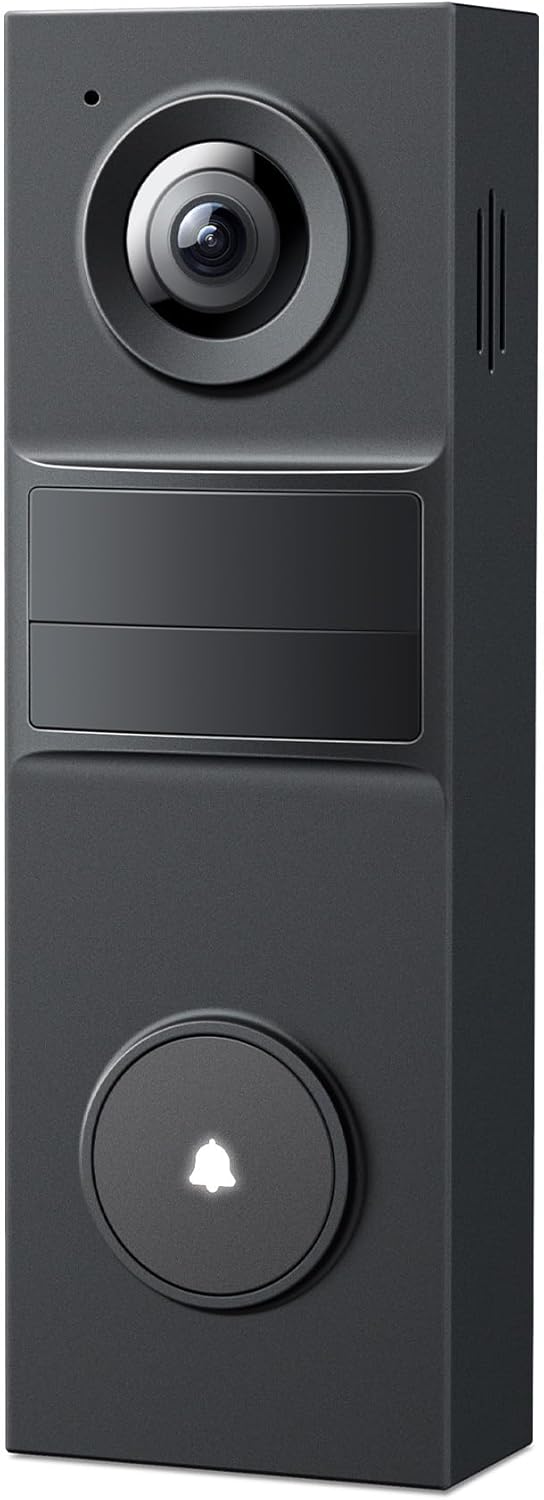
The Tapo D205 is a wire-free smart doorbell that records in 2K resolution and covers a wide area with its 160° field of view. It is typically mounted at the front door and paired with the Tapo app to get ring calls, live view, two-way talk, and prerecorded quick responses. Key features include on-device AI person detection that reduces false motion alerts without a required subscription, built-in spotlights and IR night vision for round-the-clock clarity, and a rechargeable battery with USB-C charging so you can top it up with a power bank or outdoor outlet. The doorbell supports local storage on a microSD card (up to 512GB) for subscription-free recording and can also integrate with voice assistants and a Tapo hub for indoor chime functionality. Expect straightforward installation with stick-or-screw mounting and an adjustable wedge for aiming, but note it only works on 2.4 GHz Wi-Fi and the indoor chime is sold separately.
Best for: Buyers who want a subscription-free video doorbell that prioritizes clear video and intelligent person alerts while keeping installation simple and flexible.
Less Ideal for: People who need dual-band Wi-Fi support or an included indoor chime out of the box should consider other models or additional accessories.
- High-resolution 2K video with 160° field of view for broad coverage and clearer detail
- AI person detection with customizable activity zones to reduce irrelevant motion alerts without subscription fees
- Rechargeable 5,200 mAh battery with USB-C charging and optional outdoor/power bank charging
- Supports local microSD storage up to 512GB for subscription-free recording
- Two-way audio, prerecorded quick responses, and compatibility with Alexa and Google Assistant
- Supports only 2.4 GHz Wi-Fi which may limit network placement
- Indoor chime and some hub features require separate accessories
Verdict: If you want a subscription-free, high-resolution wireless doorbell with reliable AI person detection and local storage, the Tapo D205 is a practical, easy-to-install choice.
MeshSear Wireless Video Doorbell T52

| Power Source | Battery Powered |
|---|---|
| Video Capture Resolution | 1080p |
| Frame Rate | 30fps |
| Night Vision Range | 33 feet |
| Connectivity Protocol | Wi-Fi (2.4 GHz) |
The MeshSear T52 is a budget-focused battery doorbell that records 1080p video at 30 fps and sends instant mobile alerts when its AI human detection spots a person. It mounts at the front door, connects to 2.4 GHz Wi-Fi, and offers two-way talk through the app so you can speak with visitors remotely. Night vision uses six IR LEDs and claims visibility out to about 33 feet, and H.264 video encoding keeps clips efficient for local preview and optional cloud storage. The unit runs on a built-in rechargeable battery and is housed in water-resistant ABS for outdoor use. Practical strengths are simple app control, motion filtering to reduce false alerts, and a clear live view for day and night. Trade-offs for bargain shoppers are that advanced integrations and multi-band Wi-Fi are absent, cloud features may be required for longer-term storage depending on how you configure it, and very busy doorways could still generate frequent notifications despite human detection. For a low-cost, self-managed doorbell that covers the basics without a complex setup, the T52 is a sensible pick.
Best for: Buyers who want an inexpensive, easy-to-install wireless doorbell that captures clear day and night video and can be managed from a phone without needing complex integrations.
Less Ideal for: Users who need dual-band Wi-Fi support, advanced smart home platform hooks, or enterprise-grade retention and analytics should look elsewhere.
- 1080p 30fps video provides clear live view and recordings
- AI human detection reduces false motion alerts from pets and cars
- Rechargeable battery for cordless installation and easier charging
- Infrared night vision with multiple IR LEDs extends visibility in darkness
- Simple app control with two-way audio for remote conversations
- Only 2.4 GHz single-band Wi-Fi supported, which limits network options
- Long-term cloud storage may require subscription depending on provider setup
Verdict: A cost-conscious, battery-powered 1080p doorbell that delivers straightforward human-detection alerts and app control for users who want basic, self-managed security without subscription complexity.
aosu Video Doorbell Ultra V8S

| Effective Video Resolution | 5 MP / 3K |
|---|---|
| Field of View | 166 degrees |
| Power Source | Battery/Wired Powered |
| Waterproof Rating | IP65 |
| Memory Storage Capacity | 256 GB |
The aosu Video Doorbell Ultra V8S is a flexible outdoor doorbell camera that can run on battery or wired power and records locally so you do not need a subscription for basic footage. It captures 5MP/3K video through a 7-piece optical glass lens and a 166° vertical-oriented field of view designed to include head-to-toe shots and packages on the ground. Detection combines PIR, radar, and onboard AI to reduce false alerts, and the included aosuBase Mini with 8GB eMMC supports loop recording for up to 60 days depending on settings. The unit supports dual-band Wi-Fi, two-way audio, night color vision, and voice assistant integration for Alexa and Google Assistant. Practical benefits are easy installation options, strong detection control with customizable zones, and local recording that avoids monthly fees. Limitations include the modest included storage (8GB) if you need long high-resolution archives and potential slight delays in motion alerts because the device wakes from energy-saving mode; Wi-Fi stability will also depend on your home network placement.
Best for: Buyers who prioritize a reliable, subscription-free doorbell that records locally and offers flexible power and strong motion discrimination for fewer false alarms.
Less Ideal for: Those who need large amounts of cloud storage or instant, zero-latency alerts for high-traffic doorways should consider solutions with larger included storage or dedicated cloud plans.
- 5MP/3K effective video with 166° field of view for detailed head-to-toe coverage
- Triple-sensor detection (PIR, radar, AI) reduces false motion alerts
- Dual power options allow battery-only or wired continuous operation
- Built-in 8GB local storage and 60-day loop recording without a subscription
- Dual-band Wi-Fi and Alexa/Google Assistant integration for smart-home use
- Included 8GB storage can fill quickly at high resolution, limiting long-term archived footage
- Motion alerts can have a slight wake-up delay due to energy-saving design
Verdict: A reliable subscription-free doorbell that pairs high-resolution, wide-angle video with triple-sensor detection and local loop recording for low-maintenance home monitoring.
Blink Video Doorbell

| Battery type included | Three AA Energizer lithium batteries |
|---|---|
| Connectivity option | Wire-free or existing doorbell wiring |
| Night vision | Infrared night vision |
| Works with | Alexa |
The Blink Video Doorbell is a second-generation, primarily battery-operated doorbell designed for simple installation and extended runtime. It ships with three AA Energizer lithium batteries and promises up to two years of operation when paired with a Blink Sync Module (sold separately), or it can be wired to existing doorbell wiring to trigger an in-home chime. The camera provides a tall head-to-toe HD field of view with infrared night vision and two-way talk via the Blink app, making it useful for monitoring packages, visitors, and deliveries. Setup is straightforward and the unit integrates with Alexa for voice actions. Important limitations include the need for a Sync Module for the longest battery claim and subscription-based cloud features for person alerts and stitched clips; local chime capability without wiring requires a Blink Mini 2 as an indoor chime. For buyers focused on clear daytime video, easy wireless install, and long battery life, this doorbell covers the basics well but leans on Blink ecosystem accessories for some convenience features.
Best for: Buyers who prioritize an easy-to-install, low-maintenance wireless doorbell with long battery life and straightforward day/night video for everyday package and visitor monitoring.
Less Ideal for: People who want full-featured, free cloud detection and event history without a subscription or those seeking a self-contained system with an included indoor chime should consider other options.
- Long advertised battery life delivered with included AA lithium batteries when used with a Sync Module
- Tall head-to-toe HD field of view that captures packages and visitors from top to bottom
- Simple wire-free install option with the ability to connect to existing doorbell wiring
- Infrared night vision and two-way talk through the Blink app for day/night monitoring and communication
- Required Sync Module is sold separately to achieve the full two-year battery life claim
- Advanced alerts and stitched video features require a paid Blink subscription
- No built-in indoor chime without wiring unless you use a separate Blink Mini 2 as a plug-in chime
Verdict: Choose this Blink Video Doorbell if you want a simple, battery-first doorbell that delivers long run time and clear head-to-toe video for everyday monitoring.
Ring Battery Doorbell Retinal 2K

| Video resolution | Retinal 2K |
|---|---|
| Zoom | Up to 6x Enhanced Zoom |
| Power | Built-in rechargeable battery |
| Connectivity | Wi‑Fi |
The Ring Battery Doorbell Retinal 2K is a wireless doorbell designed for straightforward home monitoring without hardwiring. It captures wide-angle 2K video and lets you zoom up to 6x to inspect distant details, while two-way talk and Live View let you see and communicate with visitors in real time from the app. Motion alerts push notifications to your phone when activity is detected, and the built-in battery is removable so you can recharge it via USB-C without uninstalling the mount. It also integrates with Alexa for basic hands-free controls. Notably, advanced cloud features such as video history and AI-powered event summaries require a Ring Protect subscription, so expect local live view and alerts out of the box but limited on-device recording unless you choose to pay for cloud storage. The unit is simple to install and convenient for buyers who want reliable live monitoring and mobile alerts with the option to add cloud features later.
Best for: Buyers who want a simple, wireless doorbell that delivers clear live video and mobile alerts without needing to hardwire, and who prefer the option to add cloud recording later.
Less Ideal for: People who need free continuous cloud recording or rich event history without subscribing to a cloud service should consider alternative products with built-in local storage or free recording options.
- High-resolution Retinal 2K video for clearer live views and better detail when zooming
- Up to 6x enhanced zoom for inspecting faces or distant activity
- Built-in rechargeable battery that detaches and recharges via USB-C for easy maintenance
- Real-time motion alerts and two-way talk for immediate notification and remote communication
- Works with Alexa for voice and smart display integrations
- Cloud video history and many advanced AI alerts require a paid Ring Protect subscription
- USB-C cable for recharging is not included
Verdict: Choose this Ring doorbell if you want easy wireless installation and sharp 2K live video with the option to add cloud recording later.
Choosing the Right Wireless Video Doorbell Without a Subscription: Key Factors to Consider
Video Quality and Night Performance
Clear daytime video and effective night vision are essential for identifying faces, packages, and events. Higher resolution and good low-light sensors make footage more useful for evidence. Frame rate matters too because low frames can make motion appear choppy during fast events.
Also look for adjustable image settings like HDR or wide dynamic range to handle high-contrast scenes near doorways. If the doorbell will cover a wide porch or driveway, a wider field of view paired with good resolution will reduce blind spots while retaining usable detail.
Local Storage Options
A true subscription-free setup depends on how recordings are stored and accessed. MicroSD card slots, on-device flash, or local network storage (NAS) let you keep footage without paying monthly fees. Check maximum supported card sizes and whether the device formats the card in a way that lets you retrieve files easily.
Consider automatic overwrite behavior and retention controls so recordings do not get erased before you can review them. Some systems also offer free cloud backup as an optional convenience, but ensure core playback and downloads work entirely from local storage.
Motion Detection and Alert Controls
Motion detection quality determines how often you get useful alerts versus nuisance notifications. Look for adjustable sensitivity, zone configuration to ignore busy streets or sidewalks, and person detection or AI filtering if available without subscription requirements.
Fast, reliable push alerts and configurable notification windows help you respond promptly when it matters. Also factor in how well the device handles repeated triggers from the same event to avoid spammy alerts.
Power, Installation, and Battery Life
Decide whether you need a battery-powered unit or a hardwired replacement. Battery models offer easy placement but require periodic recharging or battery swaps; check estimated runtime under typical use. Hardwired units draw continuous power and can support features like constant video recording but require compatible doorbell wiring and possibly a chime adapter.
Consider installation flexibility such as included mounting hardware, angled mounts for offset doorways, and whether the unit supports existing chime systems. Simpler installs can reduce the need for professional help.
Network Behavior and Local Access Security
For subscription-free use, the device should function well on a home network without forcing cloud dependency. Look for local LAN access, the ability to stream directly to a phone or local recorder, and support for secure connections like HTTPS or encrypted local storage.
Evaluate firmware update practices and whether the vendor publishes security guidance. Devices that require optional cloud services should still allow basic functions to work independently so privacy-conscious users can retain control.
Durability and Weather Resistance
Front-door electronics face sun, rain, cold, and heat, so IP-rated weather sealing and sturdy housings matter for longevity. Check operating temperature ranges and whether small features like covers for microSD slots or sealed battery compartments are present.
Long-term reliability reduces maintenance time and the risk of failure during critical moments. Components like replaceable faceplates and corrosion-resistant mounting hardware can extend service life in harsher climates.
Setting Up a Subscription-Free System
Plan your installation around where recordings will live. If you intend to use local microSD or a network video recorder, confirm the doorbell can write continuously or in event-based files to that medium. Configure retention rules and backup copies to prevent accidental loss.
Adjust motion zones and sensitivity during setup to minimize false alarms. Walk the coverage area and trigger events to refine settings. If the unit supports advanced detection like person-only alerts without a fee, enable and test that feature to reduce nuisance notifications.
- Place the doorbell at an optimal height for face capture, typically 48 to 54 inches.
- Test night vision and backlight handling from various approach angles.
- Securely format and test a microSD card if using local storage.
Maximizing Privacy Without Cloud Subscriptions
Restrict remote access to accounts or local network features by using strong passwords and enabling two-factor authentication if offered. For local-only setups, avoid linking the device to external accounts and disable unnecessary remote services.
If you use a home network recorder, keep it on a segregated VLAN or guest network to limit exposure from other devices. Regularly check firmware updates that patch security vulnerabilities and apply them following vendor instructions.
- Disable third-party integrations you do not need.
- Use a unique account for the doorbell app rather than reusing other passwords.
Common Installation Challenges and Fixes
Weak Wi-Fi at your door can cause missed alerts and failed uploads. If signal strength is poor, relocate the router, add a Wi-Fi extender, or use a powerline with an access point closer to the door.
Chime compatibility is a typical snag for wired swaps. Check whether a chime adapter is required and whether the doorbell supports digital or mechanical chimes. For awkward doorframes, angled mounting brackets can solve alignment issues and improve field of view.
- Confirm voltage and wiring for hardwired installs before disconnecting the existing chime.
- Test battery models on a full charge to verify advertised runtime under your usage patterns.
Managing Storage Space and Retention
Event-based recording consumes much less space than continuous streaming. Choose event triggers and clip lengths carefully to balance coverage and storage longevity. If using a microSD card, enable loop recording and set an appropriate overwrite timeframe.
For archival needs, periodically export important clips to a personal NAS or external drive. This keeps critical footage safe from accidental overwrites and maintains an evidence trail if needed.
- Use shorter clip durations for dense activity areas to preserve card space.
- Label exported files with dates and times for easy retrieval.
Battery Care and Power Management Tips
For battery models, schedule recharges during low-activity periods and reduce unnecessary live view usage to extend runtime. Some units offer performance modes that lower frame rates or notification frequency to preserve battery life.
If you have a wired option available, consider connecting the unit for continuous power if you need features like constant monitoring or frequent live streams. Always follow safety guidance when working with household wiring.
- Keep spare batteries or a charging plan if frequent recharges become disruptive.
- Monitor battery health through the app and replace batteries when capacity noticeably declines.
How We Chose the Best Wireless Video Doorbell Without a Subscription
We evaluated entries based on features that actually determine daily usability and privacy for owners who do not want recurring fees. Primary criteria included video capture quality and frame rate to ensure usable footage, local storage flexibility such as microSD or on-device storage, and reliability of motion detection and alerts so users are notified promptly without excessive false alarms. We also considered installation options and power choices including battery life and wired compatibility, plus network behavior like support for local Wi-Fi-only operation and secure local access. Finally, build quality and weather resistance were assessed for long-term outdoor use. We excluded devices that require a paid subscription for basic recorded-video access, as well as units lacking clear local-storage methods. Products missing standard security practices for local access or using mandatory cloud-only storage were filtered out. The resulting list includes units that balance privacy, dependable notifications, and practical storage options suitable for everyday home security.
Our full evaluation process is outlined in our review methodology.
FAQ
Can a wireless video doorbell operate fully without any cloud service?
Yes, many wireless doorbells can function entirely on local storage or direct streaming on the home network. Confirm the model supports microSD or LAN recording and that core features like playback and alerts work without enabling cloud-specific services.
How long will recordings stay on a microSD card?
Retention depends on card capacity, clip length, and event frequency. Loop recording typically overwrites the oldest files first, so heavier activity shortens retention. Choosing a larger card and shorter clips increases the effective storage window.
Are person-detection features available without subscriptions?
Sometimes. Some devices include on-device person detection that works without a subscription, while others reserve AI features for paid tiers. Verify whether advanced detection runs locally or requires cloud processing before assuming access.
Will a battery-powered doorbell have reliable motion alerts?
Battery models can provide reliable alerts, but manufacturers often tune them to balance power consumption. You may need to adjust sensitivity, zone settings, or notification intervals to reduce missed events or false positives while preserving battery life.
What if my doorbell needs a firmware update but I avoid cloud services?
Firmware updates are important for security and functionality. Many devices allow updates via the vendor app over the local network without enabling cloud recording. Check the update process and apply patches through secure channels when available.
Final Verdict
Prioritize devices that give you control over where footage is stored and how alerts are generated. For a subscription-free setup, local storage flexibility, reliable motion filtering, and secure local access are the most important tradeoffs. Decide whether you prefer the convenience of hardwiring for continuous power or the placement freedom of battery models, and choose a unit whose storage and network behavior match your privacy needs. With those priorities clarified, you can confidently select a wireless video doorbell without a subscription that fits your home setup.