
Note: This article contains affiliate links. If you click on these links and make a purchase, we may earn a small commission at no extra cost to you. This helps support our research and content. Read our full affiliate disclosure here.
A Wireless Wi-Fi Video Doorbell protects your entryway, records visitors, and gives you real-time alerts when someone approaches. Choosing the right one affects video clarity, motion detection reliability, and whether installation fits your home and wiring setup. This guide shortlists seven top options across common home setups and highlights the evaluation criteria we used, including camera performance, connectivity, and smart-home compatibility. Read on for focused guidance that helps you pick a dependable doorbell for everyday use.
Top Picks at a Glance
| Best Overall The best all-around choice for most situations | Arlo Video Doorbell 2nd Gen |  |
| Best Quality Built to a higher standard if you want something more solid | Tapo 2K Wireless Video Doorbell D210 |  |
| Best Value The sweet spot between price and what you get | Wyze Battery Video Doorbell |  |
| Best Budget The cheapest option that still gets the job done reliably | KyraNexo Doorbell Camera P52 |  |
| Top Rated A top-rated pick with lots of positive feedback | aosu Video Doorbell Ultra V8S |  |
| Most Popular A crowd favorite that many people choose with confidence | Ring Battery Doorbell Retinal 2K |  |
| Best Seller A high-volume bestseller chosen again and again | Orbitell M52 Doorbell Camera |  |
Arlo Video Doorbell 2nd Gen

| Video Capture Resolution | 1440p |
|---|---|
| Field Of View | 180 degrees |
| Night Vision Range | 25 feet |
| Connectivity Protocol | Wi-Fi (2.4 GHz) |
| Power Source | Battery Powered (or wired trickle charging) |
The Arlo Video Doorbell (2nd Gen) is a flexible wireless or wired smart doorbell designed for everyday front-door security. It records 2K video at 30 fps with a 180-degree, head-to-toe field of view so you can see visitors and packages from top to bottom, and the built-in night vision keeps the image usable after dark. Motion detection with package and person alerts reduces unnecessary notifications, and a one-month trial of Arlo Secure brings AI detections and short-term cloud history for deeper review. Two-way audio and a remote siren let you interact with or deter visitors from your phone, and the unit supports 2.4 GHz Wi-Fi and integrations with major smart home platforms. Installation is straightforward whether you choose battery power for wire-free placement or trickle charging when wired. Expect solid day/night clarity and practical smart alerts, though premium features require a subscription after the trial and some advanced integrations may need a compatible Arlo hub. For a balanced all-round wireless Wi-Fi doorbell, Arlo pairs good video quality with flexible power and useful alerts.
Best for: Buyers who want a balanced wireless Wi-Fi doorbell with strong video quality, flexible installation options, and practical smart detection for everyday front-door monitoring.
Less Ideal for: Users who need long-term local storage only or want all advanced AI features without any subscription requirements.
- 2K video with 180 degree head-to-toe view captures people and packages clearly
- Flexible power options: rechargeable battery or wired trickle charging
- Smart detection for people, packages, vehicles, and pets reduces false alerts
- IP65 weather resistance for reliable outdoor performance
- Two-way audio and remote siren enable live interaction and deterrence
- Many advanced features such as 60-day cloud storage and AI detections require a paid subscription after the trial
Verdict: A versatile wireless Wi-Fi doorbell that combines clear 2K, head-to-toe video with flexible power options and useful smart alerts, making it a strong all-round choice for front-door security.
Tapo 2K Wireless Video Doorbell D210

| Video Capture Resolution | 2k |
|---|---|
| Effective Video Resolution | 1080 pixels |
| Viewing Angle | 160 degrees |
| Power Source | Battery Powered |
| Waterproof Rating | IP65 |
The Tapo D210 is a wireless, battery-powered video doorbell designed to monitor entrances with high-resolution imaging and flexible mounting. It records in 2K capture with an effective 1080p still resolution and a 160° diagonal field of view, which makes it easier to identify faces and see head-to-toe activity on porches. Night color vision plus an adjustable spotlight helps preserve detail after dark, and two-way audio with quick response presets lets you talk to visitors or couriers from the app. The unit supports person detection and custom activity zones to reduce false alerts, stores footage locally on a microSD card up to 512 GB, and offers optional cloud backup via Tapo Care. Setup is straightforward over 2.4 GHz Wi‑Fi and the package includes a chime, mounting wedge, and basic hardware. Expect long battery runtime between charges but plan for periodic recharges depending on frequent live view or heavy event recordings, and note that advanced cloud features require a subscription.
Best for: Buyers who prioritize clear image quality and broad coverage for front-door monitoring and want a battery-powered, easy-to-install camera with useful AI alerts.
Less Ideal for: People who need always-on wired power or who prefer built-in subscription-free cloud history without any paid plan should consider wired or alternative models.
- 2K video capture with wide 160° field of view for better identification and coverage
- Color night vision plus adjustable spotlight improves low-light visibility
- Battery-powered design enables flexible placement without wiring
- Free AI person detection and customizable activity zones reduce false alerts
- Includes indoor chime and mounting accessories for quick installation
- Cloud storage and some features require a paid Tapo Care subscription
- Uses 2.4 GHz Wi‑Fi only, which may limit network placement options
Verdict: Choose the Tapo D210 if you want a battery wireless doorbell that delivers sharp 2K imaging, wide coverage, and color night vision for confident doorstep monitoring.
Wyze Battery Video Doorbell

| Video Capture Resolution | 1536p |
|---|---|
| Field of View | 150°×150° |
| Power Source | Battery Powered (USB‑C) or Wired |
| Storage | Micro SD up to 256 GB |
| Night Vision | Color Night Vision |
The Wyze Battery Video Doorbell is a flexible, budget-minded Wi‑Fi doorbell that records 1536×1536 HD video with a 150°×150° head‑to‑toe field of view so you can see faces and packages on the porch. It can run wire-free on its rechargeable USB‑C battery for up to about six months between charges or be hardwired for continuous power and 24/7 local recording when you add a microSD card. The camera offers color night vision from a starlight sensor, two‑way audio with auto‑responses, and motion/person/vehicle/package alerts sent to your phone via the Wyze app. Local storage up to 256 GB is supported and cloud clips are optional with subscription. Installation is straightforward with Bluetooth setup and the package includes back plates and mounting hardware for angled installs. Tradeoffs are typical for an affordable model: advanced cloud features require subscription and battery mode limits continuous recording without a microSD and hardwiring. For buyers who want wide coverage and flexible power options at a low price, this is a strong practical choice.
Best for: Practical buyers who want a low‑cost, easy‑to‑install Wi‑Fi doorbell that prioritizes wide coverage and flexible power options without mandatory subscriptions.
Less Ideal for: People who need uninterrupted 24/7 cloud recording out of the box or those who prefer premium cloud features included without any paid plan.
- Ultra‑wide 150°×150° head‑to‑toe field of view captures faces and packages in one frame
- 1536p resolution with color night vision for clearer low‑light images
- Flexible power: rechargeable USB‑C battery for wire‑free use or hardwire for continuous power
- Supports local microSD storage up to 256 GB with no required monthly fee
- Simple Bluetooth app setup and included mounting hardware for quick installation
- Continuous 24/7 recording requires hardwiring plus a microSD card rather than working on battery alone
- Some advanced cloud features and longer clip storage require a paid subscription
Verdict: Choose this Wyze doorbell if you want a budget-friendly wireless camera with a very wide head-to-toe view and flexible battery or wired power options.
KyraNexo Doorbell Camera P52

| Power Source | Battery Powered |
|---|---|
| Video Capture Resolution | 1080p |
| Connectivity Protocol | Wi-Fi |
| Wireless Technology | Wi-Fi |
| Other Special Features of the Product | 2-Way Audio, Motion Sensor, Night Vision |
The KyraNexo P52 is a straightforward wireless doorbell camera designed for basic home monitoring on a budget. It records 1080p video using H.264, offers infrared night vision for low-light entryways, and uses AI human detection to cut down on false alerts from pets or passing cars. Setup is smartphone-based and requires a 2.4GHz Wi‑Fi network and Bluetooth enabled on your phone during setup; the camera should be installed within about 33 feet of the router for reliable connection. Two-way audio lets you speak with visitors, and encrypted cloud storage (subscription required) provides playback and sharing. Because the unit is battery powered, placement is flexible but battery life will depend on activity and sensitivity settings. The camera does not support 5GHz Wi‑Fi and cannot be managed from a desktop computer, which limits some connectivity options, but for a cost-focused buyer it packs the essential features needed for everyday doorstep monitoring.
Best for: Buyers who want an affordable, no-frills wireless doorbell camera that covers basic security needs with easy smartphone setup and battery-powered placement.
Less Ideal for: Users who need 5GHz Wi‑Fi support, desktop management, or included local storage without a subscription should look elsewhere.
- 1080p video with H.264 compression for clear daytime footage and efficient storage
- AI human detection to reduce false motion alerts from pets and environmental movement
- Built-in two-way audio for real-time communication with visitors
- Infrared night vision for usable low-light monitoring
- Battery power allows flexible placement without wiring
- Requires separate subscription for cloud storage and playback
- Supports 2.4GHz Wi‑Fi only and does not work on 5GHz networks
Verdict: A budget-friendly battery doorbell camera that delivers 1080p video, AI human detection, and two-way audio for straightforward doorstep monitoring.
aosu Video Doorbell Ultra V8S

| Video Capture Resolution | 3K |
|---|---|
| Effective Video Resolution | 5 MP |
| Field Of View | 166 degrees |
| Power Source | Battery/Wired Powered |
| Memory Storage Capacity | 256 GB |
The aosu Ultra V8S is a reliability-minded video doorbell that pairs a 5MP/3K camera and a 166° wide field of view with dual-band Wi‑Fi and a flexible wired or battery power option. It records locally to included 8GB eMMC with 60 days of loop recording via the aosuBase Mini, so you can view footage without a subscription, and it supports optional cloud plans for extended features. Triple-sensor detection combines radar, PIR, and AI human recognition to cut down false alerts while customizable detection zones let you focus monitoring where it matters. Night color vision, two‑way audio, and Alexa/Google Assistant integration give the practical features you expect for everyday use. Expect solid battery life if you tune sensitivity and clip length; the device uses a sleep/wake design that can introduce a brief detection delay and lithium batteries will slowly lose capacity over many months. Overall it is a capable, flexible choice when local recording and dependable detection are priorities.
Best for: Buyers who prioritize a dependable, subscription-free doorbell with local storage and multiple detection sensors and who want flexible power options for reliable year-round outdoor monitoring.
Less Ideal for: Users who need instant wake-on detection for split-second events or who prefer a strictly cloud-only service with unlimited remote storage without relying on local hardware.
- 5MP/3K camera with 166° view and 4:3 aspect to capture head-to-toe visitors and packages
- Dual power options (battery or wired) for flexible, reliable installation
- Built-in 8GB local storage with 60-day loop recording so no subscription is required
- Triple-sensor detection (radar + PIR + AI) reduces false alerts and supports custom zones
- Dual-band 2.4/5 GHz Wi‑Fi and smart assistant integration for stable connectivity and voice control
- Sleep/wake energy design can cause slight delays in detecting some visitors
- Battery capacity will naturally decline over long-term use
Verdict: Choose the aosu Ultra V8S when you want a flexible, subscription-free doorbell with strong local recording and multi-sensor detection for reliable home monitoring.
Ring Battery Doorbell Retinal 2K

| Video resolution | Retinal 2K |
|---|---|
| Zoom | Up to 6x Enhanced Zoom |
| Power | Built-in rechargeable battery |
| Connectivity | Wi-Fi |
| Two-way talk | Yes |
The Ring Battery Doorbell Retinal 2K is a wireless, battery-powered doorbell camera designed for everyday home monitoring and visitor interaction. It streams Retinal 2K video for clearer wide-angle views and offers up to 6x enhanced zoom for inspecting distant details, and you can tap Live View to see and speak to anyone at the door using two-way talk. Motion alerts arrive on your phone so you can react in real time, and the unit detaches easily for USB-C recharging with the included removal tool. It integrates with Alexa for hands-free viewing on Echo Show and supports optional cloud recording and AI alerts through a Ring Protect subscription. Expect the usual trade-offs of a battery model: you get flexible placement without wiring but will need periodic recharging and a subscription for extended video history and some smart detections.
Best for: Buyers who want a simple, wireless doorbell camera with sharper-than-HD video and easy smartphone alerts and who prioritize straightforward setup and Alexa integration.
Less Ideal for: Users who need continuous wired power or who want unlimited local storage without relying on a subscription should consider other wired or alternative camera solutions.
- High-resolution Retinal 2K video for clearer, wider views
- Up to 6x Enhanced Zoom for inspecting faces and distant details
- Two-way talk and Live View for real-time interaction
- Battery-powered with easy USB-C recharging for flexible installation
- Works with Alexa for hands-free viewing on Echo Show devices
- Cloud recording features and AI alerts require a separate Ring Protect subscription
- Battery operation requires periodic removal and recharging rather than continuous power
Verdict: Choose this Ring battery doorbell if you want wireless installation and higher-resolution 2K video with useful zoom and quick smartphone alerts.
Orbitell M52 Doorbell Camera
| Connectivity Technology | Wi-Fi (2.4GHz) |
|---|---|
| Effective Video Resolution | 1080p |
| Other Special Features | 2-Way Audio, Motion Sensor, Night Vision |
| Indoor Outdoor Usage | Indoor, Outdoor |
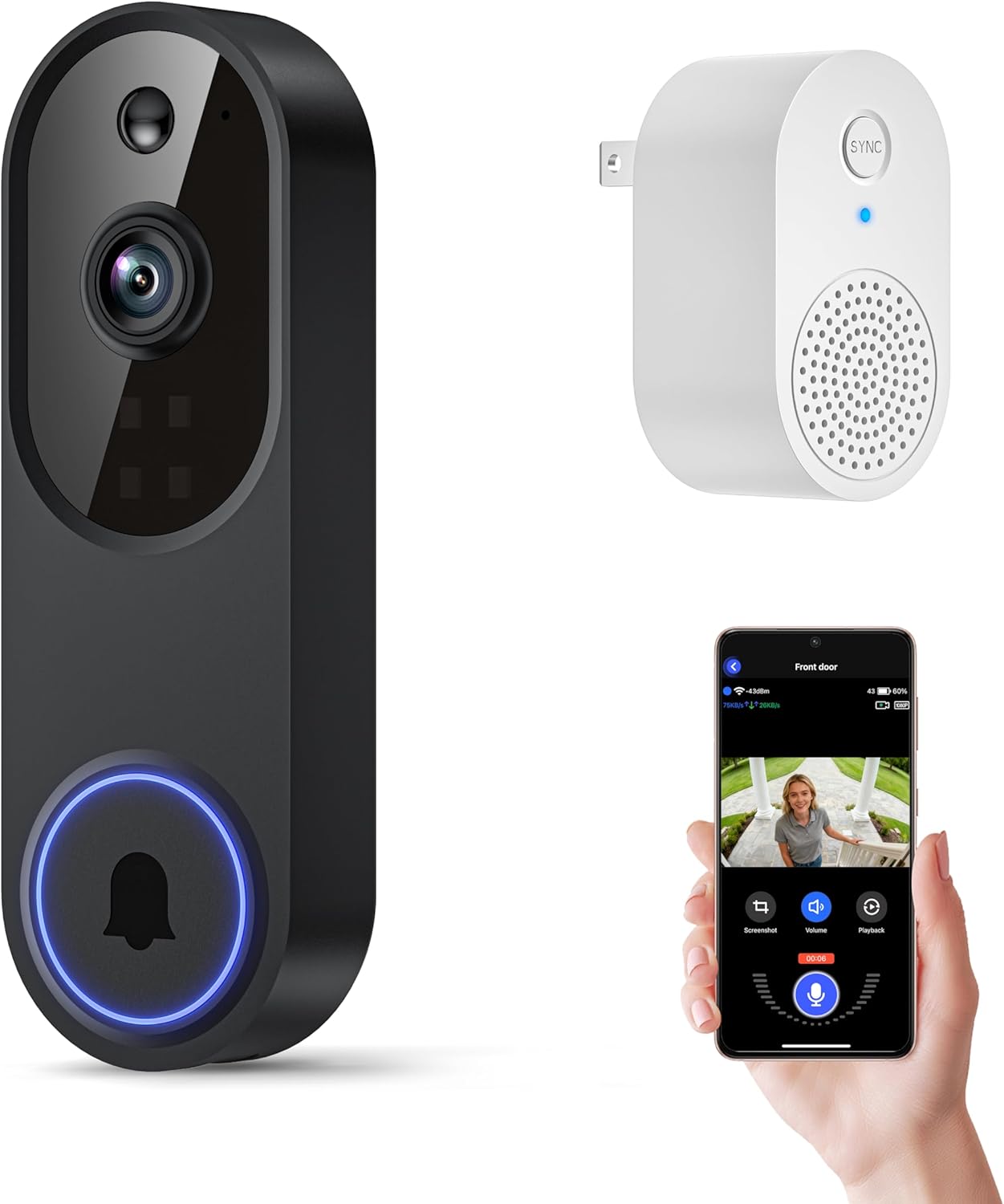
The Orbitell M52 is a battery-powered Wi‑Fi doorbell camera designed for everyday home security use. It streams 1080p video to a smartphone app over 2.4GHz Wi‑Fi and sends instant motion alerts and doorbell notifications. Notable features include AI person detection to reduce false alerts, two-way audio for live conversations with visitors, and color-capable night vision thanks to multiple infrared LEDs and an improved sensor. Recordings are saved to AES-128 encrypted cloud storage and cloud subscribers get pre-capture clips so events are not missed. Setup is wireless and the unit is rated IP65 for outdoor durability, though it must be recharged via the included micro-USB cable and only connects to 2.4GHz networks. The camera does not support local SD recording, so continuous local storage is not an option without a subscription, and the app limits concurrent live viewers and intercom use. For buyers who want simple installation, smart motion filtering, and reliable night performance, the M52 is a practical choice; budget buyers seeking SD card recording or 5GHz support should look elsewhere.
Best for: Homeowners who prioritize dependable, easy-to-install video monitoring with fewer false alerts and strong night performance and who prefer cloud-based recording and app control.
Less Ideal for: Users who need local SD recording, 5GHz Wi‑Fi compatibility, or want simultaneous intercom access for many viewers.
- AI person detection reduces false motion alerts from animals and vehicles
- Two-way audio allows real-time communication with visitors
- Color-capable night vision and multiple infrared LEDs for clear low-light footage
- IP65 weather resistance suitable for year-round outdoor use
- Only supports 2.4GHz Wi‑Fi and will not connect to 5GHz networks
- No local SD card recording; video storage requires a cloud subscription
Verdict: Choose the Orbitell M52 if you want a weatherproof, easy-to-install doorbell camera with AI motion filtering, two-way talk, and reliable night vision backed by encrypted cloud storage.
Choosing the Right Wireless Wi-Fi Video Doorbell: Key Factors to Consider
Camera Resolution and Low-Light Performance
Higher resolution gives sharper stills and video that make it easier to identify faces and package details. Resolution also affects bandwidth and storage needs, so balance the level you need for identification against the network capacity you have. Low-light performance and true night-vision capability determine whether the doorbell provides usable imagery after dusk. Look for sensors and LEDs tuned for porch lighting conditions rather than relying on a porch light alone.
Wi-Fi Compatibility and Range
A reliable Wi-Fi connection is essential because the doorbell streams video and sends alerts over the network. Check whether the unit supports the common 2.4 GHz band, 5 GHz, or both, and verify expected range for your front porch, especially if your router is far from the entry. Interference, thick walls, and outdoor placement can reduce throughput. If your home has weak signal at the door, plan for a Wi-Fi extender or a unit that tolerates lower bandwidth without dropping connections.
Power and Installation Options
Wireless Wi-Fi Video Doorbells come in battery-only, wired, or hybrid variants. Battery models simplify installation but require periodic recharging or battery swaps, which affects maintenance. Wired models can offer continuous power and often support advanced features but require compatible doorbell wiring and possibly a chime adapter. Consider how invasive installation will be for your doorframe and whether you are comfortable with basic electrical work. Also check mounting options and whether angled mounts are available for better camera placement.
Motion Detection and Notification Customization
Motion detection quality determines how often you receive useful alerts versus false alarms. Look for adjustable sensitivity, motion zones, and person detection features to cut down on triggers from passing cars or trees. Notification options matter for responsiveness. Reliable push notifications, customizable schedules, and activity timeline views help you respond appropriately while avoiding alert fatigue.
Storage, Privacy, and Data Access
Decide whether you prefer cloud subscription storage, local storage, or a combination. Cloud storage gives offsite backups and convenient access but usually requires a subscription. Local storage keeps footage under your control but can be lost if the device is damaged or stolen. Privacy features such as end-to-end encryption, granular sharing controls, and the ability to delete footage easily are important, especially for homeowners concerned about third-party access. Review data retention options and how easy it is to export recordings.
Smart-Home Integration and App Quality
Integration with voice assistants, smart locks, and other connected devices can improve convenience and automations, such as unlocking a door after verified person detection. Confirm which ecosystems the device supports and whether integrations require additional setup. App quality is equally important because most interaction happens through the companion app. Expect features like live view, two-way audio, event timelines, and firmware updates. A well-designed app reduces friction for everyday use.
Choosing Between Battery and Wired Units
Battery-powered doorbells offer the simplest installation and are ideal when running new wiring is impractical. They are portable and let you position the unit where it gets the best angle, but you must budget for battery maintenance and occasional recharges.
Wired units provide continuous power and often unlock advanced features like higher frame rates or continuous recording. They can integrate with existing indoor chimes but require compatible wiring and a more permanent installation.
- Battery: easy setup, periodic recharging, flexible placement
- Wired: continuous power, advanced features, may need chime adapter
- Hybrid options: combine battery backup with wired charging for flexibility
Improving Wi-Fi Performance at the Door
If your doorbell struggles to hold a connection, first try moving your router or adjusting antenna orientation. If relocation is not possible, a dedicated Wi-Fi extender or mesh node placed closer to the entry can stabilize throughput.
Set your network to use the band that your doorbell supports best. Some units perform more reliably on 2.4 GHz due to range, while others benefit from 5 GHz bandwidth if in close proximity to the router.
- Place extenders out of direct weather exposure and near the door for best signal
- Avoid congested channels and test different band settings during setup
- Check for firmware updates that may improve networking stability
Mounting and Field of View Considerations
Camera placement dictates what you can see and how useful motion alerts are. Aim to capture both the threshold and approach paths so visitors and packages are clearly visible. Use angled mounts to correct for high or recessed doorways.
Mind sightlines to avoid sensitive areas such as neighboring windows to respect privacy and reduce unnecessary notifications. A slightly wider field of view helps capture context, but very wide lenses can distort faces if too close.
- Aim for 45 to 60 inches above the ground for typical installations
- Use wedges or corner mounts for side-facing doors
- Verify image framing in the app before finalizing the mount
Two-Way Audio and Microphone Quality
Two-way audio is useful for speaking to visitors or deterring unwanted behavior. Microphone and speaker quality vary considerably, so prioritize units that clearly reproduce speech with minimal delay.
Background noise suppression and echo cancellation improve intelligibility on both ends. If you expect to interact frequently through the doorbell, test live voice quality during setup to ensure messages are clearly heard.
- Test audio in real conditions with typical street noise
- Consider whether quick pre-recorded responses are supported
- Check if the device mutes audio automatically based on privacy settings
Maintenance, Firmware Updates, and Longevity
Regular firmware updates are important for security patches and reliability fixes. Choose devices from vendors that provide consistent updates without requiring complicated procedures.
Routine maintenance includes cleaning the lens and checking seal integrity for outdoor exposure. For battery units, plan a recharge schedule or choose models with long battery life to reduce intervention.
- Look for scheduled update features and change logs in the app
- Inspect mounting hardware for rust or loosening after storms
- Keep firmware current to maintain compatibility with network changes
How We Chose the Best Wireless Wi-Fi Video Doorbell
We shortlisted options that deliver consistent day-to-day reliability and clear video for typical home entryways. Our evaluation prioritized camera image quality and low-light performance because clear footage is the core security benefit of a video doorbell. Connectivity and networking behavior were another key filter; devices had to support stable Wi-Fi connections and standard home network configurations. We also assessed installation flexibility, including battery and wired options and compatibility with common doorbell wiring and chimes. Motion detection accuracy and configurable alerts were judged for real-world usefulness rather than gimmicky features. Finally, privacy controls and cloud/local storage options were considered to ensure users can manage recordings securely. We excluded devices with unproven connectivity or inconsistent firmware updates, products that mandate obscure third-party hubs, and units with severely limited storage or no user controls. The result is a list of reliable, well-supported Wireless Wi-Fi Video Doorbells suited to everyday home security needs.
Our full evaluation process is outlined in our review methodology.
FAQ
Do Wireless Wi-Fi Video Doorbells work without existing doorbell wiring?
Yes. Many models are battery-powered and install without wiring, making them suitable for homes without an existing chime. Wired compatibility may still be offered as an option for continuous power if wiring is available.
How much Wi-Fi speed does a video doorbell need?
Typical doorbells stream at moderate bitrates; stable upload speeds of 1 to 3 Mbps per device are usually sufficient for 720p to 1080p video. Higher resolutions or multiple devices may need more bandwidth.
Can I store video locally instead of using cloud storage?
Many units offer local storage via microSD or local network storage options, though some features may require cloud services. Local storage keeps footage in your control but can be lost if the device is damaged.
Will motion detection work in all weather conditions?
Motion detection often works in rain and snow, but performance can degrade in heavy precipitation or when temperature extremes affect sensors. Adjustable sensitivity and motion zones help reduce false alerts during adverse weather.
Are these doorbells compatible with smart-home assistants?
Compatibility varies by device. Some units integrate directly with popular voice assistants and smart platforms for live view and basic controls, while others provide limited or no integration. Check the device specifications for supported ecosystems.
Final Verdict
When choosing a Wireless Wi-Fi Video Doorbell, prioritize dependable video quality, consistent network behavior, and an installation style that fits your home. Expect to trade battery convenience for less maintenance with wired units, and balance storage preferences between local control and subscription-based cloud backups. Focus on motion detection accuracy and privacy controls to reduce false alerts and keep recordings secure. With these priorities in mind, you can confidently select a doorbell that improves security and everyday convenience at your front door.